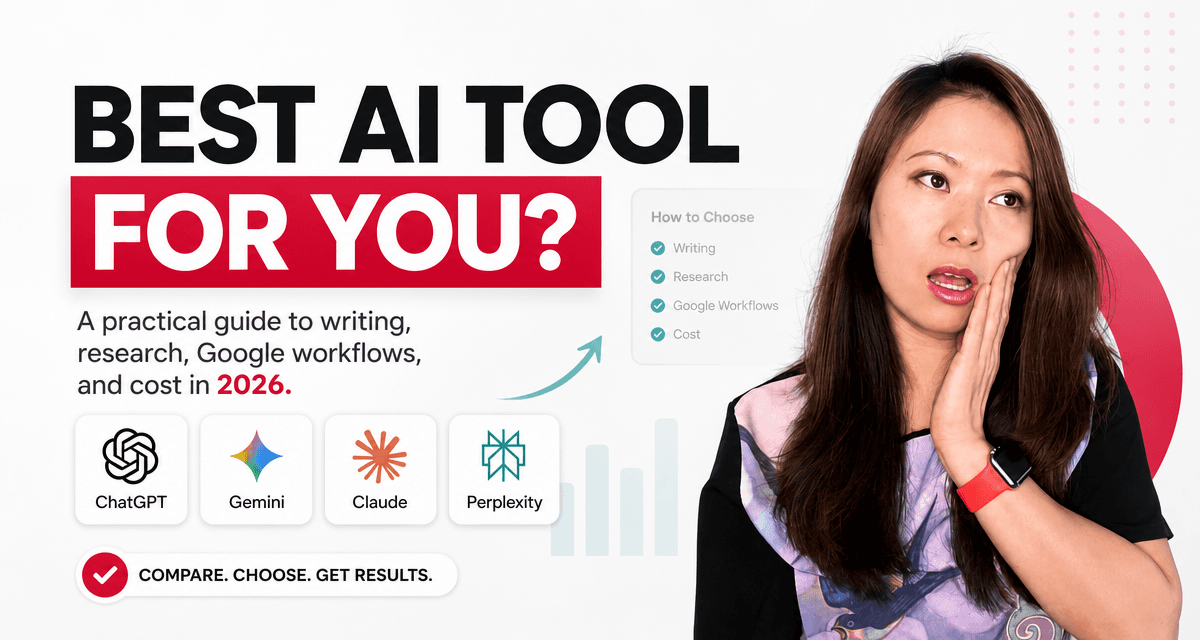
One of the questions I hear most often, and one people sometimes lower their voice to ask as if it’s something they should already know, is this:
“Which AI tool should I actually be using?”
Not which model topped the latest benchmark. Not which one tech Twitter is hyping this week. Just: which one do I open when I sit down to work?
And behind that question, usually, are a few more specific ones.
“I already use ChatGPT. Should I also try Claude?”
“I have a Google account. Is Gemini just… already there for me?”
“Is Perplexity just Google with AI sprinkled on top?”
“Do I really need to pay for all of them?”
These are good questions. Honest questions. And I want to give you honest answers: not a spec sheet, not a ranking, but the way I actually think about these tools as someone who uses them every week for writing, content strategy, research, and creative work.
The Mindset Shift That Changes Everything
You are not choosing a religion. You are not getting married to a platform.
You’re choosing a tool for a specific job. Like most good tools, each one does some things better than others.
A year or two ago, it was easier to say: “Use Claude for writing. Use ChatGPT for everything else. Use Perplexity for research.” Those distinctions still hold some truth, but all four platforms have expanded quickly and the gaps between them have narrowed.
So instead of asking “Which AI is the best?” I’d invite you to ask something more useful:
“What do I need help with most often, and where do I already do my work?”
That question will do more for you than any leaderboard ever will.
My Quick Take (Before We Go Deeper)
- ChatGPT for anyone who wants one all-purpose assistant that handles writing, brainstorming, images, files, and everyday tasks.
- Gemini for anyone whose work already lives inside Google: Gmail, Docs, Drive, Calendar, Meet.
- Claude for anyone who cares about quality writing, working with long documents, or thoughtful analysis and editing.
- Perplexity for anyone who wants sourced, cited answers, especially for research, fact-checking, and current topics.
That’s the short version. Here’s the fuller picture.
ChatGPT: The One I’d Tell Most People to Start With
If you’re new to AI tools, or if you want one place that can handle most things without switching apps, ChatGPT is still the easiest starting point.
It’s remarkably wide in what it can do: writing, editing, brainstorming, planning, image generation, file analysis, coding help, tutoring, research, templates, scripts, proposals. I reach for it when I’m staring at a blank page and need a thinking partner, not just an output machine.
The path from “I sort of know what I want to say” to “okay, now I have something to work with” feels shorter in ChatGPT than anywhere else, in my experience. You can say, “Here’s the mess in my head, help me make it make sense,” and it usually can.
One thing I’ll say honestly: because ChatGPT does so many things, it’s easy to assume every answer it gives is equally reliable. It isn’t. When facts matter, whether that’s health, finance, law, or current events, ask it to cite sources or verify elsewhere. Think of it as a brilliant thinking partner, not an authority.
OpenAI offers a free tier that’s genuinely useful, with paid plans (Plus, Pro, Business, Enterprise) unlocking more powerful models and higher limits. For most people, starting free and upgrading when you hit real friction is the right call.
Best for: everyday use, writing, content creation, brainstorming, image generation, file analysis, planning, and learning.
Gemini: Best When Your Life Already Runs on Google
Here’s something I want to say directly: the most powerful AI isn’t always the most useful one. Sometimes the most useful one is simply the one that’s already connected to where your work lives.
If you spend your days inside Gmail, Google Docs, Drive, Calendar, and Meet, Gemini may already be more practical than any external AI tool, because it can actually reach into what’s there. Being able to say “help me draft a reply to this email” or “summarize this shared Google Doc” or “what’s on my calendar next week” without leaving your workspace is a different kind of value than raw benchmark performance.
For teams and small businesses already paying for Google Workspace, the first question isn’t “should we add an AI subscription?” It’s “what Gemini features are already included in what we pay for?” That’s worth checking before layering anything new on top.
Gemini also handles more than text. Google has expanded into image generation, video, music, Deep Research, long context, and tight integration across its apps, and that ecosystem keeps growing.
The one caveat: the experience can feel inconsistent depending on whether you’re on a personal Google account, a Workspace account, or an organizational plan. Features and limits vary in ways that aren’t always obvious. Worth exploring what you actually have access to before assuming.
Best for: Google users, Gmail/Docs/Drive workflows, Workspace teams, and anyone who wants AI built into tools they already use every day.
Claude: For Writing That Actually Sounds Like Thinking
I’ll be honest: Claude has a different feel from the others. It tends to be more careful, more structured, and more thoughtful (that’s genuinely the word I hear most often from people who use it).
For writers, consultants, strategists, and researchers, that can make a real difference.
Where I find Claude particularly valuable: long-form writing and deep editing, working through dense documents (summarizing, analyzing, synthesizing), reviewing the structure and tone of something you’ve already written, strategic thinking and nuanced arguments, and making writing feel less generic, more like a person actually wrote it.
People often describe Claude as “the AI that understood what I was actually trying to say.” That’s a real quality. It doesn’t always do the most flashy thing, but it often does the most useful thing for serious writing work.
Claude has also expanded significantly into developer workflows through Claude Code, available in Pro and Max plans, for anyone working inside a codebase who wants AI integrated into their actual development environment, not just answering questions about it.
Pricing is straightforward: Free, Pro at $20/month (or $200/year), and Max plans at $100 and $200/month for heavier users who need higher limits.
Best for: writers, editors, consultants, researchers, long documents, strategic analysis, thoughtful editing, and developers who want deep coding integration.
Perplexity: For When You Actually Need to Know Something Is True
I’d describe Perplexity less as a chatbot and more as a research engine with conversation built in.
The difference from a regular Google search: instead of giving you ten links to sort through yourself, Perplexity gives you a synthesized answer with sources cited, and then lets you keep asking follow-up questions in the same thread. For understanding a topic quickly without falling down a tab spiral, it genuinely saves time.
I reach for Perplexity when I need current information and not just what an AI “knows” from training data, when I’m comparing tools or pricing and want to be able to verify, when I’m fact-checking something before writing about it, or when I want to understand a fast-moving topic before forming an opinion.
Worth knowing: Perplexity isn’t just one AI model. It routes queries through models from OpenAI, Anthropic, Meta, and others, while keeping sources front and center. It’s more of a research interface than a single chatbot.
Where it falls short: I wouldn’t use Perplexity as my primary writing partner. It’s the tool I use before I write. Once I have the research, I move it into ChatGPT or Claude to shape the actual piece.
Best for: current information, research, fact-checking, citations, comparisons, news summaries, and source-first answers.
“I Already Use One of These. Why Would I Try Another?”
This might be the most useful section, so let me make it concrete.
“I already use ChatGPT. Why would I try Claude?”
Try Claude when the quality of the writing really matters, when you want an editor and not just a drafter. A workflow I like: draft something in ChatGPT, then bring it to Claude and ask, “What’s repetitive? What’s vague? How do I make this sharper?” Claude tends to catch things the original pass missed.
“I already use ChatGPT. Why would I try Perplexity?”
When facts matter. If you’re writing about a current topic, referencing statistics or pricing, or making any claim that needs to hold up, Perplexity gives you sources you can actually open and verify. Research in Perplexity, write in ChatGPT.
“I already use ChatGPT. Why would I try Gemini?”
If your work is buried in Google. If the context lives in an email thread, a shared Doc, or a Drive folder, Gemini’s access to those environments makes it more useful for those specific tasks than a tool that can’t see inside them.
“I already use Gemini. Why would I consider ChatGPT or Claude?”
Because Gemini is excellent for Google-connected tasks, but may not feel as natural for free-form creative writing, brand voice work, or long editing sessions. If you’re developing a course, writing personal essays, or doing nuanced content strategy, ChatGPT or Claude often feel better built for that kind of work.
“I use Perplexity. Do I still need ChatGPT?”
Probably yes, if you’re a creator. Research is just step one. You still need to turn that research into something: a blog post, a script, an email, a strategy deck. Perplexity helps you find the material. ChatGPT or Claude helps you build with it.
On Cost: You Don’t Need Four Paid Subscriptions
Let me say this plainly: most people do not need four paid AI tools.
A smarter approach is to use the free versions first and figure out which tool you actually reach for. Then pay for one main tool when you hit real limits. Keep one free tool as a useful backup, and only upgrade further when you have a specific reason.
The first paid subscription for most people is ChatGPT Plus or Claude Pro, both around $20/month. If you’re deep in Google Workspace, check what’s already included before adding anything.
The right plan isn’t about prestige. It’s about usage. If you’re using AI daily for client work, content, and research, a paid plan usually pays for itself. If you’re experimenting a few times a week, start free and stay there until you need more.
My Actual Workflow (Borrow It If It Helps)
Here’s how I often use these tools together. Not because you need all four, but because this combination reflects what each one is actually best at:
- Perplexity to research the current landscape: what’s out there, what’s new, what sources exist.
- ChatGPT to turn that research into a draft: an article, email, strategy, script, whatever the deliverable is.
- Claude to review and strengthen the draft: tighten the writing, cut repetition, improve structure, make it feel more human.
- Gemini when the work needs to connect with email, Google Docs, Drive, or Calendar.
This isn’t overkill. It’s a little like using different tools in a real studio. You don’t ask one person to do everything perfectly. You build a process that uses each tool for what it’s actually good at.
The Question Underneath All of This
Instead of asking “which AI is the best?” ask yourself what you actually need. Do you mostly need answers? Do you need help writing? Do you need current, sourced research? Do you need AI working inside your existing apps? Do you need a creative partner or an editor? Do you care most about cost, quality, convenience, or privacy?
Your answers shape your workflow more than any benchmark ever will.
A solo creator might start with ChatGPT and add Perplexity for research. A consultant might use Claude for writing and ChatGPT for brainstorming. A Google Workspace team might find Gemini already handles most of what they need. A student might use Perplexity for sources, Gemini for NotebookLM, and Claude for synthesis.
There’s no universal right answer. There’s only the right answer for how you actually work.
You Don’t Have to Feel Technical to Start
I want to close with something I wish more people heard at the very beginning of their AI journey:
You do not need to understand model architecture, tokens, context windows, or agent frameworks to benefit from these tools.
You just need to start with one honest question: “What am I trying to get done?”
Then choose the tool that helps you move forward with the least friction.
For most people, I’d start with ChatGPT or Gemini depending on whether you want a general assistant or a Google-connected one. Add Perplexity when you need better research. Try Claude when you want stronger writing or long-document thinking.
And stay flexible. These tools are evolving fast. What’s true today may look different six months from now. That’s not a reason to wait. It’s a reason to stay curious and keep experimenting.
The goal isn’t to be loyal to one AI brand.
The goal is to become more capable, more creative, and more confident in the work that matters to you.

Written by
Fei WuFei Wu is the founder and CEO of Feisworld Media, a Massachusetts-based digital media company helping brands get discovered by people and by AI. An Adobe Global Ambassador and brand partner to ElevenLabs, Synthesia, and 50+ other tech and AI companies, she hosts the Feisworld Podcast (400+ episodes, 500K+ downloads — guests have included Seth Godin, Steve Wozniak, Chris Voss, and Arianna Huffington) and co-created the documentary Feisworld: Live Your Art on Amazon Prime. Fei writes for CNET, Lifehacker, and PCMag, and her work has been featured in Forbes, Harvard Business Review, and WIRED. She has been publishing on the internet since 2014 — long before AI discoverability had a name.
View all posts by Fei Wu→Stay updated
Weekly insights on content, AI, and digital media.
Keep Reading