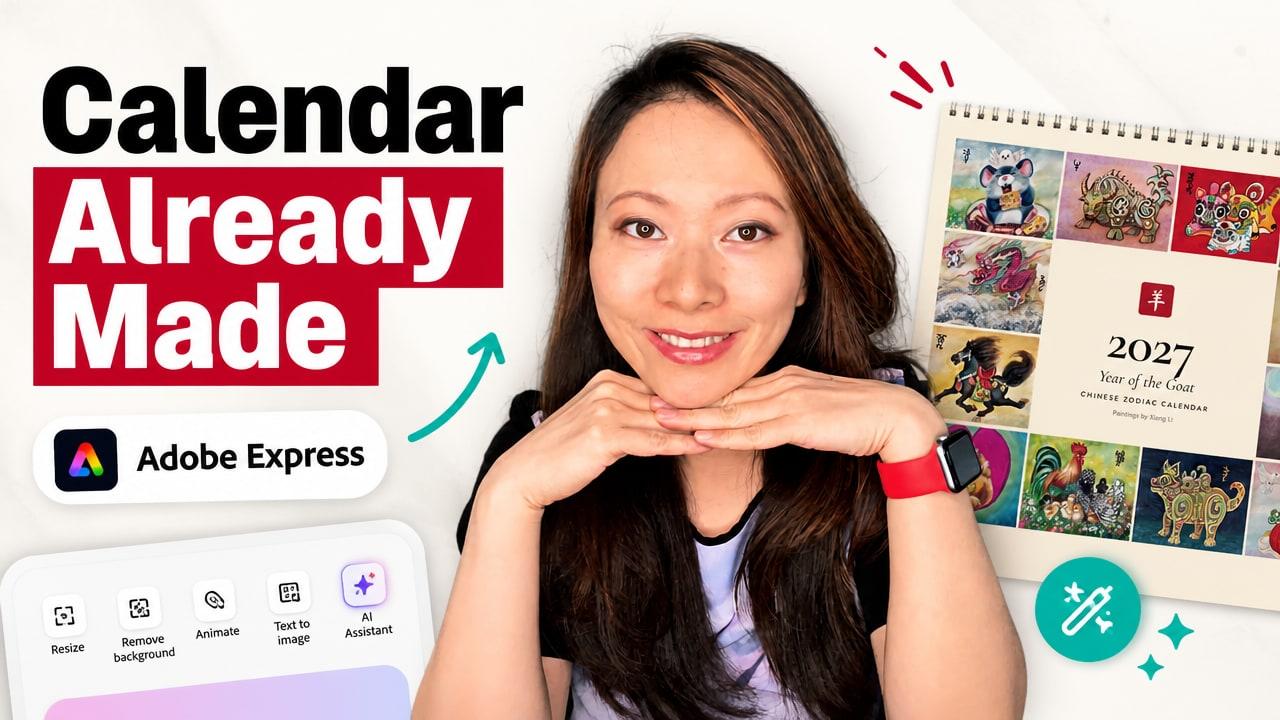
I just got home from Adobe MAX in Miami. I’m a little tired, a lot inspired, and about a hundred stickers lighter.
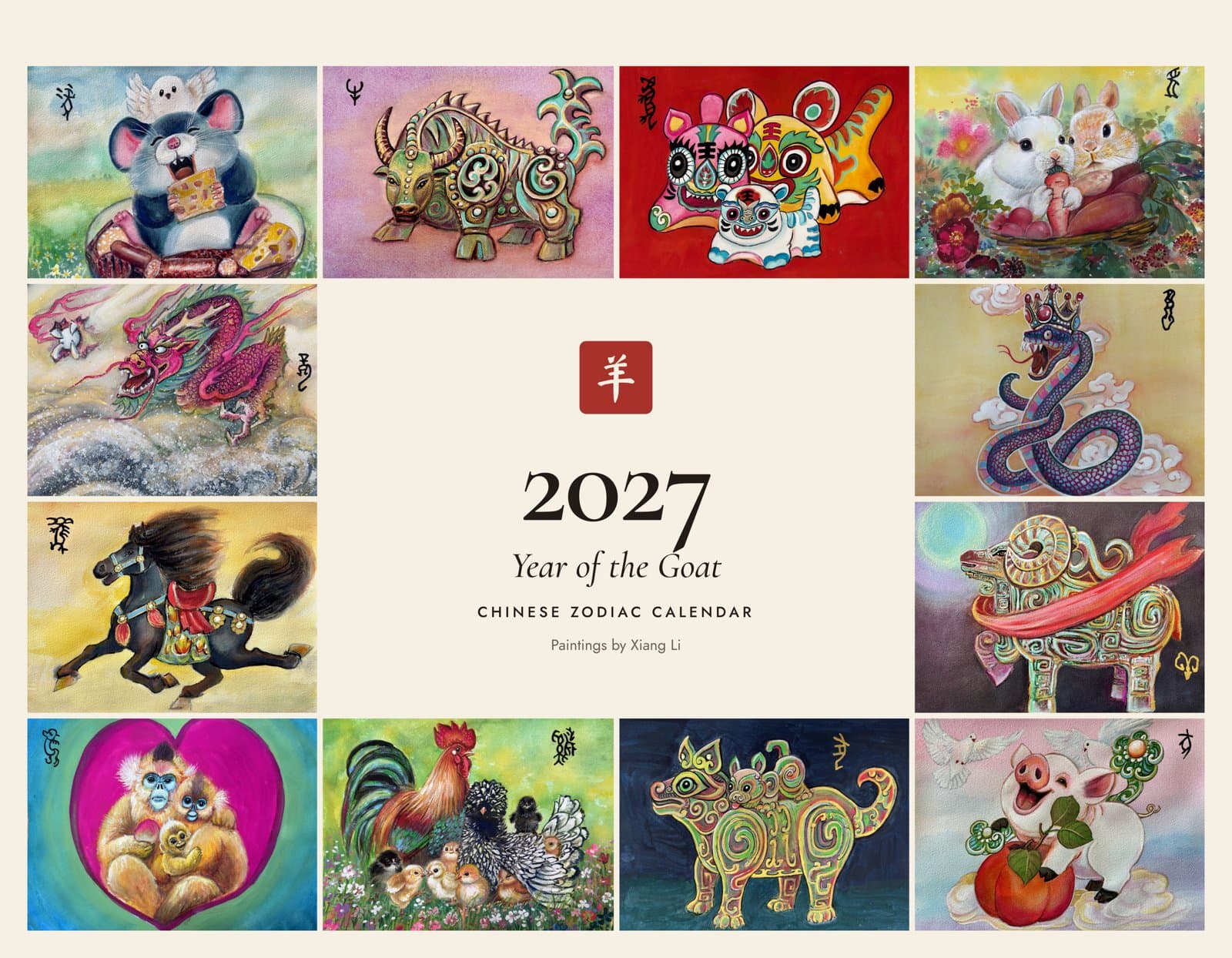
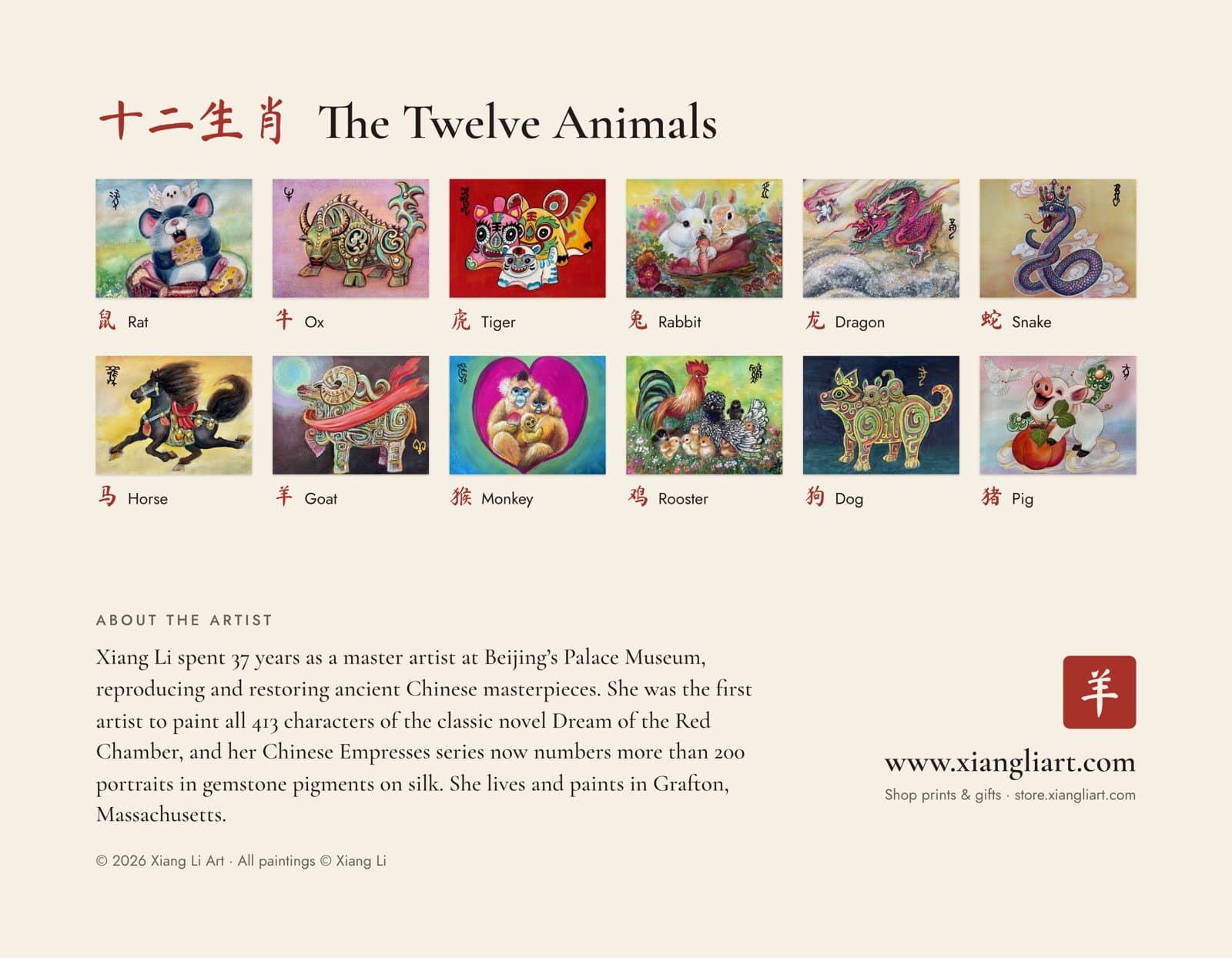
Here’s what I keep coming back to: making the thing is no longer the hardest part. My mom, Xiang Li, painted all twelve animals of the Chinese zodiac, and this fall we turned them into a real, printed 2027 wall calendar. Eleven by eight and a half inches, wire bound, one painting above every month, with lunar dates, Chinese festivals and US holidays on every grid. We printed a small batch of 25 with Mixam on 100 lb satin paper, and I’m holding one right now.
If you want the making of story, I wrote about it in How I made my mom’s zodiac calendar with Claude and Adobe Express.
The hardest part now is everything after. A launch post. A gift promo. A countdown to Lunar New Year. A carousel. An Etsy banner. Then all of it again next week. So I gave the new AI Assistant in Adobe Express (desktop, still in beta) one job: help me promote the calendar we already made, without wandering away from Mom’s design.
Lesson one: don’t let the AI freestyle the art
My first try, I just described the calendar and let the Assistant run. It came back fast, warm and polished. And it had painted its own animals. Two designs showed a horse. One showed a rabbit. One called 2027 the Year of the Fire Horse.
It’s the Year of the Goat, and it begins February 6, 2027. More importantly, none of those animals were Mom’s.
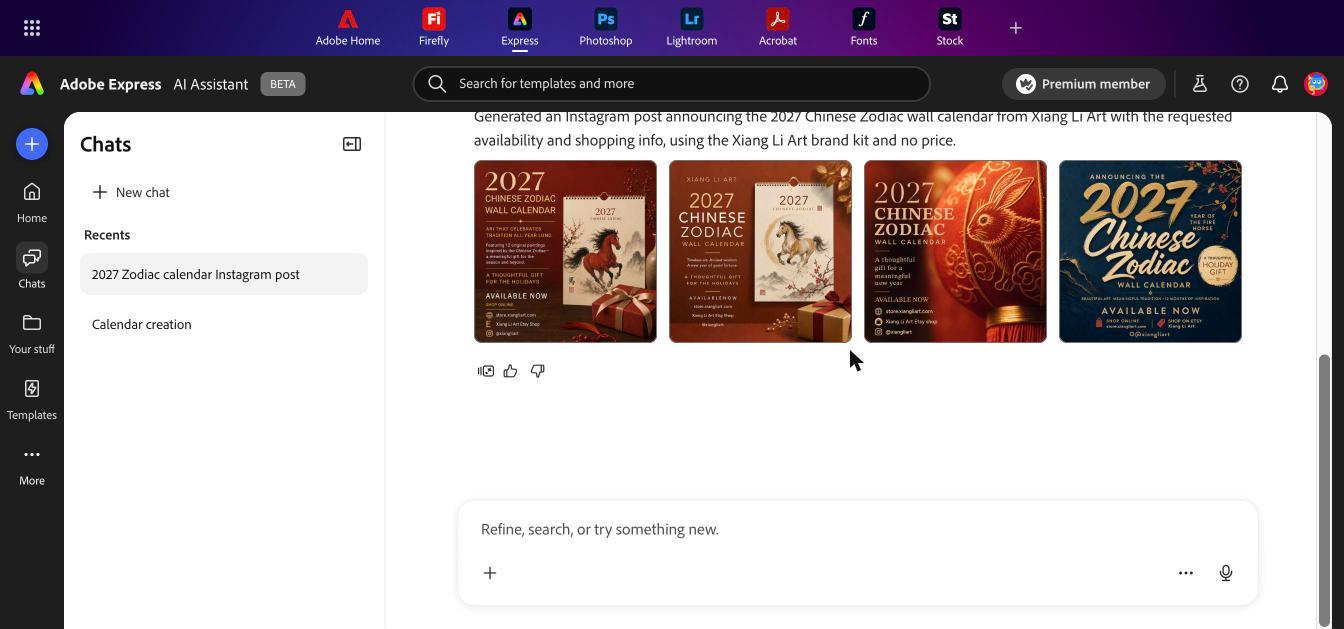
I could fix the zodiac year in one sentence, and I did. But that moment changed my whole approach. The AI is brilliant at layout, copy and resizing. It is not the artist here. So now every promo starts from the real calendar pages, and I tell the Assistant exactly what it’s allowed to touch.
The trick: let the AI build the frame, not the art
The Assistant greets you with two choices: Make a design and Edit image. Make a design works from words alone. It can’t see Mom’s pages, so when I described the calendar, it painted its own goat. That’s exactly how I ended up with a horse.
So I flipped the job. I ask Make a design for everything around the art, and I tell it the art is mine.
Design a square Instagram post called Meet the Year of the Goat for a 2027 Chinese Zodiac wall calendar by Xiang Li Art. Leave a large empty image frame in the center for my mom’s painting. Don’t generate any artwork, animals or illustrations. Cream paper background #F6F0E4, text in #221C18, accents in seal red #A8322A. Headline “Meet the Year of the Goat” in Cormorant Garamond, “2027 CHINESE ZODIAC WALL CALENDAR” in Futura PT with wide letter spacing, a small red square seal with 羊, and “Paintings by Xiang Li · xiangliart.com” at the bottom. Calm, minimal, gallery feel.
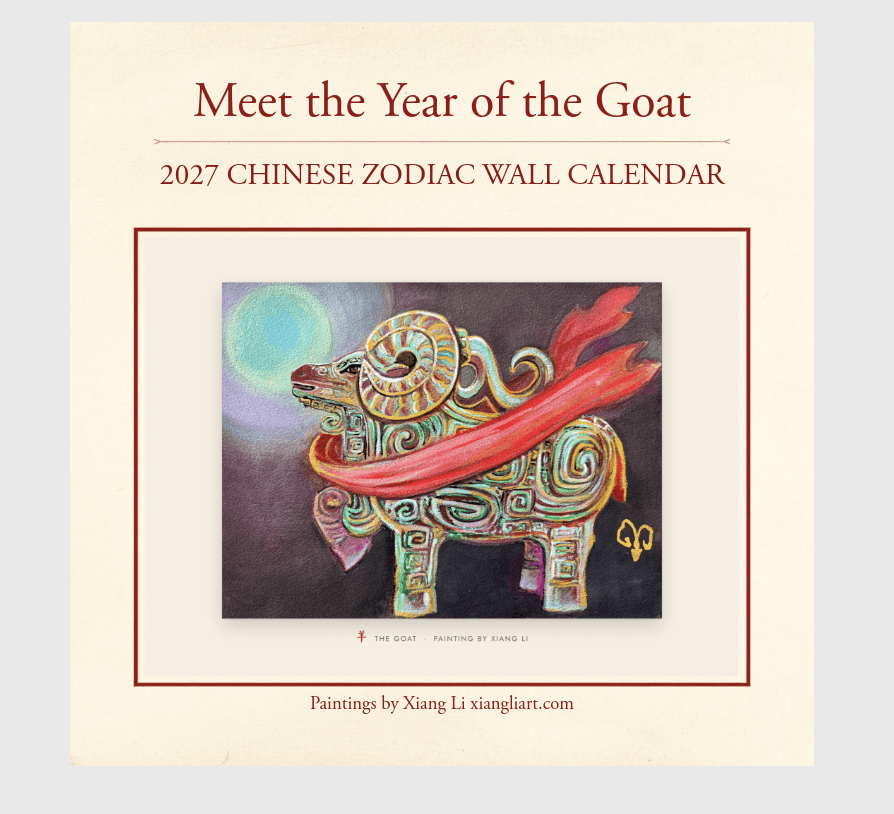
It comes back with a calm cream layout, the headline, the seal and the credit line, and an empty frame waiting in the middle. I open the design and drop Mom’s real goat painting page into that frame. That’s the only thing I place by hand.
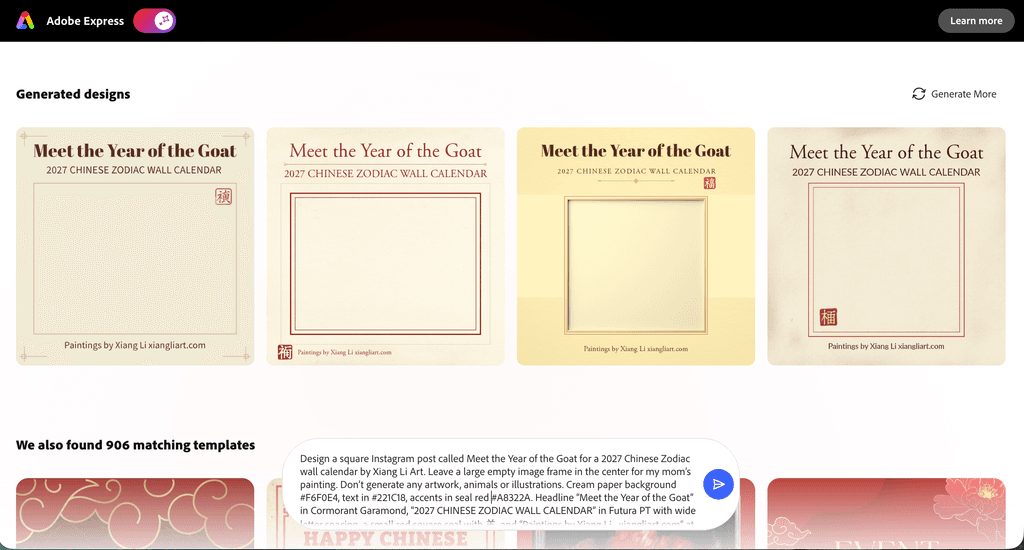
I selected the second design from the left, and now I’m able to edit it further with AI Assistant.
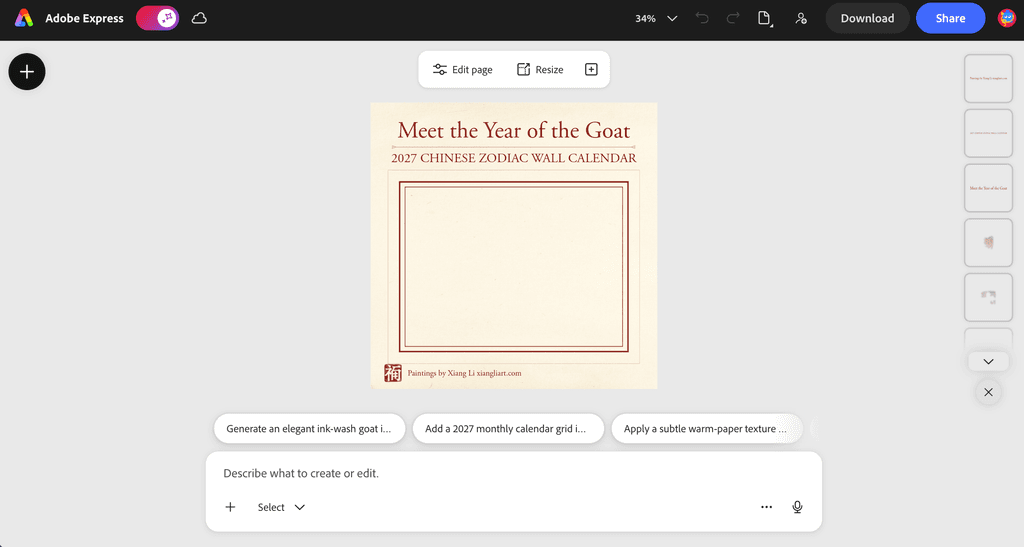
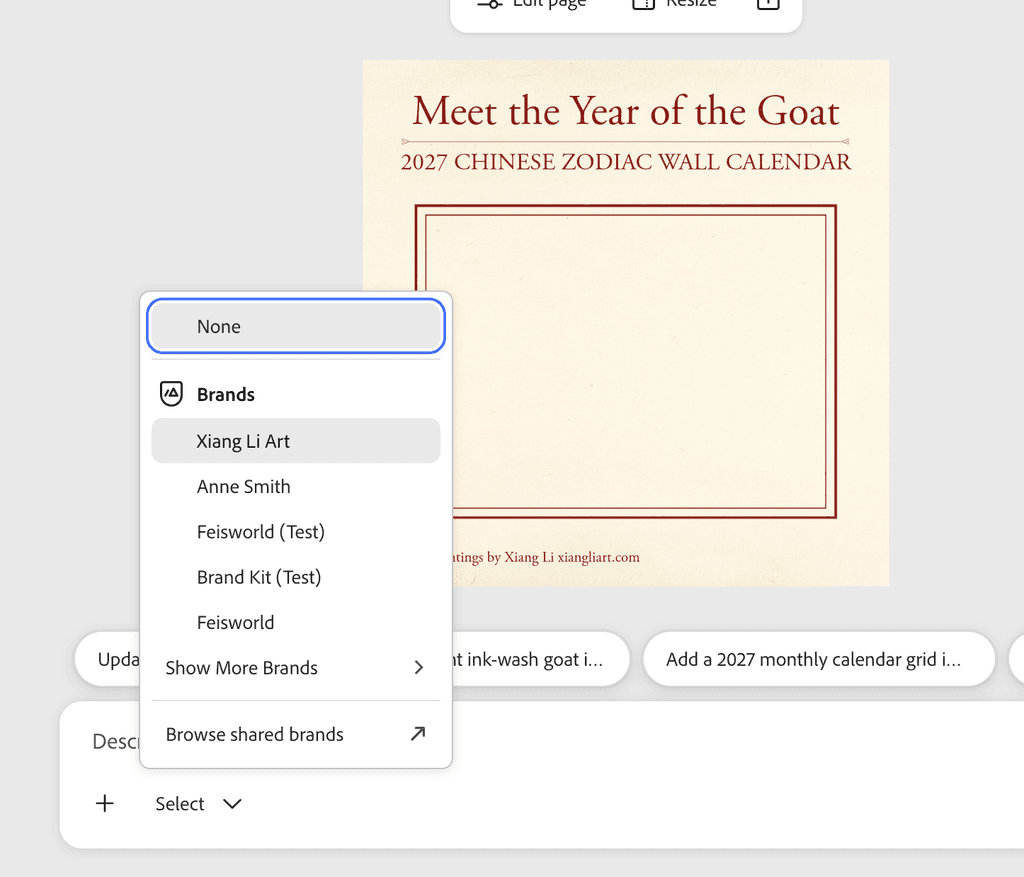
You also have the opportunity to apply your Brand Kit by clicking “Select”
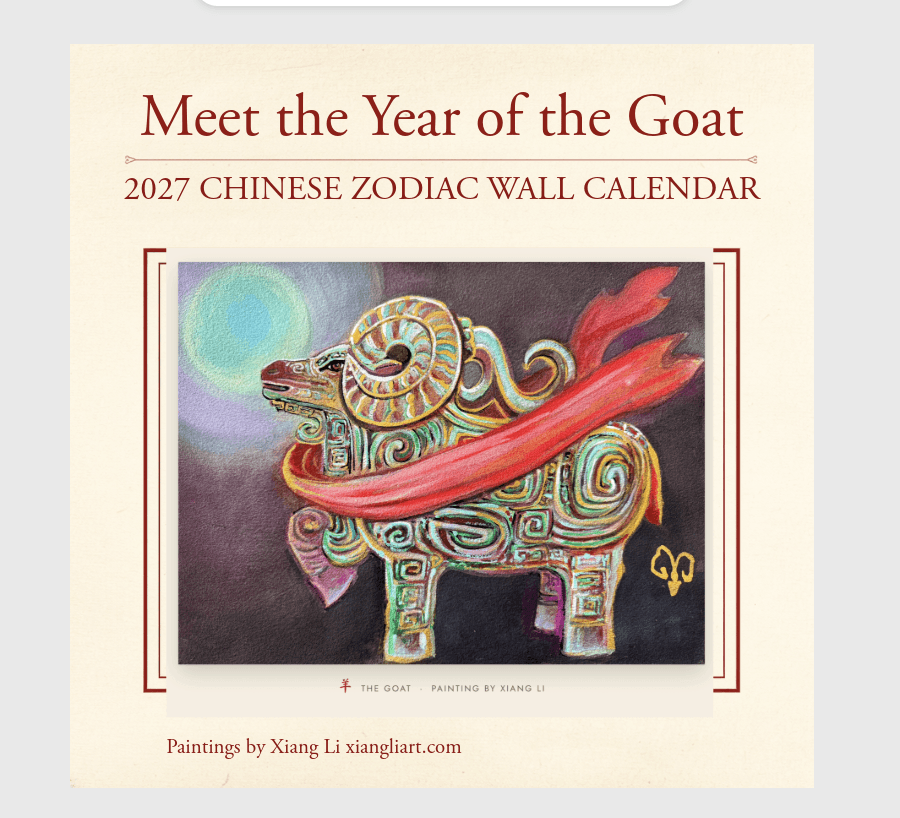
Now I’m able to drop the image of the goat directly in this design. However, you’ll notice that the image doesn’t quite align exactly with the frame. Instead of manual adjustment, this is the perfect opportunity to ask AI Assistant to help you align the image automatically.
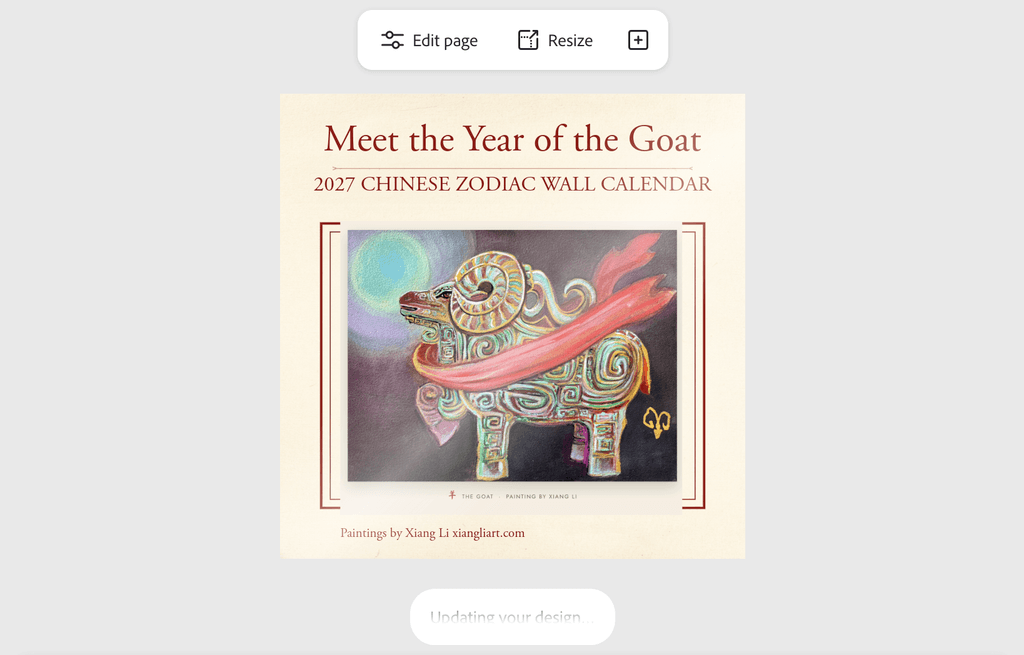
AI Assistant helped align the image to the frame after careful calculation. This process took about 20-30 seconds and may vary based on the complexity of your design.
One design, every place people scroll and shop
Instead of dreaming up a dozen separate promos, I start with one hero design built from a real calendar page. Then I ask the Assistant to carry it everywhere the calendar needs to show up. Same painting, same seal, same cream paper, just shaped for each place.
Inside AI Assistant, you are able to directly resize your design into various social media assets. Alternatively, you can also edit the original design and use “Resize” to create additional social assets that suit your needs. I typically repurpose the same design for Instagram story, Facebook post, LinkedIn post.
Adobe Express supports a large variety of resizing options for Instagram, Google Ads, TikTok, YouTube, LINE, WhatsApp and many others.
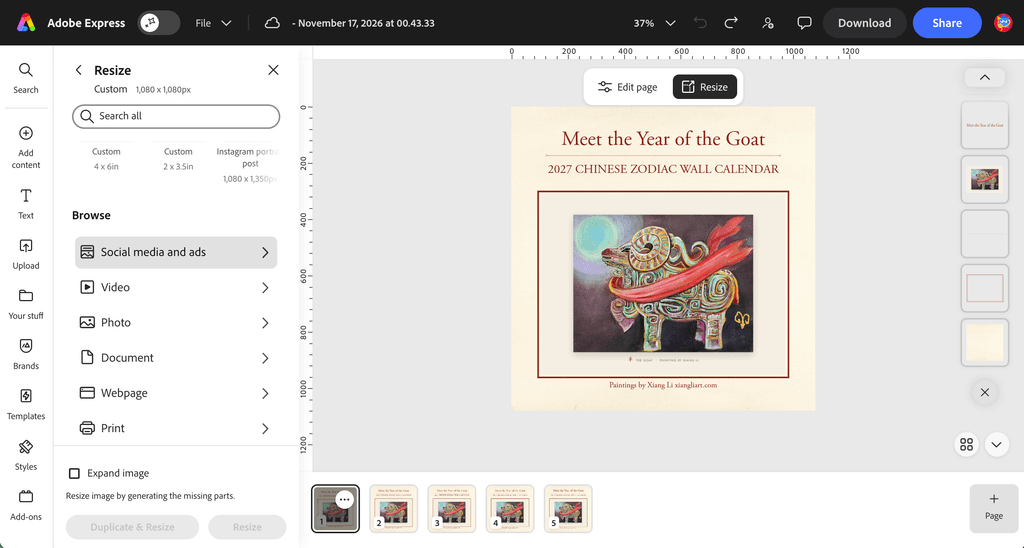
This is where the Assistant really earns its keep. Resizing by hand used to eat my evenings. Now I spend that time on what each channel actually needs:
- Instagram post: the painting does the talking. Short caption, one clear line about the Year of the Goat.
- Instagram Stories: one line per frame and a link to the shop. Perfect for a countdown to Lunar New Year on February 6, 2027.
- LinkedIn: the story behind it. A daughter helping her artist mom launch a small batch product, and what we learned.
- Facebook: the gift angle, for family, parents and teachers, with the shop link right there.
- Etsy: listing photos that match the real product (the cover, the open January spread, a painting close up, a details card) plus a shop banner from the cover mosaic.
Schedule the posts right where you are (inside Adobe Express)
I have written extensively how Adobe Express content scheduler.
Instead of downloading these social assets and then manually update them to Facebook, Instagram, LinkedIn, etc., you can able to schedule them directly inside Express.
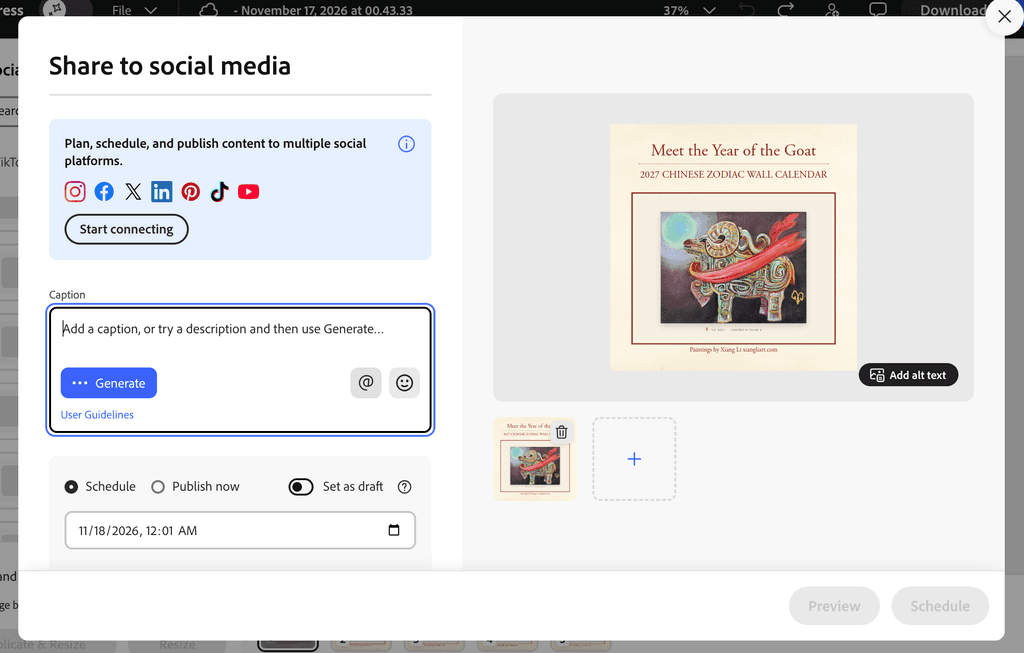
You can personalize your caption as much as you want, or use Adobe Express’ Generate feature to generate new caption, rewrite/shorten/lengthen existing captions.
The same set, all season
Once the hero design and its sizes exist, every seasonal moment is a small edit instead of a new project:
- A holiday gift promo for parents, teachers and anyone welcoming the Lunar New Year.
- A Find your zodiac carousel, one of Mom’s animals per slide, with birth years from the grid pages.
- A countdown to February 6, 2027, using the Lunar New Year detail from the calendar.
- A short reel from my flip through video of the printed calendar.
What I changed by hand: before any posts are scheduled to go live, I carefully review each caption to make sure they reflect the intricate work by my mom Xiang Li. I want to make sure they accurately reflect the intention of her art. Since her works are original creations, I find it meaningful to describe her process alongside small elements that may go unnoticed.
What stays human
Here’s my honest split. The AI Assistant gets me most of the way in minutes: layouts, headlines, sizes, color moods. The last stretch is mine, and it’s always the same few things.
- Mom’s paintings are never cropped through a horn, a tail or her signature seal.
- Chinese characters stay in Ma Shan Zheng, and I check every one.
- Captions keep the calendar’s spaced capitals, like THE GOAT · PAINTING BY XIANG LI.
- Prices, dates and shipping details get checked against the real listing.
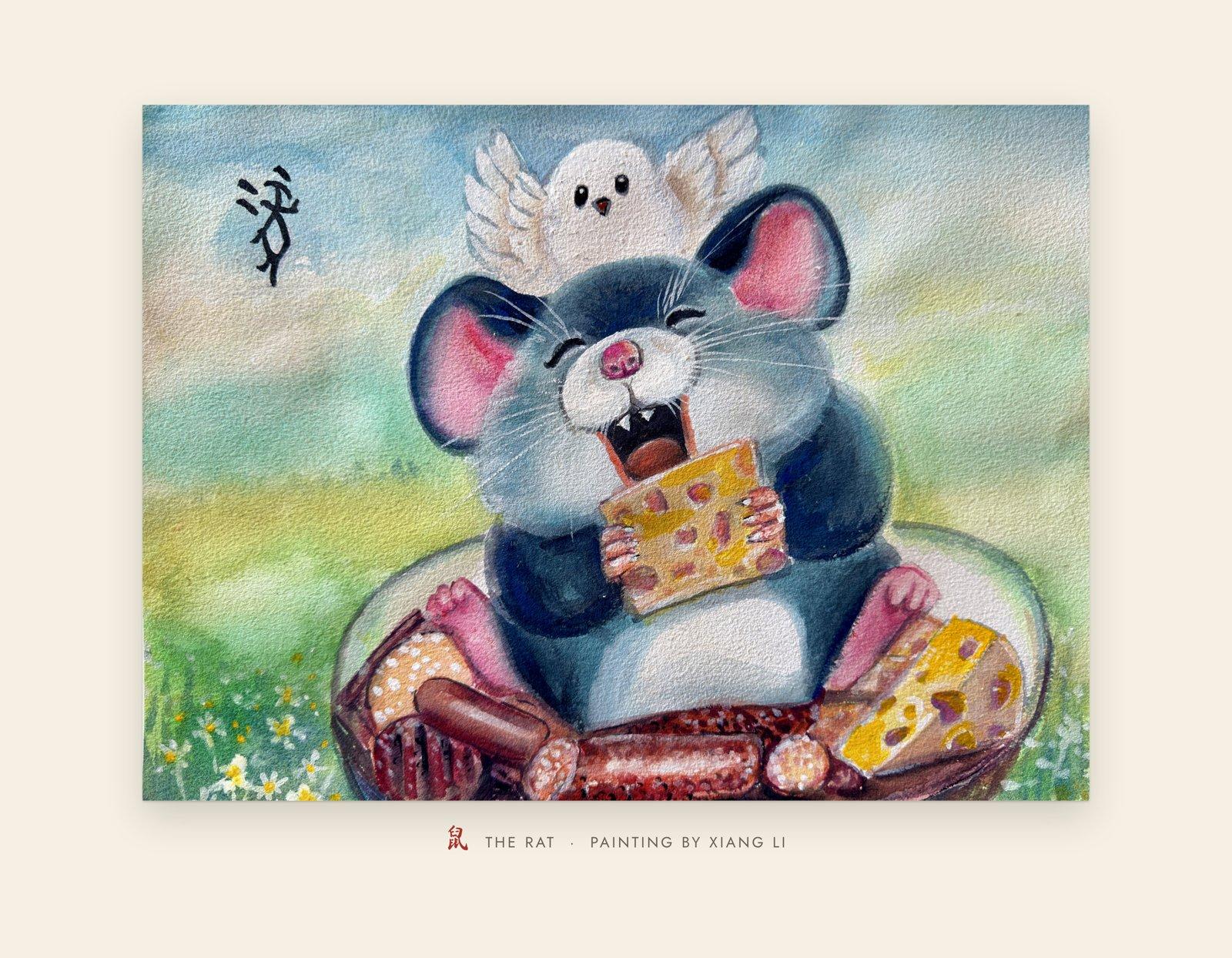
When I need more control, I export the design as a PSD and finish it in Photoshop with every layer intact. Most weeks I don’t need to.
Get the calendar
The 2027 Chinese Zodiac wall calendar is $25 with free US shipping (US only). It’s a small batch of 25 copies, printed by Mixam on 100 lb satin paper, with lunar dates, Chinese festivals and US holidays. The Year of the Goat begins February 6, 2027.
Your turn
If you’ve already made the thing, a book, a print, a calendar, a class, try this:
- Put your real colors and fonts into a brand kit.
- Start every prompt from your real pages, and say what the AI may not change.
- Then slow down and make every detail yours.
The AI Assistant is in beta on the Adobe Express desktop experience. You can try it here: Adobe Express
I’d love to see what you make. Tag me @feisworld, and if you made something for your mom, tag her too. 💛

Written by
Fei WuFei Wu is the founder and CEO of Feisworld Media, a Massachusetts-based digital media company helping brands get discovered by people and by AI. An Adobe Global Ambassador and brand partner to ElevenLabs, Synthesia, and 50+ other tech and AI companies, she hosts the Feisworld Podcast (400+ episodes, 500K+ downloads — guests have included Seth Godin, Steve Wozniak, Chris Voss, and Arianna Huffington) and co-created the documentary Feisworld: Live Your Art on Amazon Prime. Fei writes for CNET, Lifehacker, and PCMag, and her work has been featured in Forbes, Harvard Business Review, and WIRED. She has been publishing on the internet since 2014 — long before AI discoverability had a name.
View all posts by Fei Wu→Stay updated
Weekly insights on content, AI, and digital media.