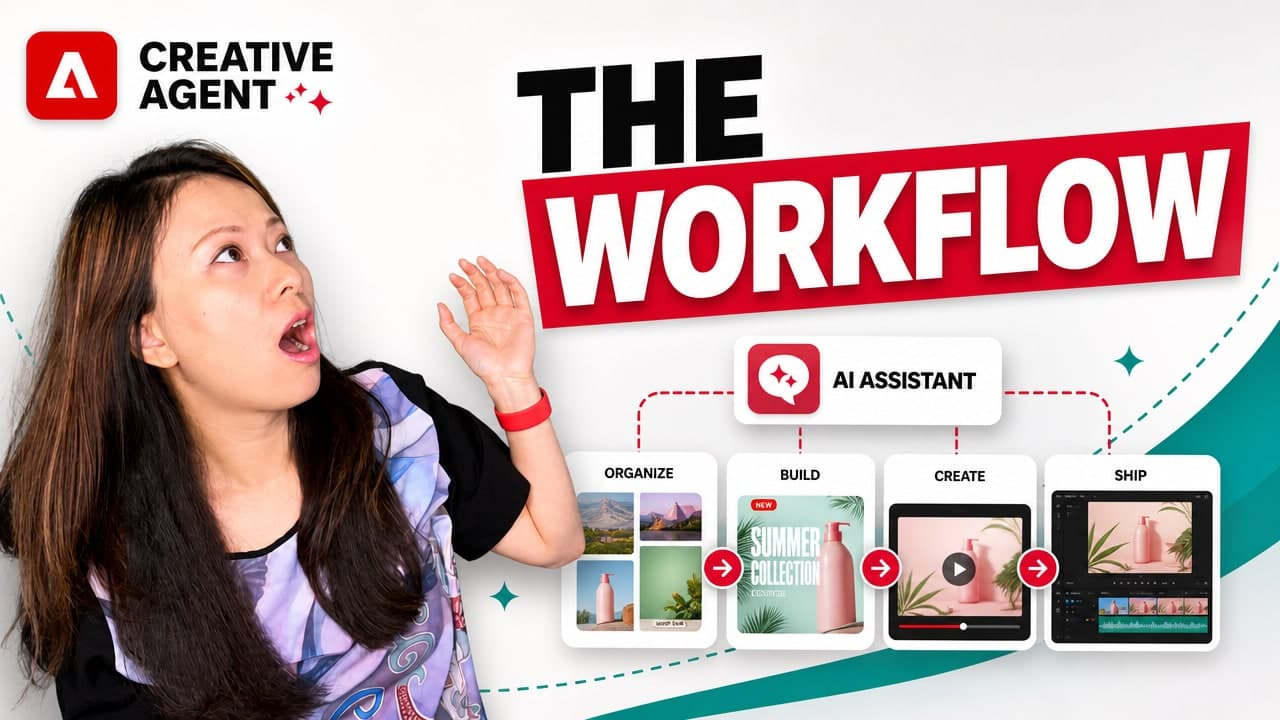
When I first started Feisworld, I wore every hat.
I wrote the blog posts. I edited the podcast. I built the website. I created thumbnails, newsletters, course pages, YouTube descriptions, client proposals, social media graphics, and eventually full video workflows.
Later, when my mom Xiang Li and I began building Xiang Li Art together, the creative workload expanded in a completely different direction: exhibition signage, artist statements, grant applications, wall labels, merchandise mockups, pricing sheets, QR code handouts, recap videos, social media posts, event promotions, and outreach materials for libraries, galleries, gardens, and cultural organizations. This is why I created a course called
For independent creators, artists, educators, and small business owners, creativity is rarely the problem.
The problem is everything around creativity.
The resizing. The formatting. The searching. The renaming. The “where did I put that file?” The first cut of a video. The tenth version of a flyer. The need to turn one idea into many assets for many platforms, while somehow keeping the brand, voice, and story consistent.
That’s why Adobe’s latest release caught my attention.
Adobe announced a major expansion of its creative agent across Adobe Firefly and Creative Cloud apps, including Premiere, Photoshop, Illustrator, InDesign, Frame.io, and more. Adobe is also bringing its creative tools to places where people already work and collaborate, including ChatGPT, Claude, Microsoft 365 Copilot, and eventually Gemini and Slack.
At a high level, the promise is simple: instead of forcing creators to jump between tools, tabs, menus, and apps, Adobe wants to bring AI assistance closer to the real creative workflow.
But what matters most to me is not simply that Adobe is adding more AI.
It’s that Adobe is trying to make AI more useful for the messy middle of creative work: the part between having an idea and actually finishing something.
The creator stays in the director’s chair
One phrase from Adobe’s release really stood out to me: the creator stays in the director’s chair.
That’s the balance I care about most.
I don’t want AI to replace the taste, judgment, voice, or lived experience of the creator. I don’t want every brand to sound the same, look the same, or feel like it came out of the same prompt box. What I do want is help with the friction that keeps good ideas from becoming finished work.
Adobe describes its creative agent as helping orchestrate and execute complex, repetitive workflows while the creative vision stays with the human from start to finish. That feels like the right framing.
The assistant can help with setup, versions, resizing, organization, first drafts, rough cuts, and production steps.
But the creator still decides what feels right.
That matters whether you are a professional editor in Premiere, a solopreneur building a brand from scratch, an artist preparing for an exhibit, or a small business owner trying to create better content without hiring a full creative team.
Forest Key, Vice President of Agentic AI & Firefly for Adobe’s Creativity & Productivity Business, put it well:
“One thing we keep coming back to is that Adobe’s creative agent won’t benefit every creator the same way. A solopreneur building their brand from scratch with Firefly AI Assistant gets something completely different out of it than a professional editor in Premiere who just wants the drudgery of setup work handled by our AI Assistant so they can focus on the actual edit and storytelling.”
That line resonated with me because it reflects how creators actually work.
We don’t all need the same thing from AI.
Some of us need help creating a brand kit. Some of us need help finding the right asset. Some of us need help assembling the first cut of a video. Some of us need help turning product photos into short-form video. Some of us need help keeping a campaign consistent across social, email, web, and print.
The value is not one magic button. The value is momentum.
Adobe Firefly AI Assistant
Adobe Firefly AI Assistant, currently in beta, is expanding with new creative skills, additional tools, and customization upgrades. Inside Firefly, creators can describe the outcome they want in natural language, and the assistant can help generate, edit, and assemble creative assets through a conversational interface.
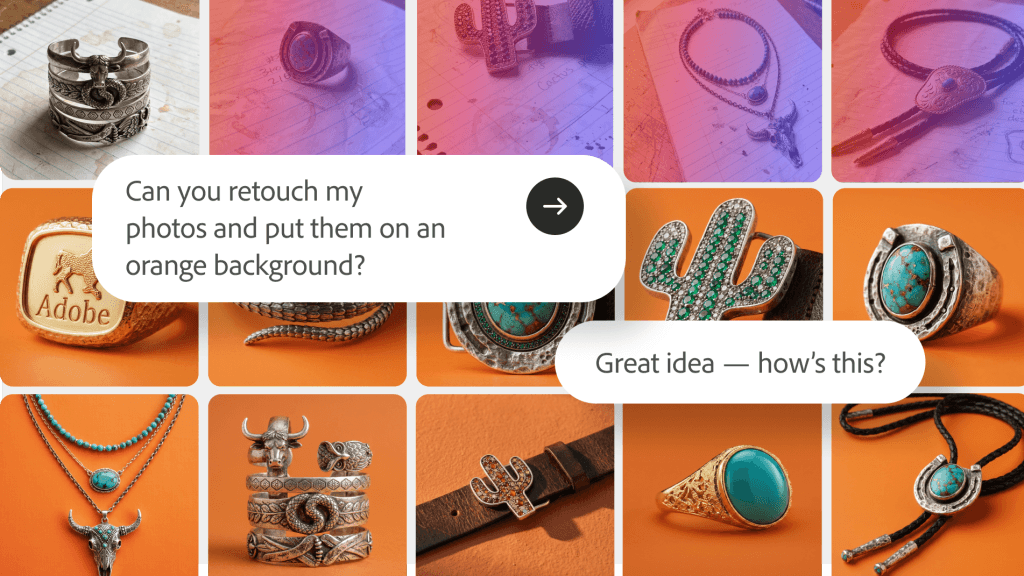
Some of the new Firefly AI Assistant capabilities include:
Brand kit creation
You can describe your style, brand name, and color palette, and Firefly AI Assistant can generate and save a logo, brand identity, and color palette that can be applied across your content.
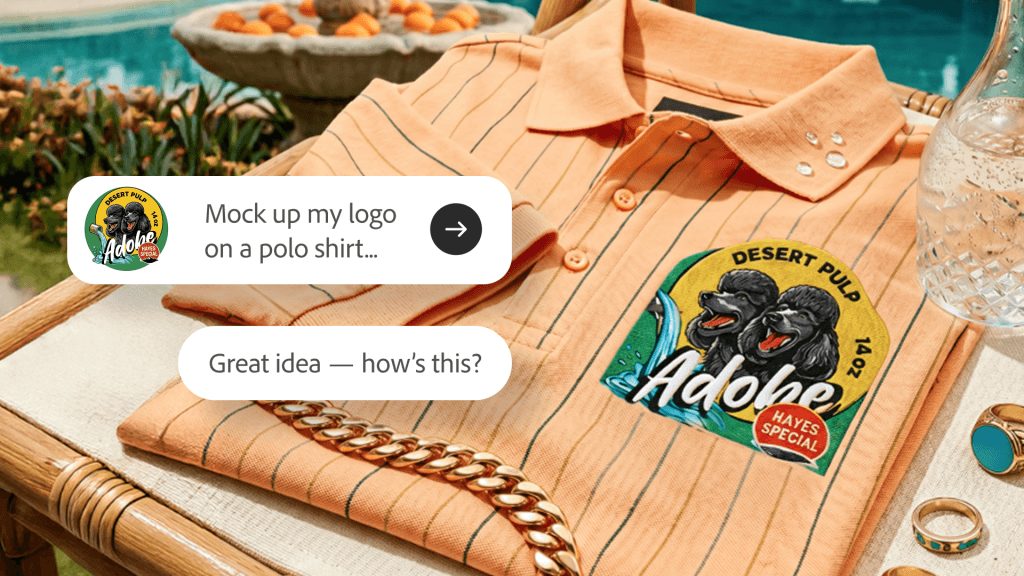
Short product video creation
You can turn product photos into polished short-form videos with lighting, motion, audio, and brand styling.
Quick Cut
You can automatically assemble video clips into a polished first cut based on dialogue, narration, or visual content.
Storyboards and storyboard-to-video
You can turn an idea into a visual scene sequence, then use those storyboard frames to generate video.
Adobe is also adding personalization and workflow improvements. Firefly AI Assistant can better understand creator intent, help surface assets described in natural language, learn preferences over time, and allow collaborators to review and provide feedback directly inside the assistant before publishing.
That last part is important.
So much creative work now happens in collaboration. Even solo creators are rarely truly solo. We have clients, producers, editors, partners, assistants, family members, sponsors, and community partners. Being able to keep more of that review and feedback process connected to the work itself could save a lot of time and confusion.
Firefly as a creative AI studio

Adobe is also previewing an upgraded Firefly creative AI studio experience, currently in private beta.
This may be the part I’m most interested in.
The upgraded Firefly studio is designed to connect generation, editing, and assembly in one place. Instead of generating an asset in one tool, editing it in another, organizing it somewhere else, and then trying to remember what prompt or visual direction you started with, Adobe is moving toward a more connected creative environment.
Two features stand out:
- Elements lets creators save characters, locations, and objects they have already created and reuse them across generations. This is the “character consistency” power and control many of us have been waiting for.
- Projects keeps assets, generations, and creative context organized across Firefly and Creative Cloud, making it easier to pick up where you left off.
For creators and small businesses, this is bigger than it may sound.
Creative work is not just one image. A brand is not one logo. A campaign is not one post. A story is not one clip.
If you are building a long-term body of work, continuity matters.
For Xiang Li Art, I can imagine using this type of workflow to keep recurring visual elements organized across exhibit promotions, merchandise mockups, cultural education materials, short videos, and seasonal campaigns.
For a course creator, this could help keep lesson visuals, thumbnails, slides, and social promotions consistent. For a product-based business, this could help maintain the same aesthetic across product photos, short videos, ads, and emails.
This is the shift I’m watching closely: from one-off generation to creative continuity.
AI Assistants are coming to Creative Cloud apps
Adobe is also bringing AI Assistant to Creative Cloud apps, starting with Premiere, Photoshop, Illustrator, InDesign, and Frame.io as public betas. After Effects is currently in private beta.
This is where the release becomes especially relevant for professional creators and production teams.
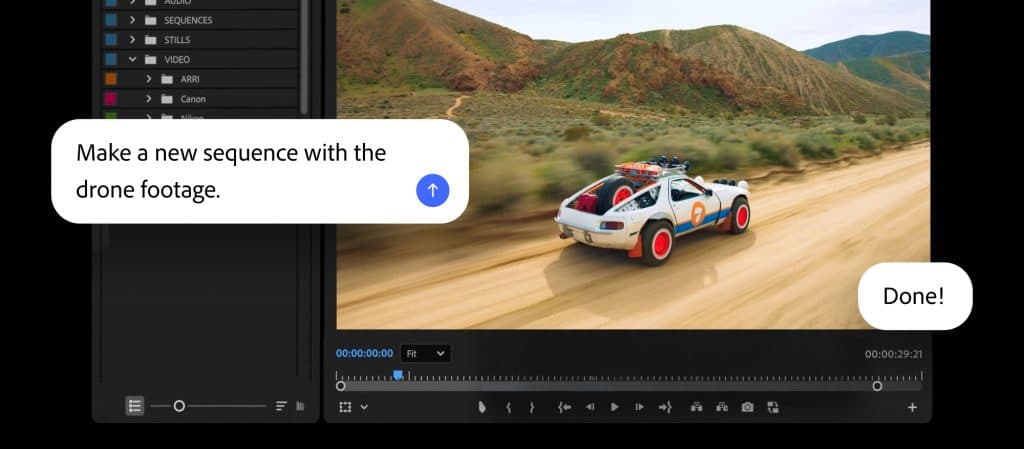
In Premiere, AI Assistant can help with setup work such as sorting assets into bins, batch renaming clips, identifying interview questions, adding markers, and even assembling a working starting point.
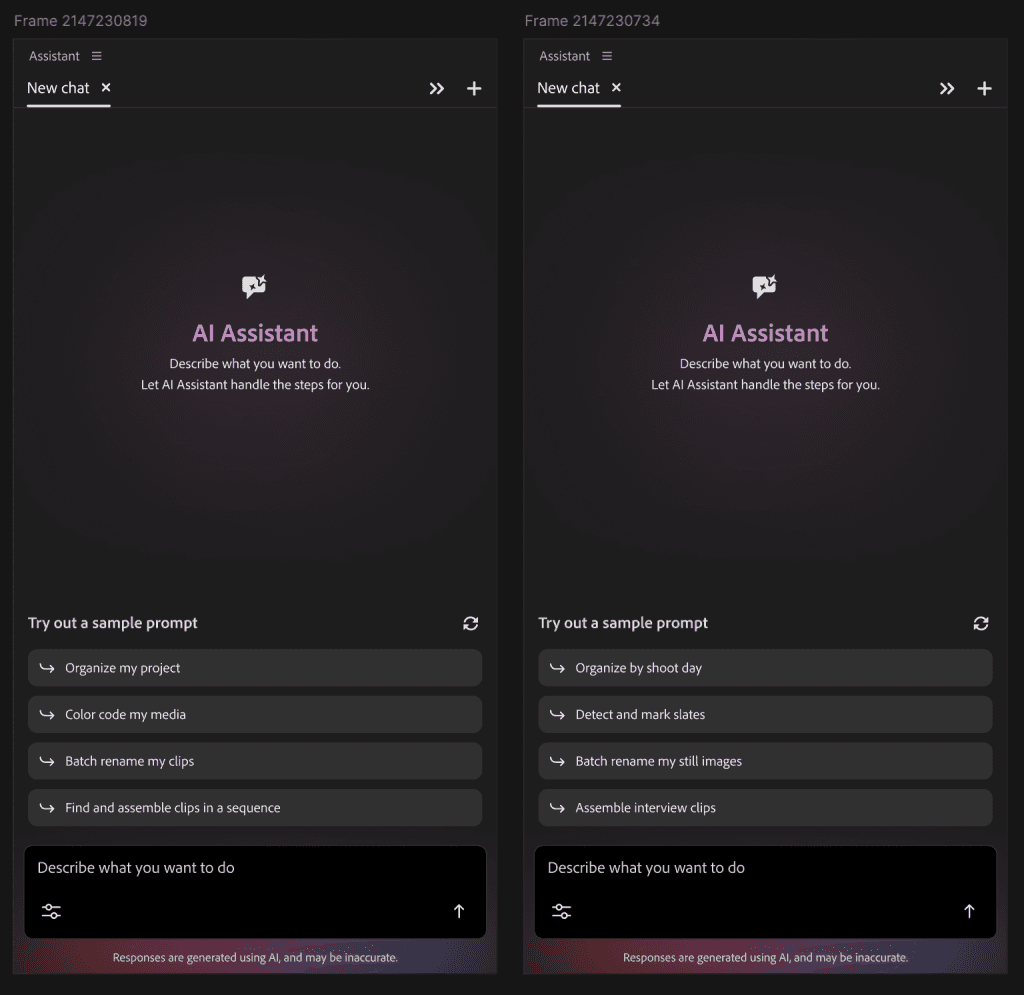
As someone who has worked on YouTube videos, courses, documentary-style interviews, and event recap content, I know how valuable this could be. The creative work of editing is not simply dragging clips around. It’s pacing, story, emotional rhythm, what to leave in, and what to cut. If AI can help with the tedious setup before the real storytelling begins, that is meaningful.
In Photoshop, creators can describe the desired outcome, such as changing a background, resizing assets for multiple platforms, or organizing layers, and the assistant can execute across the composite while still leaving the work editable.
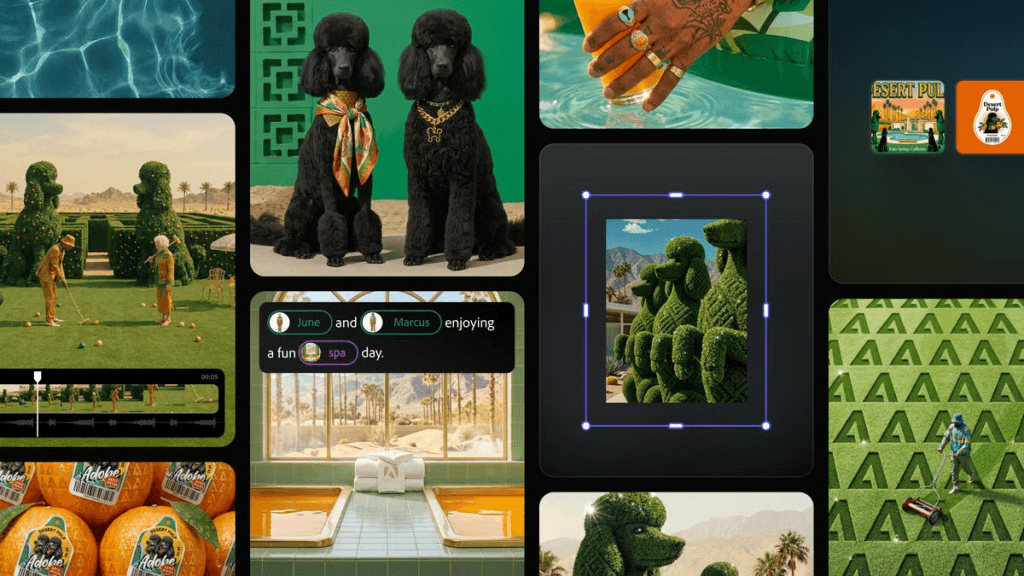
In Illustrator, AI Assistant can help with production-heavy work such as generating multiple versioned files from spreadsheet data, reorganizing layers, and running preflight checks for color mode errors or missing fonts.
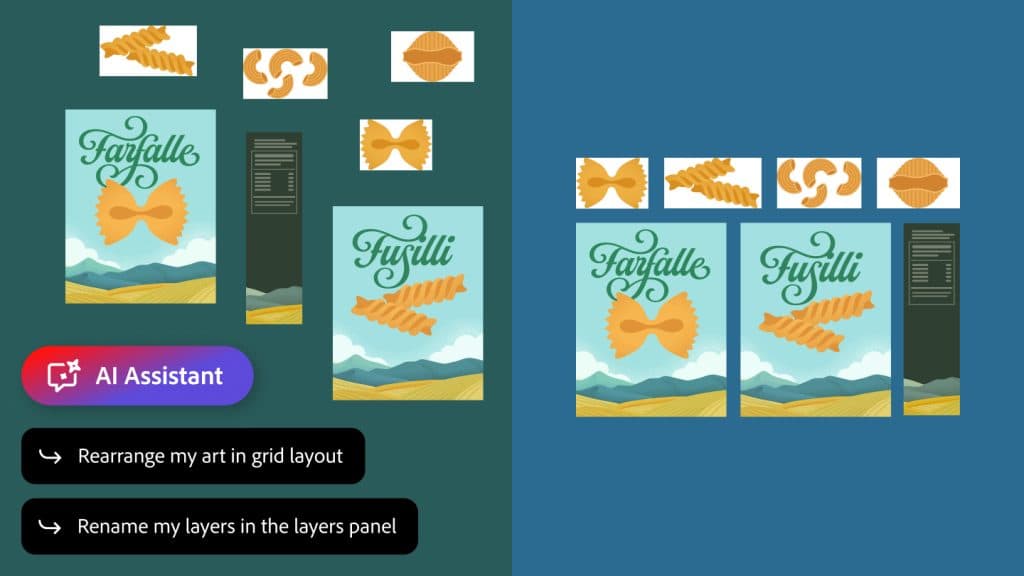
In InDesign, the assistant can help apply brand updates across layouts, including copy, styling, and print-readiness checks.
In Frame.io, AI Assistant can help organize shoot assets, surface feedback across revisions, and generate B-roll within the project workspace.
This is where I think small teams should pay attention.
Even if you don’t use every Creative Cloud app, the direction is clear: AI is moving from “make me an image” to “help me manage and complete this creative workflow.”
That’s a much more useful place to be.
Why this matters for creators and small business owners
A single creative idea often needs to become many things.
An artist preparing for an exhibition may need:
- An event flyer.
- A wall label.
- A press release.
- An Instagram carousel.
- A Reel.
- A YouTube Short.
- A newsletter.
- A pricing sheet.
- A QR code handout.
- A recap video.
- A thank-you post.
- A few images resized for partners and sponsors.
A solopreneur launching a product may need:
- A brand kit.
- Product photos.
- Short videos.
- Website graphics.
- Email banners.
- Social posts.
- Ad variations.
- A landing page.
- A pitch deck.
- A customer-facing one-sheet.
A video creator may need:
- Footage organized.
- Clips renamed.
- Interview questions identified.
- A rough cut.
- B-roll suggestions.
- Captions.
- Thumbnails.
- Short-form clips.
- A final export in multiple formats.
Most small businesses do not have a full creative department.
They have themselves, maybe a producer, maybe a freelancer, maybe a part-time assistant, maybe a partner helping after dinner.
So the promise of Adobe’s creative agent is not “AI will make you creative.” The promise is: AI can help you keep going.
That distinction matters.
What I would explore first
If you are a creator, artist, educator, consultant, or small business owner, I would not try everything at once.
Start with one real project that already matters to your business.
Here are the use cases I’d explore first.
1. Build a campaign starter from a simple idea
Instead of opening a blank canvas, describe the campaign you are working on.
For example:
“I’m promoting a Chinese watercolor art exhibit at a public library. The tone should feel elegant, welcoming, cultural, and educational. Create a visual direction, color palette, and social media concept.”
Or:
“I’m launching a beginner-friendly course for artists who want to use Adobe Express and Firefly. Create a warm, practical, non-intimidating brand direction.”
This is where Adobe Firefly AI Assistant could be useful for solopreneurs who need a starting point but still want to shape the final creative direction.
2. Turn product photos into short videos
This is one of the most practical small business use cases.
Many artists, makers, and small businesses already have product photos. They may not have the time, budget, or confidence to create polished video content.
Being able to turn existing product photos into short-form video could help creators promote prints, books, jewelry, clothing, ceramics, food products, digital downloads, and course materials.
For Xiang Li Art, I can imagine using this for art prints, coloring books, greeting cards, scarves, tote bags, or exhibit merchandise.
For other small businesses, this could be a simple way to create more engaging product content without starting from scratch.
3. Use Quick Cut to get past the first edit
The first cut is often the hardest.
Not because it has to be perfect, but because it requires you to start making decisions. For creators with hours of footage, interviews, events, or behind-the-scenes clips, that first assembly can feel overwhelming.
If Premiere AI Assistant can organize clips, identify interview moments, add markers, and assemble a rough starting point, that could help creators get to the real edit faster.
The human editor still needs to shape the story. But getting to a workable first cut faster is a big deal.
4. Keep recurring creative elements consistent
This is where Elements and Projects could become very useful.
If you are creating a series, campaign, course, exhibit, or product line, consistency matters. You may want to reuse characters, locations, visual motifs, backgrounds, product images, or brand elements across multiple pieces of content.
Instead of rebuilding context every time, you can carry creative history forward. That’s especially helpful for anyone building a recognizable brand over time.
5. Resize and adapt content for multiple platforms
This is the everyday pain point.
A single piece of creative may need to become a square Instagram post, a vertical Reel cover, a LinkedIn graphic, a YouTube thumbnail, a newsletter header, and a website banner.
Photoshop and Firefly workflows that help resize, adapt, and organize assets could save creators hours especially when the final outputs remain editable.
6. Bring creative tools to where the conversation is already happening
Forest Key’s second quote also stood out to me:
“Creative ideas rarely start in one place – a conversation with your team or a client, a back-and-forth with a collaborator, a rough prompt that sparks something unexpected. What’s changing is that Adobe’s pro-grade tools are coming to where those conversations are already happening, whether that’s in ChatGPT, Claude or Copilot – with Gemini and Slack coming soon.”
This is exactly how creative work feels now.
Ideas start in a client email. A Slack thread. A ChatGPT conversation. A Zoom call. A note from a collaborator. A text from a producer. A voice memo. A rough prompt typed at midnight.
You shouldn’t always have to stop, switch tools, rebuild context, and start over.
If Adobe can make it easier to move from conversation to creative execution, that could help creators maintain momentum — especially those of us who work across multiple projects at once.
My take
The most exciting part of this release is not that Adobe added more AI. It’s that Adobe seems to be moving AI closer to real creative workflows.
Creators don’t need another blank prompt box. We need help moving from idea to finished work without losing context, quality, or control.
We need tools that understand that a campaign is not one image. A video is not one clip. A brand is not one logo. A creative business is a living system of assets, decisions, deadlines, collaborators, and taste.
Adobe’s latest release points toward a future where AI is less of a novelty and more of a creative operations partner.
It can help you organize, start, adapt, version, find what you already made and move from idea to draft to output faster.
But the final decision still belongs to you. And that is exactly how I want AI to work.
As creators, our advantage is not that we can click faster than everyone else. It’s that we have a point of view. We have taste. We have stories. We have lived experience. We know what feels right for our audience, our clients, our communities, and our work.
The assistant can help with the friction. But the meaning still comes from the maker.
What I’m watching next
I’ll be especially curious to see how creators use Firefly AI Assistant for brand building, product videos, exhibit promotion, social content, and campaign continuity.
I’m also watching how Premiere AI Assistant develops for real-world video workflows. If it can reliably help creators move from messy footage to organized first cuts, that could be a major time-saver for YouTubers, course creators, podcasters, educators, and small creative teams.
And I’m very interested in the upgraded Firefly creative AI studio, especially Elements and Projects. For creators building a long-term body of work, the ability to preserve creative context may become just as important as generating something new.
Because the future of creative AI should not only be about making more. It should help us make more of what is truly ours.

Written by
Fei WuFei Wu is the founder and CEO of Feisworld Media, a Massachusetts-based digital media company helping brands get discovered by people and by AI. An Adobe Global Ambassador and brand partner to ElevenLabs, Synthesia, and 50+ other tech and AI companies, she hosts the Feisworld Podcast (400+ episodes, 500K+ downloads — guests have included Seth Godin, Steve Wozniak, Chris Voss, and Arianna Huffington) and co-created the documentary Feisworld: Live Your Art on Amazon Prime. Fei writes for CNET, Lifehacker, and PCMag, and her work has been featured in Forbes, Harvard Business Review, and WIRED. She has been publishing on the internet since 2014 — long before AI discoverability had a name.
View all posts by Fei Wu→Stay updated
Weekly insights on content, AI, and digital media.