
Adobe Firefly isn’t just a model anymore.
At Adobe MAX in Miami Beach last week, Adobe made it official: Firefly is no longer “the image generator.” Adobe now calls it the AI creative studio, one place where image, video, audio and design work happen side by side, with an agent you can direct in your own words.
I’m an Adobe Ambassador and was in the room for the keynotes. My Day 1 recap covered MAX as a whole. This post is just about Firefly, because the biggest question I keep getting is simple: what can I actually open today, and what’s still a demo?
Short answer: most of the headline Firefly features are in beta right now. A few precision tools are fully released, one tool is invite-only, and a couple of things are still previews.
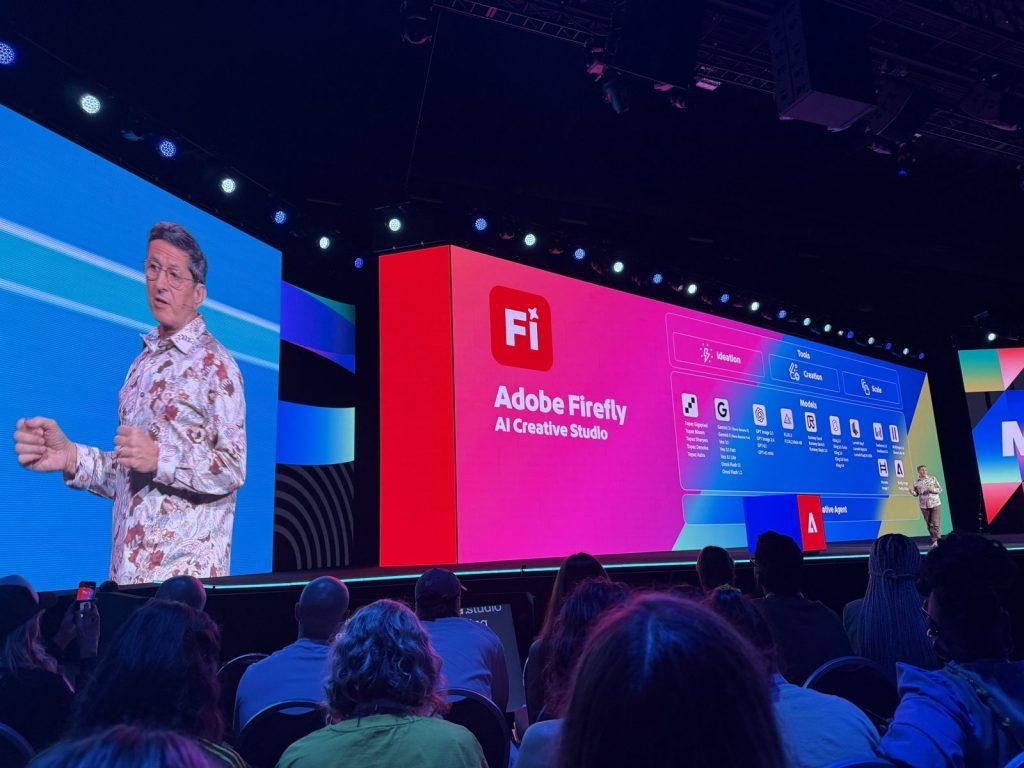
The keynote slide below sums up the new shape well. Firefly tools now fall into three groups: Ideation, Creation and Scale. They sit on top of dozens of models from Adobe and partners like Google, OpenAI, Runway, Kling, Luma, ByteDance, Black Forest Labs, ElevenLabs and Topaz Labs. The Creative Agent runs underneath all of it.
The quick status check
| Feature | What it does | Status today | When |
|---|---|---|---|
| Creative Agent (via Firefly AI Assistant) | Plans and runs multi-step creative work from a conversation | Beta | Available now in Firefly and Firefly Boards |
| Firefly Design | One canvas for illustration, image editing, animation, 3D and print | Beta | Available now |
| Firefly Builder | Turns a description into an interactive website, app or presentation prototype, no code | Private beta | Waitlist; no public date |
| Build a story + Assemble short video | Turns an idea into scenes and shots, then a simple single-track edit | Beta | Available now (desktop Chrome/Edge) |
| Firefly Graph | Visual, repeatable workflows that chain AI models and Adobe tools | Beta | Available now |
| Quick Actions | Gallery of ready-made one-click workflows | Generally available | Now, web and mobile |
| Edit Text, Retouch, Relight (Firefly Image) | Precision image edits | Generally available | Now |
| Always-on agents | Agents that run recurring jobs in the background | Preview only | No date given |
| Local agent integrations (MCP) | Lets the outside agent you already use work in native Photoshop, Illustrator, Premiere and After Effects files | Preview only | Early 2027 |
Creative Agent can show you the plan before it starts
The Creative Agent is the engine behind Firefly AI Assistant, which has been in public beta since April for Creative Cloud Pro and paid Firefly plans (Pro, Pro Plus, Premium). What’s new at MAX:
- Plan Mode: the agent lays out its steps before doing anything, so you can redirect it before it spends credits.
- Saved preferences: it remembers how you like to work.
- Model selector: you pick which model handles a step.
- Firefly Boards: the agent now works inside Boards, so mood boards and storyboards can take shape through conversation.
Status: beta, available now.
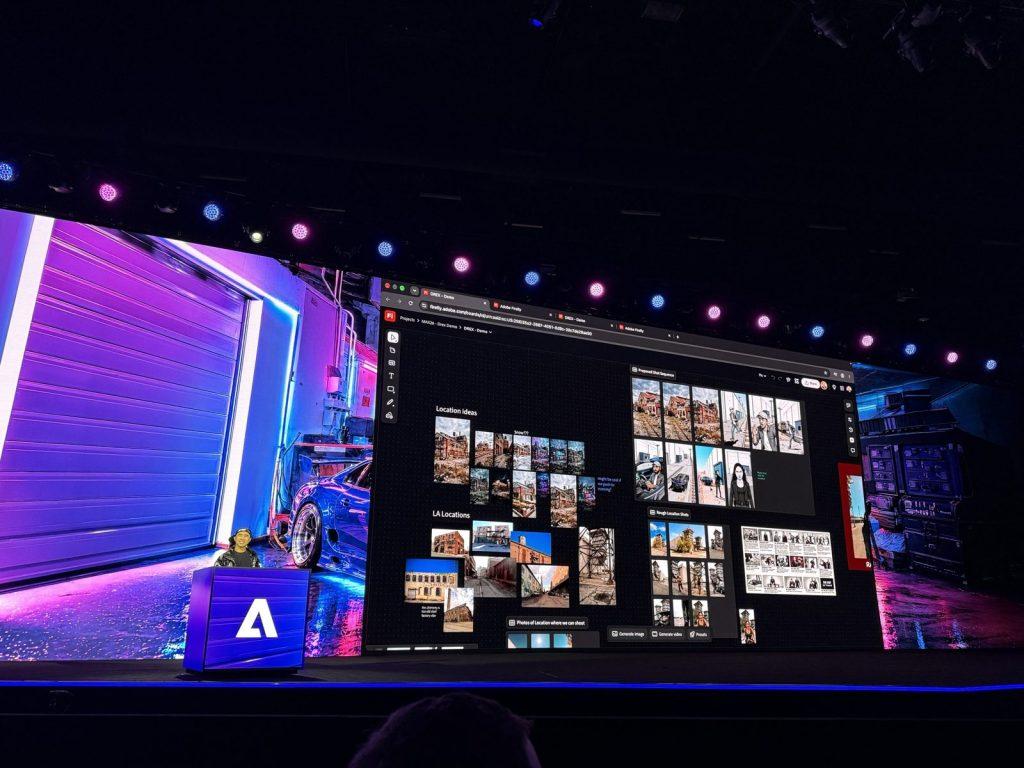
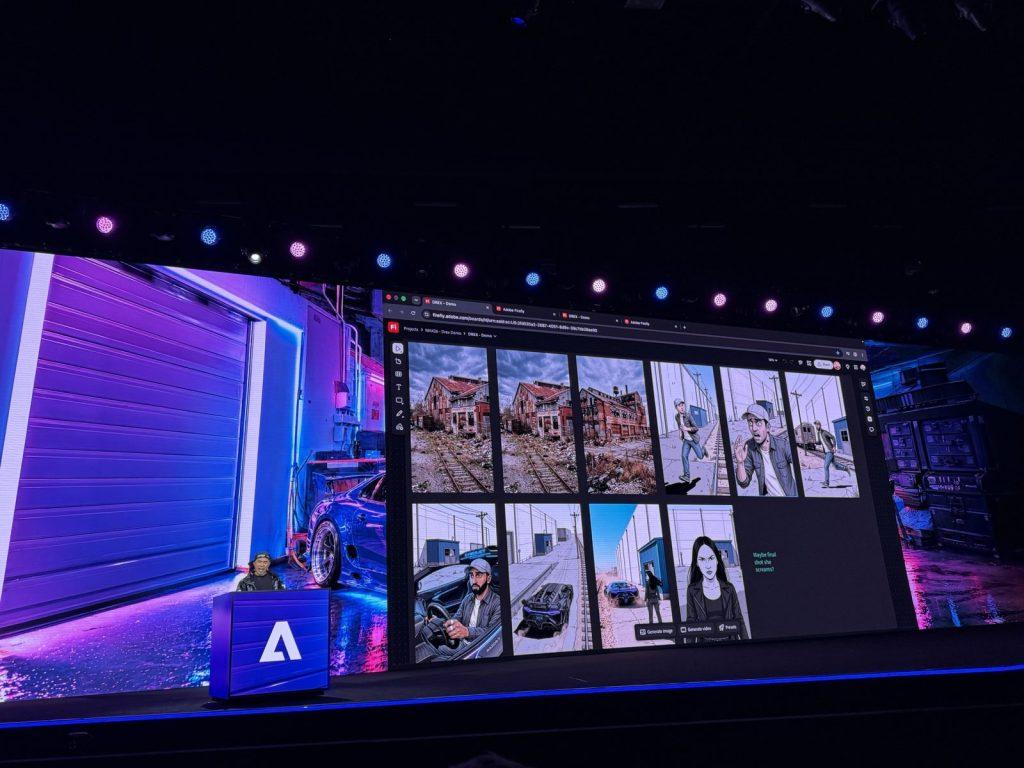
The Plan Mode part matters most to me. For something like weekly podcast graphics, I want to approve the plan once and then let it run, not babysit every generation.
Firefly Design puts print, social and motion in one file
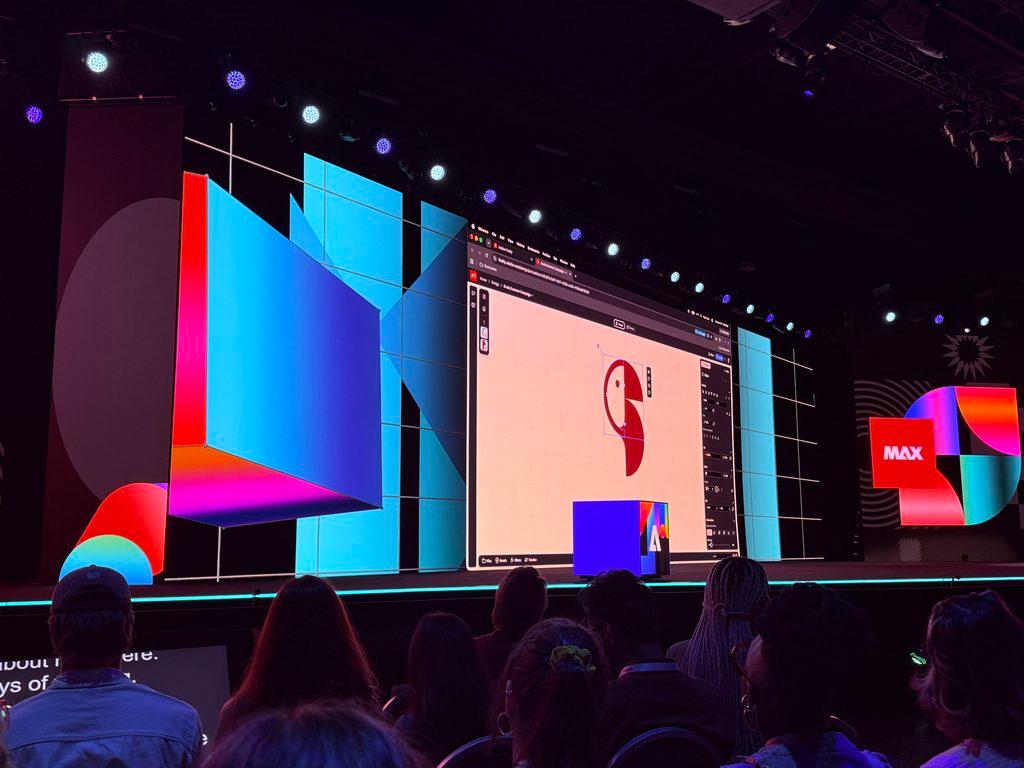
Firefly Design is a new space that combines illustration, image editing, animation, 3D and print design on one canvas. Adobe positions it for projects like brand identities and social campaigns, all the way through client review and export.
Status: beta, available now.
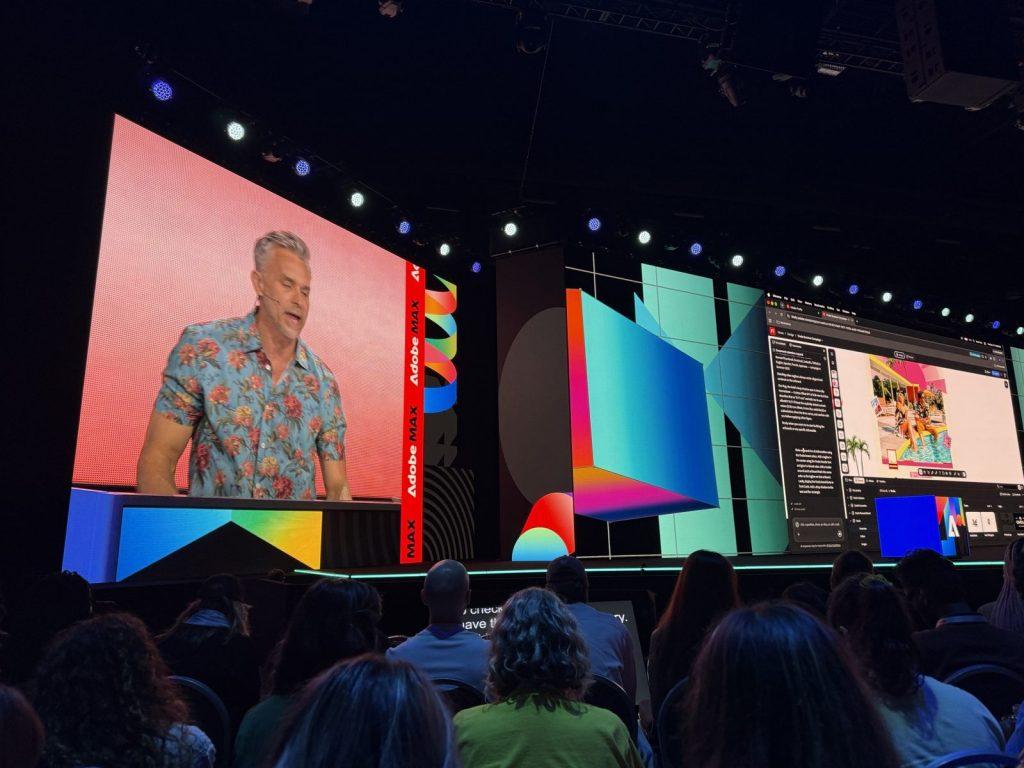
The demo I watched was a fictional brand called Ovela running a summer campaign. The AI Assistant read the creative brief and flagged a spec in it that contradicted itself before building anything. It then made artboards for every deliverable in the Ovela brand colors and fonts from the brand library. Suggested follow-ups included Vary aspect ratio, Create brand kit based on designs, and translating the whole set into six languages using approved fonts for each. A Brands panel sits in the bottom toolbar next to Files, Effects and Timeline.

Firefly Builder turns a description into a working prototype
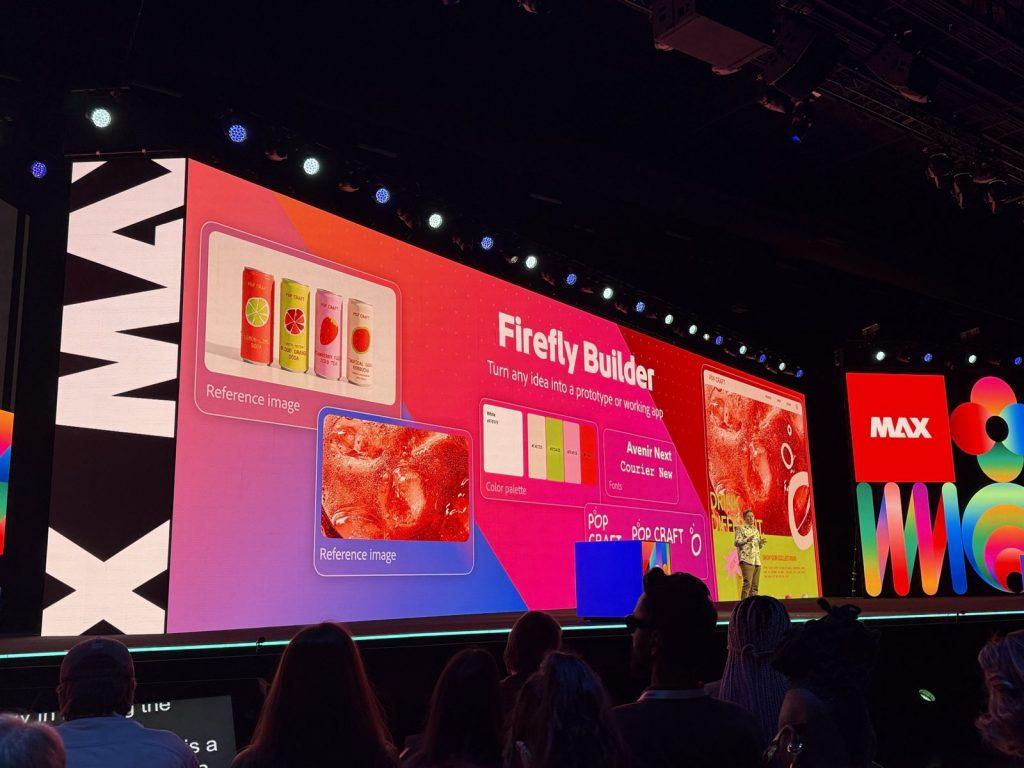
Describe a website, app or presentation and Builder produces an interactive prototype, with no code needed for the first version. You can edit elements directly on the canvas, and a design system keeps the look consistent.
Status: private beta. You need to join the waitlist, and Adobe hasn’t given a date for wider release.
Build a story takes an idea to scenes and shots
You may hear this called “Story Builder,” but in the app it’s Build a story, under Video in the Firefly menu. You give it a concept and it returns a structured story broken into scenes and shot cards. A companion workspace, Assemble short video, puts those clips on a simple single-track timeline with captions, transitions and b-roll.
Status: beta, available now, with some limits for the moment:
- Desktop only, in Chrome or Edge
- Needs a browser window of at least 1080 × 700
- Uses clips from your Firefly generation history, not direct uploads
To see it before you try it, RedShark News has a short walkthrough of Build a story and Assemble short video.
If you’d rather build storyboards as a repeatable workflow, Firefly Graph also has a Storyboard Builder template.
Firefly Graph saves a workflow you run every week
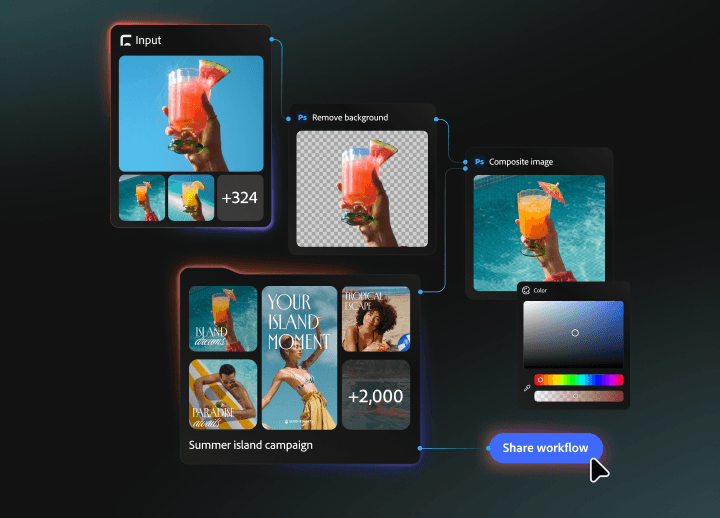
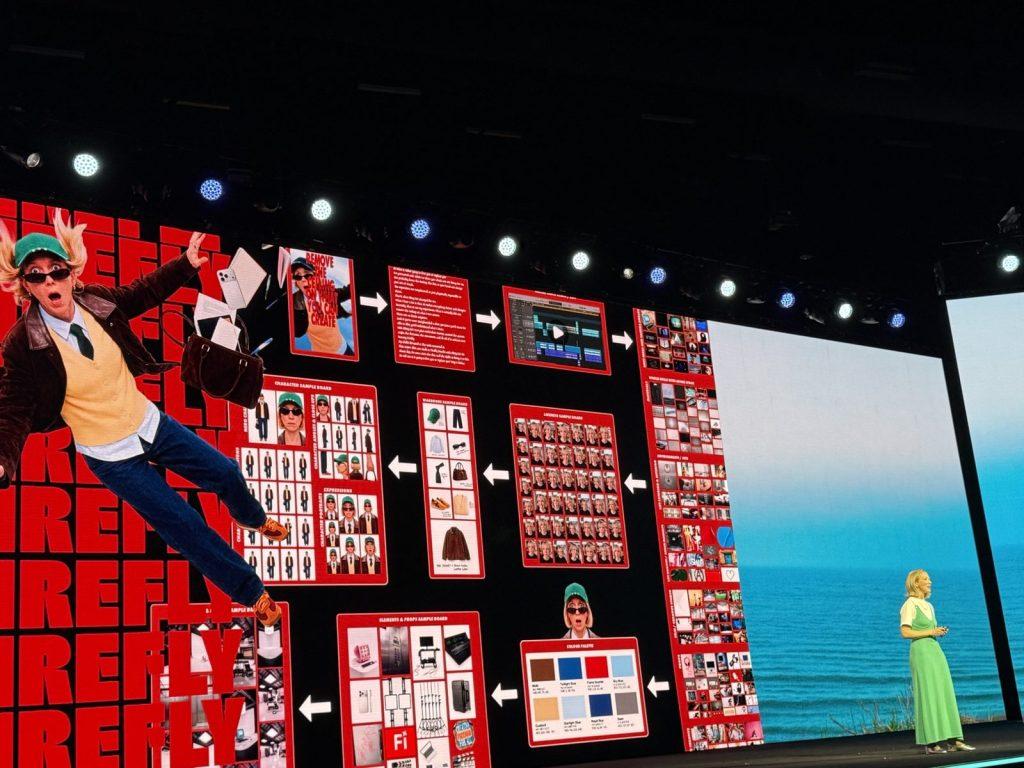
Firefly Graph is a node-based workspace where you connect AI models (Adobe’s and third-party) with Adobe tools into a pipeline you can edit and run again. Adobe’s examples include character studies, shot lists, and applying brand guidelines across every asset in a campaign. A built-in assistant helps you build and tune each graph.
Status: beta, available now.
To see a graph come together node by node, Adobe’s Firefly Graph page has examples and a demo video.
More models to choose from inside Firefly
Firefly keeps adding partner models next to Adobe’s own, from companies including ByteDance, Kling, OpenAI, Google, ElevenLabs and Topaz Labs. Partner models use your generative credits, so check the cost before you run a big batch.
Firefly tech inside Photoshop and Premiere
The same AI showed up in the apps many of us already use. Briefly:
Photoshop
- Relight: adjust lighting in an image after the fact. Generally available.
- Generative Restyle: turns prompt-based edits into adjustable sliders. Generally available.
- In beta: Mockups, Camera Angles, Generative Recompose, Remove Ambient Effect Only, and AI Assistant (in the Photoshop beta app)
Premiere
- Color Mode: generally available.
- Generative Remove: removes unwanted objects from video. Beta.
- AI Assistant: beta (also in Illustrator, InDesign, After Effects and Frame.io)
One more thing to try: Adobe Labs Playground
At Sneaks on November 11, Adobe showed 10 research experiments. For the first time, you can try some of them yourself in the new Adobe Labs Playground:
- Project Deep Brush paints with an understanding of an image’s shape, color and lighting, so strokes, text and patterns follow the surface they land on.
- Project Hands On puts control points directly on the canvas, like the handle of a mug, so you reshape details by dragging instead of rewriting a prompt.
- Project Custom Filters turns a text description into a live Photoshop filter with its own sliders.
These are research previews, not Firefly features, and Adobe gives no release dates. They point the same way Firefly is heading, though: directing AI with your hands, not only with prompts. Adobe’s Sneaks first look covers all 10, and the keynote and Sneaks replays are on the Adobe MAX site.
Coming next
Two things Adobe showed are not available yet:
- Always-on agents that handle recurring jobs in the background (preview only; Adobe hasn’t given a date)
- Local agent integrations, where an outside agent you already use (Claude, for example) works directly in your native Photoshop, Illustrator, Premiere and After Effects project files, with layers, vectors and sequences still editable. Coming to Creative Cloud customers in early 2027, and Adobe has a sign-up form for updates.
I made my own Creator Card
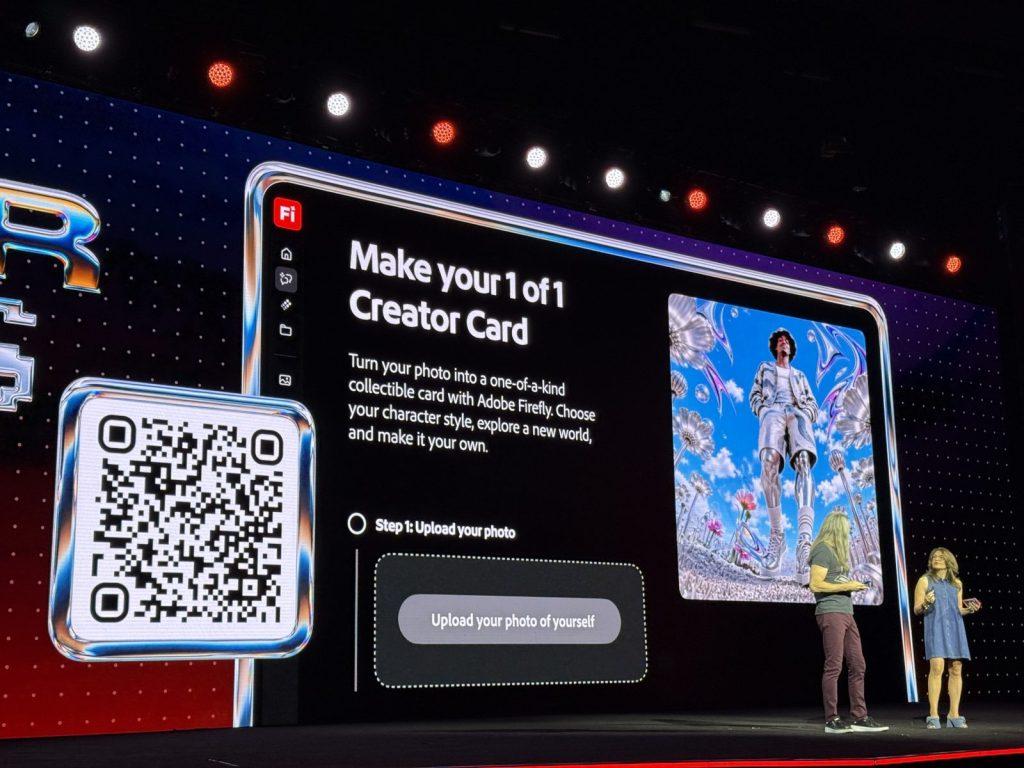
One of the fun moments was the 1 of 1 Creator Card. You upload a photo, pick a character style and a world, and Firefly turns it into a collectible trading card. I made one of myself (yes, with fox ears) and one for my friend Germán.
Make your own: firefly.adobe.com/quick-actions/creator-cards. That’s where the QR code on stage goes. It’s a Firefly Quick Action, so it’s a handy, low-stakes way to try the new studio.


What I’m trying first
The new Adobe Firefly is an AI creative studio. I’m eager to explore the creative agent first. For example, for video and story workflows, I can use the agent to assemble storyboards or social/UGC-style videos, generate B-roll or captions, and organize project assets or metadata.
I also want to experiment with Firefly Graph, which can save workflows generated by creative agent and run on a weekly basis (or a frequency of your choice).
Last but not least, I’m interested in Firefly Design. As someone who’s not proficient with Photoshop, I see the opportunity to learn some of the intermediate and advanced design features using Firefly Design without having to understand the more complex interface of Photoshop.
Official sources
- Adobe Firefly expands as the AI creative studio (Adobe newsroom, Nov 10, 2026)
- What’s new across Creative Cloud at MAX 2026 (Adobe Blog)
- Adobe MAX 2026 Sneaks: first look (Adobe Blog, Nov 11, 2026)
- Adobe MAX highlights and replays
- Adobe Labs Playground and Project Hands On
- Firefly pricing and plans
Topics

Written by
Fei WuFei Wu is the founder and CEO of Feisworld Media, a Massachusetts-based digital media company helping brands get discovered by people and by AI. An Adobe Global Ambassador and brand partner to ElevenLabs, Synthesia, and 50+ other tech and AI companies, she hosts the Feisworld Podcast (400+ episodes, 500K+ downloads — guests have included Seth Godin, Steve Wozniak, Chris Voss, and Arianna Huffington) and co-created the documentary Feisworld: Live Your Art on Amazon Prime. Fei writes for CNET, Lifehacker, and PCMag, and her work has been featured in Forbes, Harvard Business Review, and WIRED. She has been publishing on the internet since 2014 — long before AI discoverability had a name.
View all posts by Fei Wu→Stay updated
Weekly insights on content, AI, and digital media.
Keep Reading