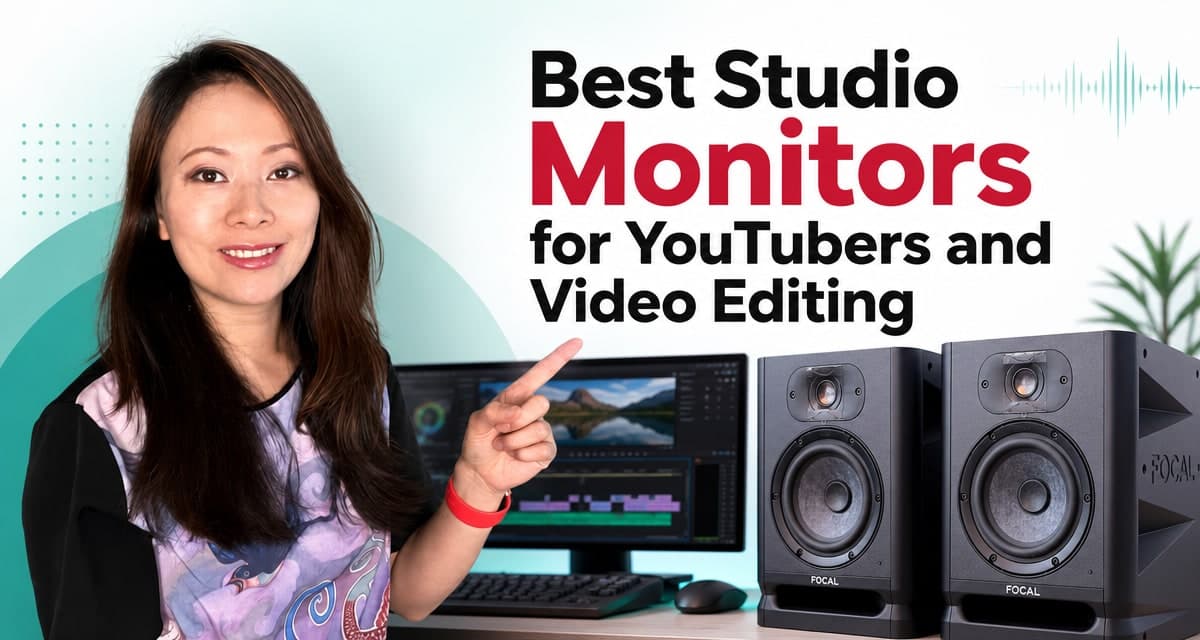
Most studio monitor guides are written for people mixing records. YouTube editors have a different job. We spend hours balancing speech, music beds, sound effects, room tone, interviews, and exports that will be heard through phones, laptops, headphones, TVs, and car speakers. We need accuracy, but we also need clear dialogue at a reasonable volume and a system that does not wear us out halfway through the day.
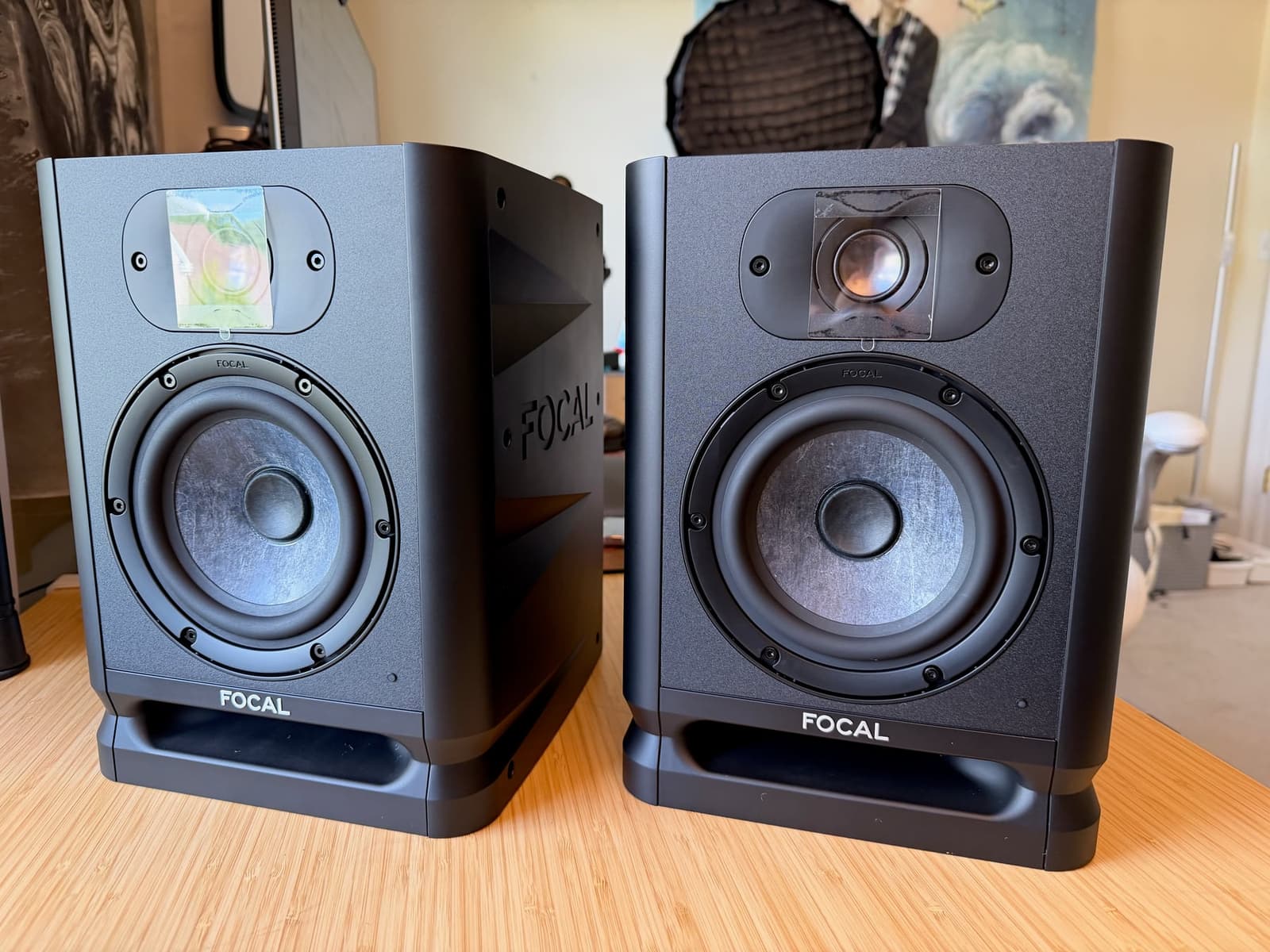
My short answer: the Focal Alpha 50 Evo is the best studio monitor for YouTubers and video editors who put sound quality first. It is the pair I would choose for a compact creator room in 2026. The ADAM Audio D3V is my second choice and the better answer when price, USB-C convenience, and a very small footprint matter more than the physical scale of a 5-inch monitor.
Quick facts: I’ve worked on more than 70 released songs through ginTONIC Records, contributed to more than 400 episodes of the Feisworld Podcast, co-produced the Feisworld documentary series, and helped shape more than 1,000 YouTube videos. I have also tried or owned dozens of monitor and speaker systems from Genelec, Yamaha, KRK, Bose, and others. You can read more here.
The Short List
| Rank | Studio Monitor | Best For | Main Tradeoff |
|---|---|---|---|
| 1 | Focal Alpha 50 Evo | Best overall sound quality for creators | Sold individually; no USB-C or Bluetooth |
| 2 | ADAM Audio D3V | Best balance of price, quality, and compact size | Less physical scale than a good 5-inch monitor |
| 3 | Kali Audio LP-UNF | Best all-in-one system for multiple sources | Active/passive desktop system rather than two independent monitors |
| 4 | Genelec 8010A | Best truly tiny professional monitor | Premium price and limited low-end weight |
| 5 | Yamaha HS5 | Best classic reference choice | Can sound lean for music-heavy creator work |
| 6 | JBL 305P MkII | Best budget 5-inch value | Larger cabinet; no RCA or digital input |
| 7 | ADAM Audio T5V | Best affordable 5-inch option for top-end detail | Rear port needs placement care |
| 8 | IK Multimedia iLoud Micro Monitor | Best travel and super-nearfield pair | No balanced XLR or TRS inputs |
If you want the answer without reading the full guide, buy the Focal Alpha 50 Evo when sound quality and long-session comfort come first. Buy the ADAM D3V when your desk or budget is tight and you want direct USB-C. Keep reading if your room, connection needs, or workflow point somewhere else.
How I Evaluated These Monitors
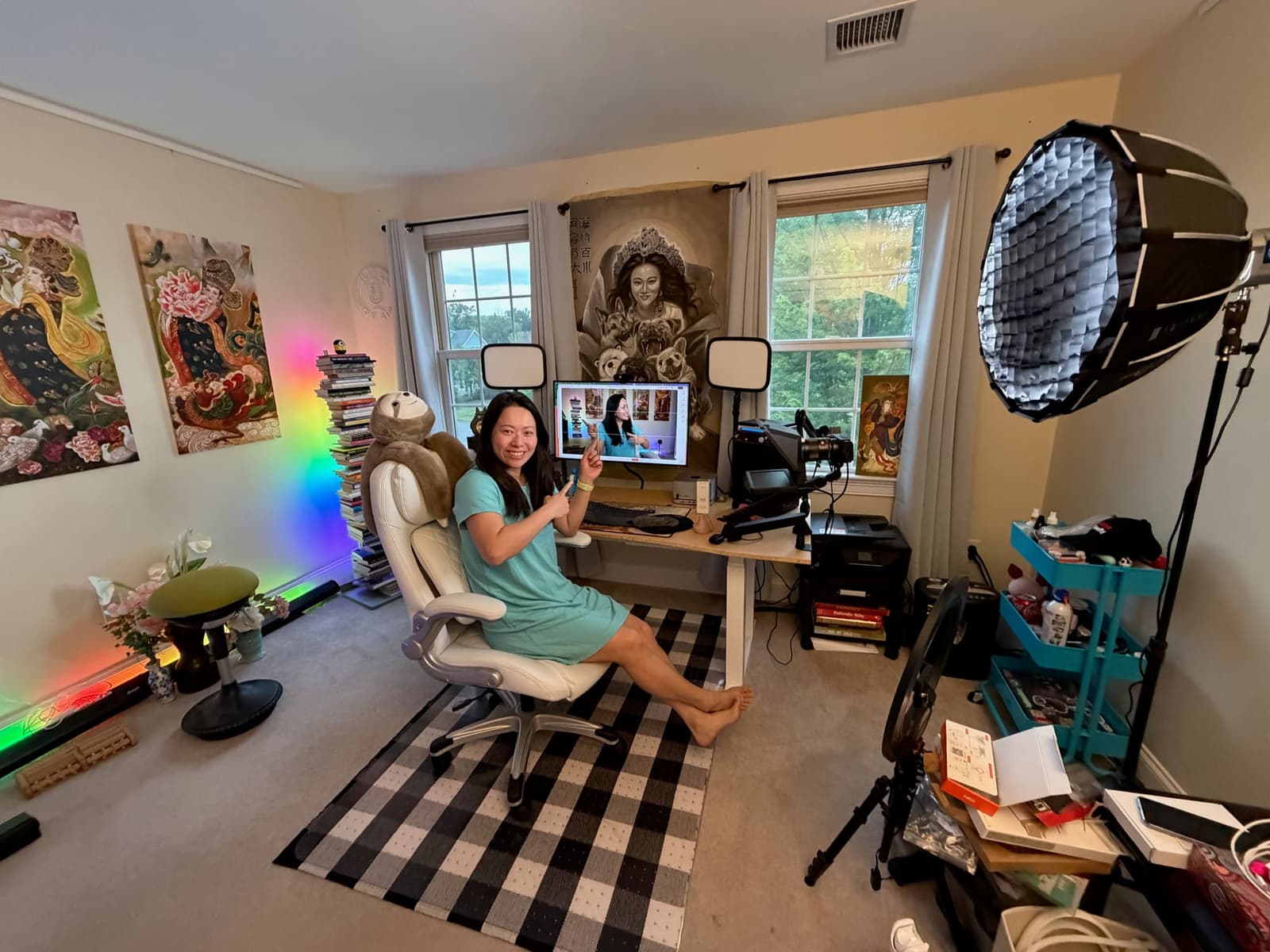
The Focal Alpha 50 Evo is the hands-on winner. We unboxed a pair, connected them to a Focusrite Scarlett 2i2, left the rear controls flat, and used them in our approximately 11-by-12-foot creator room for normal editing work. We listened at low-to-moderate volume and focused on voice, music beds, effects, stereo placement, and fatigue rather than trying to manufacture a laboratory test.
I did not line up all eight products in the same room, and I will not imply that I did. The other seven are informed recommendations based on official specifications, current product design and pricing, connection options, room controls, prior experience with monitor categories and brands, and how each product’s compromises map to a creator workflow. That is less dramatic than claiming an eight-way shootout. It is also more honest.
This distinction matters. A specification sheet can tell me that a speaker has USB-C or reaches a stated frequency. It cannot tell me exactly how tired I will feel after four hours, how confidently I can tuck a music bed under speech, or how that speaker will interact with my desk. Hands-on observations in this guide are identified as such. Everything else is presented as a recommendation, not a fabricated listening impression.
- Current hands-on test: Focal Alpha 50 Evo in the Feisworld creator room.
- Prior category experience: years of music, podcast, documentary, and YouTube production using monitors from Genelec, Yamaha, KRK, Bose, and others.
- Research: official manufacturer specifications and documentation, checked in July 2026.
- Commercial policy: no affiliate links and no commission-based reason to move one product above another.
What YouTubers Need From Studio Monitors
A lot of monitor advice starts and ends with “flat response.” That is incomplete. A flat, controlled monitor is useful, but creators make a specific set of decisions that deserve their own criteria.
- Dialogue clarity: Can you hear sibilance, mouth noise, room reflections, harsh compression, and inconsistent mic distance without making speech sound artificially sharp?
- Music placement: Can you tell when a music bed supports the voice and when it masks words?
- Low-volume detail: Can you work at a sane desk volume and still catch edits, fades, clicks, and distracting effects?
- Low fatigue: Can you stay with the timeline for hours without the top end becoming irritating or the bass pushing you to make bad decisions?
- Small-room control: Does the monitor fit a real desk and offer useful placement or EQ controls?
- Translation: Do your choices continue to make sense on headphones, phones, laptop speakers, TVs, and cars?
- Low setup friction: Can you get reliable sound without making audio engineering a second job?
Fatigue is the criterion most lists underrate. A speaker can sound exciting for 30 seconds and still be a poor editing tool. If the treble is aggressive, the bass is inflated, or the monitor only feels complete when it is loud, you will either tire quickly or compensate for the speaker in every project.
Studio Monitor Specs Compared
| Model | Woofer | Inputs | Published Low-End Point | Usually Sold As |
|---|---|---|---|---|
| Focal Alpha 50 Evo | 5 inches | XLR, TRS, RCA | 45 Hz (+/-3 dB) | Individual monitor |
| ADAM Audio D3V | 3.5 inches plus passive radiators | USB-C, balanced TRS | 45 Hz (-6 dB) | Pair |
| Kali Audio LP-UNF | 4.5 inches | USB-C, Bluetooth, RCA, balanced TRS | 54 Hz (+/-3 dB) | Pair |
| Genelec 8010A | 3 inches | XLR | 74 Hz (+/-2.5 dB) | Individual monitor |
| Yamaha HS5 | 5 inches | XLR, balanced TRS | 74 Hz (-3 dB) | Individual monitor |
| JBL 305P MkII | 5 inches | XLR, balanced TRS | 49 Hz (+/-3 dB) | Individual monitor |
| ADAM Audio T5V | 5 inches | XLR, RCA | 45 Hz (-6 dB) | Individual monitor |
| IK Multimedia iLoud Micro | 3 inches | RCA, 3.5 mm, Bluetooth | 55 Hz manufacturer claim | Pair |
Do not rank these monitors by the lowest frequency number alone. Manufacturers publish frequency response using different tolerances. A 45 Hz figure at -6 dB is not directly comparable to 45 Hz at +/-3 dB. Driver size, cabinet design, maximum output, listening distance, distortion, and your room all matter. The table is useful for orientation, not as a substitute for listening.
Also check whether a price is for one monitor or a pair. Focal, Genelec, Yamaha, JBL, and the ADAM T5V are commonly priced individually. The ADAM D3V, Kali LP-UNF, and iLoud Micro are sold as stereo systems. This simple detail can double the budget of an online comparison if you miss it.
The Best Studio Monitors For YouTubers And Video Editing
1. Focal Alpha 50 Evo: Best Overall Sound Quality
The Focal Alpha 50 Evo wins because it solves the entire creator problem rather than dominating one specification. It is compact enough for a normal room, substantial enough to provide useful low-end information, simple to connect through an interface, and comfortable during long sessions at low-to-moderate volume.
Our setup was straightforward: one monitor on each side of the editing display, balanced cables into a Focusrite Scarlett 2i2, rear controls flat, and normal projects on the timeline. The most useful first impression was not a dramatic bass demo. It was that I could place voice over music without constantly reaching for headphones. Speech stayed clear, music had enough body to judge, and sound effects were obvious without becoming artificially exaggerated.
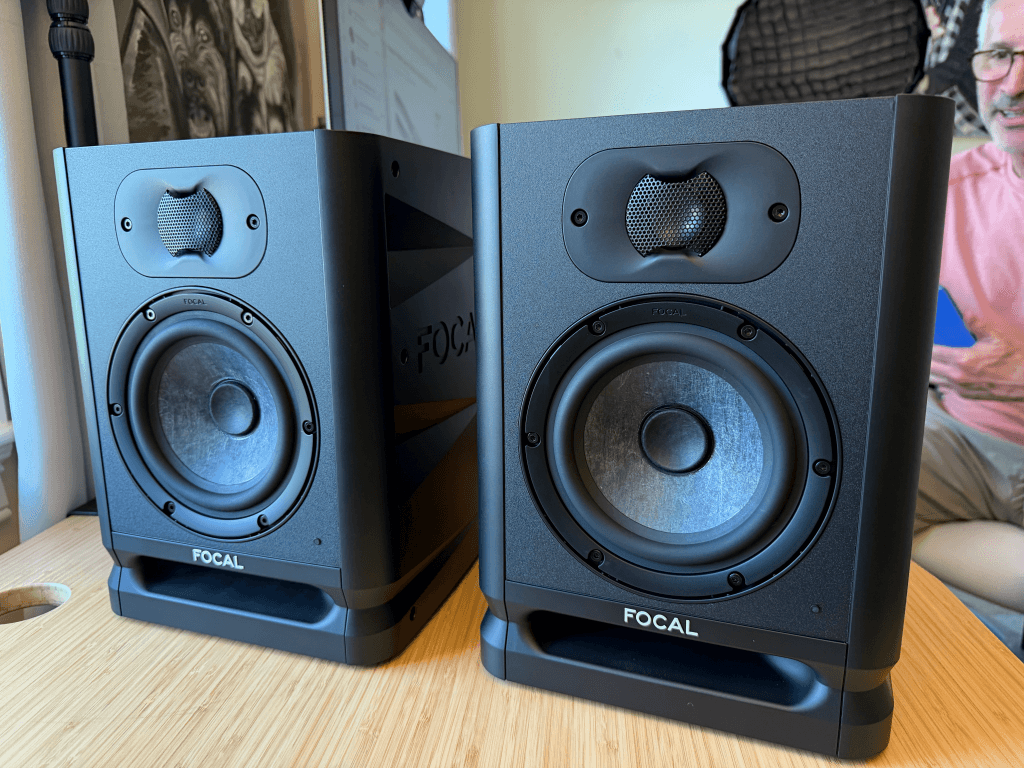
At low gain, the Alpha 50 Evo still sounded complete. That is the reason I keep returning to fatigue. Many creators work in shared homes, small offices, or rooms that are also used for shooting. We cannot run monitors loudly all day, and we should not have to. The Focal pair preserved the information I needed at a practical volume.
The official design combines a 5-inch Slatefiber woofer, 1-inch aluminum inverted-dome tweeter, front laminar ports, 45 Hz to 22 kHz response at +/-3 dB, and XLR, TRS, and RCA inputs. Rear controls provide low-frequency and high-frequency adjustment, input sensitivity, and automatic standby that can be disabled. The front ports do not make room placement irrelevant, but they are welcome when a creator desk cannot sit far from a wall.
Choose the Focal if: sound quality, voice clarity, music balance, and long-session comfort come first, and you have room for a proper 5-inch pair plus an audio interface.
Skip it if: you need direct USB-C, Bluetooth, the smallest possible footprint, or deep sub-bass without adding a subwoofer. Read our complete Focal Alpha 50 Evo review for the unboxing, room setup, controls, advanced calibration path, and full specifications.
2. ADAM Audio D3V: Best Price, Quality, And Size Balance
The ADAM Audio D3V is second because its value proposition is unusually clear. ADAM’s US store listed the system at about $290 per pair when checked in July 2026. For that price, you get direct USB-C audio, balanced TRS inputs, included angled stands, room-adaptation switches, a front headphone output, and a genuinely compact stereo system.
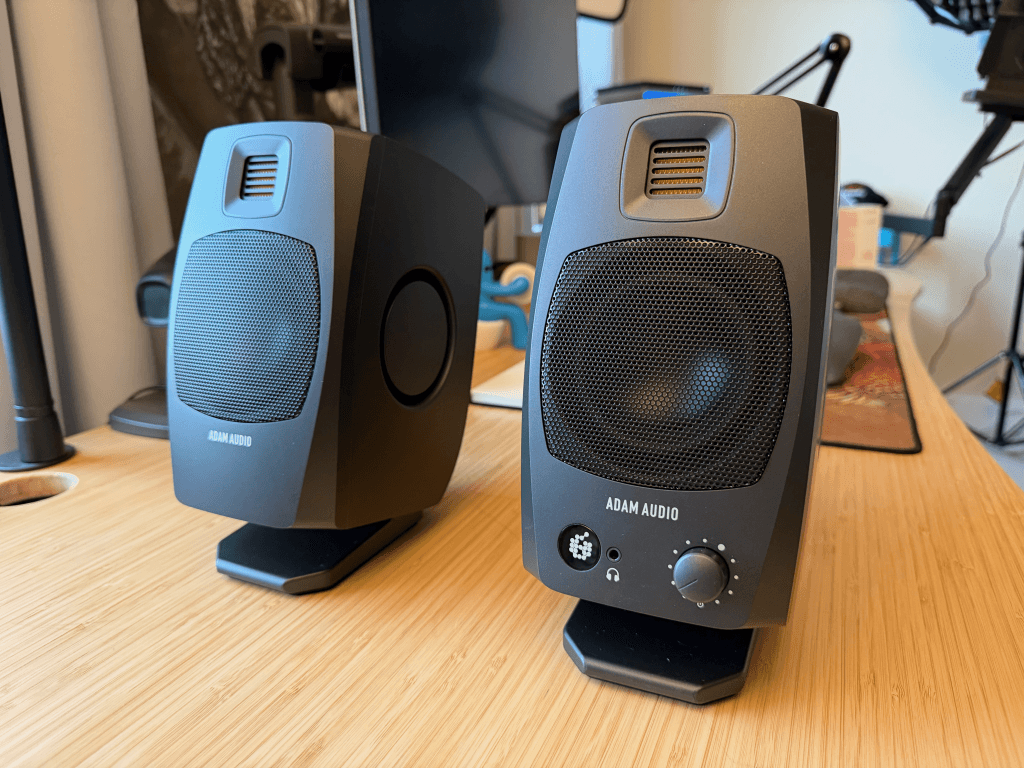
Each side uses a 3.5-inch aluminum woofer, dual passive radiators, and ADAM’s D-ART folded tweeter. The published response reaches 45 Hz at -6 dB, with 97 dB peak SPL per speaker at one meter. Those specifications should not be mistaken for the scale of a 5-inch monitor, but they show how much ADAM has packed into a small desktop design.
The D3V is the sensible recommendation for a YouTuber using a laptop, a small desk, and no audio interface. It removes equipment and cable friction without dropping into ordinary computer-speaker territory. It also makes more financial sense than buying inexpensive monitors, an interface, stands, and cables separately.
I still rank the Focal first because a good 5-inch monitor gives dialogue, music, and effects more physical scale and a more complete presentation. But if the Focal pair is too large or too expensive, the D3V is the next product I would investigate. That second-place ranking is based on design, specification, price, and workflow fit, not a listening claim I cannot substantiate.
Choose the D3V if: you want the strongest combination of compact size, direct USB-C, included desktop hardware, and price. Skip it if: you have room and budget for a larger 5-inch system and want the fullest editing reference.
3. Kali Audio LP-UNF: Best All-In-One Desktop System
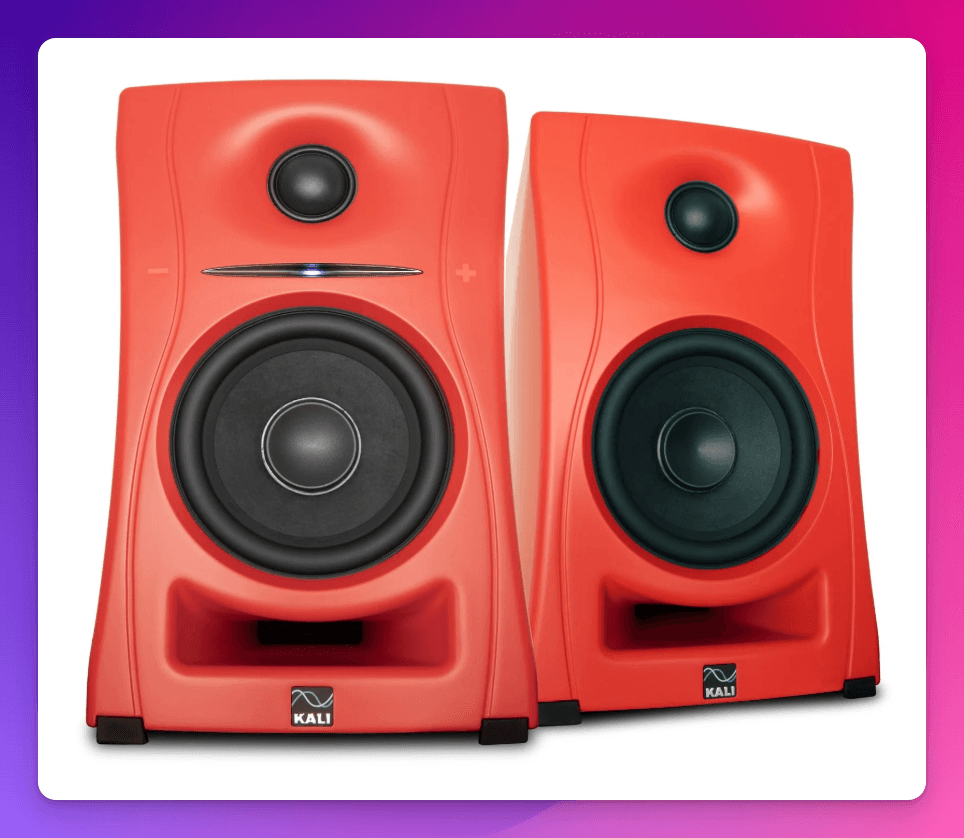
The Kali Audio LP-UNF is for the desk that has to accept everything. It combines USB-C, Bluetooth, RCA, and balanced TRS inputs with a 4.5-inch woofer, 1-inch tweeter, boundary EQ, and a touch-sensitive volume control. Kali publishes 54 Hz to 21 kHz at +/-3 dB and a maximum output of 103 dB.
Its advantage over the D3V is source flexibility, especially Bluetooth and RCA. Its compromise is architecture: one powered speaker drives the other, so this behaves more like an integrated desktop system than two fully independent studio monitors. Choose the LP-UNF if your desk switches among a computer, phone, interface, and other devices. Choose the D3V if compact value and a clean USB-C workflow matter more.
4. Genelec 8010A: Best Truly Tiny Professional Monitor
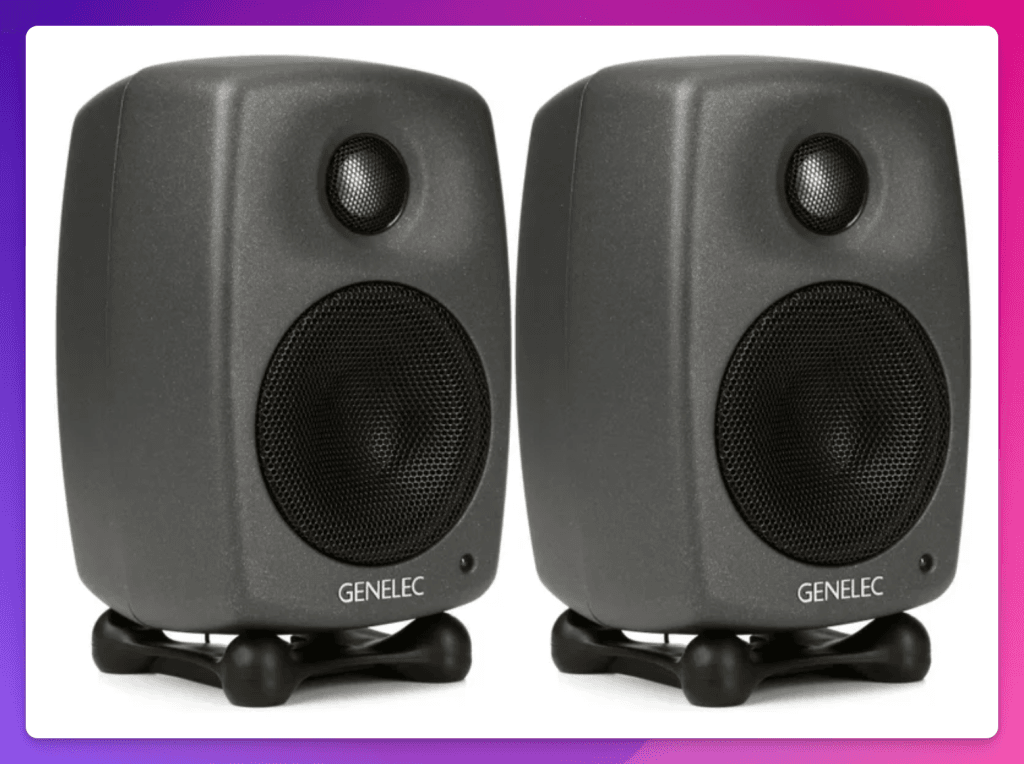
The Genelec 8010A is the tiny professional choice. At roughly 195 by 121 by 115 mm with its Iso-Pod and about 3.3 pounds each, it fits where conventional nearfields do not. The die-cast aluminum enclosure, XLR input, adjustable Iso-Pod, mounting options, and room-response switches make it a real production tool rather than a miniature lifestyle speaker.
The tradeoff is physics. Genelec publishes 74 Hz to 20 kHz at +/-2.5 dB from a 3-inch woofer. That is controlled and useful, but it will not provide the low-end weight of the Focal. Choose the 8010A when desk space, build quality, portability, and professional connections are non-negotiable. Skip it when you can fit a larger monitor and want more body for music and sound design.
5. Yamaha HS5: Best Classic Reference Choice
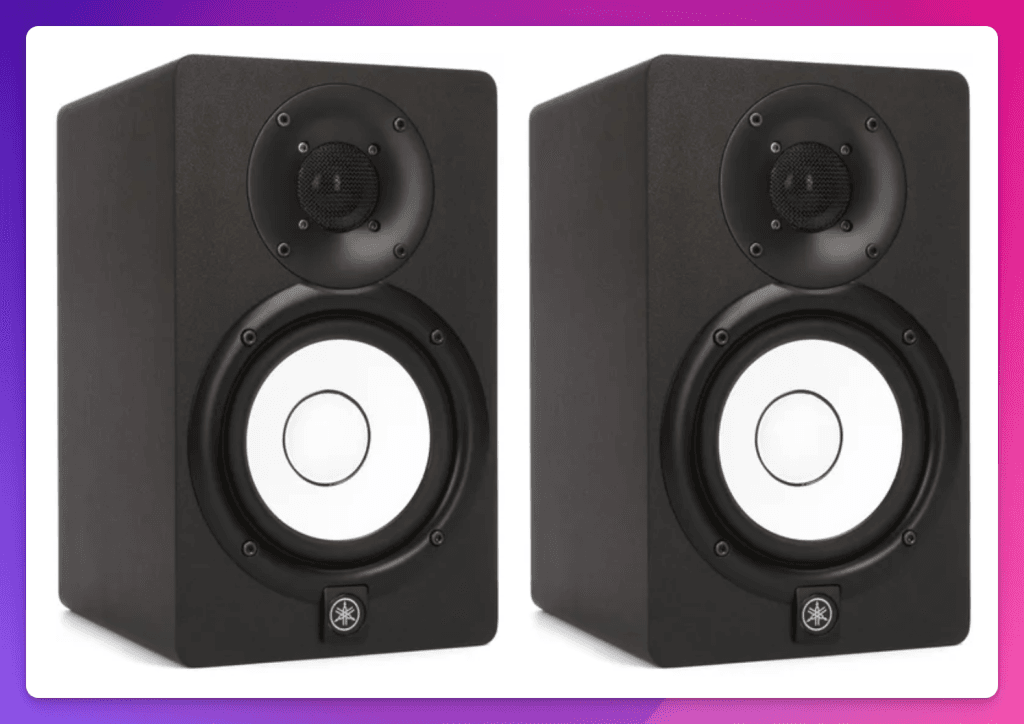
The Yamaha HS5 remains easy to recommend because it is familiar, honest, and widely used. It has a 5-inch woofer, 1-inch tweeter, 70 watts of bi-amplification, balanced XLR and TRS inputs, plus Room Control and High Trim switches.
The HS5 is especially useful when dialogue and midrange judgment matter, but its published -3 dB low-end point is 74 Hz. Creators balancing full music beds may find it lean without a subwoofer. That leanness can teach good habits, but it is not automatically more accurate for every decision. Choose the HS5 if you want a known reference and are willing to learn it. Choose the Focal if you want a fuller picture from a similarly sized driver.
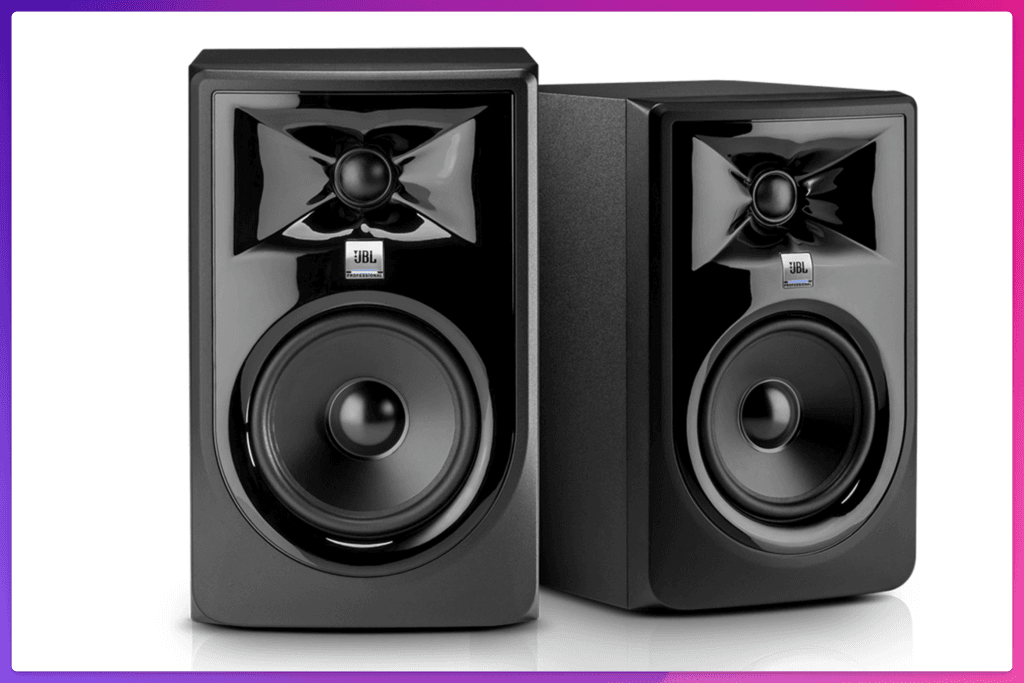
6. JBL 305P MkII: Best Budget 5-Inch Value
The JBL 305P MkII is the budget route into a conventional 5-inch monitor. JBL publishes 49 Hz to 20 kHz at +/-3 dB, 108 dB peak SPL, balanced XLR and TRS inputs, Boundary EQ, and HF Trim. Its image-control waveguide is designed to create a wide sweet spot, which is useful when an editor moves around the desk or occasionally has a second person listening.
The cabinet occupies more visual and physical space than the Focal, the rear port needs wall clearance, and its inputs are limited to XLR and TRS. I did not test it beside the Focal in this room, so I will not invent a difference in sound quality. If budget is the first constraint and you want a conventional 5-inch pair rather than an integrated desktop system, the JBL belongs on the list.
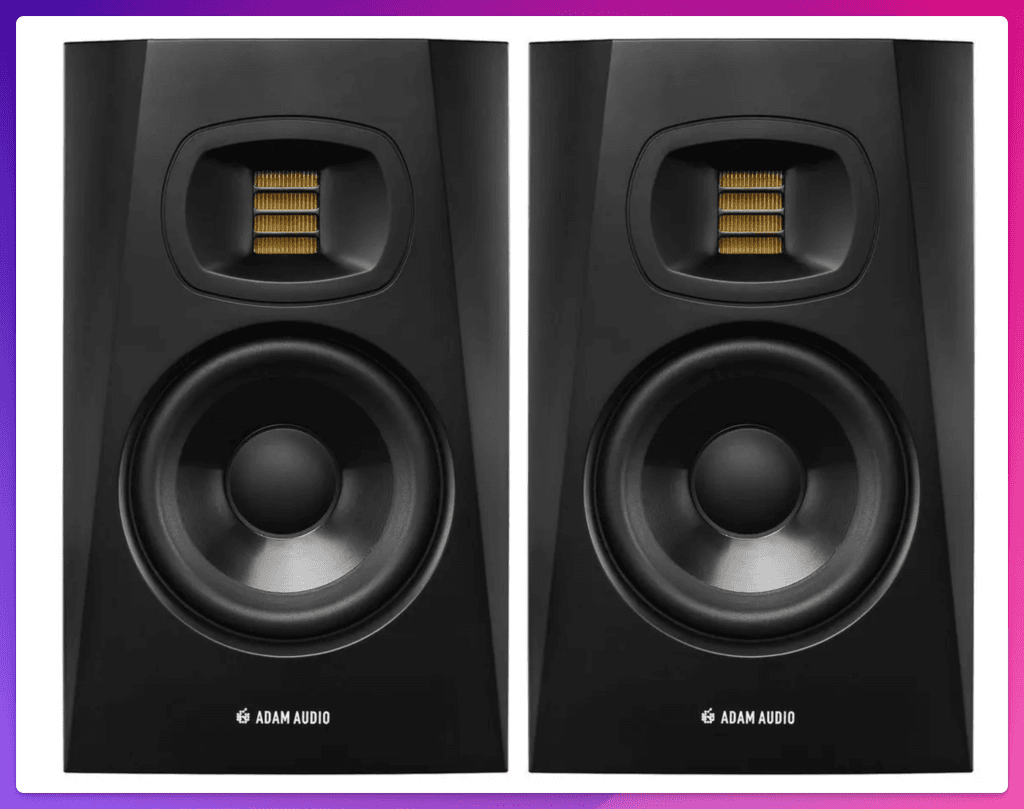
7. ADAM Audio T5V: Best Affordable Detail
The ADAM Audio T5V combines a 5-inch woofer with ADAM’s U-ART folded tweeter and waveguide. ADAM publishes 45 Hz to 25 kHz at -6 dB and at least 106 dB maximum SPL per pair at one meter. XLR and RCA inputs plus high- and low-shelf controls cover the basics.
This is the model to consider when top-end detail and a wide listening area matter at an accessible price. The caveat is its rear-firing bass port. A T5V pushed close to a wall deserves more placement care than the front-ported Focal. For a creator desk already trapped against a wall, that practical difference may matter more than the headline frequency range.
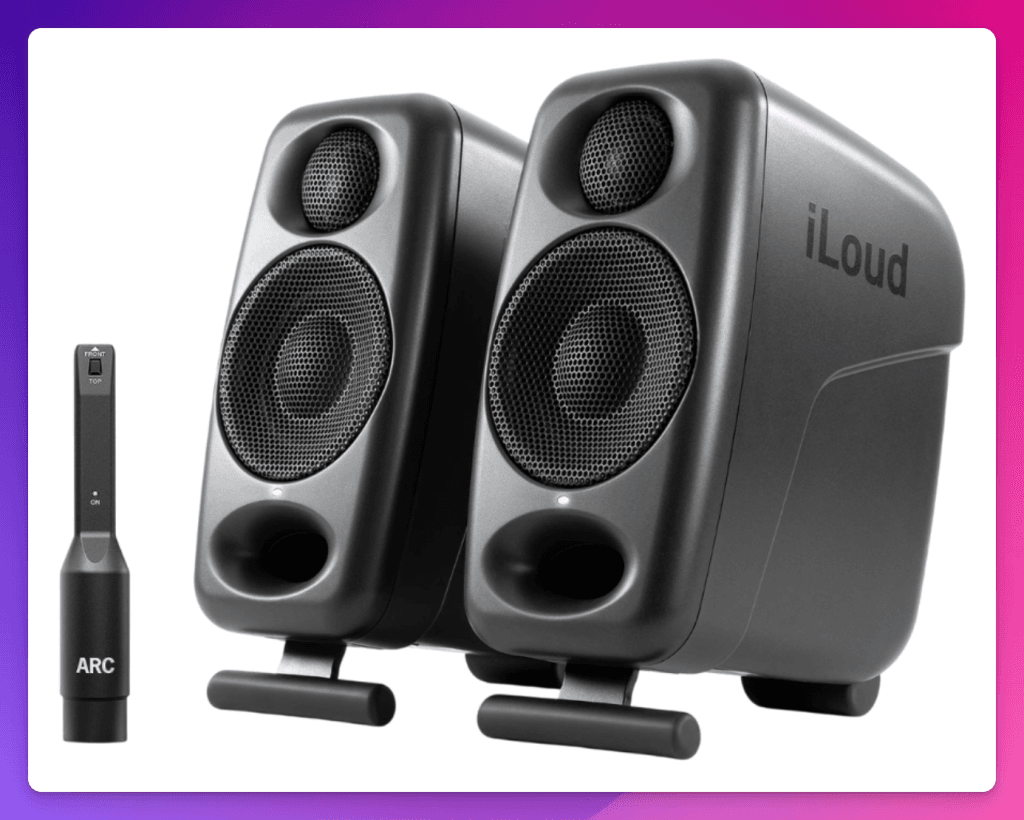
8. IK Multimedia iLoud Micro Monitor: Best For Travel
The IK Multimedia iLoud Micro Monitor is for editors who travel, work at a very shallow desk, or need to pack the system away. The pair uses 3-inch woofers, integrated isolation bases, DSP, positioning EQ, RCA and 3.5 mm wired inputs, and Bluetooth. IK claims bass extension down to 55 Hz.
The missing balanced XLR or TRS inputs make it less natural with a traditional audio interface, and it cannot provide the physical presentation of a 5-inch pair. Choose it because portability is the requirement, not because a tiny enclosure has somehow defeated acoustics.
Which Monitor Should You Buy?
- Best sound quality in a compact creator room: Focal Alpha 50 Evo.
- Best value for a small USB-C desk: ADAM Audio D3V.
- Best for Bluetooth and several sources: Kali Audio LP-UNF.
- Best when every inch matters but you still want pro build and XLR: Genelec 8010A.
- Best familiar reference with strong midrange focus: Yamaha HS5.
- Best inexpensive conventional 5-inch monitor: JBL 305P MkII.
- Best affordable 5-inch option for detailed highs: ADAM Audio T5V.
- Best pair to travel with or put on a very small desk: IK Multimedia iLoud Micro.
Set Up The Room Before Blaming The Monitor
Our first Focal placement was usable but not ideal. The monitors were closer together than I wanted because the editing display, camera, lights, and other gear all competed for space. The desk itself was already detached from the window wall, but widening the speakers on separate stands and moving the desk slightly forward created a better listening triangle.
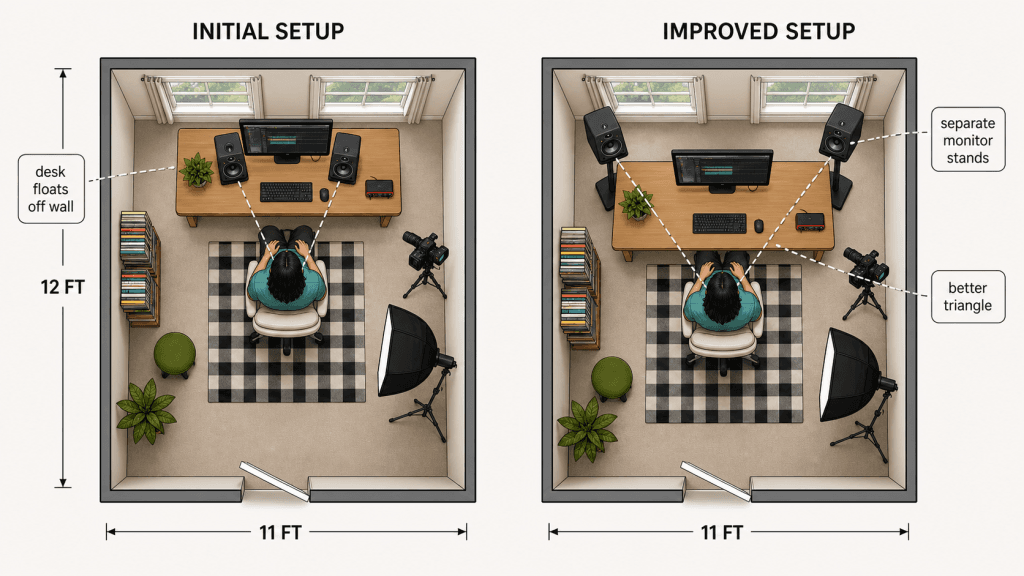
- Place the speakers and your head at the three points of a rough equilateral triangle.
- Keep the tweeters close to ear height and aim them toward the listening position.
- Use proper stands or isolation pads so the desk does not become part of the speaker cabinet.
- Keep left and right placement as symmetrical as the room allows.
- Start with all rear EQ controls flat.
- Listen at low-to-moderate volume. Louder is not more accurate.
- Move the monitors and listening position before reaching for software correction.
- Check finished work on headphones, a phone, laptop speakers, a TV, and a car when possible.
Optional Room Measurement
I have not yet measured this room with a calibration microphone, so I am not going to show a correction curve and pretend otherwise. If you want to go beyond placement, an inexpensive measurement microphone such as the Superlux ECM999, an interface with phantom power, and the free Room EQ Wizard application can reveal broad room problems.
- Put the microphone at ear height in the listening position, pointing as its calibration instructions specify.
- Connect it to the interface, enable phantom power if the microphone requires it, and set a safe measurement level.
- Run left, right, and combined sweeps in Room EQ Wizard.
- Address placement and obvious reflection problems first.
- Use the monitor’s rear controls only for broad tonal correction. Do not try to boost deep room nulls into submission.
- Re-measure, then confirm the result with familiar voice, music, and completed projects.
Measurement is useful, but it does not replace judgment. The goal is not a beautiful graph. The goal is a setup that helps your edits translate.
Audio Interface, Headphones, And Subwoofer
Do You Need An Audio Interface?
For traditional monitors such as the Focal Alpha 50 Evo, Genelec 8010A, Yamaha HS5, JBL 305P MkII, and ADAM T5V, I recommend an interface with balanced outputs. A Focusrite Scarlett 2i2 or similar interface is enough for many creator setups. The ADAM D3V and Kali LP-UNF can accept digital audio directly over USB-C, which reduces cost and cable clutter.
Do Monitors Replace Headphones?
No. Monitors make long editing sessions more natural and reveal stereo balance in the room. Headphones remain better for tiny clicks, breaths, noise, late-night work, and close inspection. I use both. A reliable creator workflow moves between monitors and headphones instead of treating either one as the only truth.
Do You Need A Subwoofer?
Most YouTubers do not need a subwoofer as the first upgrade. A sub can help with music-heavy projects, film sound design, games, and cinematic effects, but it also introduces another crossover, level, phase, and placement problem. I would rather use a good pair of monitors placed correctly than a weaker pair plus a poorly integrated sub. Add one when you can name the low-frequency problem you need it to solve.
Common Buying Mistakes
- Ordering one speaker: many professional monitors are priced individually. Confirm the package contents.
- Buying too large for the room: an 8-inch monitor can create more low-frequency trouble than useful information in a small untreated space.
- Editing over Bluetooth: Bluetooth is useful for casual checks, but latency makes it a poor primary connection for frame-accurate editing.
- Putting monitors directly on a resonant desk: use stands or isolation so the furniture does not color the low mids.
- Turning up the bass because the room has a null: placement problems cannot always be corrected with a knob.
- Buying by frequency range alone: response tolerance, distortion, driver size, output, and room interaction matter.
- Expecting monitors to make the room disappear: better speakers reveal problems; they do not repeal acoustics.
Final Recommendation
If I were building a YouTube editing room from scratch in 2026, I would buy the Focal Alpha 50 Evo. It gave us the best combination of clear voice, useful low end, comfortable detail, compact dimensions, simple setup, and confidence at low volume. It sounds professional without demanding that the rest of the room become a mastering facility.
The ADAM Audio D3V is the second recommendation and the value winner. It costs far less as a complete pair, occupies very little desk space, connects directly over USB-C, and includes the stands and controls a laptop-based creator needs. I would not claim it matches the scale of the Focal, but it may be the smarter purchase for a small desk or a first serious audio setup.
The rest of the ranking exists because there is no universal room. Kali wins on connection flexibility. Genelec wins when professional build has to fit in almost no space. Yamaha is the known reference. JBL and the ADAM T5V make conventional 5-inch monitoring more affordable. The iLoud Micro is the practical travel pair.
For creators, the best studio monitor is not the one that produces the biggest first impression. It is the one that helps you make good decisions for hours and still trust the export tomorrow. For our work at Feisworld, that is the Focal Alpha 50 Evo.
Frequently Asked Questions
Are Studio Monitors Worth It For YouTube Editing?
Yes, if your videos combine speech, music, effects, interviews, or location audio. Studio monitors make it easier to judge dialogue clarity and music balance without living in headphones. They will not fix a bad room or replace reference checks, but they improve everyday editing decisions.
What Size Studio Monitors Are Best For YouTubers?
For many creator rooms, 5-inch monitors are the best middle ground: enough low-end information for music and effects without overwhelming a normal desk. A 3-inch or 3.5-inch system makes sense when you sit very close, travel, or have severe space limits. Larger is not automatically better.
Focal Alpha 50 Evo Or ADAM Audio D3V?
Choose the Focal Alpha 50 Evo for overall sound quality, fuller physical scale, traditional studio connections, and long-term use as your main editing monitors. Choose the ADAM D3V for a much lower system price, direct USB-C, included desk stands, and a smaller footprint. The Focal is my quality pick; the D3V is my value-and-size pick.
Can I Use Studio Monitors Without An Audio Interface?
Yes, if the system supports direct USB-C, such as the ADAM D3V or Kali LP-UNF, or accepts an appropriate analog output. Traditional independent monitors generally work best with an audio interface and balanced cables because that gives you clean output, reliable level control, and fewer noise problems.
Can I Use Studio Monitors In An Untreated Room?
Yes, but placement matters. Use a close nearfield setup, keep the geometry symmetrical, isolate the monitors from the desk, and avoid sitting exactly against a wall or in the center of the room when possible. Treatment and measurement can improve the result later. You do not need to postpone good monitoring until the room is perfect.
Are Yamaha HS5 Monitors Good For Video Editing?
Yes. The HS5 is a widely understood reference with useful midrange clarity and room controls. It can sound lean in the bass, which matters when balancing full music beds or cinematic effects. I prefer the Focal Alpha 50 Evo when a fuller compact monitor is the goal.
Is Bluetooth Good Enough For Video Editing?
Use Bluetooth for casual listening and translation checks, not as the main editing connection. Wireless latency can put picture and sound out of sync and make precise cuts frustrating. USB-C or wired analog connections are the better choice for the timeline.
Are Studio Monitors Sold Individually Or In Pairs?
Both. Focal Alpha 50 Evo, Genelec 8010A, Yamaha HS5, JBL 305P MkII, and ADAM T5V listings are commonly for one monitor. ADAM D3V, Kali LP-UNF, and iLoud Micro are sold as stereo pairs or systems. Always check before comparing prices.
Final disclosure: Focal sent Feisworld Media the Alpha 50 Evo pair we tested. Focal did not pay for this ranking or review the article. There are no affiliate links. The Focal recommendation is based on our hands-on use; the alternative rankings are clearly identified research-backed recommendations. Product specifications and pricing can change, so verify current details with each manufacturer before buying.

Written by
Germán CeballosGermán Ceballos has worked with Feisworld Media since 2016 and serves as Editorial Director. He co-created and edited the documentary Feisworld: Live Your Art, has overseen the editorial direction of the podcast across 300+ episodes, and shapes Feisworld's coverage of AI tools, creator workflows, video production, and content strategy.
View all posts by Germán Ceballos→Stay updated
Weekly insights on content, AI, and digital media.