Adobe just launched something genuinely transformative. On Wednesday, December 10, Adobe will officially announce its direct integration with ChatGPT, bringing Photoshop, Adobe Express, and Acrobat right into the ChatGPT experience. For the first time, millions of creators, students, small business owners, and everyday users will be able to access Adobe’s powerful creative and productivity tools using simple conversational requests.
If you’ve been following Feisworld for a while, you already know how much I love Adobe’s tools. My producer Germán and I spent a week in LA attending the Adobe Max event this year. It was a transformative experience.
Adobe has shaped my workflow for years across YouTube, client projects, Xiang Li Art, and beyond. But this integration feels different. It’s not just a product update. It’s an invitation for more people to create, design, and publish with confidence.
This post breaks down what’s new, how it works, and why it matters for creators like us.
Adobe Express for ChatGPT: Instant Design Without the Intimidation
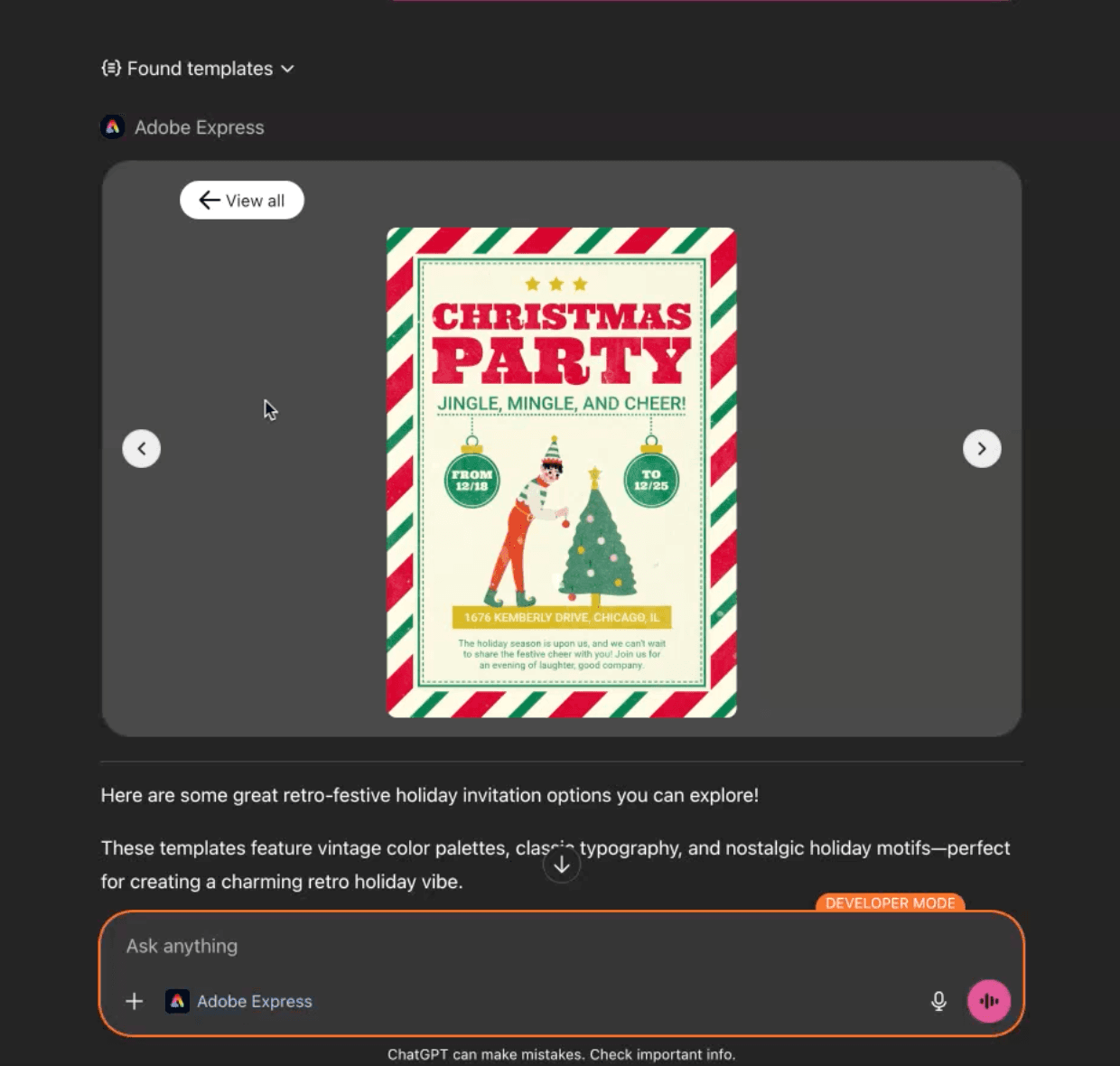
Adobe Express is now directly available inside ChatGPT. You can ask ChatGPT to create designs, choose from a large template library, update colors, swap images, animate elements, and polish layouts using natural language.
No design experience required.
Here are the highlights.
Create on the fly
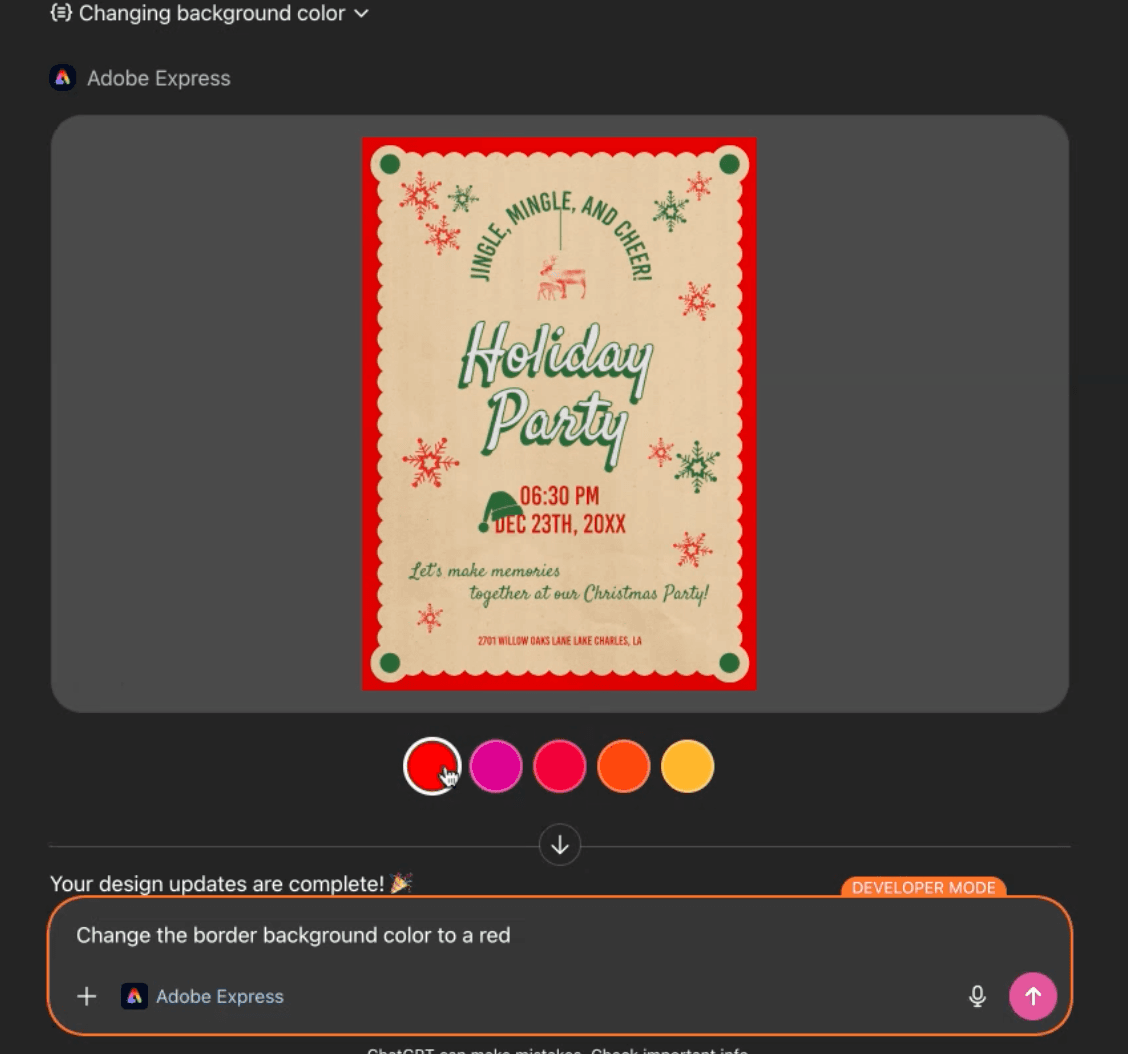
Ask ChatGPT for a holiday card, an invitation, a social media post, a flyer, or a poster. Adobe Express pulls templates instantly and shows you options to choose from.
Customize everything
Change colors, replace images, adjust backgrounds, refine text, or add animations. ChatGPT handles the details using Adobe Express’ engine while you stay in conversation.
Iterate easily
Want a different color theme? Need a version for Instagram? Want to experiment with a retro style? You can update the same design repeatedly without starting over.
This makes professional design accessible for people who want great results without wrestling with software. It’s also perfect for teams and solo creators who need to move quickly.
Photoshop for ChatGPT: Photo Editing With Your Voice
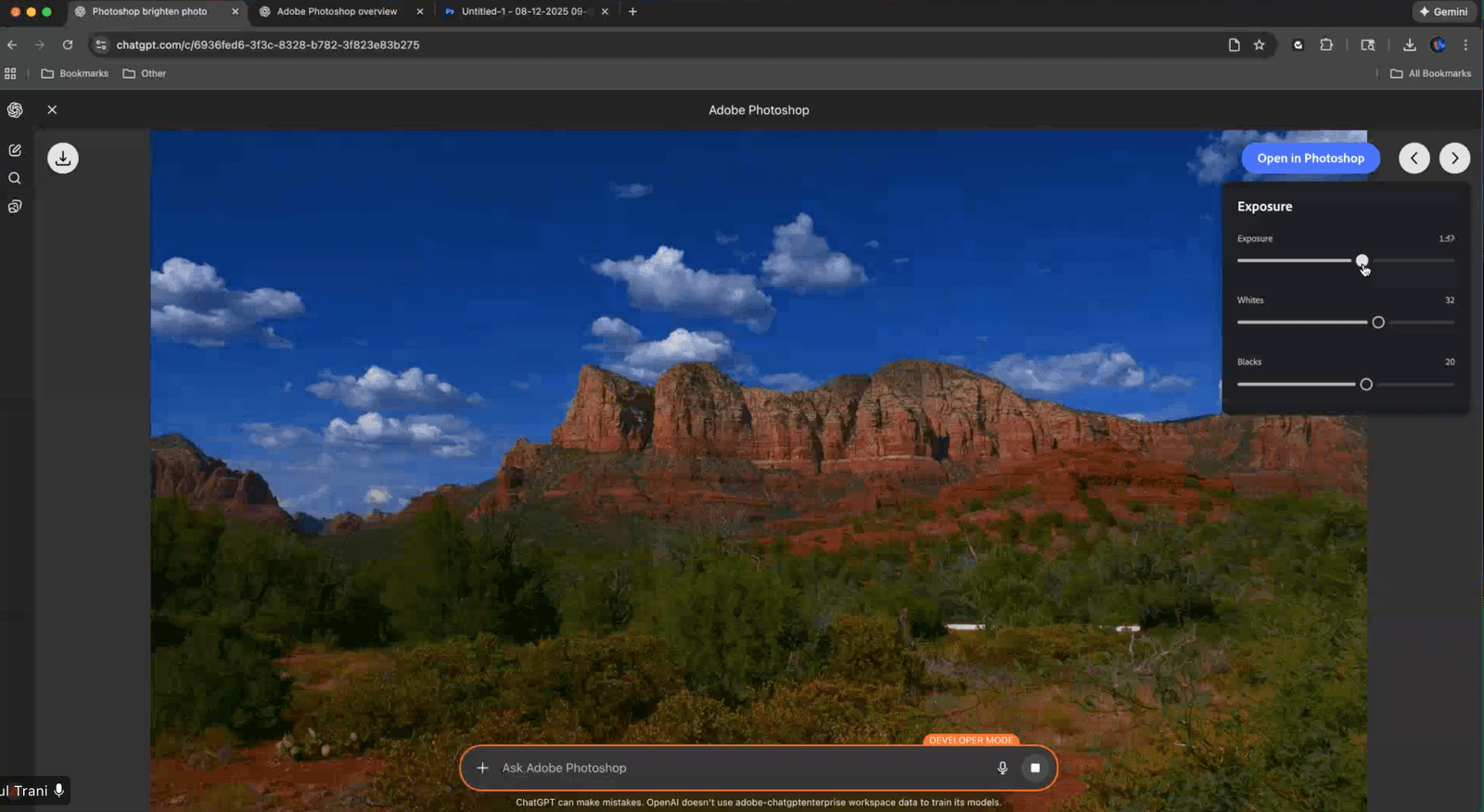
Photoshop inside ChatGPT is one of the biggest surprises. These aren’t simple filters. You get real photo editing powered by intuitive sliders and controls that appear directly inside the chat. You no longer have to learn the intricate skills inside Photoshop. But if you do and prefer to edit the image further in Photoshop? No problem, you can one button away from further customization right inside ChatGPT.
Here’s what you can do.
Improve a photo in seconds
Ask ChatGPT to brighten the image, increase contrast, boost vibrance, adjust exposure, or refine tone. Sliders appear so you can fine-tune the look yourself.
Apply creative effects
Try glitch styles, duotones, glow effects, halftones, and other looks that would normally take several steps in Photoshop.
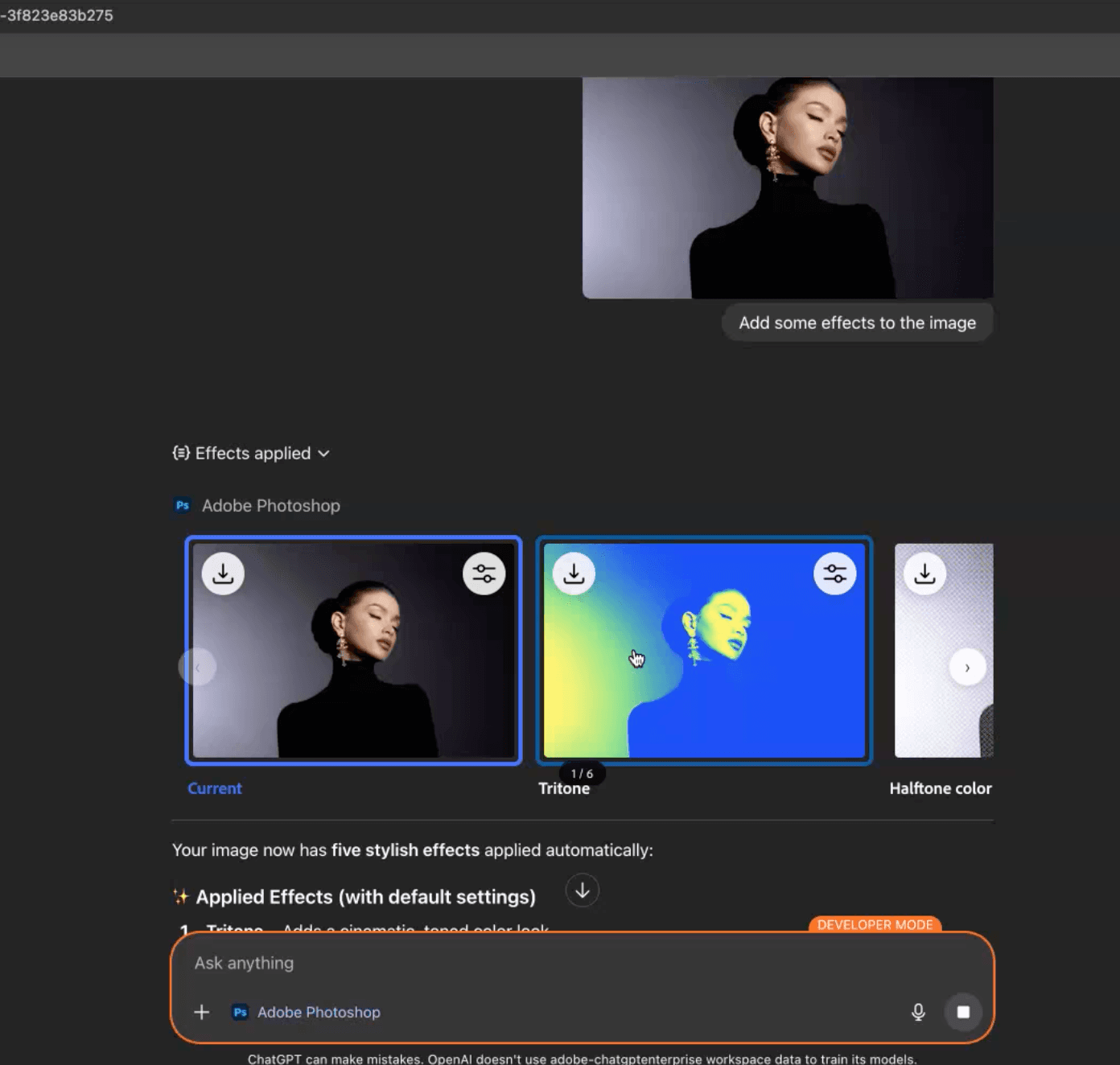
Edit only the areas you want
Need to brighten a face or darken the sky? ChatGPT understands and applies the edit to the correct part of the image.
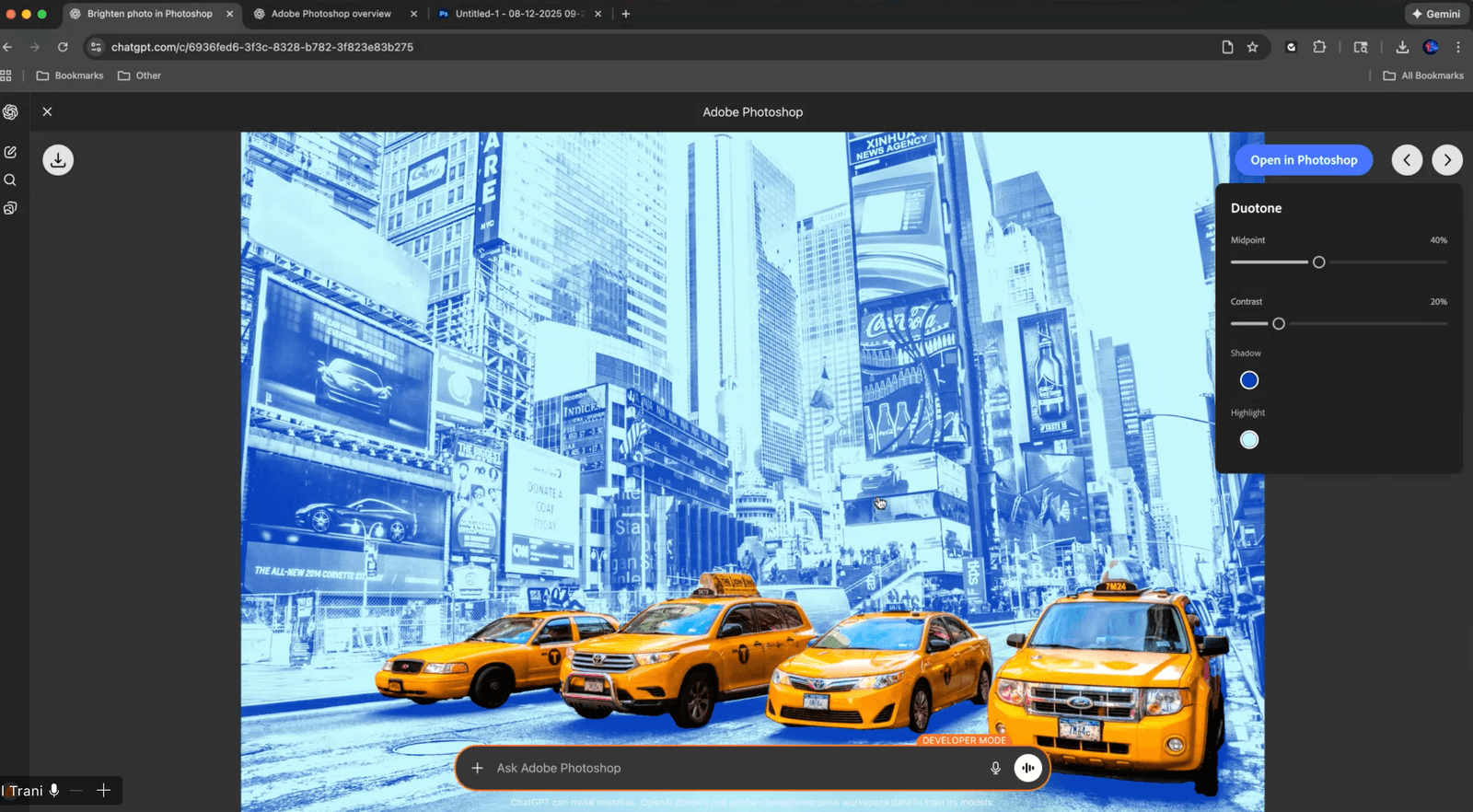
Remove or blur backgrounds
Perfect for product shots, profile photos, or social content.
Open in Photoshop when you want more control
With one click you can jump into full Photoshop to continue editing.
This creates a smooth bridge between quick edits and professional workflows. Beginners can get results instantly. Experienced creators can speed up repetitive tasks.
Acrobat for ChatGPT: PDF Editing That Finally Feels Simple
PDF editing has always felt like a chore. Acrobat’s integration changes that by letting you work conversationally with PDFs inside ChatGPT.
Here’s what you can do now.
Upload and edit PDFs without breaking formatting
Update text, adjust layouts, fix mistakes, and maintain the document’s structure. Ideal for resumes, proposals, cover letters, school forms, and business materials.
Extract text or tables
Pull information cleanly from a PDF without messy copy-pasting.
Merge and organize multiple files
Combine documents, images, references, resumes, or receipts into a single clean PDF.
Compress and convert
Convert to PDF, convert from PDF to editable formats, and reduce large file sizes.
For creators, this is especially helpful for grant applications, art catalogs, client deliverables, and publishing assets.
Why This Integration Matters
Adobe’s tools have long been the industry standard, but they also come with a learning curve. This new integration brings those tools to a much wider audience. ChatGPT becomes a guide that helps people use Adobe capabilities through natural conversation.
It makes creative work more inviting, more playful, and more productive.
This is especially meaningful for people who want to create professional visuals but don’t have time to learn full software suites. Small creators, freelancers, teachers, nonprofit teams, local businesses, and artists like Xiang Li can all benefit from this shift.
Adobe has made its most approachable experience yet, built for the 800 million users who rely on ChatGPT every day.
The Future of Creating Just Got More Human
Adobe’s integration with ChatGPT marks a new chapter where creative tools feel intuitive, accessible, and fun. It removes the friction that keeps many people from exploring their ideas.
I’ll be sharing more real-world workflows and tutorials using Adobe Express, Photoshop, and Acrobat inside ChatGPT. If you plan to try these features in your own projects, I’d love to hear how they help you.
This is a milestone for the creator community. Let’s make the most of it.
Closing Thoughts
Adobe’s launch on December 10 marks a turning point for how we create and collaborate. With Photoshop, Adobe Express, and Acrobat now available directly inside ChatGPT, powerful creative tools become accessible to anyone who can describe what they want to make. This integration opens the door to more than 800 million ChatGPT users worldwide, bringing Adobe’s most iconic apps into a simple conversational workflow.
ChatGPT users gain the best of both worlds: Adobe’s creativity and precision paired with ChatGPT’s intuitive guidance. Even if you’ve never opened Photoshop or Acrobat before, you can now edit images, design graphics, and manage PDFs with confidence.
And this is only the beginning. Adobe shared that more capabilities and deeper integrations will roll out in the coming weeks. I’m looking forward to exploring what’s next and sharing how creators, artists, educators, and small businesses can make the most of it.
If you’ve ever wanted to create more and struggle less, this new chapter is for you.
You might also enjoy…
Topics

Written by
Fei WuFei Wu is the founder and CEO of Feisworld Media, a Massachusetts-based digital media company helping brands get discovered by people and by AI. An Adobe Global Ambassador and brand partner to ElevenLabs, Synthesia, and 50+ other tech and AI companies, she hosts the Feisworld Podcast (400+ episodes, 500K+ downloads — guests have included Seth Godin, Steve Wozniak, Chris Voss, and Arianna Huffington) and co-created the documentary Feisworld: Live Your Art on Amazon Prime. Fei writes for CNET, Lifehacker, and PCMag, and her work has been featured in Forbes, Harvard Business Review, and WIRED. She has been publishing on the internet since 2014 — long before AI discoverability had a name.
View all posts by Fei Wu→Stay updated
Weekly insights on content, AI, and digital media.
Keep Reading


