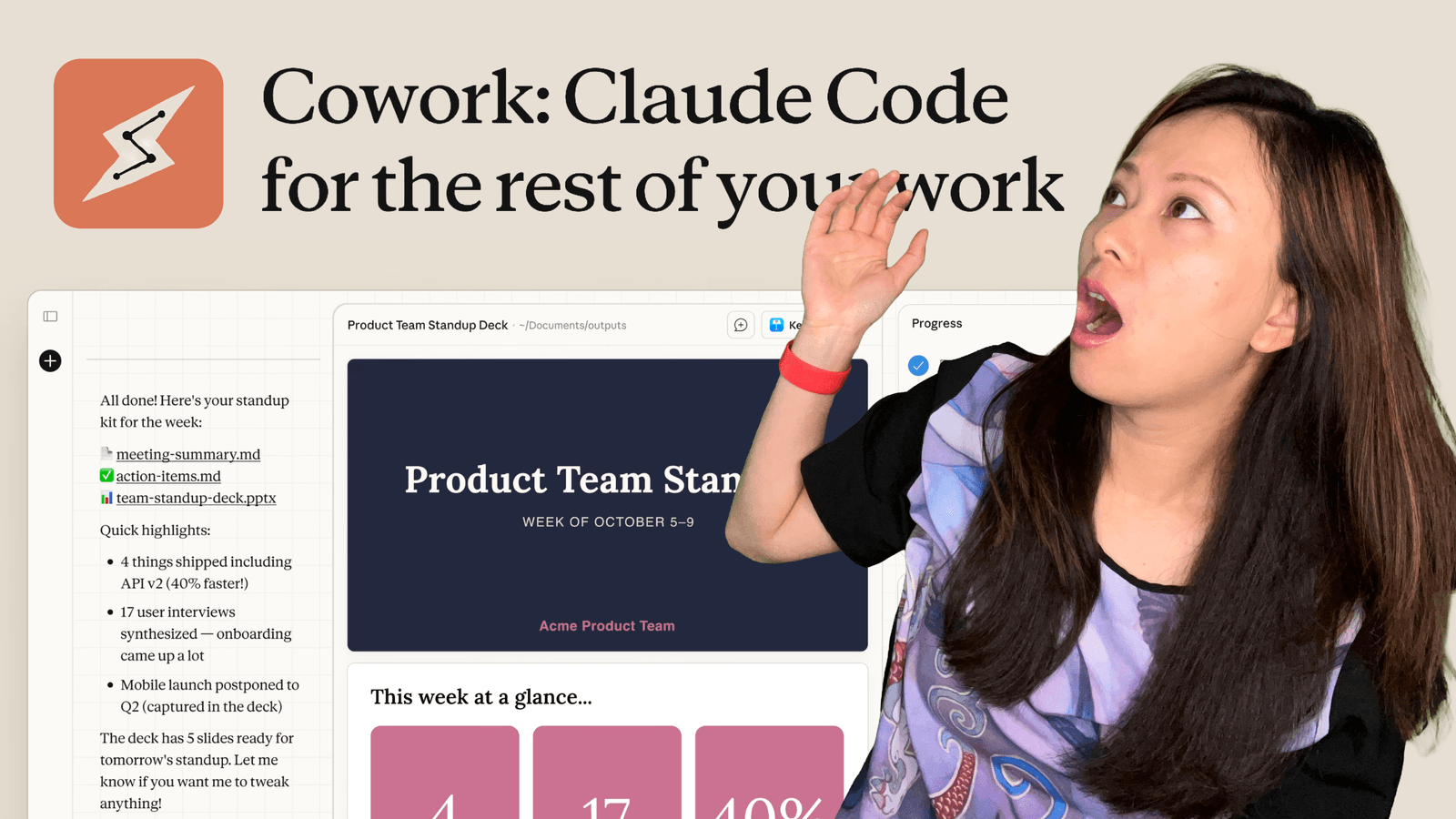
Anthropic just changed the way we work again: they released Claude Cowork.
If you follow the tech world, you might know about “Claude Code,” the tool developers use to let AI write software on its own. It was powerful, but you needed to be comfortable with a terminal (that scary black screen with code on it).
Cowork is different. It is the “normie” version of that powerful tool. It brings agentic AI, AI that does things, not just says things, to everyone.
Why does this matter for your brand? Because in 2026, the biggest threat to your business isn’t competition; it’s digital rot. We have years of content, old websites, and outdated files that AI search engines are starting to ignore.
Here is how you can use Claude Cowork to clean up your digital past and build a stronger brand for the future.
TL;DR: Quick Summary
- What it is: A new feature in the Claude macOS app where you give AI access to a specific folder. It can read, edit, organize, and create files on its own.
- The Cost: Available now for Claude Max subscribers. Think of it as the cost of a very cheap intern.
- The Brand Angle: The secret to ranking in AI search (GEO) is keeping your content fresh. Cowork can automate updating years of old blog posts and code repositories.
- Safety First: It can delete files. Don’t point it at your hard drive root folder. Start with a sandbox.
What is Claude Cowork? (Simple Explanation)
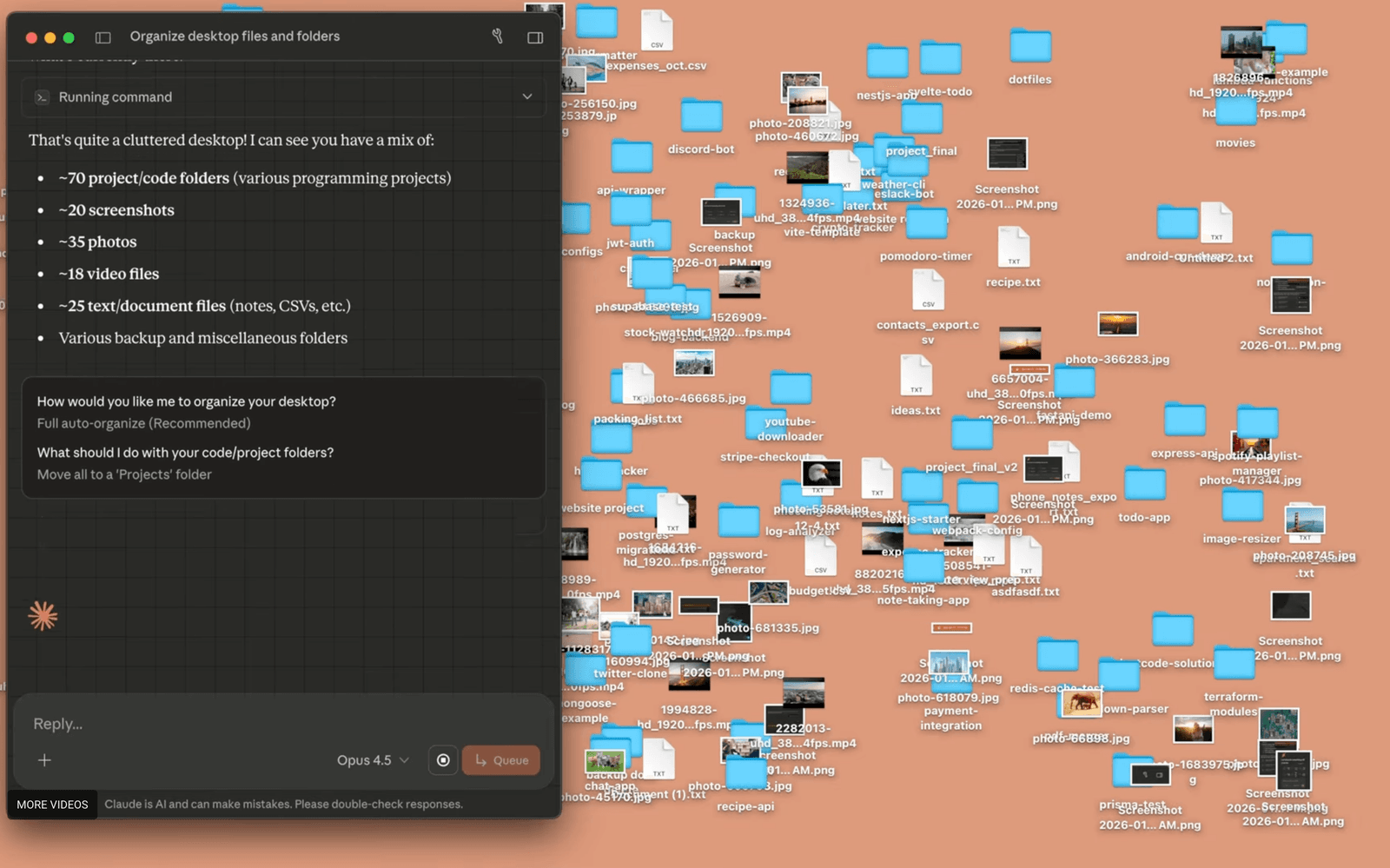
Imagine you have a coworker named Claude. You hand them a messy folder of receipts, or a folder full of 500 old word documents, and say: “Hey, please organize this into a spreadsheet for me.”
Then, you go get a coffee.
While you are gone, Claude opens the files, reads them, plans a strategy, creates the spreadsheet, and saves it. You didn’t have to copy-paste anything into a chat box.
That is Claude Cowork.
It works directly on your desktop (currently macOS only). You choose a folder, give Claude permission, and then chat with it like a project manager. It executes steps in the background, handles multi-step tasks, and reports back when it’s done.
The Brand Problem: Digital Rot
In my guide on How to Build a Brand in 2026, I talked about “Contextual Footprint.” This is the idea that AI models (like Gemini, ChatGPT, and Claude) judge your brand based on how up-to-date and authoritative your content is.
Here is the problem: We are all tired.
We create content, launch websites, and write blog posts. Then, we forget about them. Two years pass. Your “Best Cameras of 2024” post is now useless. Your personal website built on React has outdated code.
To an AI search engine, outdated content looks like a “dead” brand. Dead brands don’t get cited.
Until now, fixing this meant hiring a VA or spending weeks doing manual data entry. Now, Cowork can do it.
Use Case 1: The Content Refresh (Markdown & Blogs)
At Feisworld, and for many of our clients, we store our website content in Markdown files inside a repository (like Github). This is common for modern sites.
We have years, literally years, of blog posts sitting in folders.
How to use Cowork to build your brand:
I can point Claude Cowork at my _posts folder containing 500+ markdown files and give it this prompt:
“Go through every file in this folder. Identify any post that mentions ‘2024’ or ‘2025’ in the title or body. Create a summary document of which posts need to be updated for 2026, and draft a suggested new intro for the top 5 most detailed posts.”
Why this builds your brand:
- Freshness: You instantly know what is outdated.
- Speed: You update content 10x faster.
- SEO/GEO: AI loves fresh content. By updating old posts, you signal to search engines that you are still an active authority.
Use Case 2: Managing Your App Empire (Repos)
We are seeing a massive shift. Creators aren’t just making videos anymore; they are building apps. People are using tools like v0.app, Lovable, and Replit to launch simple Next.js or React websites on Vercel.
Maybe you launched a specific landing page for a course last year. Maybe you have a project repository for your agency site.
These technical assets “rot” too. Links break. Libraries get old. Information in the README.md file becomes wrong.
How to use Cowork:
You can pull your project folder to your desktop and tell Cowork:
“Scan this Next.js project. Read the copy on all the ‘page.tsx’ files. Find any pricing that mentions my old rate of $200 and update it to $300. Also, check the README file and make sure the installation instructions match the actual file structure.”
It acts like a junior developer who cleans up your mess so your brand always looks professional and polished.
Use Case 3: The “Listicle” Monitor
Listicles (articles like “Top 10 Microphones”) are great for traffic, but they are a nightmare to maintain. A “Top Tool” from 2023 might be bankrupt in 2026.
If you recommend a tool that doesn’t exist anymore, you lose trust. Trust is the currency of the AI age.
How to use Cowork:
- Give Cowork access to your articles folder.
- Prompt: “Find all my ‘Best of’ lists. Create a table showing the tools I recommended. Flag any that haven’t been mentioned in my content for over 2 years.”
- Then, ask it to draft updates: “For the ‘Best Microphones’ post, swap out the Blue Yeti for the new Shure MV7+ and rewrite the description based on the specs in this PDF I just added.”
This turns a week of administrative hell into a 20-minute review session.
Use Case 4: The “Virtual CFO” (Invoices, Receipts, contracts)
Nothing kills your creative momentum faster than having to rename 40 PDF invoices or find a missing receipt from three months ago. The unsexy paperwork!
If your finances are messy, your business is stressed. And you cannot build a great brand when you are stressed about tax season.
How to use Cowork:
This is one of the most practical uses for this tool right now. You can drag a pile of unorganized files (screenshots of receipts, PDF invoices, random downloads) into a folder called “2025 Finances” and let Claude handle it. Or even ‘Bookkeeping’.
The Prompt:
“Look at all the files in this folder. Some are receipts, some are invoices I sent to clients. Please create a CSV file (spreadsheet) with the following columns: Date, Vendor/Client Name, Amount, Category, and Filename. Rename each original file to ‘YYYY-MM-DD_Vendor_Amount.pdf’ so they are easy to search.”
Why this matters:
- Audit-Ready Instantly: Instead of spending a weekend organizing files, Claude does it in 3 minutes.
- Track Missing Money: You can ask Claude, “Compare the invoices in this folder against this list of payments. Which client hasn’t paid me yet?”
- Mental Clarity: You free up brain space to focus on creating and connecting, rather than data entry.
Use Case 5: The “Media Manager” (Organizing Video Chaos)
If you are a creator like me, your hard drive probably looks like a crime scene.
At Feisworld, we produce a YouTube channel, a podcast, and even produced a $150k documentary on Amazon Prime. We also handle video production for multiple clients. That means we have terabytes of footage: B-roll, interview clips, screen recordings, and audio files.
Usually, these files have names like C0015.MP4 or DSC_9921.MOV and they live in folders called “New Folder (3)” or “SD Card Dump Sept 2025.”
Finding the right clip for a client six months later is a manual nightmare. It is wasted time that doesn’t build your brand.
How to use Cowork: Cowork cannot “watch” the video (yet), but it can manage the file structure perfectly. You can dump an entire SD card into a folder and tell Claude to clean it up.
The Prompt:
*”I just dumped 50 video files into this folder from a shoot today. Please organize them.
- Create subfolders named ‘A-Cam’, ‘B-Cam’, and ‘Audio’.
- Move the files based on their file extension and naming pattern (files starting with ‘A00’ go to A-Cam, ‘B00’ to B-Cam, .WAV files to Audio).
- Rename every file to append today’s date (2026-01-12) to the beginning of the filename so they are easy to sort later.”*
Why this is a game changer:
- Instant Professionalism: Your project folders are always structured exactly the same way. Editors (or future you) will love you.
- Client Safety: You never accidentally lose a client asset because it was buried in a “Downloads” folder.
- Documentary Archiving: For our documentary, we have footage from years ago. Claude can batch-process thousands of old files to ensure they follow our new naming convention, making the archive actually searchable.
Safety and Pricing
To be completely real with you: Claude Cowork is powerful, which means it is also risky.
The Safety Warning: Anthropic has been very clear: Cowork can delete files.
- Do not give it access to your entire computer.
- Do not give it access to your only copy of family photos.
- Always use a specific “Work Folder” or duplicate your files before letting Claude touch them.
- Be aware of “prompt injection.” If Claude reads a file from the internet that contains malicious hidden instructions, it could get confused.
The Price: It is currently in “Research Preview” for Claude Max subscribers. That tier costs between $100 and $200 a month.
Is it expensive? For a chat bot, yes. For an employee? No. If this tool saves you 10 hours of manual file renaming or data entry a month, it has paid for itself three times over.
Conclusion
The brands that win in 2026 are not the ones who create the most new content. They are the ones who maintain the most accurate and trustworthy Contextual Footprint.
Repetitive tasks, renaming files, tracking invoices, checking for broken links, reformatting messy notes, are the friction that stops us from maintaining our brands.
Claude Cowork removes that friction. It allows you to act like a CEO and delegate the “grunt work” to AI.
My advice? If you are serious about your digital presence, get on the waitlist or upgrade to Claude Max. Download the macOS app. Create a test folder. And start cleaning up your brand.
Are you struggling to figure out your AI strategy for 2026? At Feisworld, we help businesses build their Contextual Footprint so AI can’t ignore them. Contact us today to learn about our consulting packages.
You might also enjoy…

Written by
Fei WuFei Wu is the founder and CEO of Feisworld Media, a Massachusetts-based digital media company helping brands get discovered by people and by AI. An Adobe Global Ambassador and brand partner to ElevenLabs, Synthesia, and 50+ other tech and AI companies, she hosts the Feisworld Podcast (400+ episodes, 500K+ downloads — guests have included Seth Godin, Steve Wozniak, Chris Voss, and Arianna Huffington) and co-created the documentary Feisworld: Live Your Art on Amazon Prime. Fei writes for CNET, Lifehacker, and PCMag, and her work has been featured in Forbes, Harvard Business Review, and WIRED. She has been publishing on the internet since 2014 — long before AI discoverability had a name.
View all posts by Fei Wu→Stay updated
Weekly insights on content, AI, and digital media.
Keep Reading


