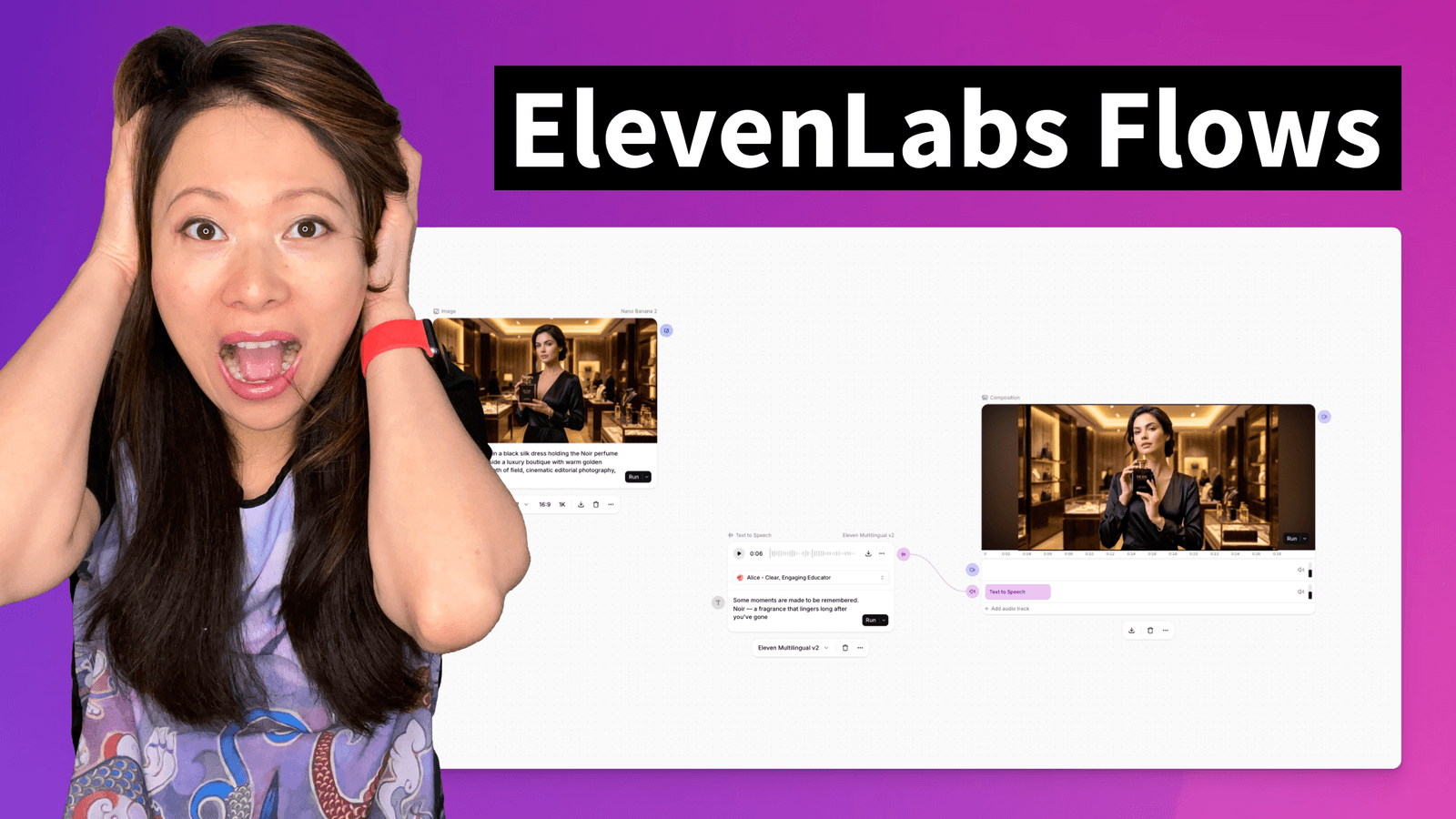
Last year, producing a single sponsored video for a brand meant opening five different tools.
Canva for the product image. Firefly or Runway for the video animation. ElevenLabs for the voiceover. Suno or Eleven Music for the background track. Final Cut or Premiere Pro for stitching it all together. Five browser tabs. Five export-import cycles. Five different credit systems.
It wasn’t creative work. It was caught on logistics.
In March 2026, ElevenLabs changed the game with Flows — a node-based visual canvas where you map out your entire content pipeline (image, video, speech, music, and SFX) and run it all from one workspace.
I got early Beta access, and after spending a few days in it, I can tell you: this is not a minor feature update. Flows is the reason ElevenLabs is no longer “just” a voice tool. It is a full multi-modal production engine.
This is the practitioner’s guide to using it.
Transparency Note
We partner with brands we trust and use daily. If you sign up using our link, it helps support the channel at no extra cost to you. You can check out our dedicated hub here.
What is ElevenLabs Flows? (And Why It Matters)
Let me give you the simple version first.
Flows is a new interface inside ElevenLabs where you build content pipelines visually. Think of it like a whiteboard, but every sticky note is a powerful AI model. You connect them together — image generation flows into video animation, which flows into voiceover, which flows into a final composition — and you hit “Run.”
Here are the key terms you need to know:
- A Flow is a saved project. It is your entire pipeline, from first prompt to final export.
- A Node is a single building block. Each node is either a generative model (like Text to Speech, Image Generation, or Video) or a utility tool (like Lipsync, Upscale, or Composition).
- Inputs and Outputs are how nodes connect. The output of one node (an image) becomes the input of the next node (a video animation).
The reason this matters is compounding. ElevenLabs already had the best-in-class models for voice, music, and sound effects. We covered this extensively in our guide on What is ElevenLabs AI?. But those models lived in separate tabs. Flows is the layer where they all connect.
The step change is what happens when you chain modalities together. You generate a product image, then a person, then composite them, then drop them into a scene, then animate it, then add voiceover and music. Each step feeds into the next. What used to take a team of people and five different tools happens on one canvas.

The “5 Tools → 1 Canvas” Problem
Let me show you what my workflow looked like before Flows, and what it looks like now.
The “Before” (The Tab-Switching Tax)
Here is the real workflow I used to produce a 30-second product video for a brand partner:
- Image: Open Midjourney. Generate a product shot. Download the PNG. (~10 min)
- Video: Open Runway. Upload the PNG. Generate a 5-second animation. Download the MP4. (~8 min + render time)
- Voiceover: Open ElevenLabs Speech Synthesis. Paste the script. Generate the audio. Download the MP3. (~3 min)
- Music: Open Eleven Music. Type a prompt for background music. Generate. Download. (~3 min)
- Editing: Open Premiere Pro. Import all four files. Sync the voiceover to the video. Layer the music. Adjust levels. Export. (~20 min)
Total Time: ~45 minutes, across 5 tools, with 4 export-import cycles.
And here is the brutal part: if the client says “Can you change the voiceover to sound more upbeat?” — you go back to Step 3, re-export, re-import into Premiere, re-sync, and re-export. Another 15 minutes.
The “After” (Flows)
- Open Flows. Click “+ New Flow.”
- Add an Image Generation node. Type the product shot prompt. Run it. The image appears on the canvas.
- Drag a connection from the image node to a Video Generation node. The image automatically feeds in. Run it. The video appears.
- Add a Text to Speech node. Paste the script. Connect it.
- Add a Music node. Type a background music prompt.
- Connect everything to a Composition node. Hit Run.
- Export.
Total Time: ~15 minutes. One tab. Zero export-import cycles.
And when the client asks for a voiceover change? You re-run only the Text to Speech node. The video stays. The music stays. You update the Composition and export. 2 minutes.
That is the difference. Flows doesn’t just save time on one project. It compounds the savings across every revision, every variation, and every campaign.

How Flows Works: The Node System Explained
Nodes are the building blocks. There are two types.
Generation Nodes (The AI Models)
These are the nodes that actually create content:
- Image Generation: Access to 35+ industry-leading image models. You can generate product shots, lifestyle imagery, backgrounds, and more — all without leaving ElevenLabs.
- Video Generation: Animate images or generate video clips from text prompts. This is full video generation, not just short segments.
- Text to Speech: All ElevenLabs voice models are here, including the Eleven v3 Expressive model. If you have a Professional Voice Clone, you can use it directly in a Flow.
- Music & SFX: Generate custom background tracks or targeted sound effects using Eleven Music and Sound Effects models.
Processing & Utility Nodes (The Connectors)
These nodes refine, combine, and finalize your content:
- Lipsync Generation: This is the one that blew my mind. Chain a Text to Speech node with a Video node, and Flows will generate perfectly synced talking-head video using OmniHuman and Veed LipSync technology. This used to require a completely separate tool.
- Composition: A centralized preview node where you layer audio and video to see the final output before exporting.
- Upscale: Increase the resolution of your generated images or video.
- Mix with Video/Audio: Merge separate streams (voiceover + music, for example) into a single file.
Contextual Navigation (The Smart Part)
Here is a small detail that makes a big difference: when you drag a connection from an output port, Flows automatically suggests compatible next-step nodes. It knows that if you just generated an image, you probably want to animate it or add it to a composition. This eliminates the guesswork and speeds up pipeline building significantly.

Step-by-Step: Building Your First Flow
This is the exact walkthrough for getting started.
Access Flows
Log into your ElevenLabs account. In the left sidebar, look for Flows under ElevenCreative. Click it.
You will see two sections: Inspiration (pre-built templates) and Recent Flows (your saved projects). If this is your first time, click “+ New Flow” in the top right corner.
Note: Flows is currently in Alpha and is available to all tiers.
Start with a Template (or Go Blank)
For your first time, I recommend starting with a template. ElevenLabs has pre-built Flows for common use cases:
- Luxury Perfume — Cinematic Ad: A template optimized for luxury product visuals and voiceovers.
- Outfit Changer — Fashion Lookbook: Perfect for e-commerce fashion brands that need rapid product variations.
- Energy Drink — Action Ad: A multi-modal setup for high-energy promotional content.
- Beverage — Product Showcase: Designed for creating rapid product demos and visual variations.
Click any template to load a pre-configured node structure. You will immediately see how the nodes are connected and can start modifying prompts.
Add and Connect Nodes
If you are starting from scratch:
- Right-click anywhere on the canvas (or use the toolbar at the bottom).
- Select a node type (e.g., “Image Generation”).
- Configure the node (choose a model, write your prompt).
- Drag a connection from the output port of one node to the input port of the next.
Feisworld Tip: Start with your “Hero Asset” first. If your project is a product video, start with the Image Generation node for the product shot. Build outward from there. Image → Video → Voiceover → Music → Composition.
Run Individual Nodes
This is critical: you do not have to run the entire Flow at once.
Click the “Run” button on an individual node to generate just that piece. Preview it. If you don’t like it, re-run it. Only when you are happy do you move to the next node.
This is the “Non-Destructive” approach that makes Flows so powerful (more on this below).
Export or Move to Studio
Once your Composition node looks good:
- Download Assets: Export individual files or the final composition directly.
- Export to Studio: If your project needs precise timeline-based editing (captions, frame-by-frame adjustments, manual track layering), send it to Studio for final polish.
Real Use Cases (Who Should Care)
Flows is not a toy for hobbyists. It is built for professionals who need to produce content at scale.
Marketers and Creative Teams
This is the primary audience. If you work at a mid-to-large company and you are responsible for campaigns, Flows lets you go from idea to finished creative in one day — across image, video, voiceover, music, and sound effects.
The real power? Mass creative testing. You can build a Flow once, then swap out the product image, change the avatar, switch the voiceover language, and re-run the entire pipeline. Different products, different scenes, different geos — all from the same template.
As we discussed in our ElevenLabs vs. Artlist.io comparison, this is the “Generative Model” at its best. You are not searching through a stock library for assets that might fit. You are generating exactly what you need.
E-Commerce Brands
This one is huge. Imagine you add a new product to your website. With Flows, you can automatically generate product imagery, videos, and narration — all with the same style, avatar, and composition as your existing content. Consistency at scale.
The long-term play is even bigger: when the API launches, you will be able to connect Flows to your CMS. A new product listing triggers the Flow, and the creative assets are generated programmatically.
Agencies
If you run a creative or marketing agency, Flows is a multiplier. You build a pipeline once for a client, and then re-execute it for every new campaign. Consistent quality, faster turnaround, and the same pipeline can be reused across different clients with similar needs.
Content Creators and Educators
If you are a YouTuber, course creator, or podcaster (like me), Flows simplifies the most annoying part of production: the “assembly line” of exporting and importing between tools. With your Professional Voice Clone loaded into a Text to Speech node (as we covered in our Is ElevenLabs Worth It? guide), you can produce entire video segments without leaving one workspace.
The “Non-Destructive” Superpower
This is the feature that sold me.
In a traditional editing workflow, if you change one thing, you often have to redo everything downstream. Changed the voiceover? Re-sync the music. Changed the image? Re-render the video. It is a cascade of busywork.
Flows solves this with non-destructive iteration.
Here is how it works:
- Every node in your Flow is independent.
- If you want to change the voiceover but keep the video, you only re-run the Text to Speech node. Only the nodes directly connected downstream need updating. Everything else stays exactly where it is.
- If you want to test a completely different product image but keep the same voiceover and music, you re-run the Image node. The voice and music branches are untouched.
Why this matters for teams: Your art director can iterate on the visual side while your copywriter iterates on the script side. Nobody is waiting for the other person to “re-export.”
Batch Variations: Because the structure is saved as a Flow, you can quickly swap out a single prompt or character and re-execute the pipeline. This is how you generate dozens of creative variations for A/B testing or multi-language campaigns with minimal effort.
Flows vs. Studio: When to Use Which
ElevenLabs now has two major production interfaces, and they serve different purposes.
Use Flows when you are building a multi-step generative pipeline. You are starting from prompts and turning them into finished assets. The workflow is about orchestrating creation — chaining models together, testing variations, and iterating on specific steps without redoing everything.
Use Studio when you need precise timeline-based editing. Frame-by-frame adjustments, caption placement, manual track layering, and fine-tuned audio mixing. Studio is a post-production tool.
The Ideal Workflow: Use Flows to generate and assemble your raw creative (image → video → voiceover → music → composition). Then export to Studio for final polish (captions, precise cuts, manual audio adjustments).
Think of it this way: Flows is the kitchen where you prepare all the ingredients. Studio is the plating where you make it look perfect before serving.
Pricing and Credits (How Much Does Flows Cost?)
Good news: Flows is available to all tiers, including the Free plan.
There is no separate “Flows subscription.” You use the same credits you already have. Each node generation costs credits based on the model and settings used, identical to standalone tool pricing.
Here is how that breaks down in practice:
- If you generate an image, it costs the same credits as generating that image in the standalone Image tool.
- If you generate a voiceover, it costs the same as using Speech Synthesis.
- If you re-run a node, it triggers a new generation and a new credit charge. (The old output is not “free” to regenerate.)
As we calculated in our pricing guide, the Creator Plan ($22/mo) gives you 100,000 credits, which translates to roughly 2.5 hours of standard voice audio or ~5 hours using Flash models. In a Flows context, your credits now stretch across multiple modalities — image, video, voice, music, SFX — all from the same pool.
Feisworld Tip
Use the pre-built templates to estimate your credit usage before committing to a custom pipeline. Templates give you a sense of how many nodes (and therefore how many generations) a typical project requires.
What’s Coming Next (API & CMS Integration)
This is the part that excites me most.
Right now, Flows is a visual interface. You build and run pipelines manually. But ElevenLabs has confirmed that API connectivity is the next phase.
What does that mean in practice?
- E-commerce brands will be able to connect a Flow to their CMS. When a new product is added to the website, the Flow runs automatically and generates all the creative assets — product images, videos, narration — in the same style as existing content. Programmatic creative production.
- Agencies will be able to trigger Flows via API for bulk generation. One pipeline, thousands of outputs across different products, avatars, scenes, languages, and geos.
- Developers building content pipelines will be able to execute Flows at scale without touching the UI.
The timeline is TBD, but enterprise customers interested in early access should contact the ElevenLabs account team.
This is where Flows goes from “a really good UI feature” to “the infrastructure layer for AI-native content production.” And it is why ElevenLabs is positioning itself as more than just an audio company.
FAQ: Common Questions
What is ElevenLabs Flows?
Flows is a node-based visual workspace inside ElevenCreative where you chain together AI models — image, video, speech, music, and sound effects — into a single content pipeline. You build the pipeline visually, run it, and export the finished assets.
Is Flows free?
Flows is available on all tiers, including the Free plan. There is no separate subscription. You use your existing credits, and each node generation costs credits at the same rate as the standalone tools.
How many AI models are available in Flows?
Over 35 image and video models, plus all ElevenLabs audio models (Text to Speech including v3, Music, Sound Effects, Voice Changer, Voice Isolator, Lip-Sync with OmniHuman and Veed, and LLM/prompting nodes).
Do I have to regenerate everything if I change one node?
No. Flows supports non-destructive iteration. You can re-run a single node, and only downstream nodes connected to that specific path need to be updated. Unconnected branches stay exactly as they are.
Can I use my Professional Voice Clone in Flows?
Yes. If you have a Professional Voice Clone on the Creator plan or above, you can use it directly in a Text to Speech node within your Flow.
Is there an API for Flows?
Not yet. API and CMS connectivity is the next phase. The timeline is TBD, but it is confirmed as part of the roadmap.
How is Flows different from Studio?
Studio is a linear timeline editor for precise post-production work (frame-by-frame editing, captions, track layering). Flows is a visual pipeline builder for orchestrating multi-step generative workflows. Use Flows to create and assemble, then export to Studio for final polish.
Fei’s Take: The Compounding Layer (Conclusion)
I have been using ElevenLabs since 2023. I watched it evolve from a text-to-speech tool, to a voice cloning platform, to a full audio ecosystem with music, SFX, dubbing, and agents.
Flows is the moment it all connects.
Every great tool ElevenLabs has built — the v3 voice model, the music generator, the sound effects engine, the lip-sync technology — lived in its own silo. Flows is the compounding layer that turns individual best-in-class models into a single, unified production pipeline.
For creators like me who produce sponsored content, course material, and podcast assets, this means fewer tools, fewer subscriptions, and fewer hours lost to the “export-import-sync” dance.
For businesses, the math is even more compelling. When the API launches, Flows becomes the infrastructure for programmatic content production at scale. That is not a feature. That is a paradigm shift.
If you are still juggling five tools to produce one video, it is time to try Flows.
You might also enjoy…
Topics

Written by
Fei WuFei Wu is the founder and CEO of Feisworld Media, a Massachusetts-based digital media company helping brands get discovered by people and by AI. An Adobe Global Ambassador and brand partner to ElevenLabs, Synthesia, and 50+ other tech and AI companies, she hosts the Feisworld Podcast (400+ episodes, 500K+ downloads — guests have included Seth Godin, Steve Wozniak, Chris Voss, and Arianna Huffington) and co-created the documentary Feisworld: Live Your Art on Amazon Prime. Fei writes for CNET, Lifehacker, and PCMag, and her work has been featured in Forbes, Harvard Business Review, and WIRED. She has been publishing on the internet since 2014 — long before AI discoverability had a name.
View all posts by Fei Wu→Stay updated
Weekly insights on content, AI, and digital media.
Keep Reading


