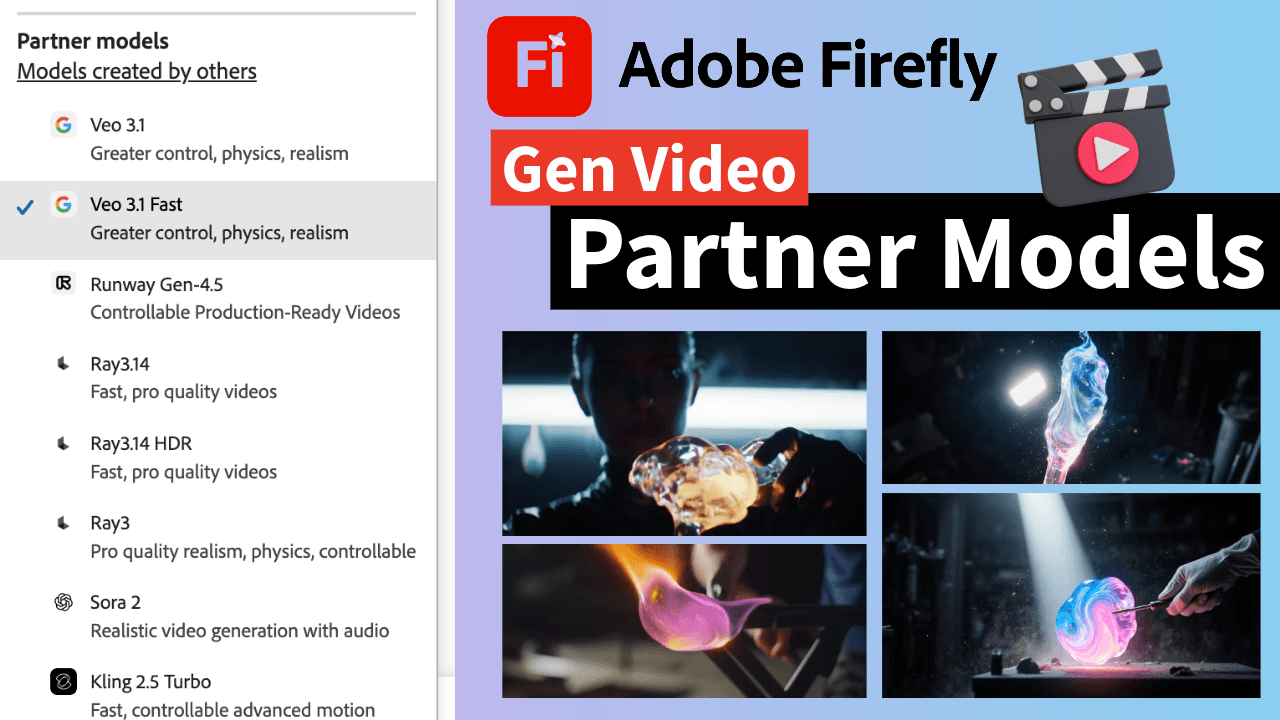
If you’ve been following the Feisworld blog, you know we’re obsessed with tools that actually move the needle for creators. Today, we’re diving into one of the most significant shifts in the creator economy: the arrival of AI video generation and its expansive ecosystem of partner models made available through tools such as Adobe Firefly.
Choosing an AI video model used to be a guessing game. Now, inside Adobe Firefly, you have options from Adobe’s own commercially safe models to powerhouses like Google Veo and Runway. But with different resolutions, aspect ratios, and credit costs, how do you pick the right one?
This guide breaks down every model available in Adobe Firefly so you can stop guessing and start producing. We’ll showcase results generated by each and every model based on the same prompt.
1. Adobe Firefly Video Model: The Commercially Safe Powerhouse
The native Adobe Firefly Video Model is built for professionals who need peace of mind. Trained exclusively on licensed content, it’s the go-to for commercial work.
- Best For: B-roll, marketing assets, and projects requiring strict copyright compliance.
- Key Specs:
- Resolution: Up to 1080p (4K coming soon).
- Duration: Up to 5 seconds per clip.
- Aspect Ratios: 16:9 (Landscape) and 9:16 (Vertical).
- Special Features: Advanced camera controls (aerial, high/low angle) and “Generative Extend” in Premiere Pro.
2. The Partner Models: Pushing Creative Boundaries
Adobe Firefly now integrate 12 third-party models as of March 2026. This means you can run the same prompt through multiple engines to see which aesthetic fits your brand.
The Firefly ecosystem integrates various video generation models, supporting resolutions up to 1080p (4K via upscale) in 16:9 or 9:16, with durations ranging from 4 to 15 seconds. Key models including Adobe Firefly Video, Runway Gen-4.5, and Google Veo 3.1 offer different strengths in commercial safety, cinematic realism, and prompt accuracy for creative workflows.
Firefly Video Comparison Matrix (2026)
| Model Name | Primary Strength | Max Res | Max Duration | Credit Cost (Est.) | Primary Use Case |
|---|---|---|---|---|---|
| Veo 3.1 | Cinematic Realism | 1080p | 6 Seconds | 40–80 | High-fidelity B-roll with natural lighting |
| Veo 3.1 Fast | Speed/Iteration | 720p | 5 Seconds | 20–30 | Rapid prototyping and “vibe checks” |
| Runway Gen-4.5 | VFX / Production | 4K* | 10 Seconds | 80–100 | Complex action and high-end film assets |
| Ray3.14 HDR | Ultra Detail | 1080p | 5 Seconds | 60–90 | Highest dynamic range for pro-color grading |
| Ray3 | Pro Physics | 1080p | 10 Seconds | 50–80 | Realistic fluid motion and object consistency |
| Sora 2 | Audio-Sync | 1080p | 15 Seconds | 100+ | Narrative storytelling with synchronized sound |
| Kling 2.5 Turbo | Motion Control | 1080p | 5-10 Seconds | 25–50 | Social media clips and specific action paths |
| Ray2 | Cinematic Flow | 1080p | 5 Seconds | 40–70 | Standard cinematic B-roll and transitions |
| Pika 2.2 | Artistic Style | 1080p | 10 Seconds | 20–40 | Stylized animation and creative “play” |
| Ray3 HDR | Peak Quality | 1080p | 5 Seconds | 60–90 | Maximum professional visual fidelity |
| Veo 2 | Reliable Motion | 1080p | 8 Seconds | 30–60 | Consistent, realistic daily video tasks |
3. How to Optimize Your Generative Credits
Understanding Adobe’s credit system is vital to staying profitable. As of early 2026, the Firefly Pro plan ($29.99/mo) offers 7,000 video/audio credits, roughly enough for 70 high-quality 1080p clips.
4. Which Model Should You Choose? (Quick Decision Tree)
If you’re stuck, ask yourself these three questions:
- Does it need to be legally “safe”? → Use Firefly.
- Does it need to look like a movie? → Use Runway or Veo.
- Am I in a rush for social content? → Use Kling or Pika.
When you see a Runway clip next to a Pika clip, the difference becomes obvious immediately: one will look like a movie set, and the other might look like a high-end animation. Your eyes will pick the winner faster than your brain can remember the specs.
| If your project is… | Use this “Persona”… | The Winner Is: |
|---|---|---|
| Commercially Safe | The Legal Eagle | Adobe Firefly |
| Cinematic / High-End | The Cinematographer | Runway Gen-4.5 |
| Ultra-Realistic | The Realist | Google Veo 3.1 |
| Fast & Social-Ready | The Influencer | Kling 2.5 Turbo |
| Stylized & Artistic | The Animator | Pika 2.2 |
| Long-Form Story | The Director | OpenAI Sora 2 |
Pro-Tip for Creators: Use “Firefly Boards” to ideate with lower-cost models (like Kling Turbo) first. Once you’ve nailed the composition, “Upscale” or regenerate the final version using a premium model like Runway or the native Firefly Video model for the final production-ready file.
5. Different Results, Same Prompt from Every Model
Let’s take a moment to put all the models to test based on the exact same prompt:
“Cinematic close-up of a futuristic glass sculptor working with molten neon-glowing liquid glass in a dark, moody workshop. Particles of dust dancing in a single beam of light. High-speed macro shot as the liquid glass swirls and solidifies. Hyper-realistic skin textures, 8k, shallow depth of field, slow-motion fluid dynamics.”
Please keep in mind that these are only tests. Your results will vary.

1. Firefly Video (Even quality and performance)
2. Veo 3.1 (Greater control, physics, realism)
3. Veo 3.1 Fast (Greater control, physics, realism)
3. Runway Gen-4.5 (Controllable Production-Ready Videos)
4. Ray3.14 (Fast, pro quality videos)
5. Ray3.14 HDR (Fast, pro quality videos)
6. Ray3 (Pro quality realism, physics, controllable)
7. Sora 2 (Realistic video generation with audio)
8. Kling 2.5 Turbo (Fast, controllable advanced motion)
9. Ray2 (Cinematic controllable video)
10. Pika 2.2 (High-quality video creation)
11. Ray3 HDR (Ultimate professional quality, realism)
12. Veo2 (Videos with realistic motion)
Conclusion: Your Move—Which “Director” Will You Hire?
Navigating the new world of AI video can feel like walking into a massive production studio and being told you can hire any director in the world. It’s exhilarating, but it’s also overwhelming.
I’ve spent the last few weeks stress-testing every single one of these models—from the commercially “bulletproof” Adobe Firefly Video to the cinematic powerhouses like Runway Gen-4.5 and Google Veo 3.1. What I’ve learned is that there isn’t a single “best” model; there is only the best model for the job you’re doing right now.
If you scrolled through my test results above, you saw how differently each engine interprets the same prompt. One gives you a polished Hollywood look, while another captures the gritty, fast-paced energy of a TikTok reel.
My Parting Advice for Creators & Small Biz:
Don’t let “choice paralysis” stop your momentum. If you’re just starting:
- Start with the native Firefly Video model if you need total peace of mind for client work.
- Use Kling or Veo 3.1 Fast for your “sketches” to save on credits while you find your composition.
- Upgrade to Runway or Ray3.14 HDR only when you’re ready to hit “Export” on your final masterpiece.
The barrier between a “good idea” and a “cinematic reality” has never been thinner. The tools are all here. Now it’s your turn to pick up the camera.
Which model surprised you the most in my tests? Drop a comment below and let’s talk about how you’re planning to use these in your next project!
You might also enjoy…
Topics

Written by
Fei WuFei Wu is the founder and CEO of Feisworld Media, a Massachusetts-based digital media company helping brands get discovered by people and by AI. An Adobe Global Ambassador and brand partner to ElevenLabs, Synthesia, and 50+ other tech and AI companies, she hosts the Feisworld Podcast (400+ episodes, 500K+ downloads — guests have included Seth Godin, Steve Wozniak, Chris Voss, and Arianna Huffington) and co-created the documentary Feisworld: Live Your Art on Amazon Prime. Fei writes for CNET, Lifehacker, and PCMag, and her work has been featured in Forbes, Harvard Business Review, and WIRED. She has been publishing on the internet since 2014 — long before AI discoverability had a name.
View all posts by Fei Wu→Stay updated
Weekly insights on content, AI, and digital media.
Keep Reading


