If you have followed Feisworld for the last decade, you know we have produced over 1,000 videos and 400 podcast episodes. For years, the biggest bottleneck in my business wasn’t ideas: it was production.
Specifically, the “Voiceover Problem”. The drill is: you script a great video, but then you have to set up the microphone, treat the room for sound, record five takes because you stumbled over a word, and then spend hours editing out the breath noises. Or, you hire a professional voice actor, pay $500, and wait three days for the file.
That was the “Freelancer” way of doing things.
In 2026, we operate with a “CEO Mindset.” We need speed, quality, and scale.
I have been using ElevenLabs since it was just a simple text-to-speech tool (we wrote about it long ago in 2023). But in 2026, it has evolved into something much bigger. With the launch of Studio 3.0 and ElevenLabs Agents, it is no longer just a “voice tool”, it is a full-stack media production suite.
In this guide, I’m going to walk you through exactly how to use ElevenLabs to scale your content, from cloning your own voice to building your first AI Agent.
Updated June 2026: if you only remember one thing from this tutorial, remember this: start by learning voice cloning, not by chasing every new ElevenLabs feature. Voice cloning is the workflow that turns ElevenLabs from a fun demo into a business asset.
My recommended path is: test Text to Speech on the free plan, move to Starter when you need commercial rights, and choose Creator when you are ready to build a serious voice clone for YouTube, podcasting, courses, audiobooks, or client work.

Transparency Note
We partner with brands we trust and use daily. If you sign up using our link, it helps support the channel at no extra cost to you. You can check out our dedicated hub here.
TL;DR: What You Need to Know in 2026
If you are in a rush, here is the executive summary for the busy business owner:
- It’s Not Just TTS Anymore: ElevenLabs now creates sound effects, music, and even allows for video editing inside Studio 3.0.
- The “Human” Factor: The new Eleven v3 model allows for [whispering], [shouting], and emotional tagging. It finally kills the “robotic” sound.
- AI Agents are Here: You can now build “Conversational Agents”—voices that listen and talk back. This is huge for customer support and interactive training.
- The Cost: There is a generous Free Plan (10k characters/month), but for commercial cloning, you’ll want the Creator tier.
Step-by-Step ElevenLabs Tutorial (Getting Started in 2026)
If you have never used the platform before, start here. This is the exact workflow I use to create a voiceover in under 3 minutes.
Account Setup
Go to ElevenLabs.io and create an account. The free tier gives you 10k credits per month, which is enough to experiment with about 10 minutes of audio.
Navigate to “Speech Synthesis”
Once you are logged into your dashboard, click on Speech Synthesis in the left-hand menu. This is your main creation hub.
Choose Your “Actor” (Voice Selection)
This is where the magic happens. Click the dropdown menu under “Settings.”
- Voice Library: You can browse thousands of voices. Filter them by accent (American, British, Australian), gender, and use case (Narration, News, Stories).
- My Voices: If you have cloned your own voice (which we cover in Part 3), it will appear here.
Pro Tip: Look for the “Gold” verification badge next to voices. These are high-fidelity voices that are optimized for the latest models.
Select the Model
Ensure you select Eleven v3 (Expressive).
This is the standard for 2026. It handles pauses, breathing, and intonation infinitely better than the older “Multilingual v1” or “v2” models.
Which ElevenLabs model should you choose?
This is where beginners waste credits. You do not need the most expressive model for every job.
| Use case | Model choice | Why |
|---|---|---|
| YouTube narration, storytelling, ads | Eleven v3 | Best for emotional range, audio tags, performance, and dramatic delivery. |
| Long-form lessons, courses, audiobooks | Multilingual v2 | More stable for long reads and large scripts. I still like this for clean narration. |
| Fast drafts, agents, live/interactive use | Flash v2.5 | Lower latency and cheaper API usage, especially when speed matters more than maximum emotion. |
| Testing a voice clone | Short script in 2-3 models | Do not judge a clone from one generation. Test neutral, excited, and slow narration before deciding. |
My rule: use Eleven v3 when the performance matters, Multilingual v2 when consistency matters, and Flash when speed or cost matters.
Input Your Text & Direct the AI
Paste your script into the text box. But don’t just hit “Generate” yet. In 2026, you can “Direct” the AI.
- Add Pauses: For v3, use punctuation, line breaks, ellipses, and audio tags to create dramatic pauses. Use <break time=”1.5s” /> only when you are working with models that support SSML-style break tags.
- Add Emotion: With the v3 model, you can often guide the tone by describing it, such as [whispering] or [shouting].
Adjust Voice Settings (The Fine Tuning)
Click on “Voice Settings” to reveal the sliders:
- Stability: I recommend setting this to 40-50%.
- Higher = More robotic and consistent.
- Lower = More emotional and variable.
- Similarity Enhancement: Set this to 75%.
- This ensures the voice sounds exactly like the sample, but if you go too high, you might hear weird background artifacts.
Generate and Download
Click the “Generate” button. It usually takes a few seconds. Listen to the preview. If you love it, click the Download icon on the bottom right to save the MP3 or WAV file.
What is ElevenLabs (Really)?
In the past, you might have thought of ElevenLabs as “that tool that reads text out loud”. IMHO, in 2026, that definition is outdated. ElevenLabs is a Multimodal AI Production Suite.
After testing dozens of AI tools, I see ElevenLabs as three distinct engines combined into one dashboard:
- The Voice Engine: Generating hyper-realistic speech (and cloning your own voice).
- The Studio: An editor where you can combine voice, video, captions, and AI-generated music.
- The Agent Engine: A platform to build interactive bots that can hold real conversations.
Let’s break down how to use each one.
The Basics (Text-to-Speech & Eleven v3)
The core of the platform is still generating audio from text. But the technology has leaped forward with the Eleven v3 model.
How to Generate Your First Audio
- Go to “Speech Synthesis”: This is your main playground.
- Choose a Model: Select Eleven v3 (Expressive). This is crucial. Older models are fine, but v3 understands context better than anything else I’ve tested.
- Select a Voice: You can choose from the pre-made “Voice Library” (thousands of options) or your own cloned voice (more on that in Part 3).
- The Secret Sauce (Dialogue Mode): In 2026, you don’t just have to generate one monologue. You can now script a conversation between two AI voices, and the system handles the pacing and interruptions naturally.

Controlling Emotion (The “Director” Seat)
This is the feature that changes the game. In previous years, if the AI read a sentence too flatly, you were stuck.
Now, you can use Audio Tags.
- Type [whisper] before a sentence to make the voice intimate.
- Type [excited] for a big announcement.
- Type [pause 0.5s] to add dramatic timing.
This allows you to “direct” the AI just like you would direct a voice actor in a studio.

ElevenLabs Voice Cloning Tutorial 2026: Step-by-Step
I get asked this constantly: “Fei, isn’t it weird to clone your voice?”
My answer: It’s necessary.
If you want to produce 10 videos a week, you cannot physically record all of them. Cloning your voice allows you to “scale yourself.” You can be writing a strategy document while your “Digital Twin” narrates your latest YouTube video.
Instant vs. Professional Cloning
ElevenLabs offers two types of cloning. It is important to know the difference:
- Instant Voice Cloning (IVC):
- Time: Takes 1 minute.
- Data needed: A 60-second audio clip of you talking.
- Quality: Good for quick social media posts or internal drafts.
- Cost: Instant Voice Cloning starts on the Starter plan.
- Professional Voice Cloning (PVC):
- Time: Not instant. Plan ahead for verification, review, and training rather than assuming same-day turnaround.
- Data needed: 30+ minutes of high-quality, clean audio.
- Quality: Indistinguishable from the real you. It captures your breath patterns, your laugh, and your unique cadence.
- Cost: Requires Creator or above.
Feisworld Tip
Start with Instant Cloning to test the workflow. Once you are serious about using this for your brand, invest the time to train a Professional Voice Clone. It is an asset that belongs to your business.
How to clone your voice in ElevenLabs, step by step
- Start with consent and ownership. Only clone your own voice or a voice you have explicit permission to use. This is not optional; it is the trust layer of the whole workflow.
- Record a clean sample. Use a quiet room, a real microphone if possible, and avoid background music. For Instant Voice Cloning, use a short clean sample. For Professional Voice Cloning, I would prepare at least 30 minutes of strong material because quality compounds with better training audio.
- Include emotional range. Record neutral explanation, energetic delivery, slower narration, and a few natural transitions. If your clone only hears one mood, it will struggle when you ask for range later.
- Create the voice in ElevenLabs. Upload the sample, name the voice clearly, and keep a naming convention such as “Fei – YouTube Narration” or “Fei – Course Voice.”
- Run a three-script test. Generate one short YouTube intro, one educational paragraph, and one emotional paragraph. Listen for pacing, pronunciation, breathiness, and whether it still sounds like you.
- Save a settings preset. Once you find a good stability/similarity/speed combination, document it. This is how you keep your brand voice consistent across projects.
Feisworld Tip: Do not start with a 3,000-word script. Start with 150 words. Fix the voice, settings, and prompt style first. Then scale.
If you are deciding whether the Creator plan is worth it for Professional Voice Cloning, read our pricing breakdown next: Is ElevenLabs worth it in 2026?

5 ElevenLabs Workflows I Would Build First
If I were starting from scratch today, I would not try to learn every tab in ElevenLabs. I would build five repeatable workflows.
| Workflow | What to create | Plan I would consider | Internal next step |
|---|---|---|---|
| YouTube narration | Clone your voice, generate one short narration, then edit in your normal video workflow. | Creator | Link this with your Shorts, tutorials, and product reviews. |
| Podcast intro/outro | Create consistent episode intros, sponsor reads, and multilingual snippets. | Starter or Creator | Use your own voice for brand continuity. |
| Audiobook chapter test | Produce one chapter before committing to a full audiobook workflow. | Creator or Pro | See our ElevenLabs audiobook guide. |
| Dubbing and localization | Translate one proven video into another language and compare retention. | Creator or Pro | Use Dubbing v2 for a real localization test. |
| Client voiceover or training content | Create repeatable explainers, onboarding videos, and internal training clips. | Pro if volume is high | Track how much production time you save per project. |
The money is not in “playing with AI voice.” The money is in a repeatable workflow that saves recording time every week.
Studio 3.0 (Content Creation at Speed)
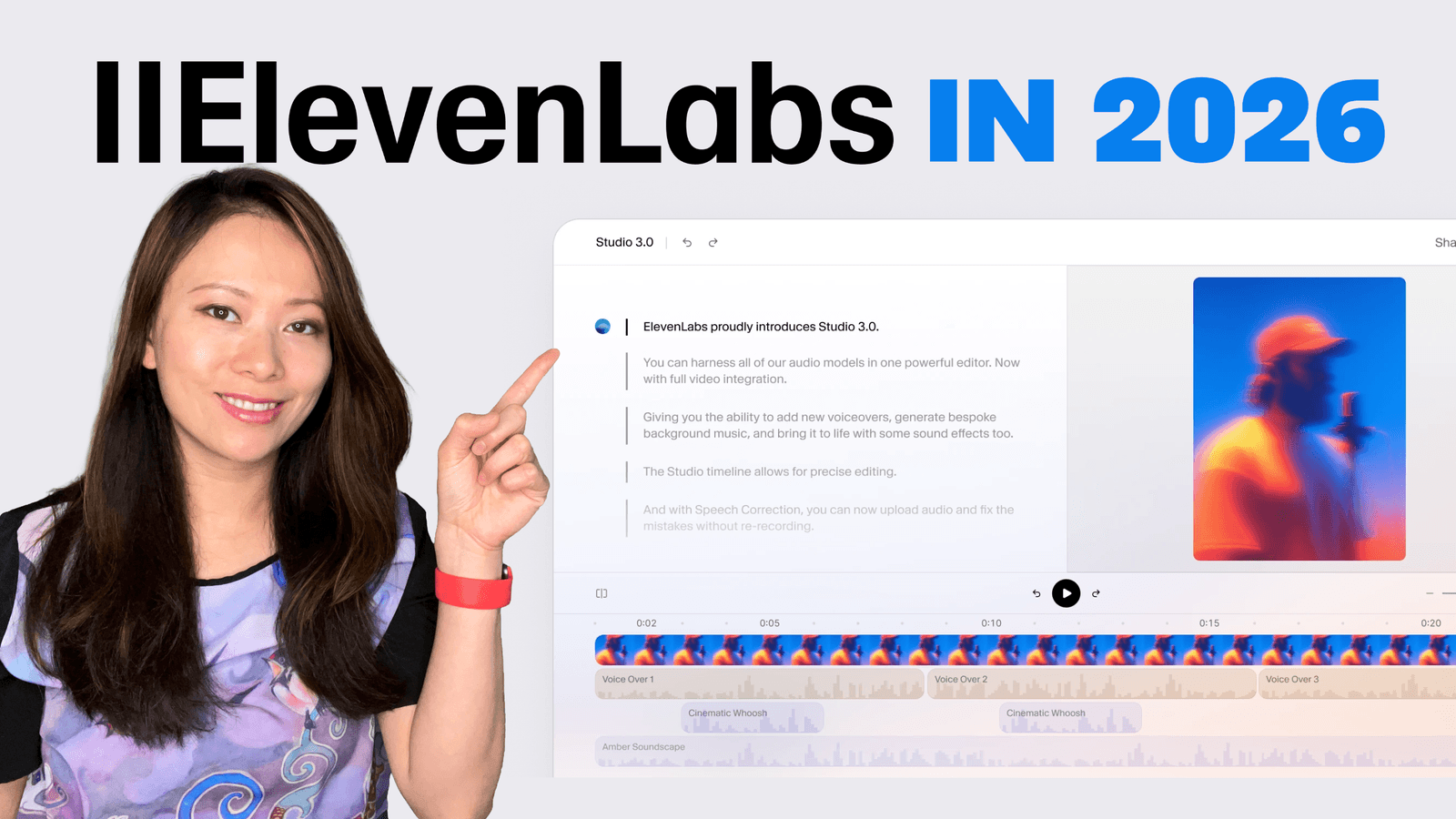
This is the biggest update for 2026. ElevenLabs introduced Studio 3.0, which effectively replaces the need for separate audio editors or complicated video software for simple tasks.
Imagine you are making a documentary-style video.
The Old Workflow:
- Generate voice in AI tool.
- Download MP3.
- Find stock music on another site.
- Download WAV.
- Drag everything into a video editor.
- Spend hours syncing it.
The Studio 3.0 Workflow:
You do it all in one browser tab.
- The Timeline: You have a visual timeline (just like professional editors).
- Eleven Music: You can generate royalty-free background music inside the project. You just type “Lo-fi hip hop beat, calm, 90bpm” and it generates a unique track that fits your video.
- Sound Effects: Need a door slam? Or the sound of a busy New York street? Type it in, and the AI generates the SFX and places it on the timeline.
- Video Support: You can upload your visuals directly.
This consolidates your “stack.” Instead of paying for three different subscriptions, you are doing 90% of the work in one place.

ElevenLabs Agents (The Future of Search)
This is where we get into the “IQ160” strategy. The future isn’t just static content; it’s interactive.
With ElevenLabs Agents, you can build a conversational AI bot.
What is an Agent?
Imagine a version of your website where, instead of reading a FAQ page, a visitor clicks a microphone button and talks to you (or your AI voice).
- Visitor: “Hey, do you have a course on podcasting?”
- Your Agent: “Yes! Fei has a full masterclass on podcasting. Would you like me to send you the link or tell you about the curriculum?”

How to Build One (No Code Required)
- Go to “Conversational AI” in the dashboard.
- Select your Voice: Use your cloned voice to keep the branding consistent.
- Feed it Knowledge: Upload your PDFs, blog posts, or product manuals.
- Set the Rules: Tell the agent how to behave (e.g., “Be helpful, concise, and friendly”).
This is leveraging AI Agents and Conversational AI to future-proof your business. You aren’t just broadcasting content; you are engaging in 1-on-1 conversations at scale.

Common ElevenLabs Mistakes That Waste Credits
These are the mistakes I would avoid if you are using ElevenLabs for a real content business.
- Using the free plan for commercial work. The free plan is for testing. If you are monetizing YouTube videos, client work, ads, or courses, move to a paid plan with commercial rights.
- Generating a huge script before testing your settings. Test a short sample first, then scale once the voice, model, pacing, and pronunciation work.
- Assuming Eleven v3 is always best. It is excellent for performance, but Multilingual v2 may be more stable for long-form narration, and Flash may be better for speed or cost.
- Using SSML break tags with v3. ElevenLabs documentation says v3 does not support SSML break tags. Use audio tags, punctuation, ellipses, line breaks, and text structure instead.
- Training a voice clone on noisy audio. Background noise, music, compression, and inconsistent mic distance all show up later in the clone.
- Depending on old default voices for evergreen work. ElevenLabs says default voices are being replaced and will expire on December 31, 2026. If a voice is part of your brand, save a reliable voice workflow now.
- Skipping disclosure and consent. Do not use AI voice to make people think someone said something they did not say. Cloning your own voice for voiceovers may not always require YouTube disclosure, but realistic AI-generated music or scenes can. Check the upload disclosure setting before publishing.
Pricing & Plans (2026 Breakdown)
ElevenLabs has updated their pricing structure to accommodate these new features.
- Free Plan: Great for hobbyists. You get 10,000 characters per month. (Note: You must attribute ElevenLabs if you publish this content).
- Starter: Good for beginners who want to clone their voice (Instant Cloning).
- Creator (Recommended): This is the sweet spot for business owners. It unlocks Professional Voice Cloning, gives you a much larger monthly credit allowance, and makes ElevenLabs realistic as a weekly production tool. For 192kbps / 44.1kHz API output, look at Pro instead.
- Pro/Scale: For agencies producing massive amounts of content.

Usage-Based Billing:
Keep in mind that generating music and using Agents consumes “credits.” Monitor your dashboard so you don’t run out mid-project!
FAQ: Common Questions about ElevenLabs
We analyzed the search data to answer the most pressing questions you have.
Is ElevenLabs free to use?
Yes, the free plan allows for 10,000 characters per month. However, for business use (like YouTube monetization or ads), you need a paid plan to get the Commercial License.
Can I use ElevenLabs for YouTube videos?
Absolutely. In fact, it is the standard for faceless channels and documentary creators. Just ensure you are on a paid tier to own the commercial rights to the audio.
Is it safe to clone my voice?
ElevenLabs has implemented strict safety measures. You cannot clone someone else’s voice without verification (usually reading a specific text prompt to prove it is you). This prevents deepfake misuse.
How do I add pauses in the text?
In the new Studio and v3 model, you can simply type [pause] or adjust the timeline visually. You no longer need complex code.
What is the best ElevenLabs voice cloning workflow for beginners?
Start with Instant Voice Cloning, test three short scripts, and only move to Professional Voice Cloning when you know you will use the voice every week. Professional Voice Cloning is powerful, but it is worth preparing better training audio before you submit it.
Should I use Eleven v3 or Multilingual v2 for a cloned voice?
Use Eleven v3 when you want emotional delivery, audio tags, and performance. Use Multilingual v2 when you need stable long-form narration. If you are testing a Professional Voice Clone, compare both before committing to one workflow.
Does the ElevenLabs free tier work for YouTube voiceovers?
It works for testing. For monetized YouTube videos or client work, use a paid plan so you have commercial rights. Starter is the entry point for commercial use; Creator is where Professional Voice Cloning starts.
Can I use ElevenLabs Dubbing v2 in a creator workflow?
Yes. Dubbing v2 is useful when you already have a video that performs and want to test another language without rebuilding the whole production. Start with one proven video, not your entire channel library.
Conclusion: Stop Trading Time for Media
The shift from 2024 to 2026 has been massive. We moved from “cool tech demos” to “enterprise-grade production.”
If you are a creator or a small business owner, ElevenLabs is the leverage you have been looking for. It allows you to produce audiobooks, video narration, and interactive agents without hiring a massive team.
Don’t let the tech intimidate you. Start small. Create a free account, clone your voice, and produce one piece of content this week.

Written by
Fei WuFei Wu is the founder and CEO of Feisworld Media, a Massachusetts-based digital media company helping brands get discovered by people and by AI. An Adobe Global Ambassador and brand partner to ElevenLabs, Synthesia, and 50+ other tech and AI companies, she hosts the Feisworld Podcast (400+ episodes, 500K+ downloads — guests have included Seth Godin, Steve Wozniak, Chris Voss, and Arianna Huffington) and co-created the documentary Feisworld: Live Your Art on Amazon Prime. Fei writes for CNET, Lifehacker, and PCMag, and her work has been featured in Forbes, Harvard Business Review, and WIRED. She has been publishing on the internet since 2014 — long before AI discoverability had a name.
View all posts by Fei Wu→Stay updated
Weekly insights on content, AI, and digital media.
Keep Reading


