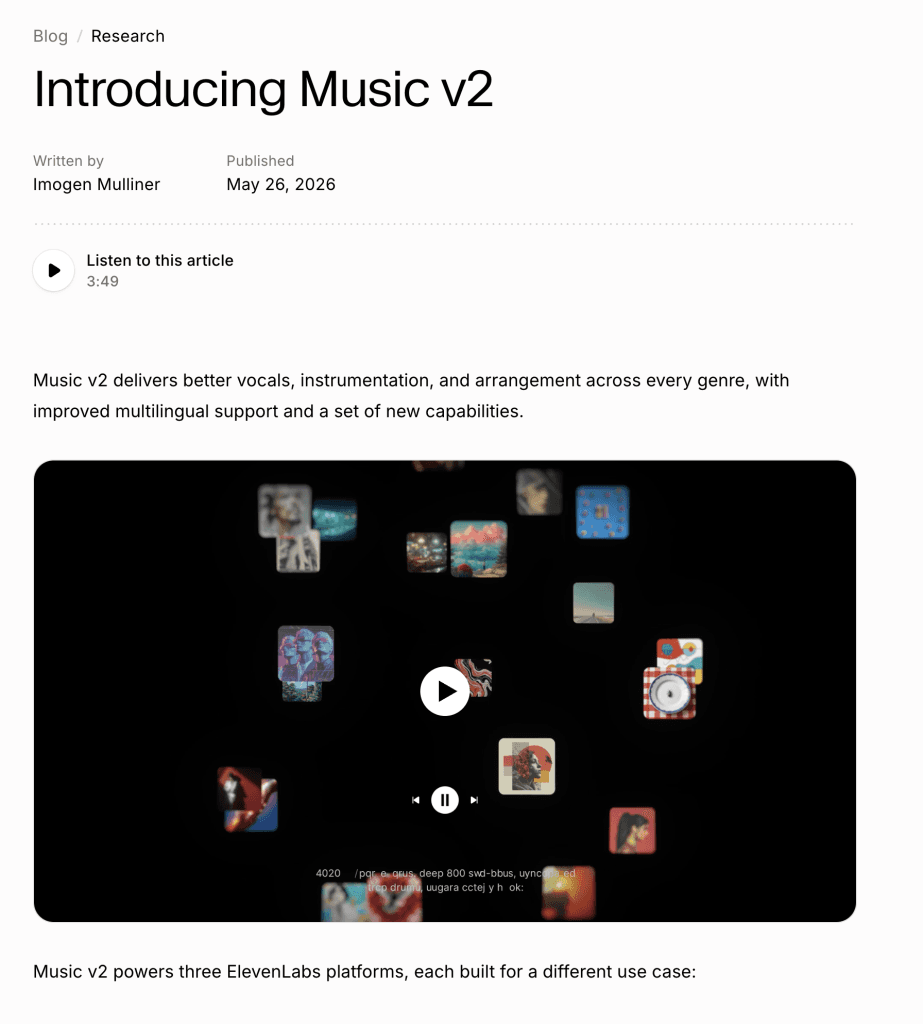
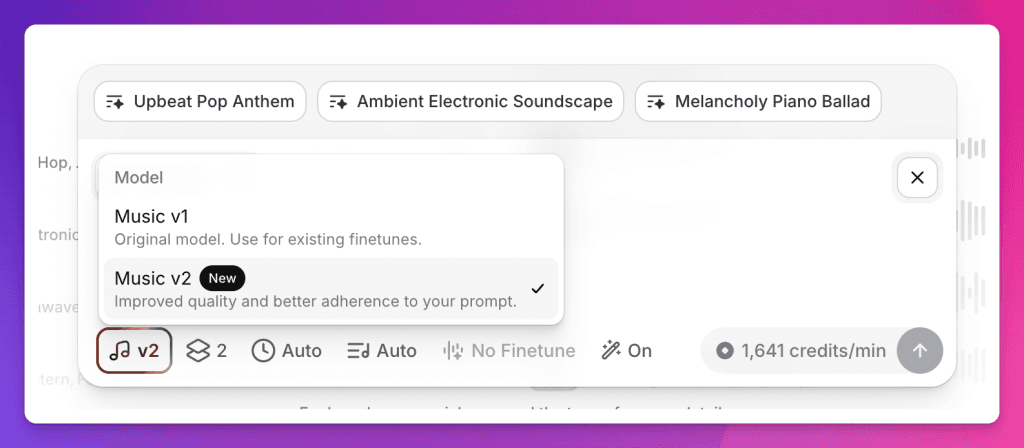
Today, ElevenLabs introduced Music v2, its next-generation AI music model. And this one matters!
If you have been following our ElevenLabs coverage this year, you know the bigger story already: ElevenLabs is no longer “just” an AI voice tool. We called it an Audio OS in our What is ElevenLabs AI? guide. Then we looked at Studio, Agents, Audiobooks, Adobe Firefly, Artlist, and Flows.
Music v2 is the next piece of that same story.
This is not just “type a prompt and get a song.” That already existed. The bigger shift is control: better vocals, better structure, better multilingual output, section-by-section composition, improved inpainting, and clearer commercial use for creators and brands.
For YouTubers, podcasters, course creators, agencies, and creative teams, this could change the most annoying part of music production: finding a track that almost fits, cutting it awkwardly, fading it out, and hoping the license is clean.
TL;DR: What is new in ElevenLabs Music v2?
If you are in a rush, here is the executive summary:
- Better vocals: Music v2 is designed to handle more vocal complexity, including fast rap, dense lyrics, and bigger genre changes.
- Better song structure: You can build songs section by section: intro, verse, chorus, bridge, outro.
- Improved inpainting: You can regenerate one part of a track without destroying the rest.
- Improved multilingual support: Lyrics, vocals, and arrangements are more reliable in the language you write in.
- Built for three audiences: ElevenMusic for creators and musicians, ElevenCreative for brands and content teams, and ElevenAPI for developers.
- Pricing is lower: ElevenLabs says music pricing has been reduced by up to 50% for ElevenAPI and up to 40% for ElevenCreative self-serve customers.
- Commercial use is the point: The model is trained on licensed data, but you should still check the latest Music Terms for plan-specific restrictions.
Why Music v2 matters
For years, music was the strange gap in the creator workflow.
Voice got better. AI editing got better. Captions got better. Image generation got better. But background music still meant opening a stock music library, filtering by mood, listening to 30 tracks, downloading one, realizing it was too long, chopping it in Premiere or Final Cut, and then hoping the YouTube Content ID system behaved.
We talked about this in our ElevenLabs vs. Artlist.io comparison. Artlist is still excellent when you want human-composed, cinematic foreground music. But for creator workflows, the biggest pain is often not “I need the most beautiful track ever written.”
It is:
“I need a 22-second upbeat intro that resolves cleanly.”
“I need a soft background bed for a podcast ad.”
“I need a Spanish-language version of this same concept.”
“I need the bridge to be less aggressive without regenerating the whole song.”
That is where Music v2 gets interesting. It is not replacing musical taste. It is replacing the search-and-edit friction around everyday production music.
The big upgrade: control
The most important word in this release is control.
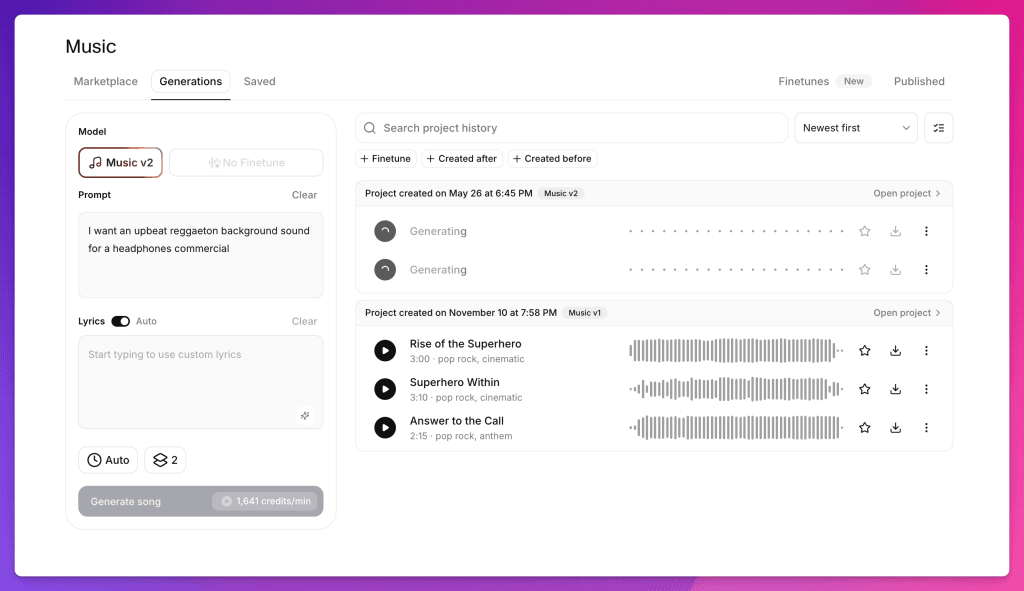
Music v1 was already useful for generating tracks. Music v2 is more about shaping them.
ElevenLabs says Music v2 can handle mid-track genre changes, fast vocal delivery, more complex arrangements, and embedded non-musical sound effects without falling apart musically.
That means you can ask for things like:
- an intro that starts cinematic and becomes electronic
- a chorus with bigger drums but softer vocals
- a multilingual ad track with vocals in Spanish or Japanese
- a podcast theme that includes a subtle riser and button ending
- a track that changes energy halfway through for a product reveal
The exciting part is not that every generation will be perfect. It won’t. The exciting part is that you no longer have to throw away the entire track when one section is wrong.
Inpainting is the creator feature
This is the feature I would test first.
Improved inpainting lets you select a portion of a track and regenerate just that part. For creators, this is huge.
In the old workflow, if your song was 90% right but the chorus was too intense, you had two options:
- Live with it.
- Regenerate the whole track and hope the new one was better.
With Music v2, the workflow becomes more like editing a document. Keep the intro. Keep the verse. Fix the chorus. Preserve the rest.
This lines up perfectly with the direction we saw in ElevenLabs Flows: non-destructive iteration. Change the piece that needs changing, not the entire project.
Feisworld Tip
When testing Music v2, do not start by asking for a perfect full song. Start with a short use case: a YouTube intro, ad bed, podcast transition, course lesson background, or product demo soundtrack. Then test whether you can revise one section without losing the parts you like.
ElevenMusic vs. ElevenCreative vs. ElevenAPI
Music v2 now sits across three ElevenLabs platforms, and this is where the naming can get confusing.
ElevenMusic
ElevenMusic is for listening, remixing, creating, and publishing music. It is closer to a music creation and discovery platform. You can start from a lyric, mood, or reference track, then develop it into a full composition.
This is the more artist-facing side of the ecosystem.
ElevenCreative Music
ElevenCreative is the most relevant for many Feisworld readers: creators, brands, agencies, and marketing teams.
This is where Music v2 becomes useful for ads, branded content, social video, podcast production, and campaign assets. Instead of briefing a music library with filters, you brief the model with creative direction: mood, tempo, brand voice, structure, and use case.
If you are already using ElevenLabs for voiceovers, sound effects, Studio, or Flows, this is probably where Music v2 fits naturally.
ElevenAPI
ElevenAPI is for developers who want to embed music generation into products or internal workflows.
Important note: ElevenLabs says Music v2 is available today across ElevenMusic and ElevenCreative, and coming soon to ElevenAPI. If API access is critical for your product, check the latest docs or contact ElevenLabs for early access.
Commercial use and licensing: read this part
ElevenLabs is leaning hard into the licensed-data story. Music v2 is trained on licensed data and positioned for commercial use.
That is a big deal.
However, I would still be careful with the phrase “use it anywhere” without reading the current Music Terms. As of my research, ElevenLabs’ music terms include restrictions around prohibited inputs, including artist names, song titles, label names, and recognizable lyrics. Some commercial rights also vary by plan and use case, especially around film, TV, radio, and studio games.
In plain English:
Do not prompt: “Make me a Taylor Swift song.”
Do prompt: “Upbeat synth-pop with bright percussion, warm female vocals, 118 BPM, optimistic but not childish, for a 30-second product launch video.”
That second prompt is better creatively and safer legally.
Feisworld Tip
Build your own sound vocabulary. Instead of referencing famous artists, describe tempo, era, instrumentation, vocal tone, arrangement, and use case. This makes the output more original and keeps you aligned with the platform’s rules.
How I would use Music v2 as a creator
Here is the workflow I would recommend for creators and small teams.
1. Start with the job of the track
Do not start with genre. Start with the job.
Examples:
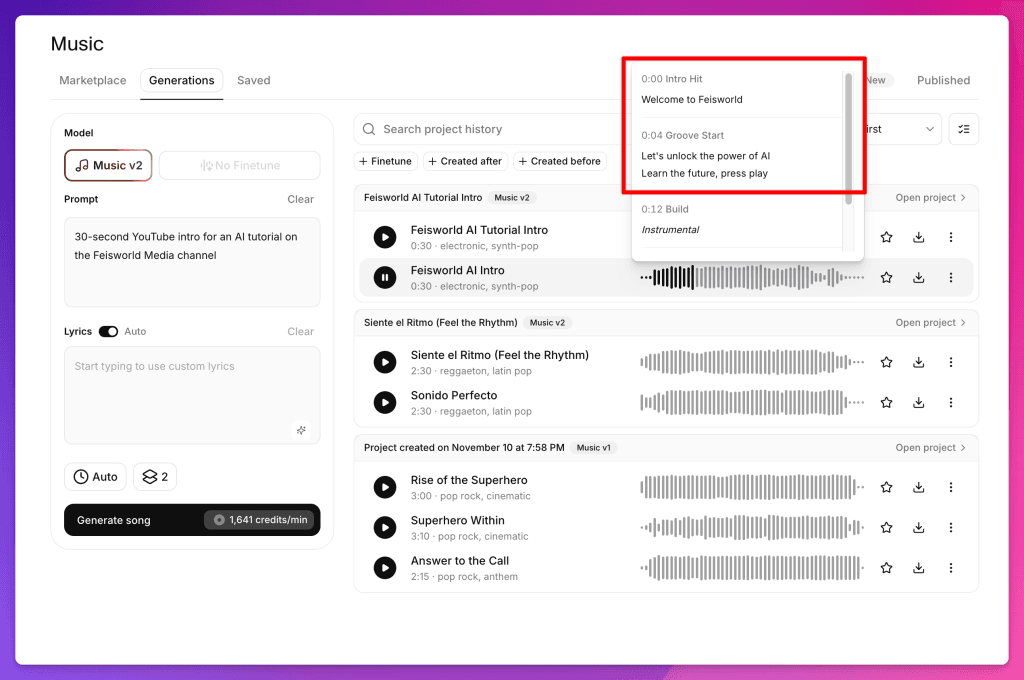
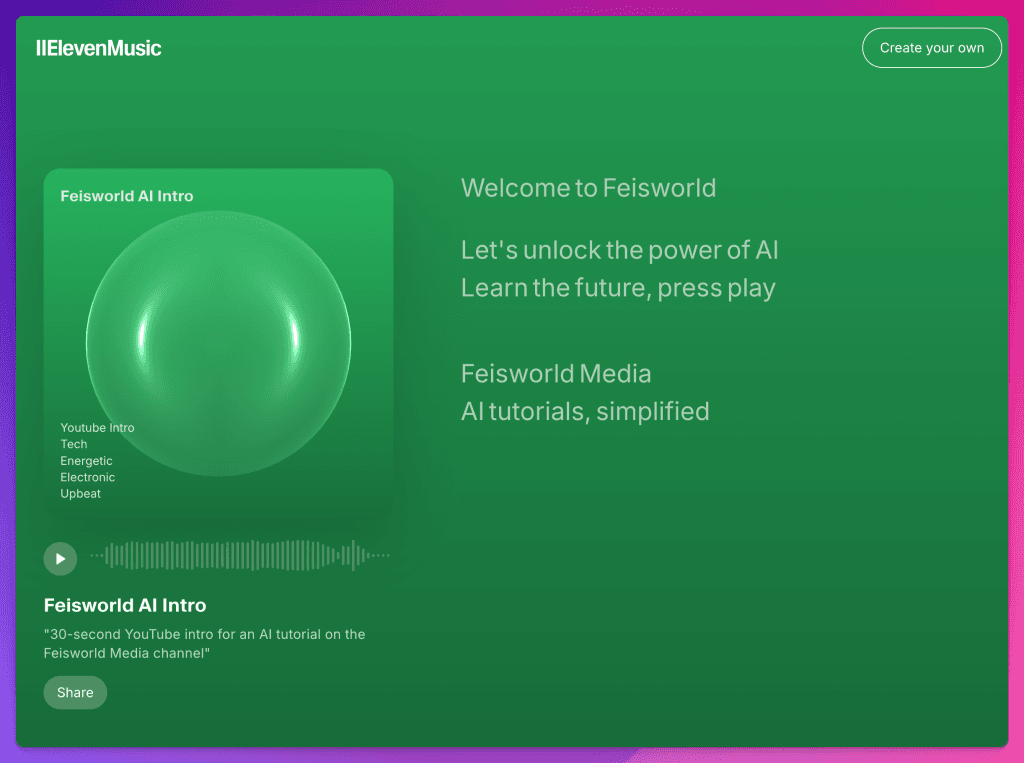
- “30-second YouTube intro for an AI tutorial”
- “soft background bed under a podcast sponsor read”
- “cinematic opener for a course module”
- “15-second product demo transition”
- “calm loop for a meditation voiceover”
This keeps the music tied to the content, not the other way around.
2. Add structure
Music v2 is better at section-by-section composition, so use that.
Example:
Intro: 4 seconds, soft piano and warm pad
Main section: 18 seconds, light beat enters, optimistic but calm
Ending: 4 seconds, resolved button ending with no abrupt fade
This is much better than “make me corporate music.”
3. Specify what to avoid
Negative direction matters.
Try adding:
- no harsh cymbals
- no aggressive bass
- no cheesy corporate ukulele
- no vocals
- no sudden ending
- no artist imitation
This saves a lot of regeneration time.
4. Use inpainting instead of restarting
If the first 10 seconds are good, protect them. Regenerate the section that needs work.
This is where Music v2 can save real production time.
5. Export into your actual workflow
For simple creator work, you might finish inside ElevenCreative or Studio. For more complex editing, bring the track into Premiere, Final Cut, Descript, CapCut, or wherever you edit.
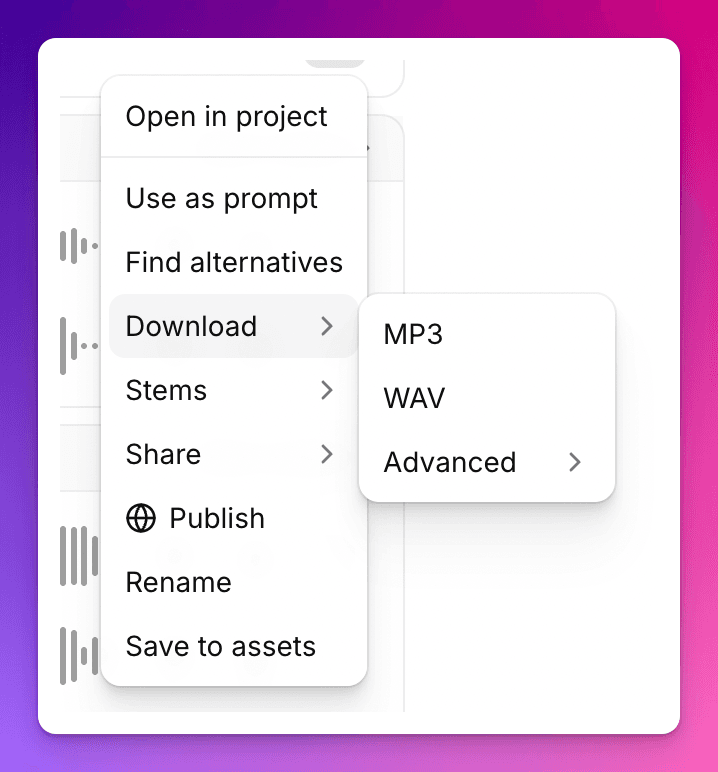
The point is not to abandon your tools. The point is to stop wasting 45 minutes hunting for background music before you can even start editing.
Does Music v2 replace Artlist?
Not completely.
Here is my honest take.
If I am making a documentary, wedding film, emotional brand story, or anything where the music is the main emotional engine, I still want human-composed music in the conversation. Artlist, Musicbed, Epidemic Sound, and real composers still matter.
But if I am making:
- YouTube tutorials
- podcast ads
- course videos
- product explainers
- social clips
- internal training
- branded content variations
- background beds
- localization tests
Music v2 is suddenly very hard to ignore.
In our Artlist comparison, I called music a tie: human music for soul, ElevenLabs for speed. Music v2 pushes the speed-and-control side much further.
Pricing: the ROI story got better
In our ElevenLabs pricing guide, we focused on the break-even point for voice production. The math was already compelling if you produce regular audio or video content.
Music v2 strengthens that argument because ElevenLabs also announced lower music pricing: up to 50% lower for ElevenAPI and up to 40% lower for ElevenCreative self-serve customers.
Pricing changes often, so check the current ElevenLabs pricing page before making a plan decision. But strategically, the direction is clear: ElevenLabs wants music to become part of the everyday creator stack, not a luxury add-on.
Fei’s Take: Music v2 makes the Audio OS feel real
The reason I keep coming back to ElevenLabs is not because every feature is perfect. It is because the platform keeps reducing friction in the same direction.
Voice cloning reduced the friction of recording. Studio reduced the friction of assembling audio. Agents reduced the friction of one-way communication. Flows reduced the friction of moving between tools. Music v2 reduces the friction of finding, editing, licensing, and revising music.
That is the real story.
For creators, the bottleneck is rarely ideas. It is production drag. It is the tiny delays that stack up: searching, downloading, trimming, re-exporting, checking licenses, revising, syncing, and starting over.
Music v2 does not remove the need for taste. You still need to know what your video should feel like. You still need to choose the right track. You still need to listen carefully.
But once you know what you want, Music v2 helps you get there faster.
And that is why this release belongs in the same library as our ElevenLabs Tutorial, Audiobook guide, Artlist comparison, Adobe Firefly integration, and Flows walkthrough. It is another step toward ElevenLabs becoming the full-stack audio and media production engine we predicted earlier this year.
FAQ: ElevenLabs Music v2
What is ElevenLabs Music v2?
ElevenLabs Music v2 is the company’s next-generation AI music model. It improves vocals, instrumentation, arrangement, multilingual generation, inpainting, and full-song structure compared with the previous music model.
Is Music v2 available now?
Yes, Music v2 is available now in ElevenMusic and ElevenCreative. ElevenLabs says Music v2 is coming soon to ElevenAPI, with early access available through sales.
Can I use Music v2 commercially?
ElevenLabs positions Music v2 as trained on licensed data and cleared for commercial use. However, commercial rights can vary by plan and use case, so check the latest Music Terms before using tracks in film, TV, radio, studio games, or major client campaigns.
What is the biggest improvement in Music v2?
For creators, the biggest improvement is control. You can build songs section by section and regenerate specific parts of a track with improved inpainting instead of starting over.
Is Music v2 better than Artlist?
It depends on the job. For human-composed foreground music, Artlist is still a strong choice. For custom background music, social content, podcast beds, ads, and fast revisions, Music v2 is faster and more flexible.
Can Music v2 generate vocals in different languages?
Yes. ElevenLabs says Music v2 has improved multilingual support, with lyrics, vocals, and arrangements performing more reliably in the language you write in.
What should I avoid when prompting Music v2?
Avoid using real artist names, song titles, label names, or recognizable lyrics. Describe the musical qualities instead: genre, tempo, mood, instruments, structure, vocal tone, and use case.
You might also enjoy…

Written by
Fei WuFei Wu is the founder and CEO of Feisworld Media, a Massachusetts-based digital media company helping brands get discovered by people and by AI. An Adobe Global Ambassador and brand partner to ElevenLabs, Synthesia, and 50+ other tech and AI companies, she hosts the Feisworld Podcast (400+ episodes, 500K+ downloads — guests have included Seth Godin, Steve Wozniak, Chris Voss, and Arianna Huffington) and co-created the documentary Feisworld: Live Your Art on Amazon Prime. Fei writes for CNET, Lifehacker, and PCMag, and her work has been featured in Forbes, Harvard Business Review, and WIRED. She has been publishing on the internet since 2014 — long before AI discoverability had a name.
View all posts by Fei Wu→Stay updated
Weekly insights on content, AI, and digital media.