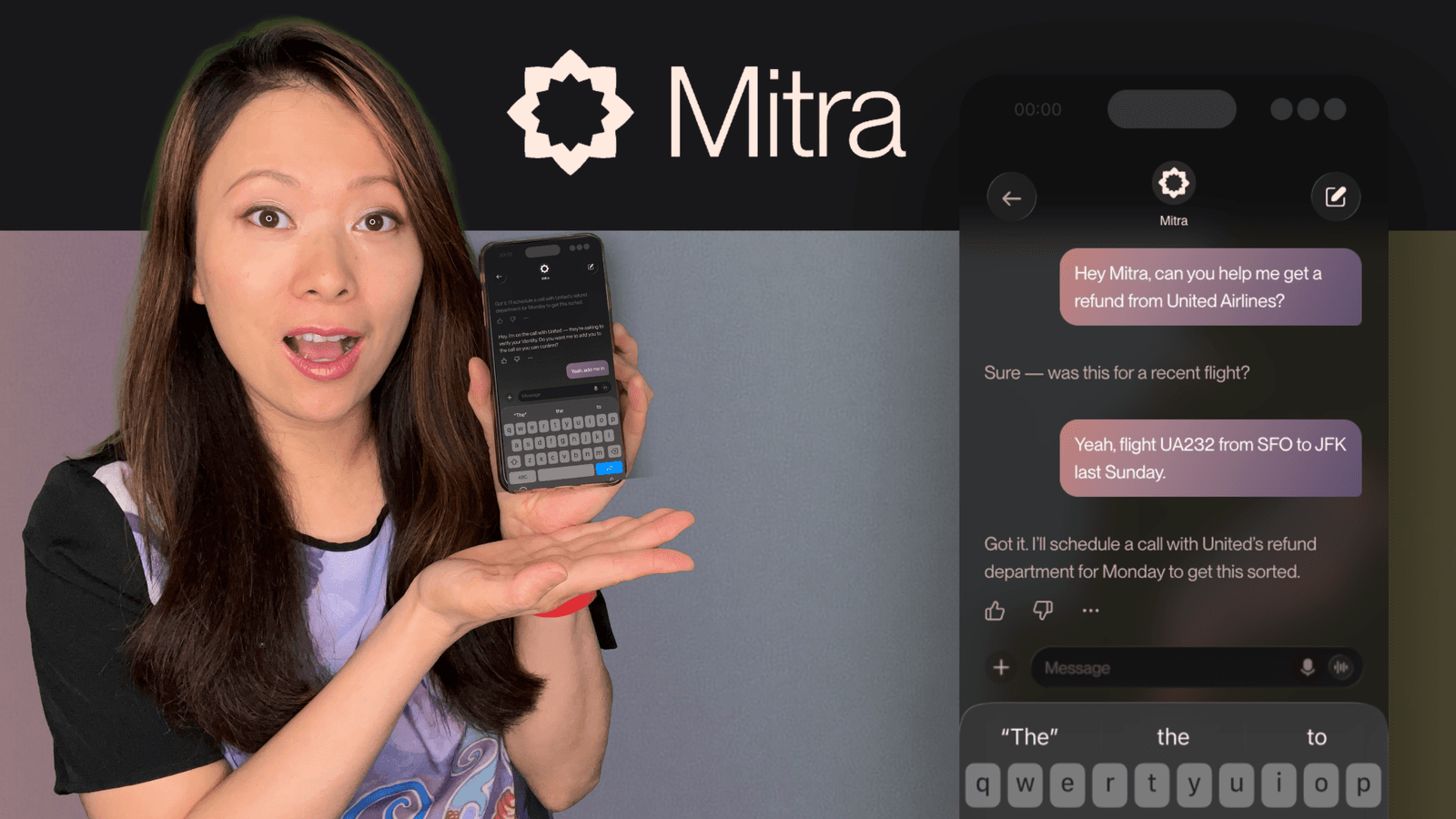
I test a lot of AI tools. From video generators to LLMs, I’ve seen the good, the bad, and the over-hyped. But recently, I stumbled upon a problem that most digital tools ignore: The Phone Call.
As a creator and small business owner, the phone is a source of anxiety. If I don’t answer, I might miss a massive opportunity or a client lead. If I do answer, 50% of the time it’s a spammer trying to sell me car insurance.
Most “AI phone tools” on the market right now are just glorified voicemails or rigid chatbots. You have to get a new business number, and the caller has to “Press 1” to talk to a robot. It feels impersonal.
Today, I want to introduce you to Mitra AI. It’s different. It doesn’t act like a receptionist; it acts like an employee.
In this video, I put Mitra to the test with real calls, including a tech support interrogation from my partner.
What is Mitra AI? (The “Agentic” Difference)
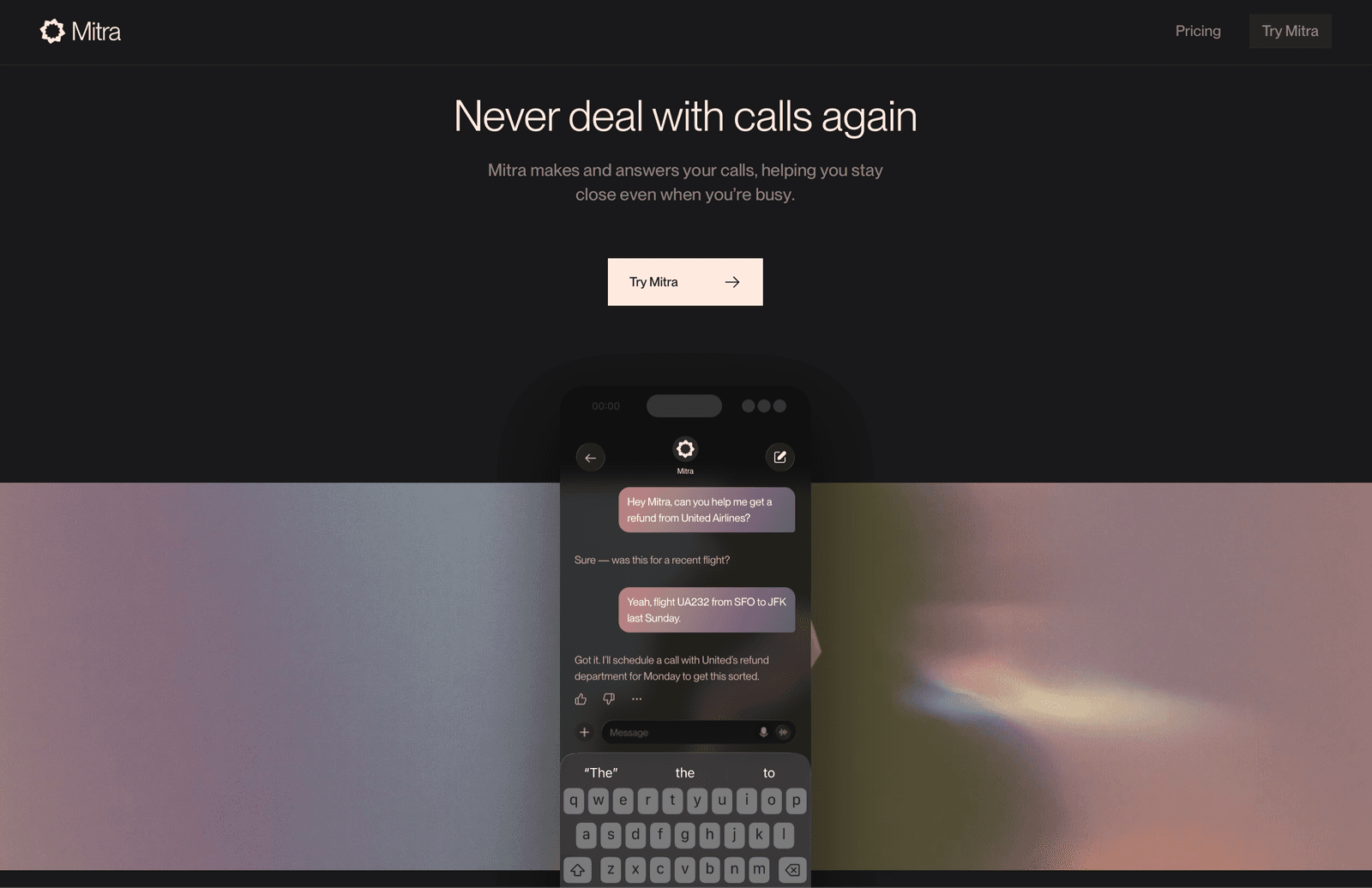
Mitra is an AI phone assistant built for individuals, creators, and small businesses. Here is the biggest differentiator right off the bat: Mitra uses your real phone number.
It lives as an app on your iPhone. When someone calls you and you’re busy (or you just don’t want to pick up), Mitra answers. But it doesn’t just take a message. It holds a conversation.
This is what we call Agentic AI.
- Most Bots: Follow a script. If the caller goes off-script, the bot breaks.
- Mitra: Understands context. It remembers who is calling, what you talked about last time, and adapts to the conversation in real-time.
My “Stress Test”: Does it actually sound human?
I didn’t just want to read the brochure; I wanted to break it.
I asked my partner to call my phone while Mitra was active. He didn’t go easy on it, he started asking complex questions about AI coding models (Claude vs. Cursor) and detailed technical specs.
The result? Mitra didn’t panic. It understood the nuance of the questions, offered intelligent responses based on my history, and sounded incredibly natural. It even knew when to clarify a question rather than hallucinating an answer.
I also tested it with a “client” call regarding Zoom recording locations. Mitra successfully walked the caller through finding a file on a Mac, step-by-step.
It felt like I had hired a highly competent executive assistant who had memorized my entire knowledge base.
Key Features of Mitra AI
After testing this for a few weeks, here are the features that actually impact my daily workflow:
1. Contextual Memory
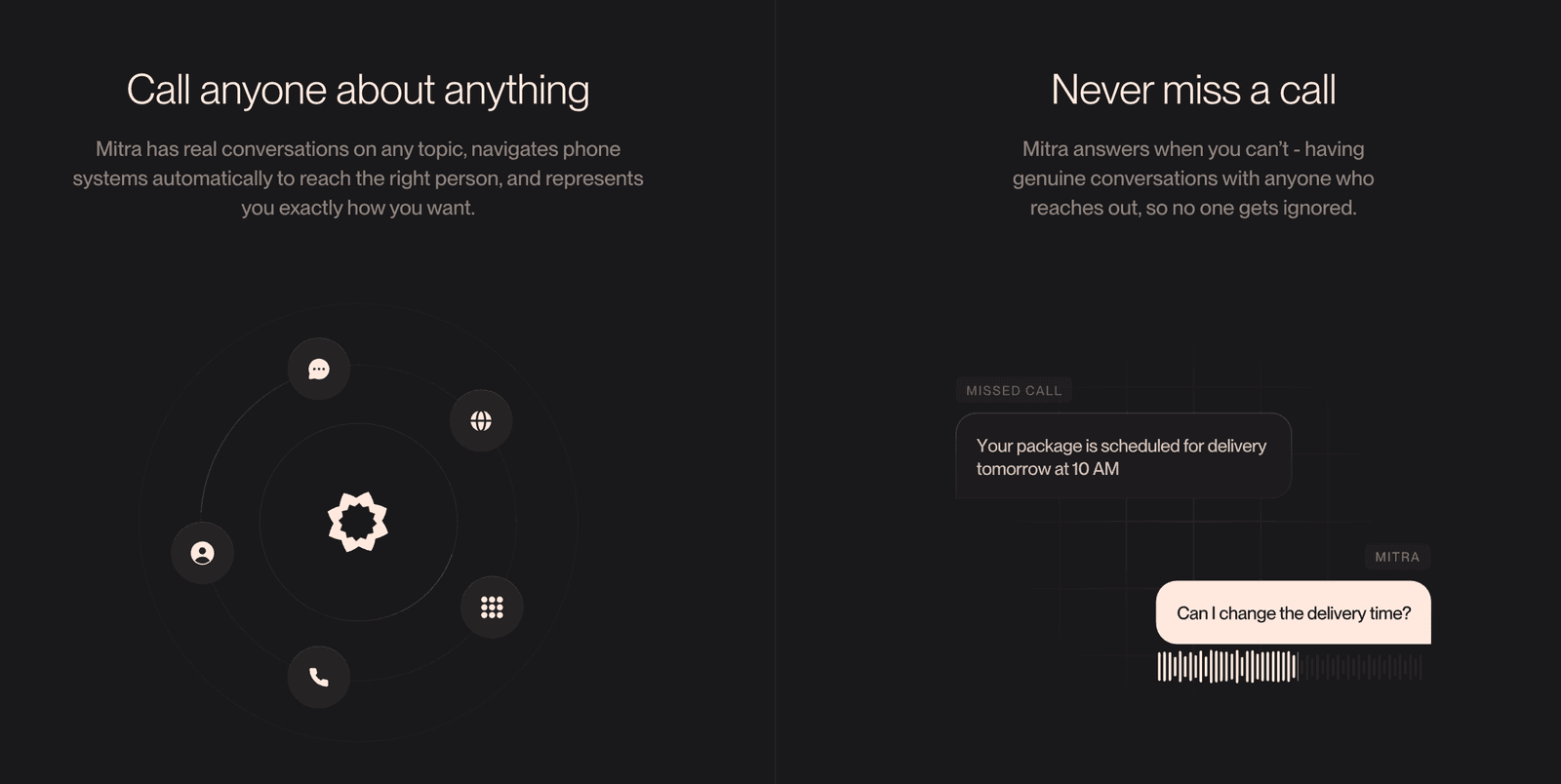
Mitra isn’t a goldfish. It remembers past calls and relationships. If your mom calls, it knows it’s your mom. If a client calls back, it remembers where you left off.
2. Two-Way Calling
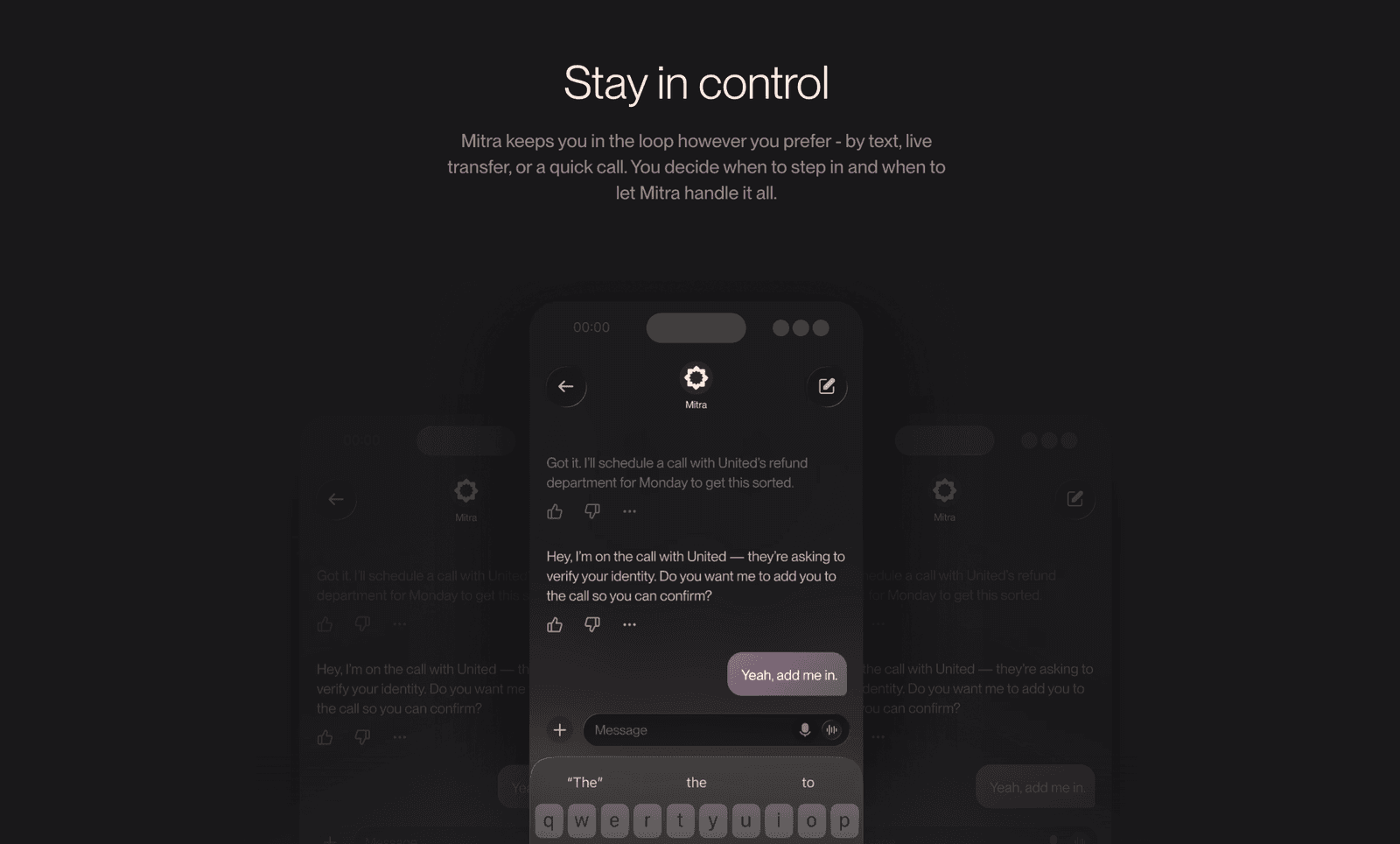
Most tools only answer calls. Mitra can make calls for you. Imagine asking your AI to:
- “Call United Airlines and stay on hold until you get a human.”
- “Call the hardware store and see if they have this specific part in stock.”
- “Call the restaurant and change our reservation to 7:00 PM.”
3. Spam Filtering
Because Mitra answers the call, it acts as a firewall. Spammers hang up when they hear an intelligent assistant. Real clients leave a summary.
4. The “Agent” Settings
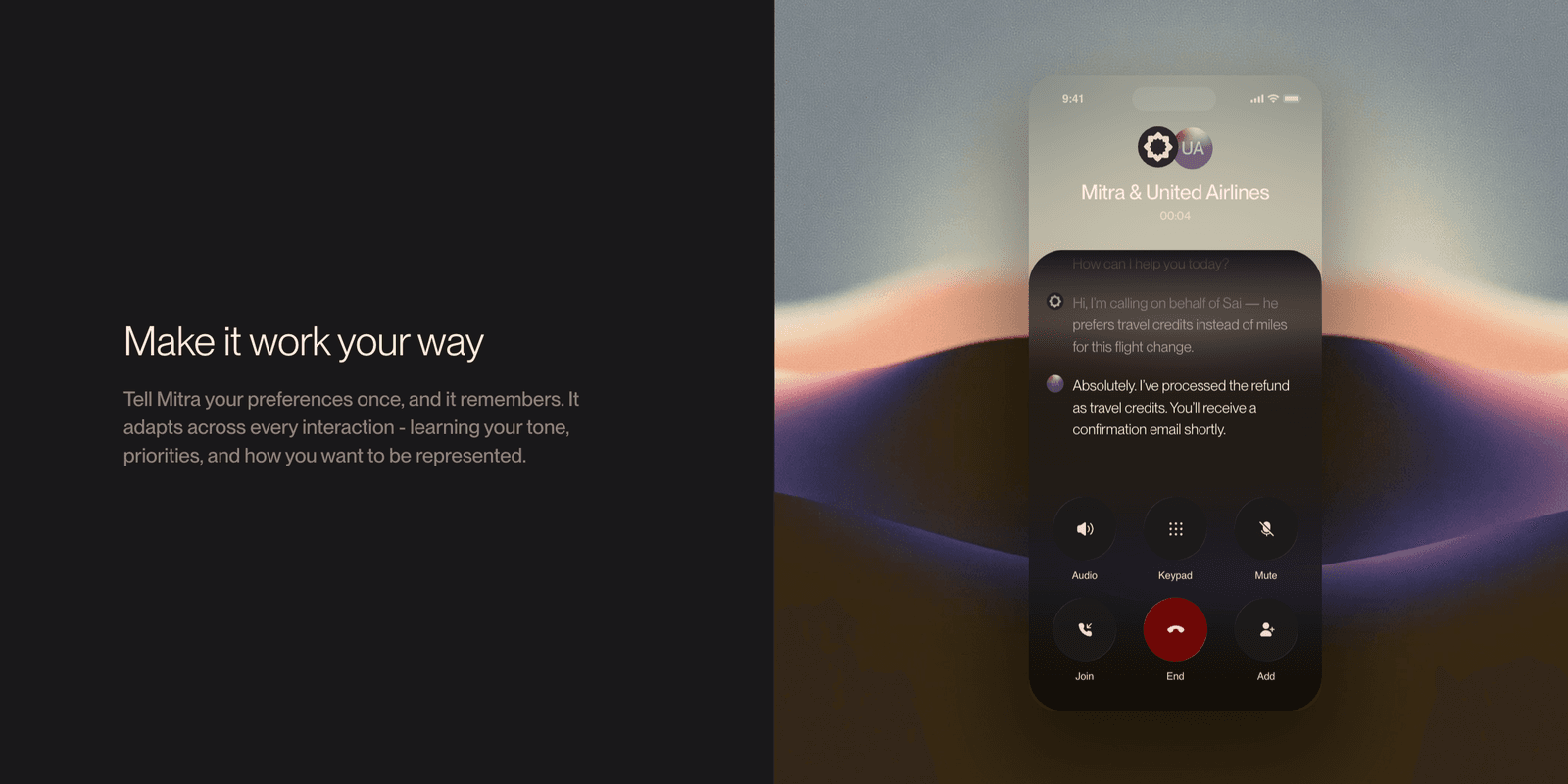
You can configure exactly how Mitra behaves. Do you want it to answer all calls? Just missed calls? Do you want it to be formal or casual? It prioritizes your instructions over generic AI behavior.
Who is Mitra For?
I’ve been thinking a lot about the use cases here. It’s not just for techies.
- Small Business Owners: If you are a plumber, a real estate agent, or a consultant, every missed call is lost money. Mitra captures the lead, qualifies them, and sends you a text summary.
- Caregivers: I spoke with Sai, the founder of Mitra, who shared a touching story about using Mitra to help support his aging parents. It can act as tech support for family members when you are stuck in a meeting.
- Creators: Filter out the noise so you can focus on Deep Work.
Mitra Pricing (Is there a free version?)
Yes. Mitra is very accessible.
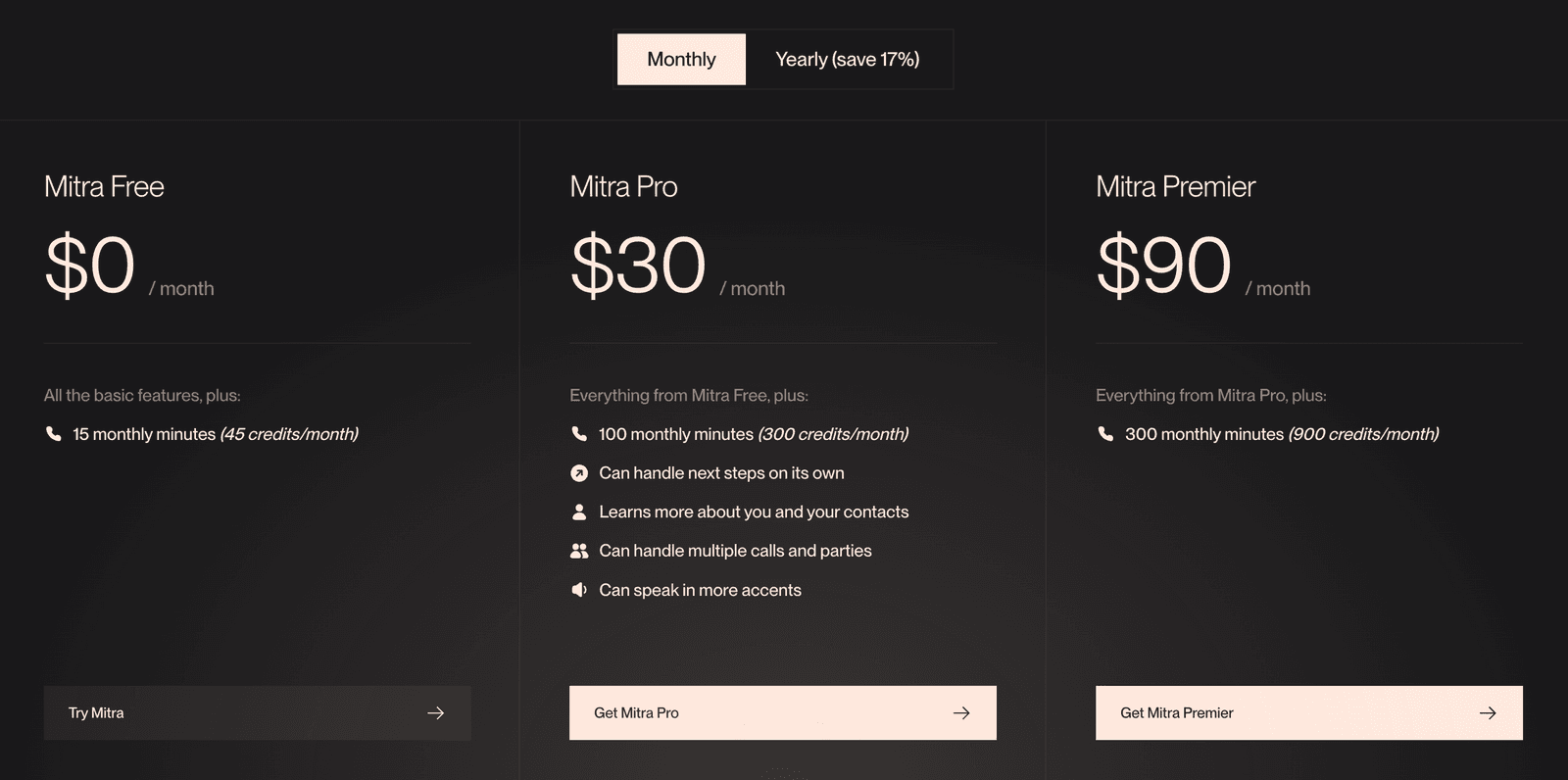
- Mitra Free: Includes 45 credits/month (roughly 15 minutes of conversation). This is perfect for testing it out.
- Mitra Pro ($30/month): This is the sweet spot for business owners. You get 300 credits, and the ability for the AI to handle multiple calls and learn more about your contacts.
Note: A “credit” is only used when the AI is actively talking. Dead air or hold time doesn’t burn your credits.
Feisworld’s Take: The Future of the Phone
We are moving toward a world where we have “AI Employees” working alongside us. Mitra is one of the first tools I’ve seen that delivers on that promise for the telephone.
It’s not perfect, it doesn’t pretend to be. But it handles real people with grace, intelligence, and context.
If you are curious to see what “Context-Aware AI” looks like in your pocket, I highly recommend giving the free tier a spin.
Have you tried AI voice agents yet? Let me know in the comments on the video!
You might also enjoy…

Written by
Fei WuFei Wu is the founder and CEO of Feisworld Media, a Massachusetts-based digital media company helping brands get discovered by people and by AI. An Adobe Global Ambassador and brand partner to ElevenLabs, Synthesia, and 50+ other tech and AI companies, she hosts the Feisworld Podcast (400+ episodes, 500K+ downloads — guests have included Seth Godin, Steve Wozniak, Chris Voss, and Arianna Huffington) and co-created the documentary Feisworld: Live Your Art on Amazon Prime. Fei writes for CNET, Lifehacker, and PCMag, and her work has been featured in Forbes, Harvard Business Review, and WIRED. She has been publishing on the internet since 2014 — long before AI discoverability had a name.
View all posts by Fei Wu→Stay updated
Weekly insights on content, AI, and digital media.
Keep Reading



