Let’s be real for a second. There is nothing more frustrating than wanting to grow your business but feeling punished for it by your software subscriptions.
At Feisworld Media, we work with a lot of freelancers, contractors, and brand partners. For a long time, we used DocuSign because, well, it’s the name everyone knows. It’s the “Kleenex” of e-signatures.
But a few years ago, I looked at our credit card bill and realized something annoying. Every time I wanted to give a new project manager the power to send a contract, I had to buy another “seat.” I was paying a monthly tax just to let my team do their work.
That is the old way of doing business.
In 2026, the best tools don’t charge you for the people you hire; they charge you for the value you get.
That is why we looked at the competition, and that is why airSlate SignNow is the best alternative to DocuSign for creators, agencies, and small businesses.
Here is my deep dive into why SignNow wins on ROI, mobile workflows, and sanity.
TL;DR: Why SignNow Wins in 2026
For those in a hurry, here is the summary:
- The “Unlimited Users” Revolution: Unlike competitors that charge per person, SignNow allows unlimited users on most paid plans. You don’t pay extra to add your team.
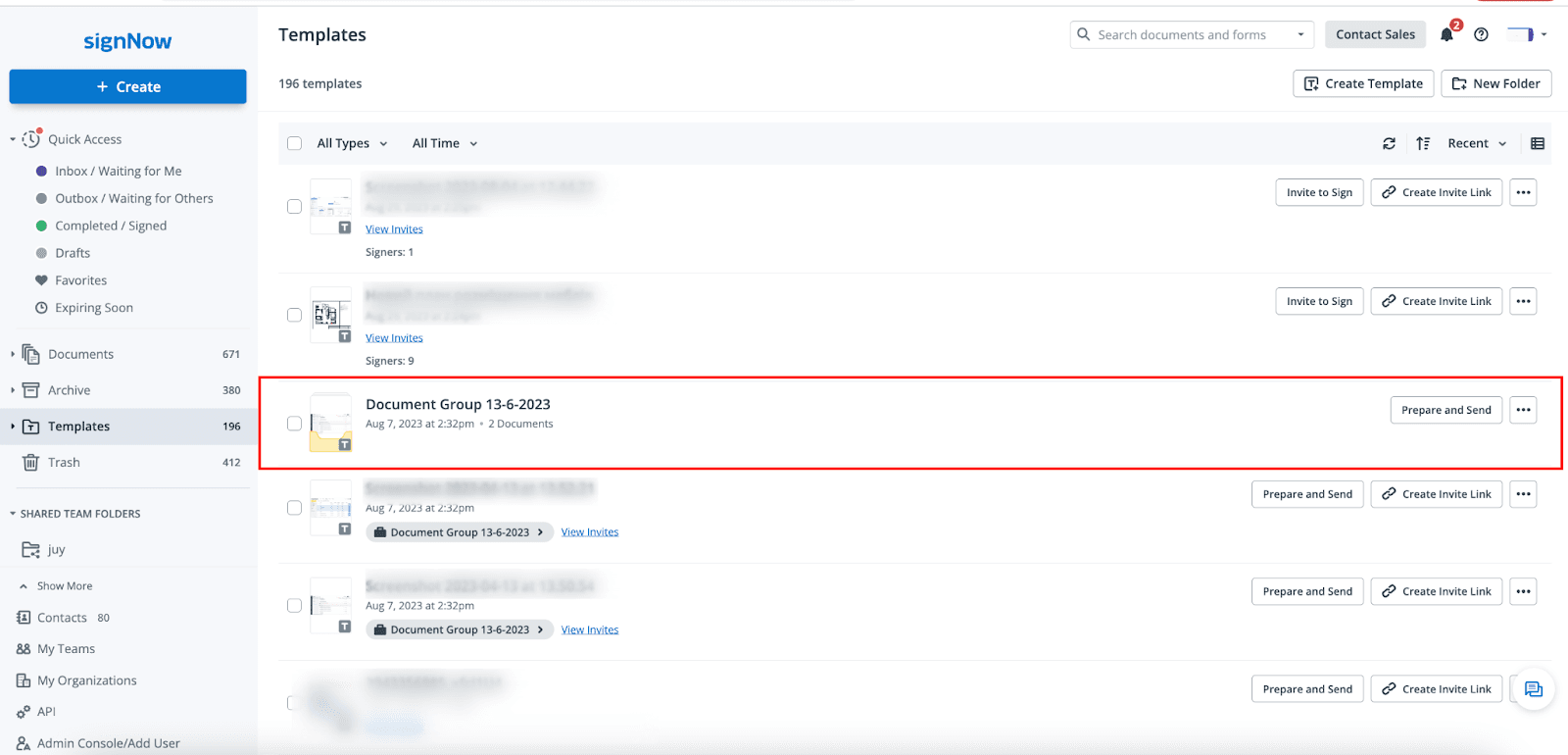
- Intelligent Document Groups: You can bundle a contract, an invoice, and a tax form into one packet. The client signs once, and it’s done.
- Mobile-First Design: It works flawlessly offline. I can prepare contracts on a plane, and they sync when I land.
- Best ROI: It is significantly more affordable than DocuSign for the features you actually need.
The Problem with the “Old Guard” (DocuSign)
DocuSign is a great tool. I have used it a lot during my times producing my Documentary, and it works. But for a small business or a creator agency, it feels heavy. It feels like software built for a giant corporation that has a dedicated IT budget. The features are complex, and the pricing model is stuck in 2015.
If you are a consultant or a creator, you don’t need “enterprise complexity.” You need to get a signature so you can get paid. You need speed. And most importantly, you shouldn’t have to be the bottleneck.
If you are the only person in your company who has a DocuSign login because you don’t want to pay for extra seats, you are the bottleneck.
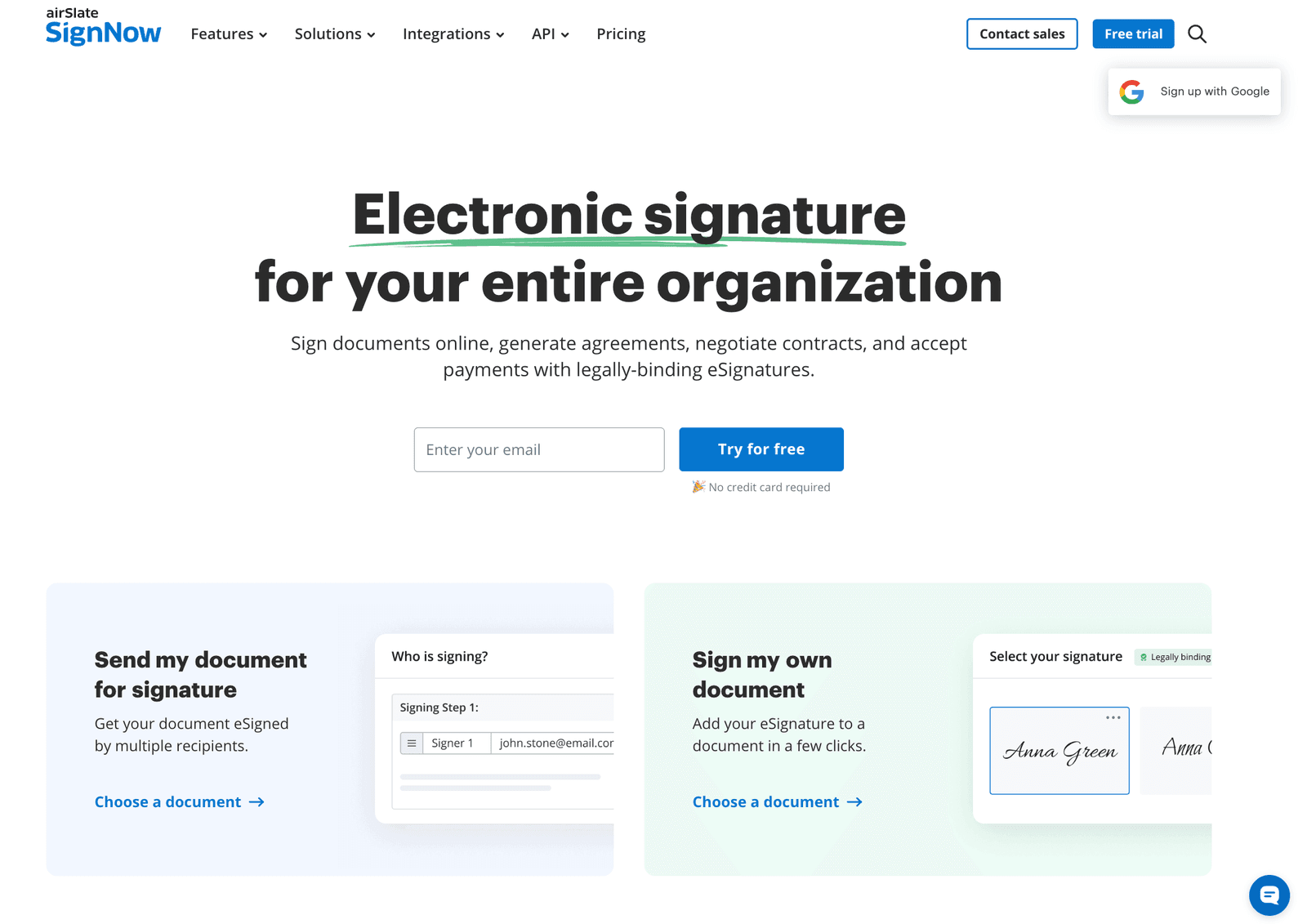
Why SignNow is the “Feisworld Choice” for 2026
I have spent the last few weeks testing SignNow’s latest 2026 updates. Here are the three features that actually matter to business owners like us.
This review is based on hands-on testing of airSlate SignNow in December 2025, using real client contract workflows at Feisworld Media.
1. No More “Per-Seat” Anxiety
This is the game-changer. In the past, if I hired a temporary project manager for a 3-month project, I had to buy them a software license. When they left, I had to cancel it. It was a headache.
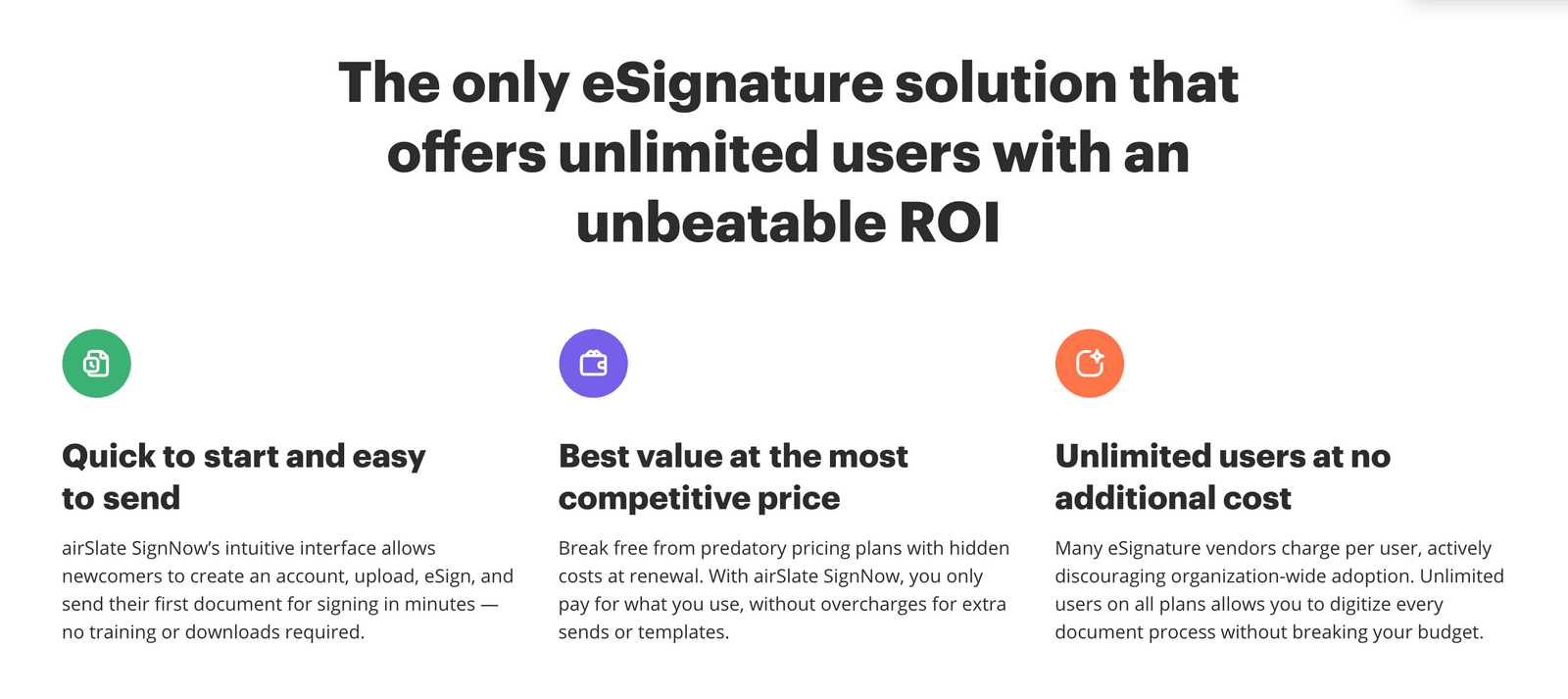
SignNow has shifted the market. On their main plans (Business and Premium), you can have Unlimited Users.
This means I can give my entire team (e.g. Germán, my Head of Content) their own login. They can all send documents. I don’t pay a penny more. This democratizes the workflow. I can finally step away and let the system run itself.
2. Intelligent Document Groups (The Time Saver)
When we work with new clients or brnads, we often have to send three things:
- A Master Services Agreement (MSA)
- A Statement of Work (SOW)
- A Deposit Invoice
In the old days, I’d send three different emails. The client would sign one, forget the second, and lose the third.
With SignNow’s Document Groups, I can bundle all three into one “envelope.” The client opens one link, signs everything in order, and hits submit. It reduces the friction, which means we close deals faster.
3. SMS Invites & Mobile Offline Mode
At Feisworld we travel a lot. Whether that’s for recording podcasts, I go back to China to visit relatives, or we attend events (like Adobe MAX the past October). I’m often managing Feisworld from an airport lounge or the back of an Uber.
A lot of e-signature apps claim to be “mobile-friendly,” but they are just web pages shrunk down to fit a phone screen. They are glitchy.
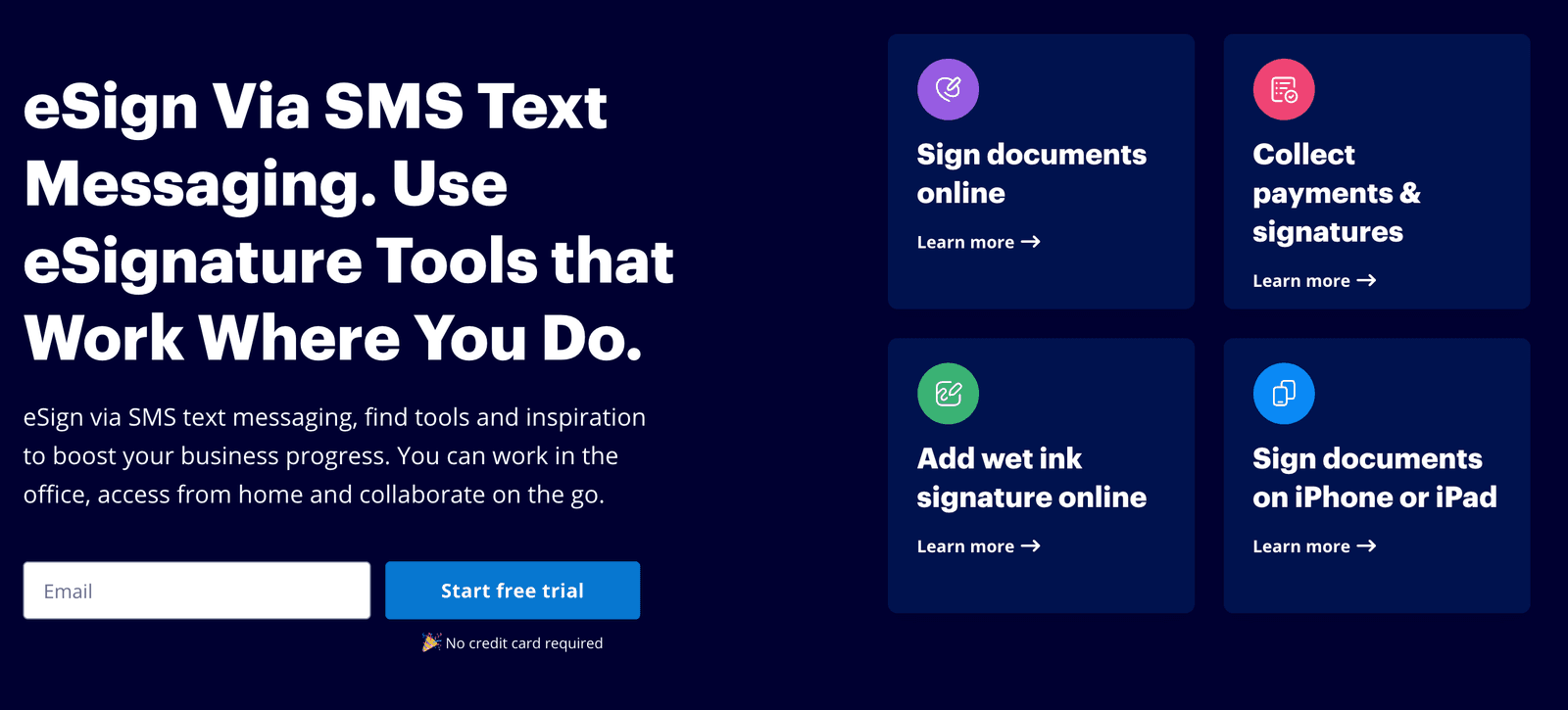
SignNow’s app feels native. But the killer feature for 2026 is the SMS Invite. Emails get buried. But if I send a contract link directly to a client’s phone via text, they see it instantly. They can sign it with their finger on the screen, and we are done in minutes, not days.
Plus, the app has an Offline Mode. I can set up a contract on my iPad while I’m flying (with no Wi-Fi). As soon as I land and my phone connects to 5G, the document automatically sends.
SignNow Pricing (2026)
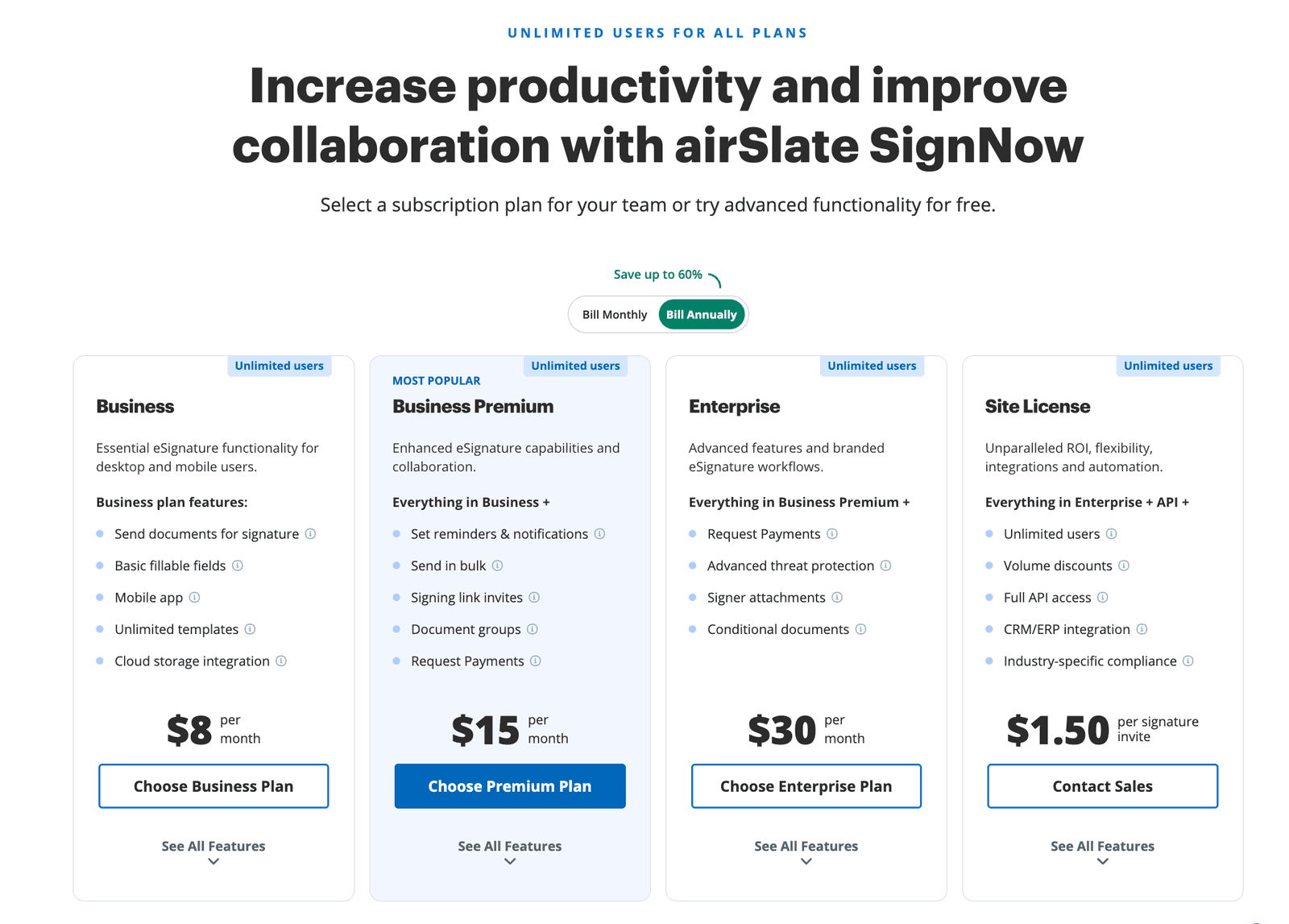
If you look at the pricing page screenshot above, you will see one phrase in blue letters at the very top that explains why I wrote this article: “UNLIMITED USERS FOR ALL PLANS.”
Most e-signature companies (like DocuSign) charge you per user. If you have a team of 5, you pay 5 times. SignNow has flipped this model. You pay for the features you need, not the number of people on your team.
Here is my breakdown of which plan you actually need:
1. Business Plan ($8/month)
- Best for: Solopreneurs and Freelancers.
- The Gist: This is the “just get it signed” plan. You get the mobile app, unlimited templates, and cloud storage integration (Google Drive, Dropbox).
- Why choose it: If you are a team of one and just need to send standard contracts, this is unmatched value. It’s cheaper than a Netflix subscription.
2. Business Premium ($15/month) – Fei’s Top Pick
- Best for: Agencies, Creators, and Small Businesses.
- The Gist: This is the “sweet spot.” For just $7 more, you unlock the productivity tools that save real time: Document Groups (sending multiple docs in one packet), Bulk Sending (great for HR or event waivers), and Signing Link Invites.
- Why choose it: This is the plan we use at Feisworld. The ability to create Document Groups alone is worth the upgrade.
3. Enterprise ($30/month)
- Best for: Legal Teams and Complex Sales.
- The Gist: This adds logic to your paperwork. You get Conditional Documents (e.g., “If they check Box A, show them Form B”), Signer Attachments, and Advanced Threat Protection.
- Why choose it: If your contracts require dynamic logic or you are in a highly regulated industry requiring strict audit trails.
4. Site License ($1.50 per signature invite)
- Best for: Developers and High-Volume API users.
- The Gist: This is a usage-based model. You pay strictly for what you use. It includes CRM/ERP integrations and full API access.
The “Hidden” Savings
One thing to note from the pricing options is the Annual Discount. The prices listed above ($8, $15, $30) are if you bill annually. If you choose to pay month-to-month, the price goes up.
My advice: Test it with the free trial. If you like the workflow, switch to the Annual Business Premium plan. You will save up to 60% compared to monthly billing, and you’ll never have to worry about buying another “seat” for a new employee again.
Video: Watch Me Set Up a SignNow Workflow in 5 Minutes
Reading about it is one thing, but seeing the interface is better. In this video, I’ll show you exactly how I set up a reusable template for my podcast guest release forms.
Caption: Fei Wu demonstrates how to get started with airSlate SignNow.
Is SignNow Legit?
- Yes — SignNow is owned by airSlate (business automation company).
- It supports common compliance needs (e.g., SOC 2 Type II and GDPR).
- Like all major platforms, scammers may spoof its name, verify sender domains before signing.
I trust them with my business contracts, and I don’t say that lightly.
SignNow vs. DocuSign vs. The Competition
I asked my team to put together a comparison based on what we care about: Cost, Ease of Use, and Features.
| Feature | DocuSign | SignNow | PandaDoc |
|---|---|---|---|
| Best For | Enterprise Corporations | Solopreneurs, SMBs, and Mid-size companies | Sales Teams |
| Pricing Model | Expensive per-user fees | Usage-based & Unlimited Users | Per-user fees |
| Cost | | $ (High ROI) | |
| Mobile App | Good, but heavy | Fast, works offline | Good |
| Complexity | High (Steep learning curve) | Low (Intuitive) | Medium |
| Key Strength | Brand Recognition | Scalability & Value | Proposal Design |
The Verdict:
- Choose DocuSign if you are a Fortune 500 company and you need a specific, obscure compliance feature that only they have.
- Choose PandaDoc if your main focus is designing beautiful sales proposals rather than just getting contracts signed.
- Choose SignNow for everything else. If you are a creator, agency, or small business, SignNow gives you the same legal power as DocuSign for a fraction of the cost and zero “per-seat” headaches.
Who Should Switch to SignNow?
After testing this extensively, I recommend SignNow for:
- Agencies & Marketing Teams: You need to send contracts constantly. The “Document Groups” feature will save you hours of admin time.
- Creators & Podcasters: Use it for guest release forms. You can create a reusable link, send it to your guest via text, and they sign it in seconds.
- Small Businesses Scaling Up: If you plan to hire 5 people next year, do not choose a software that charges you for every new hire. Choose one that scales with you.
Final Thoughts: Don’t Overpay for a Signature
In 2026, technology should be invisible. It should just work. When I send a contract, I don’t want to think about “envelopes” or “seats” or “license tiers.” I just want the signature so I can start the work.
SignNow understands this. They have stripped away the corporate bloat and focused on the workflow. It allows me to run Feisworld Media more efficiently, and it saves us thousands of dollars a year in license fees compared to the alternatives.
If you are still paying $40/month just to have a “seat” at the table, it’s time to switch.
Frequently Asked Questions (FAQ)
What is an electronic signature?
An electronic signature is a legally recognized way to indicate agreement digitally.
Is SignNow better than DocuSign?
For most small and mid-sized businesses, yes. SignNow is often a better choice than DocuSign because it allows unlimited users on most paid plans, while DocuSign typically charges per user. This makes SignNow more cost-effective for teams that are growing or collaborate frequently.
Is SignNow safe and legally binding?
Yes. SignNow is a secure and legally binding e-signature platform that complies with the ESIGN Act and eIDAS standards. It also supports enterprise-grade security practices, including SOC 2 Type II compliance and GDPR requirements.
Does SignNow offer unlimited users?
Yes, on most paid plans. Unlike per-seat tools, SignNow allows teams to add multiple users without increasing the subscription cost. This is one of the main reasons agencies and creators switch from DocuSign.
Does SignNow have a free plan?
SignNow does not have a permanent free plan, but it offers a free trial. The trial typically lasts 7 days and provides access to core features, allowing users to test workflows before subscribing.
Can I use SignNow on my phone?
Yes. SignNow offers native mobile apps for iOS and Android that support signing and preparing documents. The mobile app also supports offline document preparation, which syncs automatically when an internet connection is restored.
Can SignNow send contracts via SMS?
Yes. SignNow supports SMS invitations, allowing recipients to receive and sign documents directly from their phone. This often results in faster signing compared to email-only workflows.
Does SignNow support document templates?
Yes. SignNow allows users to create reusable templates for frequently used documents such as contracts, release forms, and onboarding paperwork. Templates can be combined into Document Groups for multi-step signing.
Can SignNow replace DocuSign for freelancers and agencies?
Yes. For freelancers, agencies, and creator-led businesses, SignNow can fully replace DocuSign for standard contract and release workflows. It provides the same legal validity with lower ongoing costs and less administrative friction.
How easy is it to cancel SignNow?
Cancelling SignNow is straightforward. Subscriptions can be managed directly from the admin dashboard, and users can upgrade, downgrade, or cancel without contacting sales or support.
Who should not use SignNow?
Large enterprises with highly specialized compliance requirements may prefer DocuSign. Organizations that need niche, enterprise-only features or complex approval chains may find DocuSign better suited to their needs.
You might also enjoy…
- Best PDF Editors in 2026
- How to Build a Brand in 2026 (And Get ChatGPT, Gemini, and AI to Mention You)
- Best AI Tools for Email Marketing in 2025 (MEGAPOST)
- AI Hub (Our Favorite AI Tools)
SignNow at a Glance (2026)
- Product: airSlate SignNow
- Best for: creators, agencies, SMBs
- Pricing model: typically unlimited users on most paid plans (vs per-seat tools)
- Platforms: Web + iOS + Android
- Mobile: supports SMS invites + offline prep (syncs later)
- Compliance: SOC 2 Type II, GDPR, ESIGN (and HIPAA where applicable)

Written by
Fei WuFei Wu is the founder and CEO of Feisworld Media, a Massachusetts-based digital media company helping brands get discovered by people and by AI. An Adobe Global Ambassador and brand partner to ElevenLabs, Synthesia, and 50+ other tech and AI companies, she hosts the Feisworld Podcast (400+ episodes, 500K+ downloads — guests have included Seth Godin, Steve Wozniak, Chris Voss, and Arianna Huffington) and co-created the documentary Feisworld: Live Your Art on Amazon Prime. Fei writes for CNET, Lifehacker, and PCMag, and her work has been featured in Forbes, Harvard Business Review, and WIRED. She has been publishing on the internet since 2014 — long before AI discoverability had a name.
View all posts by Fei Wu→Stay updated
Weekly insights on content, AI, and digital media.