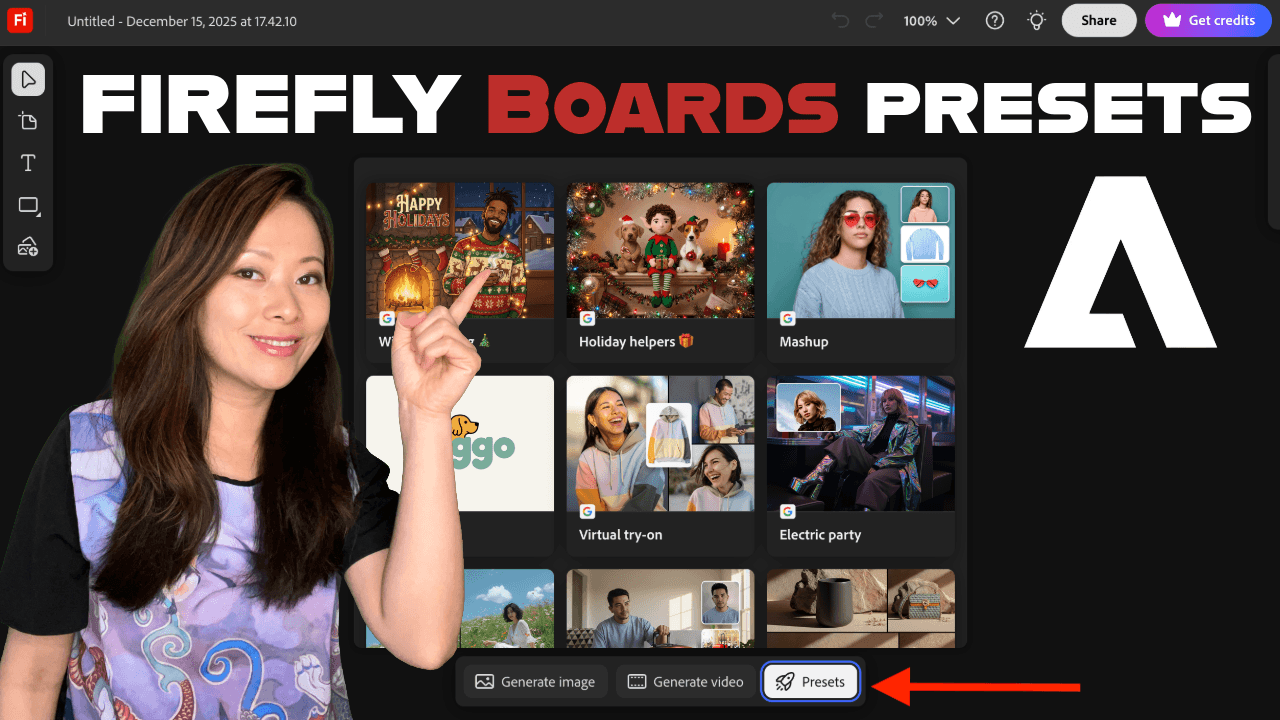
Adobe Firefly Boards includes a long list of presets, and that’s both a strength and a challenge.
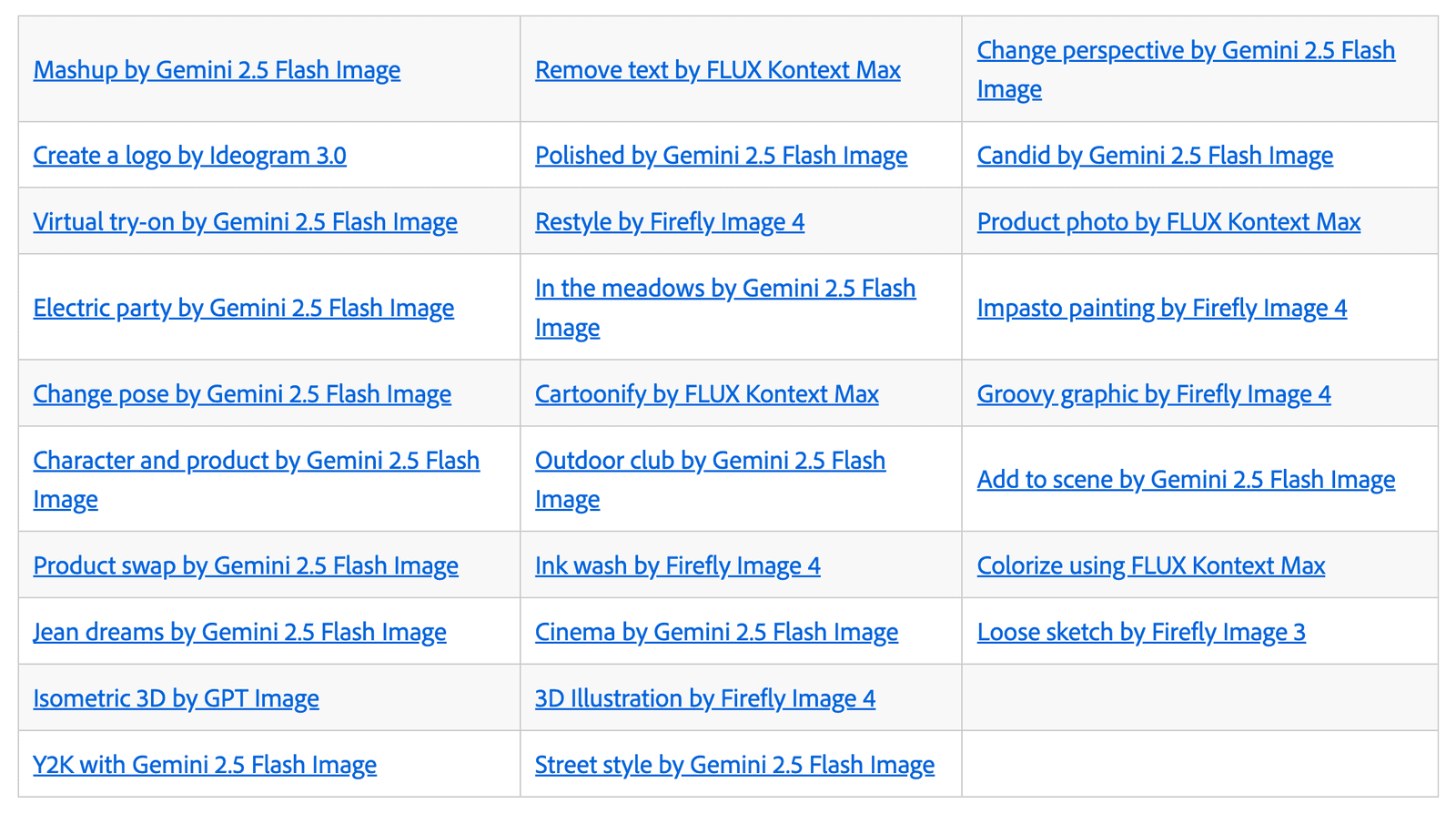
If you’re a solo creator or a small business, you don’t need everything. You need presets that save time, reduce friction, and help you move from idea to execution without overthinking.
Below are the 9 Firefly Boards presets I think are the most practical, versatile, and impactful for real-world creator workflows, especially if you’re working solo, running a small team, or building content and campaigns on a regular basis.
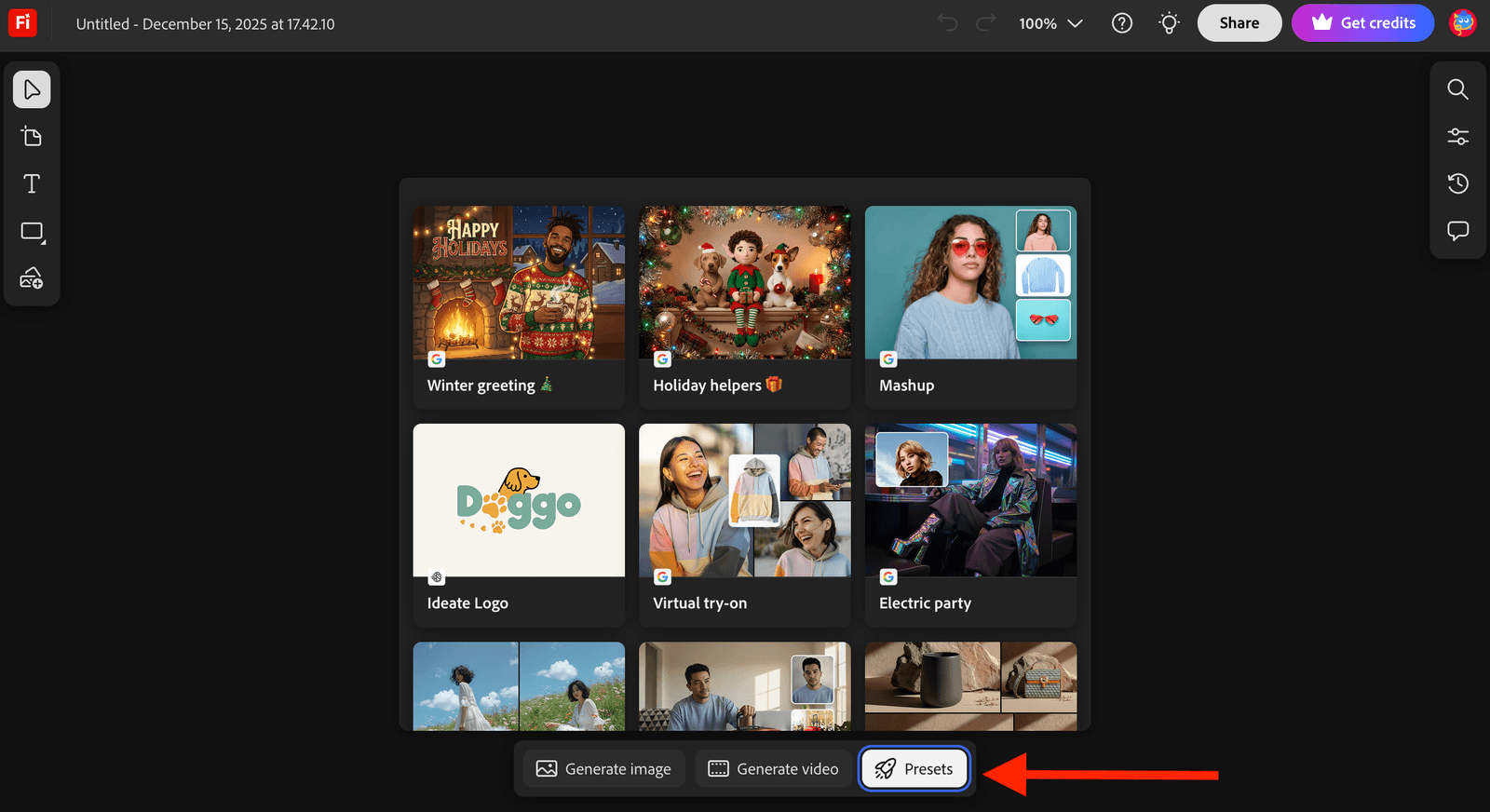
First time using Presets, here’s how to find it under Adobe Firefly Boards.
These are the presets I’d start with.
1. Add to Scene (Gemini 2.5 Flash Image)
If you only learn one preset, make it this one.
Add to Scene lets you place products, people, or objects into existing environments. This is incredibly powerful for early ideation because you can visualize ideas without staging a photoshoot or building a scene from scratch.
Why it matters
• Quickly visualize products in context
• Test ideas before committing to production
• Great for campaigns, websites, and social concepts
This is a core preset for anyone doing marketing, branding, or storytelling.
Our experiment
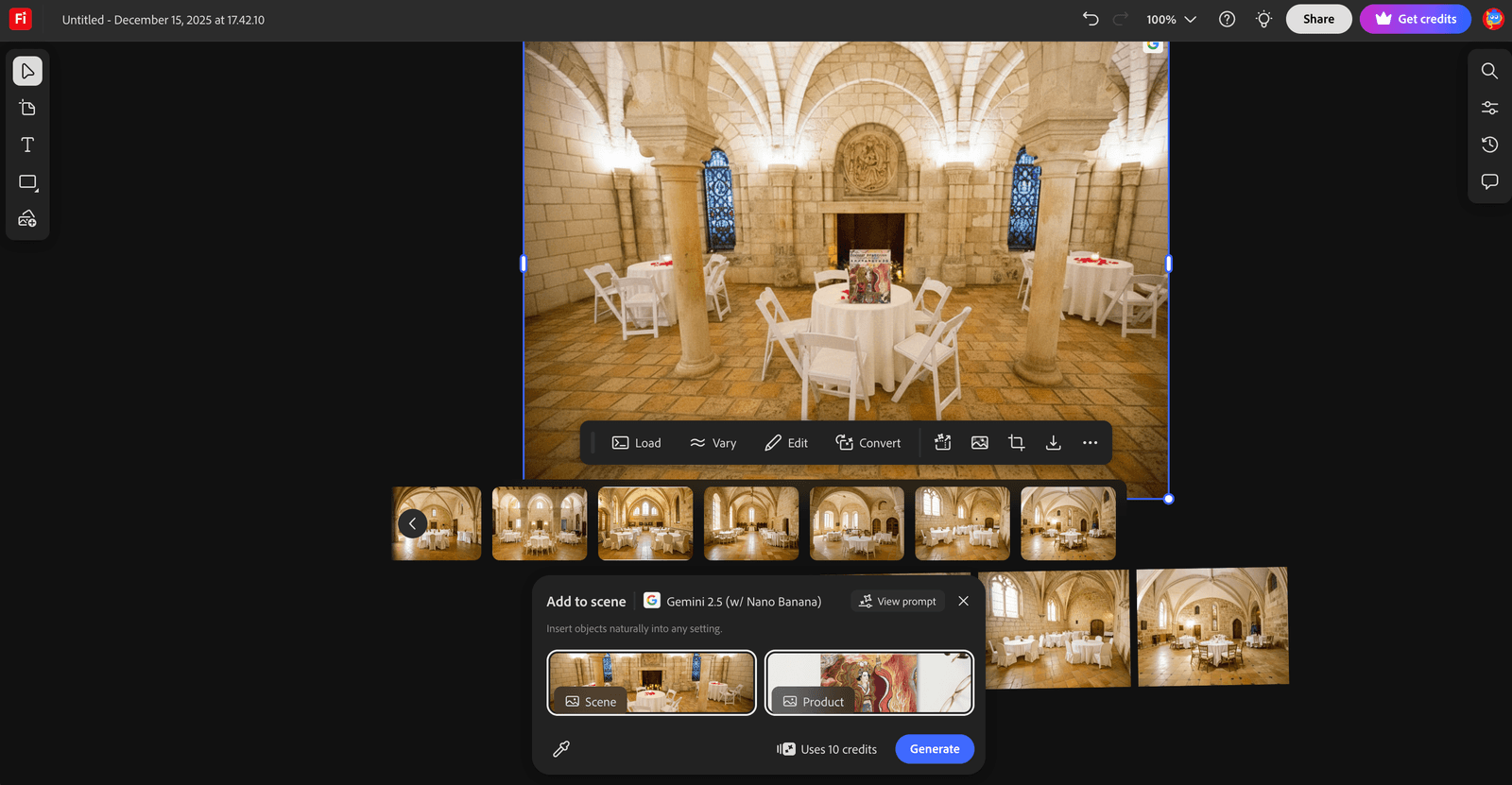
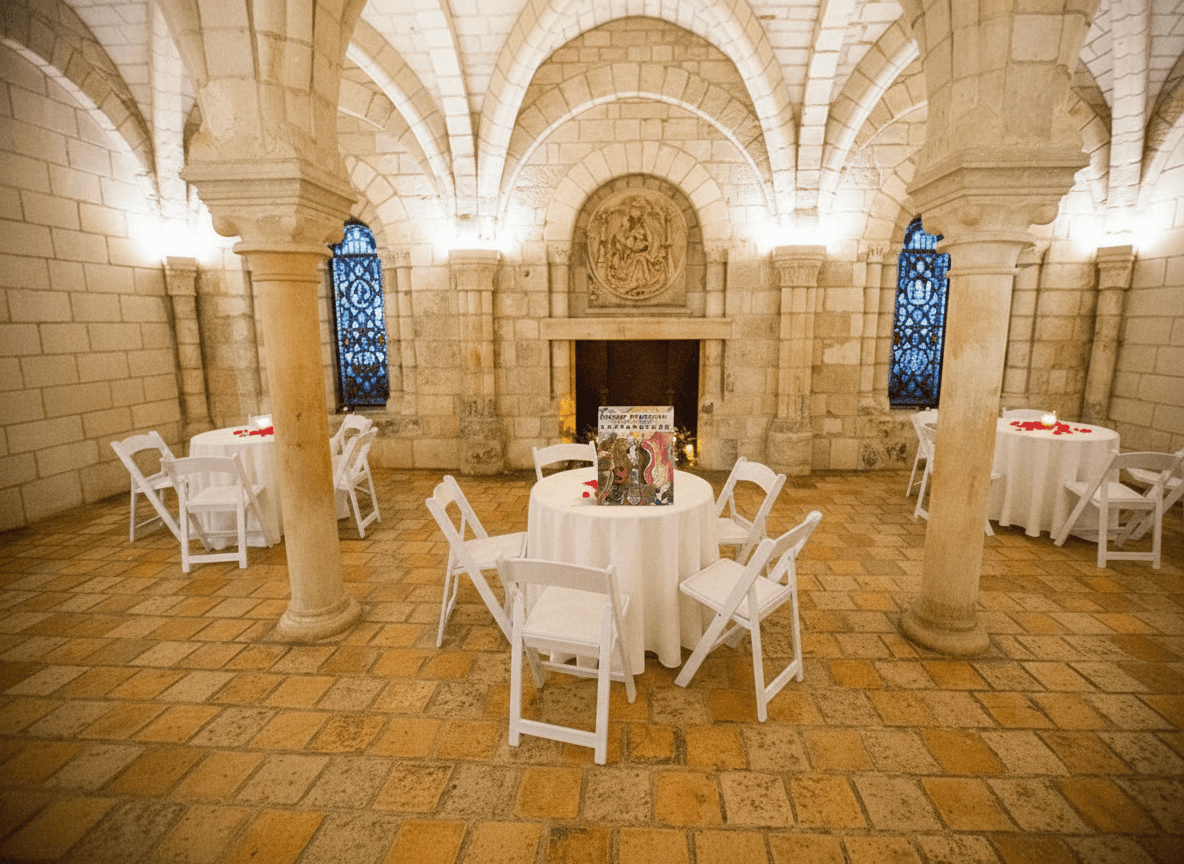
I started with with my mom Xiang Li’s Chinese Empresses book. Since we’ll be exhibiting her work including this book inside the beautiful and histrocial Chapter House inside the Worcester Art Museum, I was curious how it’s going to look. By adding in an image of the Chapter House as the “Scene” image, and the Empress book as the “Product” image, the “Add to Scene” Preset immediately incorporated the book inside the scene provided.
2. Virtual Try-On (Gemini 2.5 Flash Image)
Virtual Try-On deserves its own callout because it solves a very specific and very real small-business problem: helping people imagine themselves with a clothing item.
This preset allows creators to visualize apparels without organizing a photoshoot or hiring models upfront.
Why it matters
• Helps customers visualize fit, style, and vibe
• Ideal for fashion and lifestyle brands
• Reduces friction in early product and campaign ideation
For small businesses, Virtual Try-On is especially valuable during the concept stage. You can test ideas, styles, and positioning before committing time and budget to production.
It’s also a powerful storytelling tool. Instead of showing a product in isolation, you’re showing how it lives in the real world, on real people, in real scenarios.
For creators building brands, not just assets, that context makes all the difference.
Our experiment
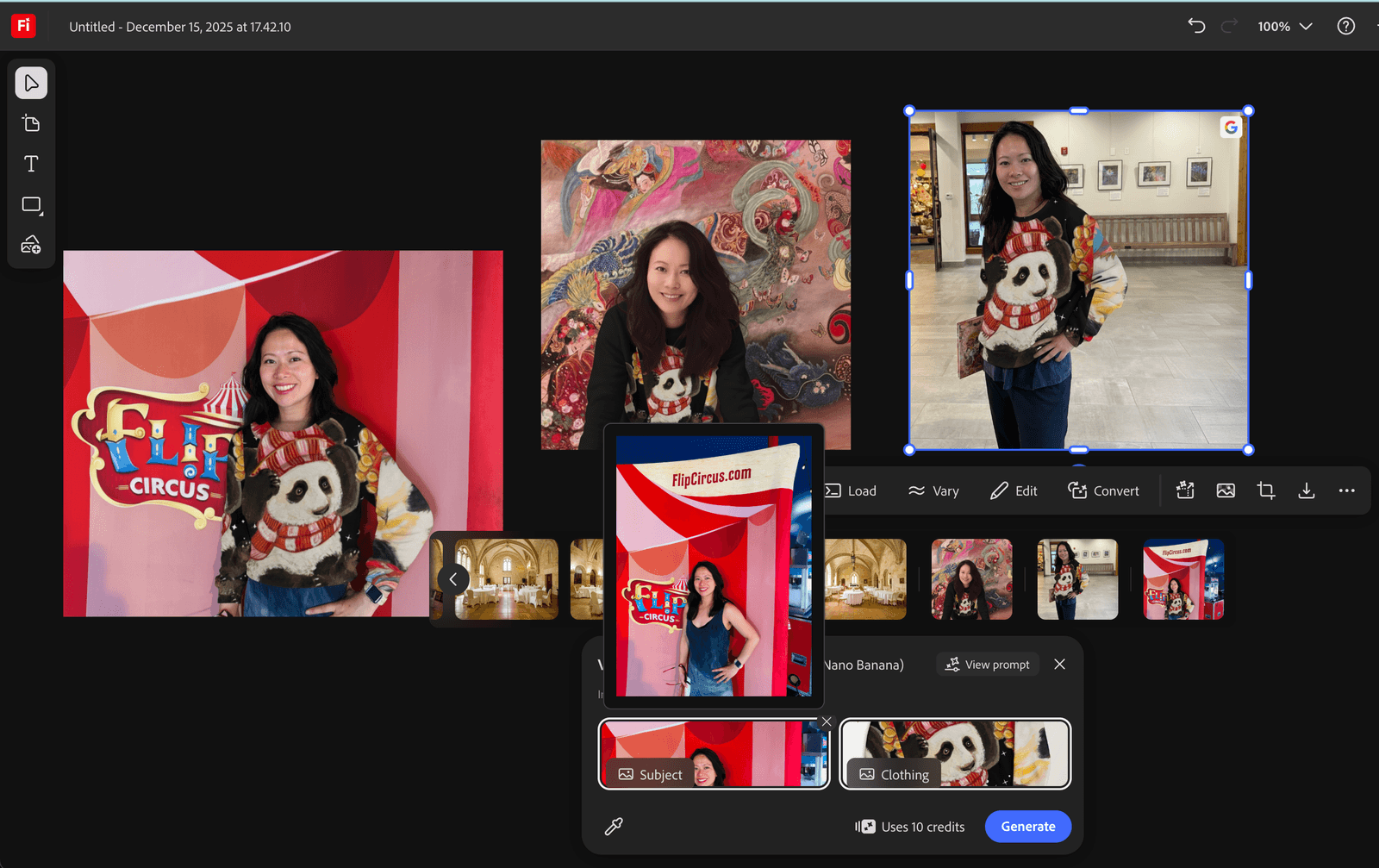
I started with the new panda bear clothing collection from Xiang Li Art, where I (the model) can try on a variety of items without expensive photoshoot.
To get started, all you need is a subject photo (that’s the model), and a clothing photo. In this case, I used a few casual photos of myself standing up and one leaning forward. Your posture matters. I find photos of me standing up works best as it helps drape and place the clothing item on me. Firefly Preset is quite forgiving in a sense that it does not require the perfect photo with a clean background. This means you can use photos where the clothing item is on a rack, or placed on a flat surface without it being ‘perfect’. Give it a try and have fun!
3. Product Photo (FLUX Kontext Max)
If you sell anything at all, this preset belongs in your toolkit.
Why it matters
• Ideal for e-commerce and service-based businesses
• Helps standardize product visuals
• Saves time preparing assets for ideation
This preset helps you generate or refine product-focused imagery that’s suitable for mood boards, landing pages, and early-stage marketing concepts.
Clean product visuals are foundational for small businesses.
Our experiment
I picked a lamp created using one of Xiang Li’s Tang Dynasty empress paintings. The original product is placed on a white background.
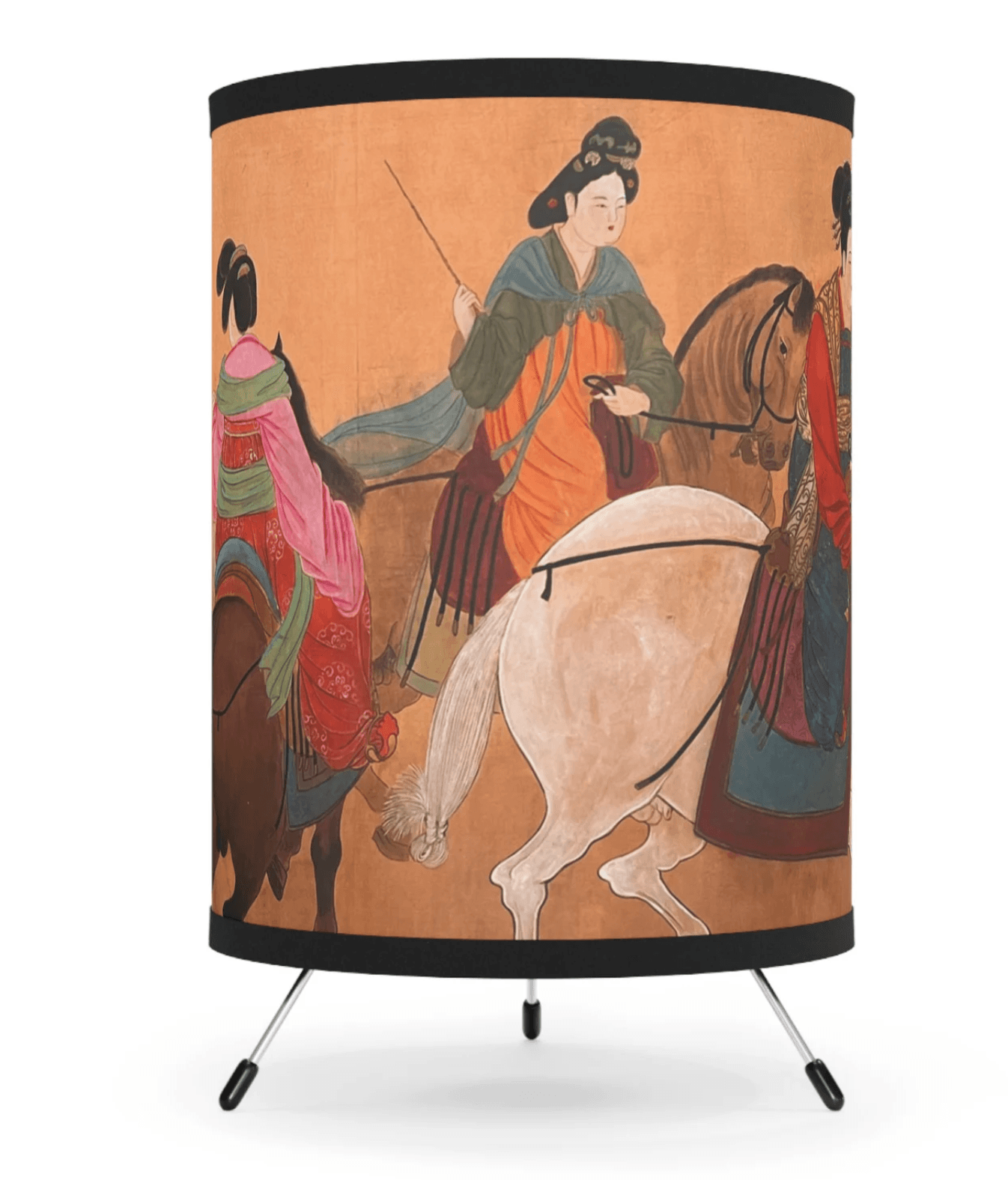
I gave it a prompt: Place this lamp inside a palace room inside the Forbidden City in Beijing, China, give it an old, ancient theme.
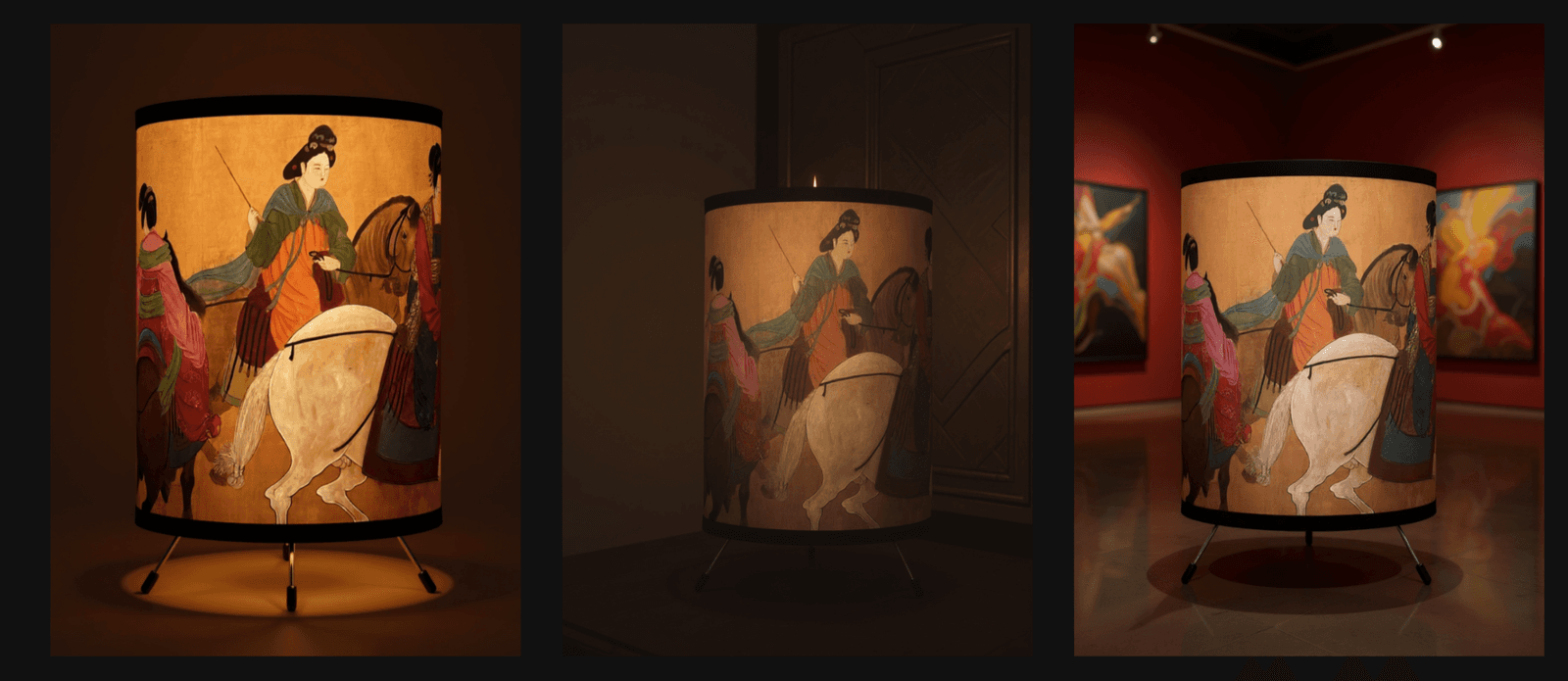
The result? Our lamp is turned on inside a dark room with natural orange hues around it. You can now see and feel the atmosphere it’s in, unlike a generic product photo on a white background. For the last image in this series, I used a prompt “Surprise me – give some flavors to the background and make this lamp product stand out” where the lamp is placed inside a museum-like space with red walls.
4. Restyle (Firefly Image 4)
Restyle is one of the most flexible presets in Firefly Boards.
It allows you to take an existing image and explore different visual styles without rebuilding the idea from scratch.
Why it matters
• Great for testing brand directions
• Keeps ideas consistent while experimenting
• Encourages iteration instead of starting over
This preset alone can replace hours of manual tweaking.
Our experiment
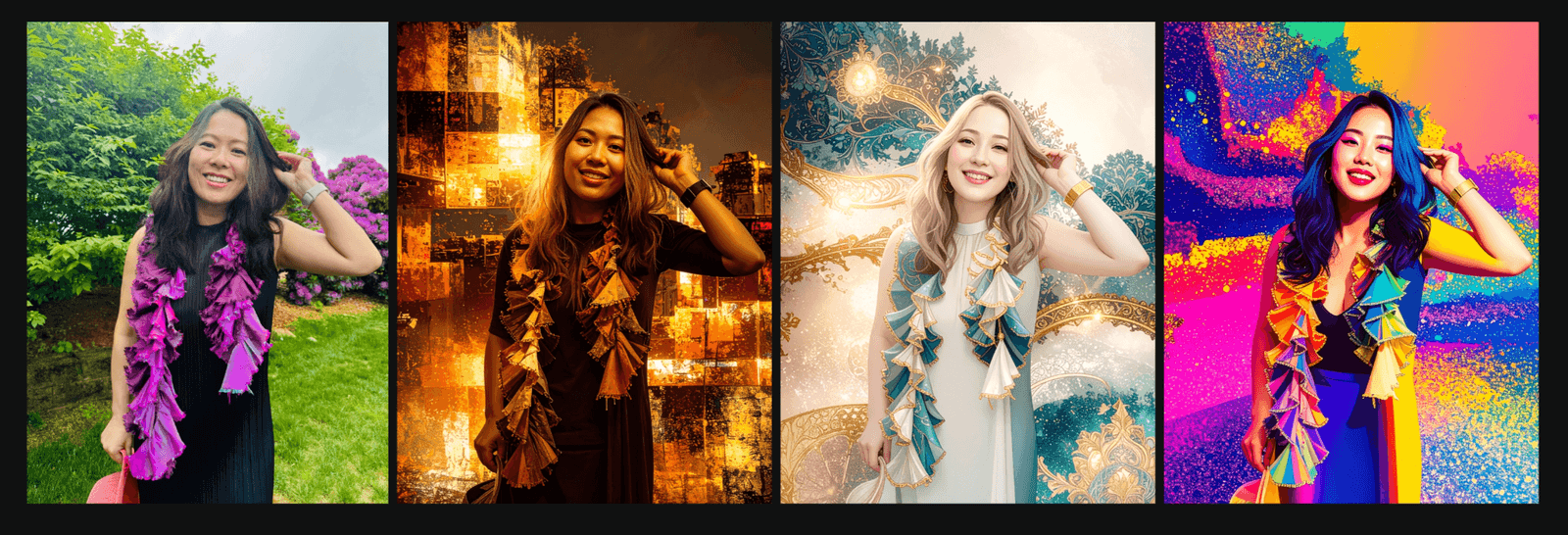
To reimagine a shot in various styles, I tried a few prompts. The first being the original photo, and prompts starting from the second image on the left to the fourth image on the right.
- Original photo (no style edit)
- Punk style
- Cirque du Soleil style
- K-pop style
5. Mashup (Gemini 2.5 Flash Image)
Mashup is one of the most underrated presets in Firefly Boards, and one of the most powerful for early ideation.
This preset allows you to combine multiple visual elements into a single cohesive composition, not just limited to fashion and wearables. Instead of juggling separate references, Mashup helps you see how ideas work together on one canvas.
Why it matters
• Brings scattered ideas into a single visual direction
• Great for concept exploration and brainstorming
• Helps creators move from inspiration to structure faster
Mashup is especially useful when you’re at the messy stage of creation. You have ideas, references, and half-formed concepts, but no clear way to pull them together.
For small businesses and creators, this preset replaces hours of manual compositing and guesswork. You can quickly test combinations, refine direction, and decide what’s worth pursuing before investing more time or budget.
Our experiment
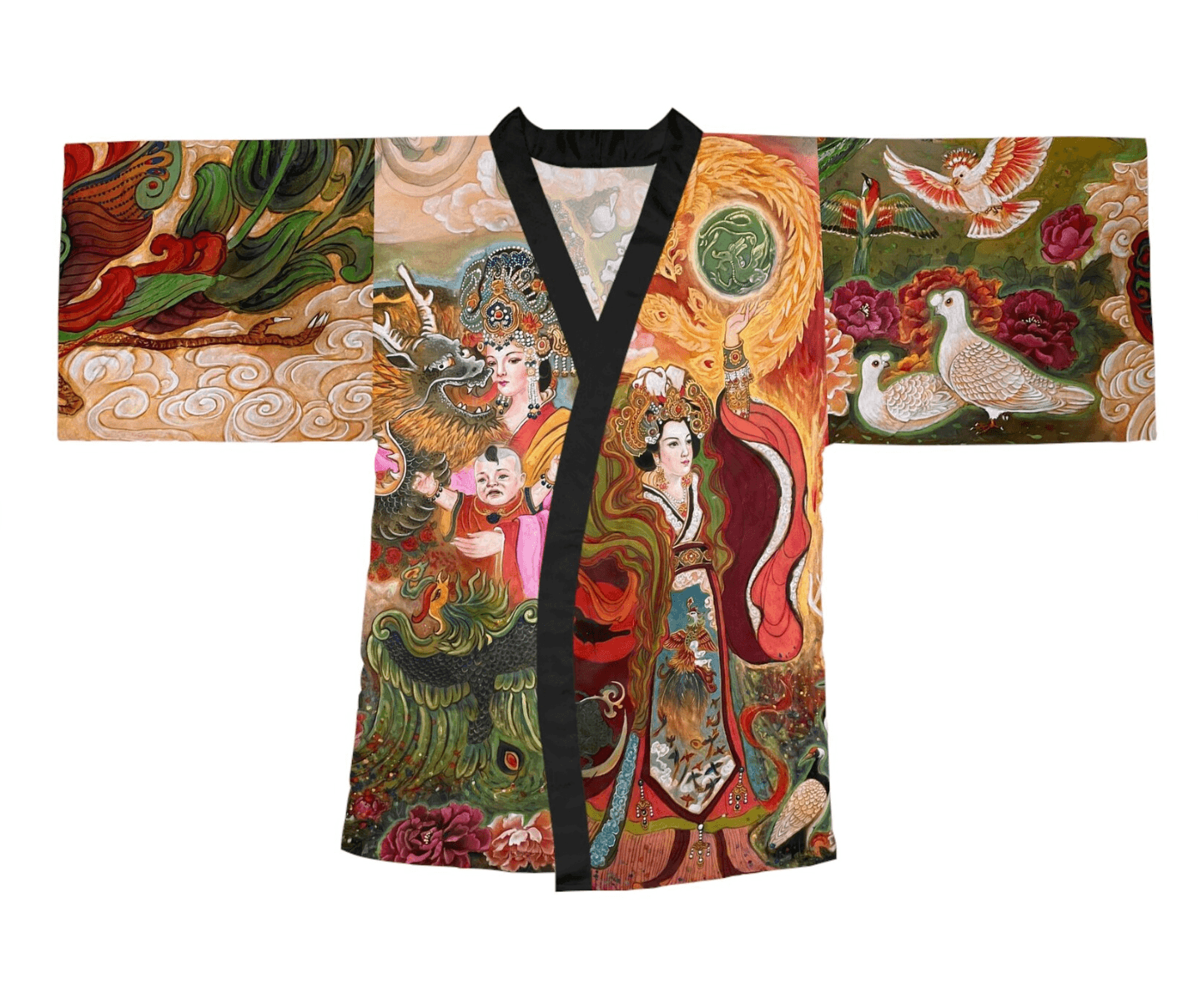
Here are the original photos used. A simple photo of me from the backyard, and a flat image of a kimono with Xiang Li’s artwork.

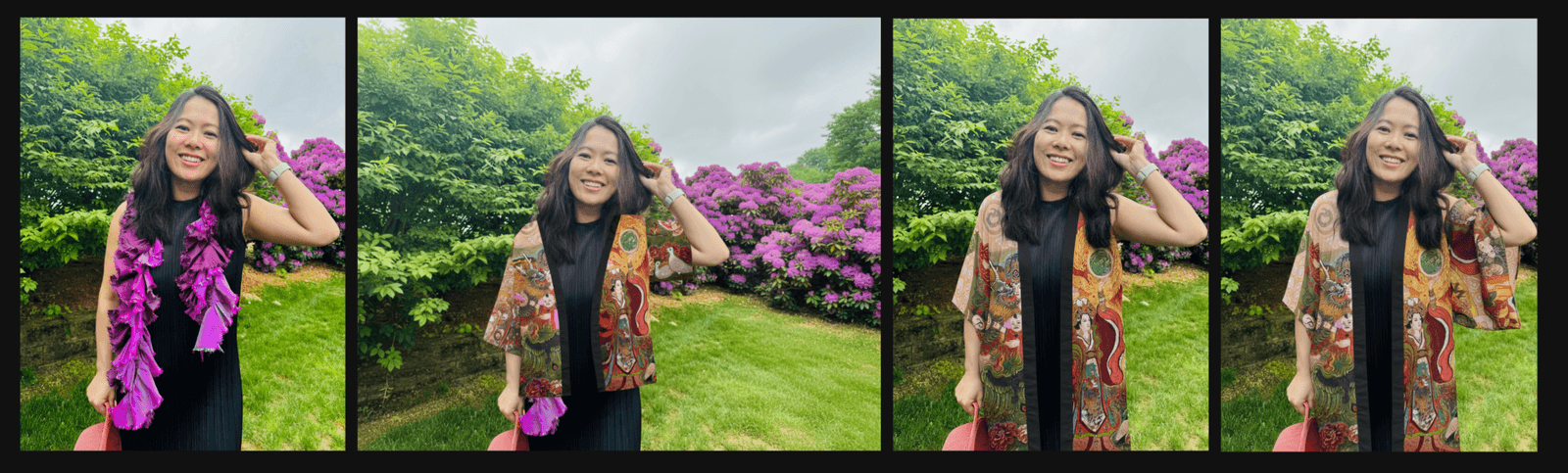
The results varied, so here’s what I did to get to the state I thought worked best.
- The first is the original photo (no change)
- No prompt entered. The Mashup preset automatically puts the kimono on me after hitting the “Generate” button. No bad!
- However, the kimono is quite long, so I entered the revised the prompt to include “Make sure the kimono drape on her body, kimono is long and should cover the black dress, goes all the way down”. The third image came out pretty good but I noticed the sleeve of the kimono is missing on my left arm.
- For the fourth iteration, I added the prompt “make sure her left arm is covered by the sleeve of the kimono just like her right arm” – viola! The fourth image turned out to be exactly what I wanted.
This perhaps is a long way of saying: don’t give up when your first result isn’t perfect. AI is powerful but it also needs guidance from you. With some patience, these presets have huge potentials assisting our creative process.
6. Create a Logo (Ideogram 3.0)
For early-stage branding, this preset is a huge time-saver.
It’s not about replacing a designer. It’s about exploring directions quickly so conversations are clearer and decisions happen faster.
Why it matters
• Helps founders visualize brand ideas
• Useful for early-stage businesses
• Supports naming and identity exploration
Think of this as a brainstorming partner, not a final output tool.
Our experiment
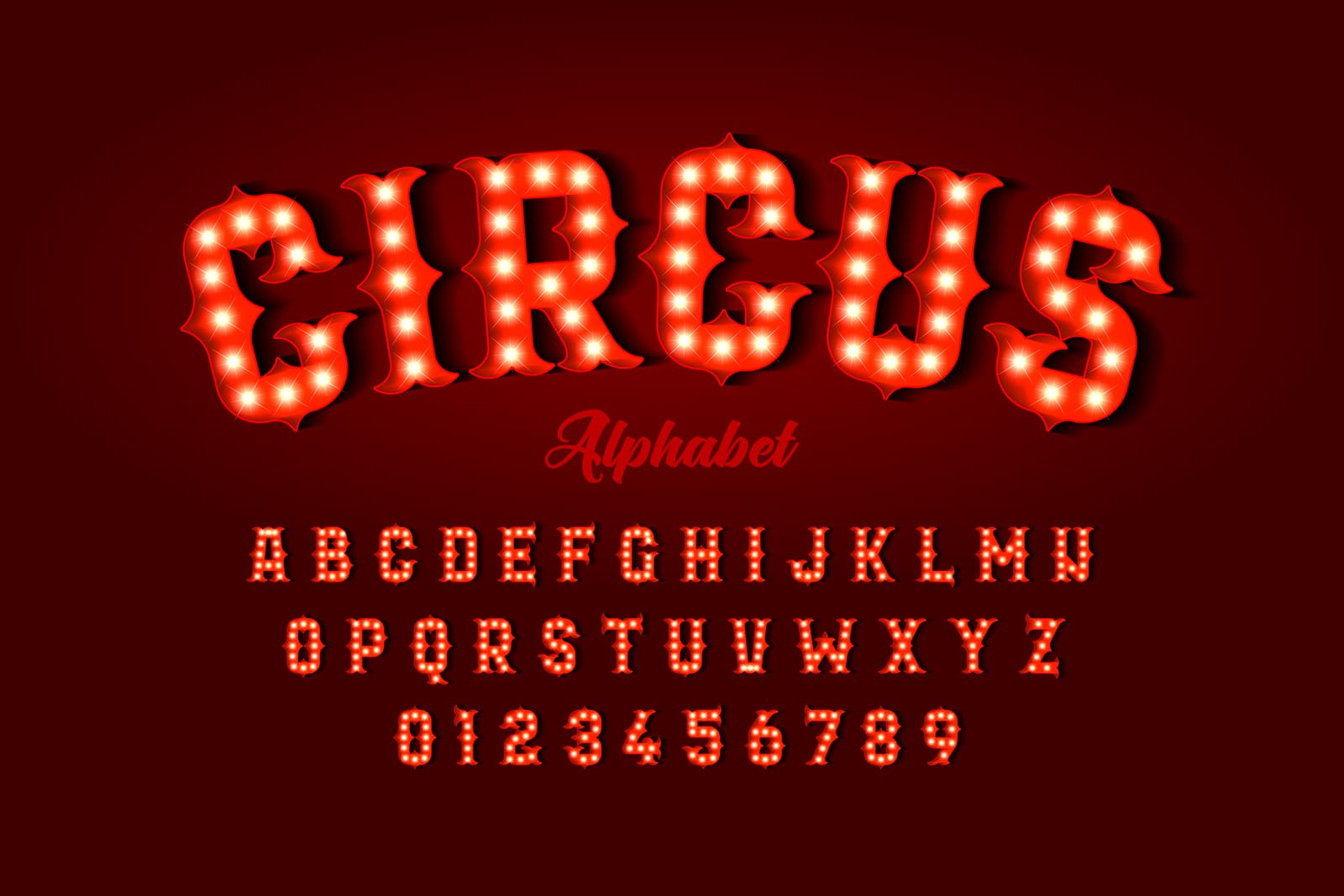
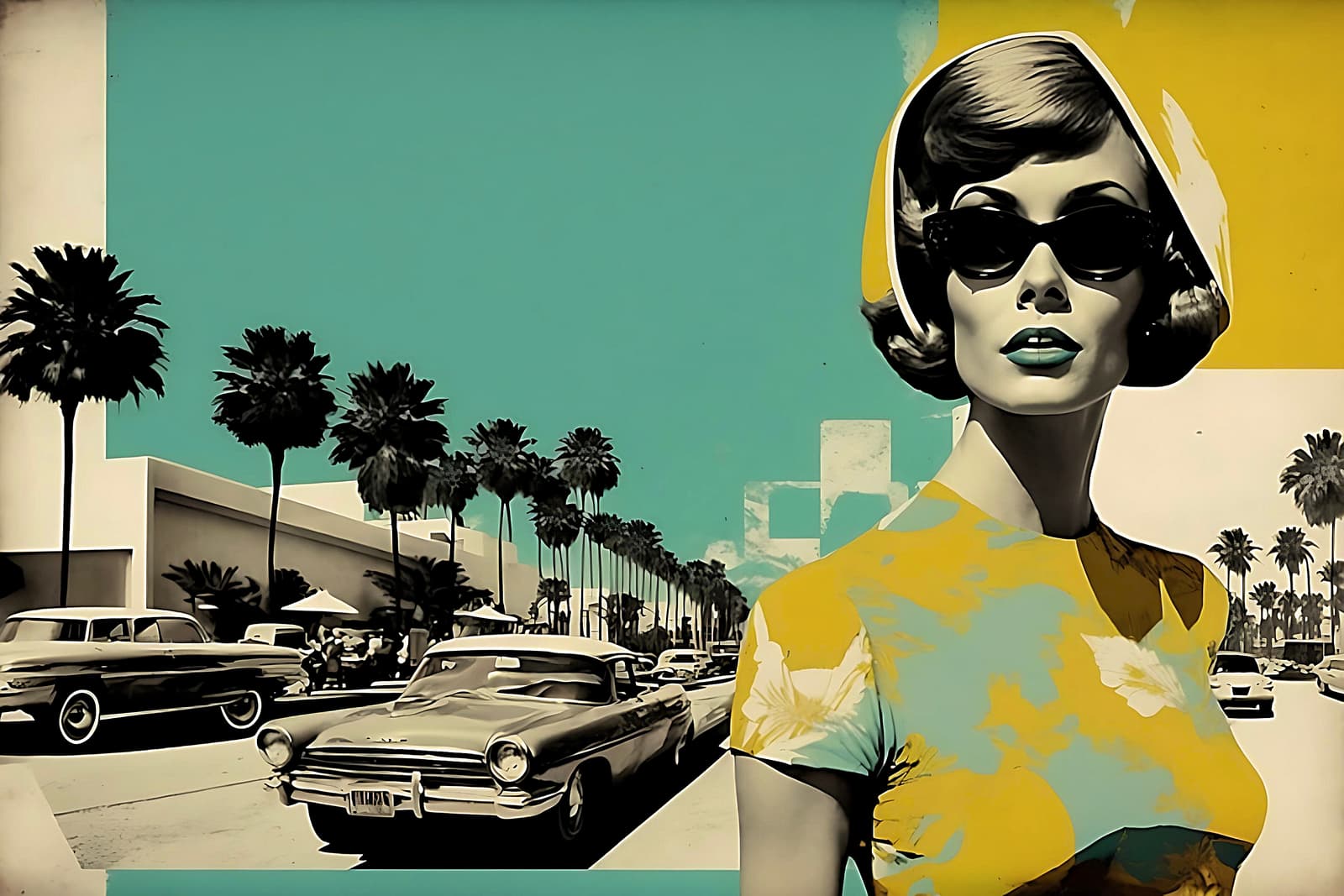
All you need is give the logo a name. For ours it’s called “Performing Arts World”. Then for optional style photos, I uploaded a circus image plus a 1960s image for reference. Here’s what this Preset generated for me.
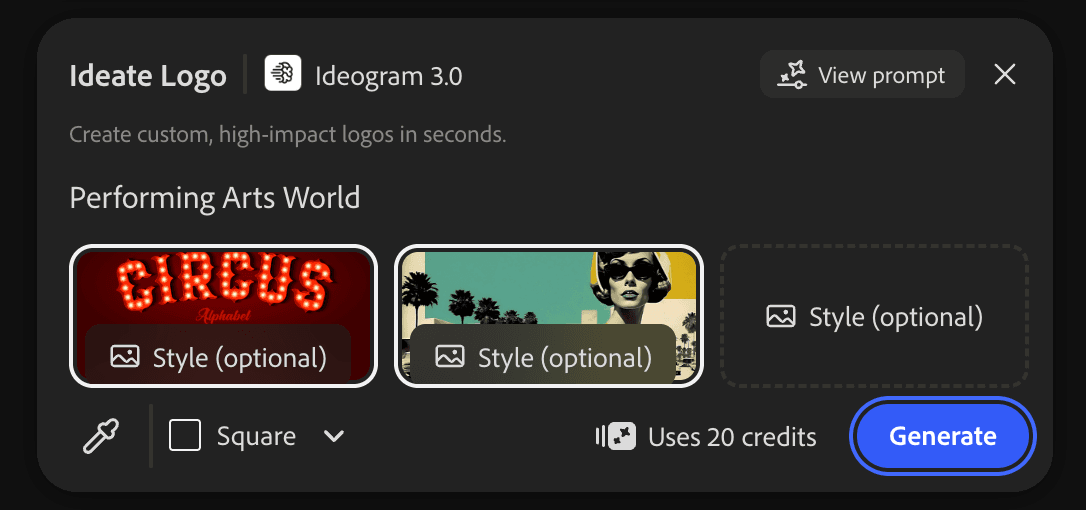
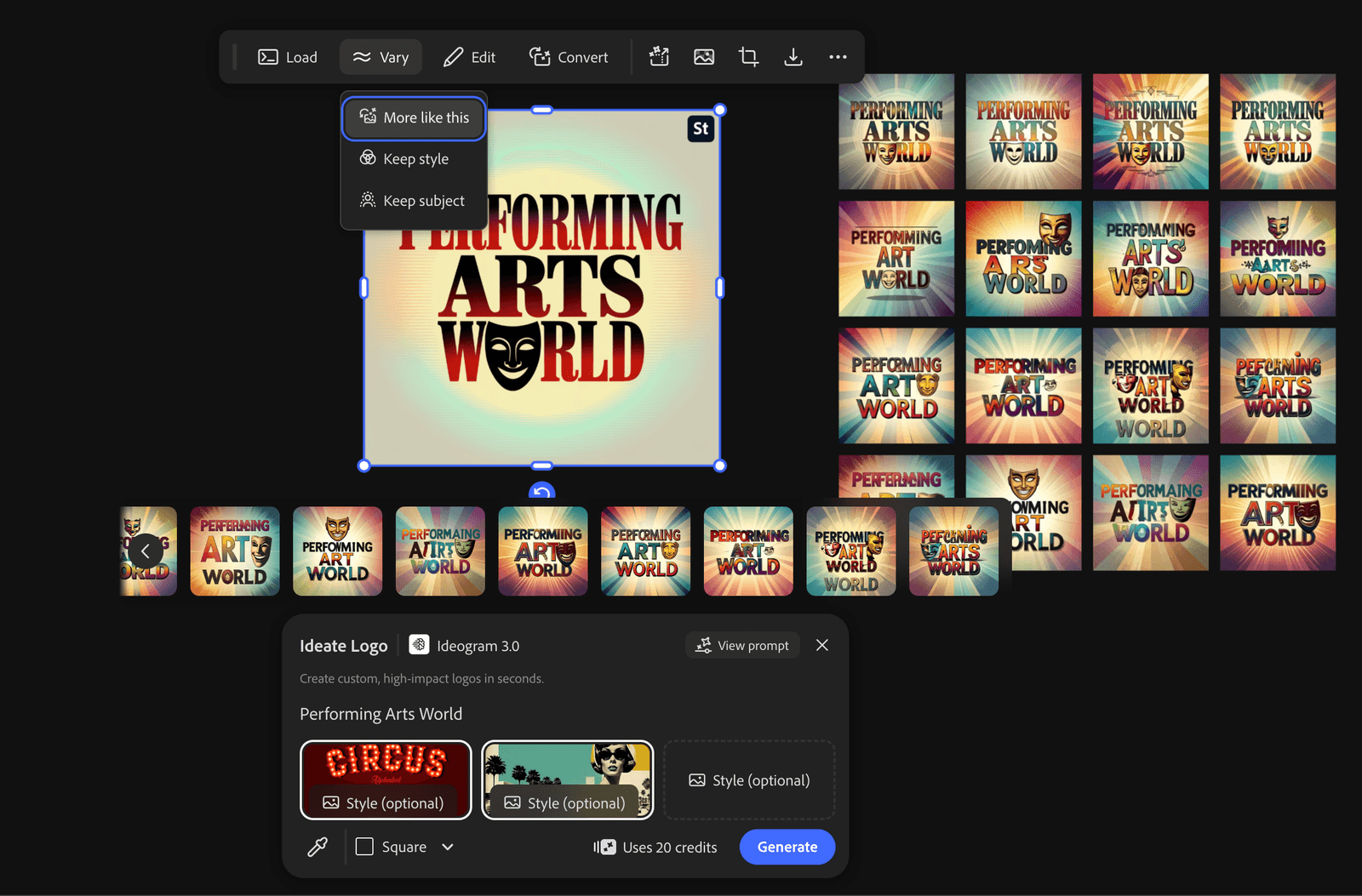
The first version of the logo is generated in seconds. Then you can use the “Vary” button to generated more examples just like the first version, or you can choose to “keep the style”, or “keep the subject” of the logo for further iterations.
7. Remove Text (FLUX Kontext Max)
This preset doesn’t sound exciting, but it’s one of the most practical.
Remove Text helps clean up reference images so they can be reused for mood boards, presentations, and ideation without distractions.
Why it matters
• Makes reference images reusable
• Keeps boards visually clean
• Reduces manual cleanup work
Small efficiency wins add up quickly in creative workflows.
Our experiment
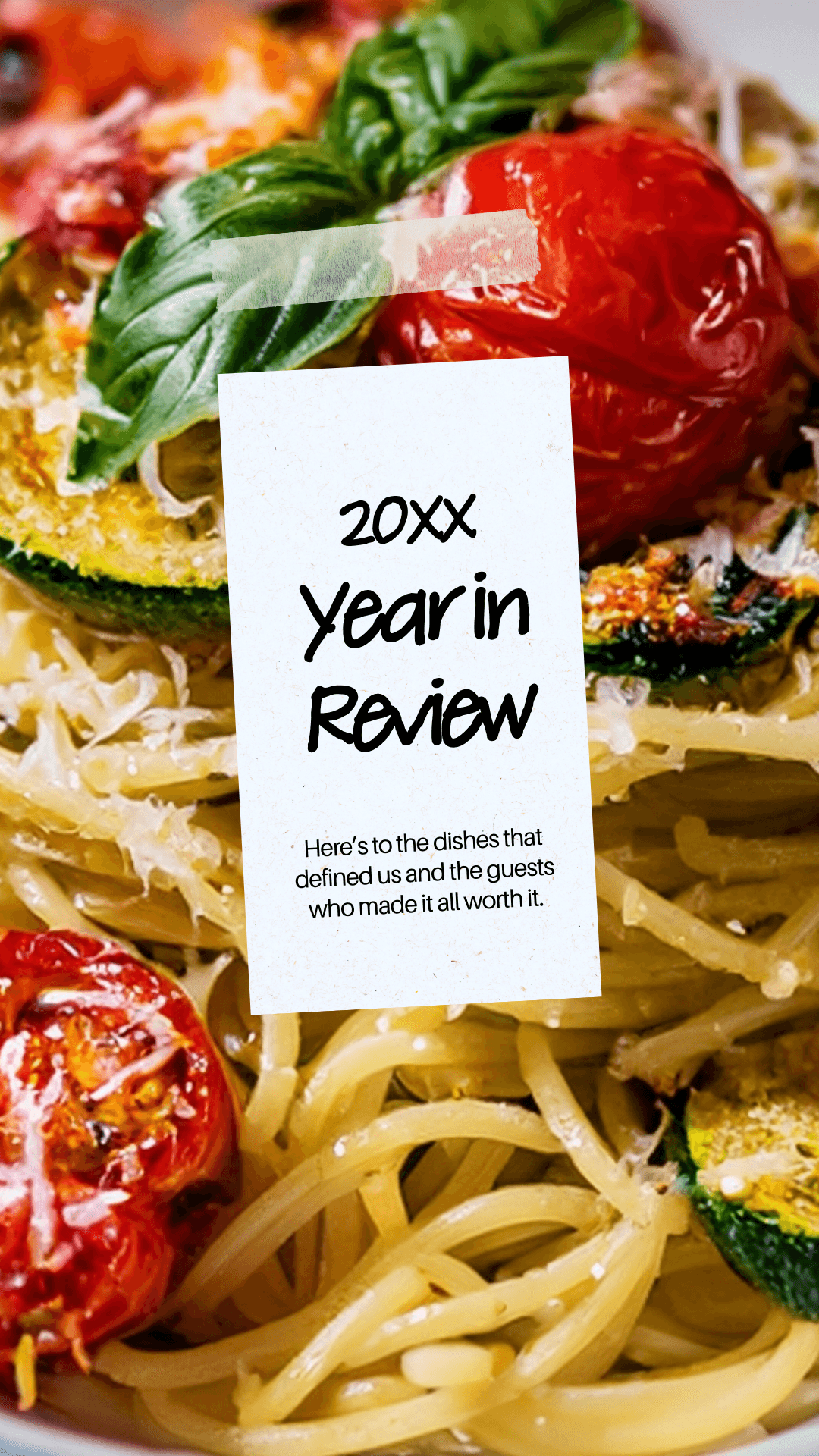
I chose a design template that includes a message right in the middle of an image. This preset lets me remove the message and the white background completely without distorting the image behind it. Wow, check out our result: the before and the after!

8. Cinema (Gemini 2.5 Flash Image)
Cinema adds mood, depth, and narrative tone.
This preset is especially useful when you’re working on campaigns, brand storytelling, or content that needs emotional weight.
Why it matters
• Helps define narrative direction
• Great for hero visuals and campaigns
• Supports storytelling-led brands
If your brand relies on emotion, this preset is worth exploring.
Our experiment
I uploaded an image of me and this presets made me appear in a cinematic setting. Honestly these characters don’t look much like me at al but it’s still cool to imagine yourself in a spy movie.
9. Colorize (FLUX Kontext Max)
Color is often the difference between an idea that feels flat and one that feels alive.
This preset helps bring energy and clarity to sketches, muted images, or historical references.
Why it matters
• Quickly tests color directions
• Helps define brand palettes
• Revives older or neutral assets
It’s simple, but extremely effective.
Our experiment
So let me upload an old black and white photo and see what happens.
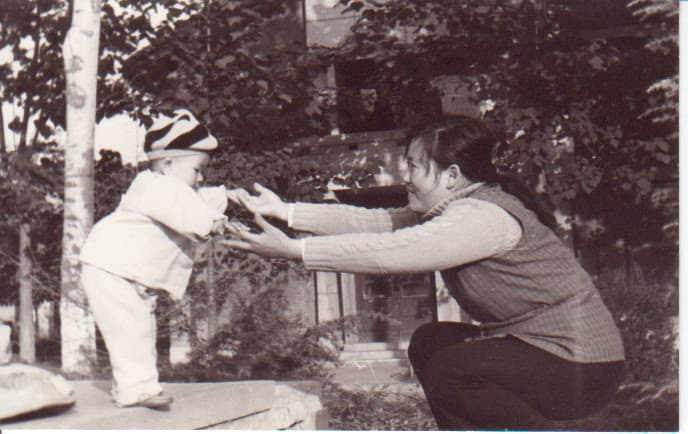

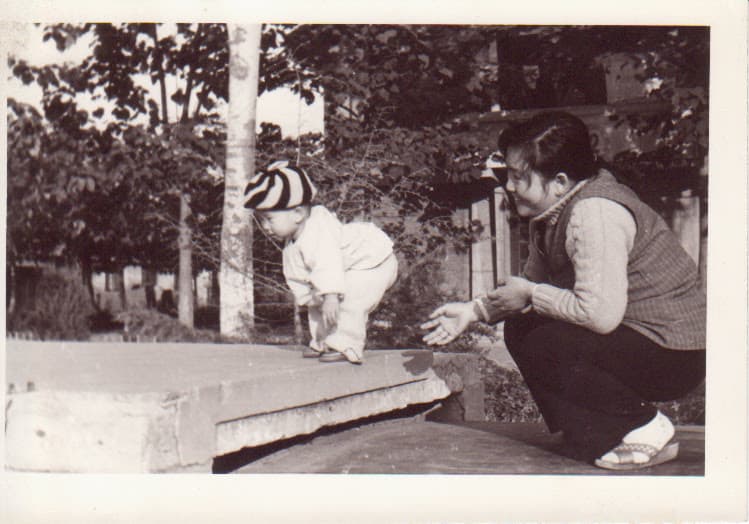

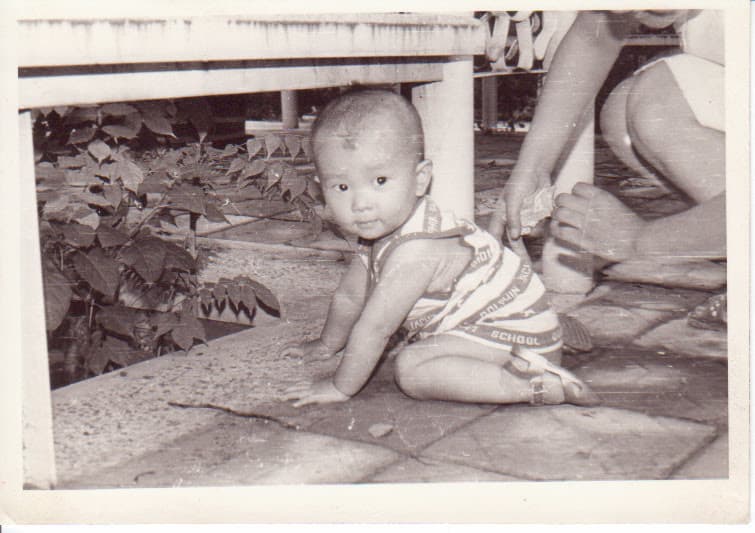
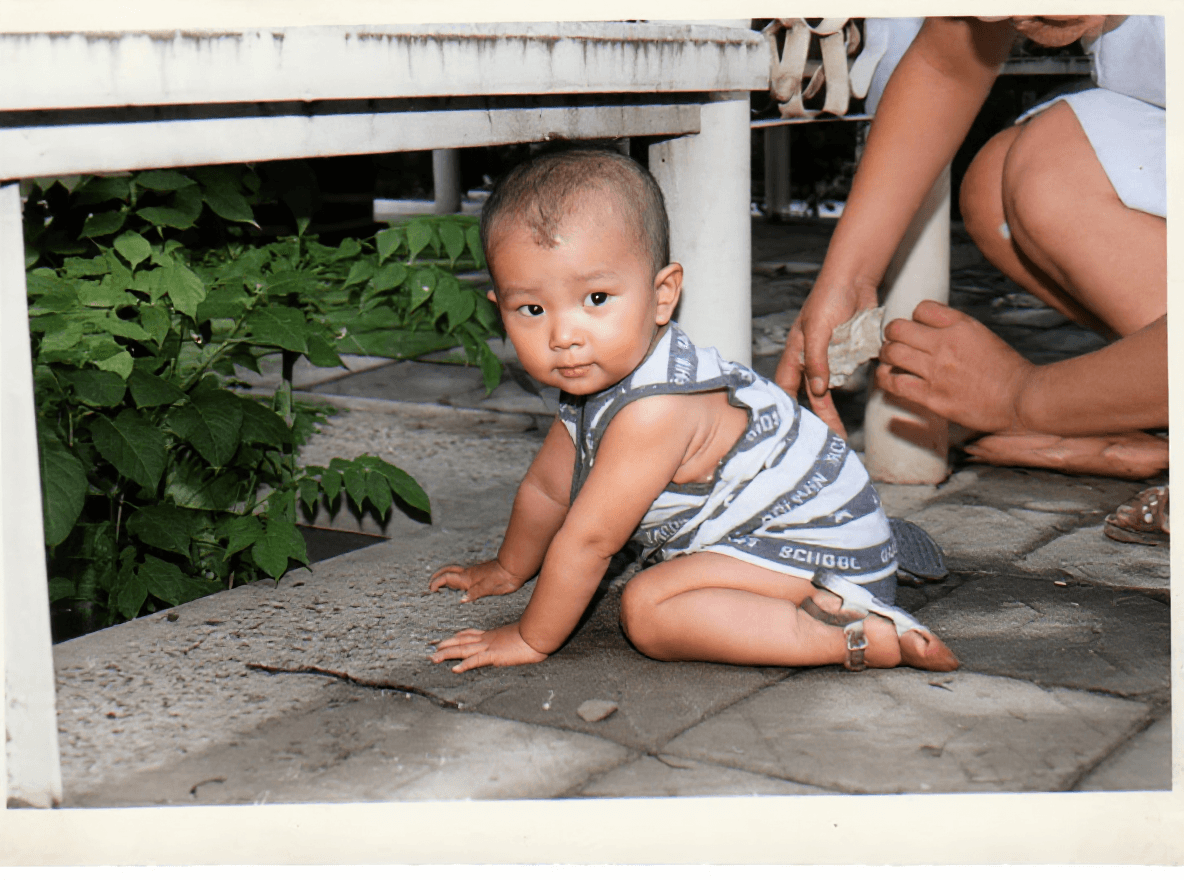
Why I Didn’t Include Everything
Firefly Boards includes many artistic, stylized, and niche presets, and they’re valuable in the right context. But for small businesses and creators, versatility matters more than novelty.
The presets above:
• Apply across industries
• Support real workflows
• Reduce friction instead of adding complexity
• Scale from solo creators to small teams
Once you’re comfortable with these, exploring the more experimental presets becomes much easier.
Firefly Boards Presets as a Creative System
The real power of presets isn’t using them once. It’s reusing, adjusting, and combining them as part of a system.
You start with direction.
You explore variations.
You refine with confidence.
That’s how Firefly Boards moves from intimidating to indispensable.
If you’re short on time and want results, start with these nine. They’ll take you surprisingly far.
What are your favorite presets from Adobe Firefly Boards? Please let me know in the comments below.
You might also enjoy…

Written by
Fei WuFei Wu is the founder and CEO of Feisworld Media, a Massachusetts-based digital media company helping brands get discovered by people and by AI. An Adobe Global Ambassador and brand partner to ElevenLabs, Synthesia, and 50+ other tech and AI companies, she hosts the Feisworld Podcast (400+ episodes, 500K+ downloads — guests have included Seth Godin, Steve Wozniak, Chris Voss, and Arianna Huffington) and co-created the documentary Feisworld: Live Your Art on Amazon Prime. Fei writes for CNET, Lifehacker, and PCMag, and her work has been featured in Forbes, Harvard Business Review, and WIRED. She has been publishing on the internet since 2014 — long before AI discoverability had a name.
View all posts by Fei Wu→Stay updated
Weekly insights on content, AI, and digital media.
Keep Reading


