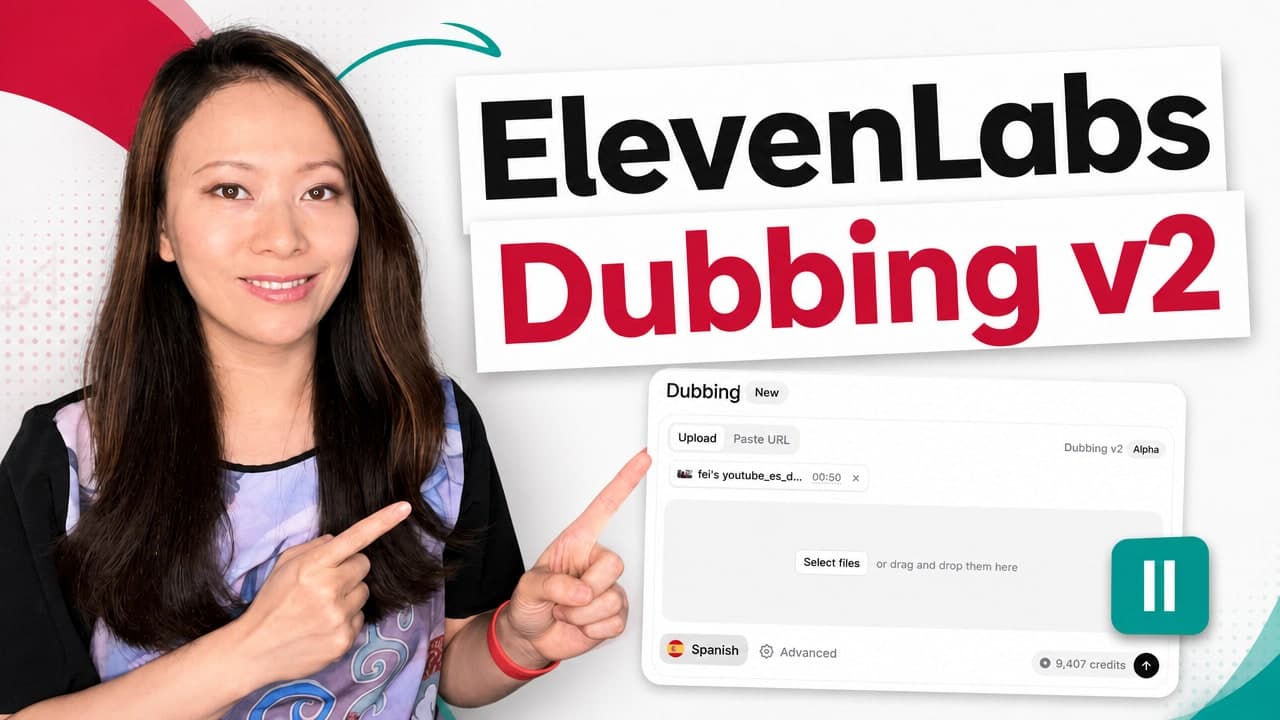
Dubbing is one of those AI features that sounds simple until you try to use it for real content.
Translate the video. Keep my voice. Match the timing. Preserve the emotion. Do not make me sound like a flat commercial narrator. Do not mangle names. Do not make the background audio weird. Do not make my audience feel like I handed them a cheap machine translation.
That is the real bar for creators.
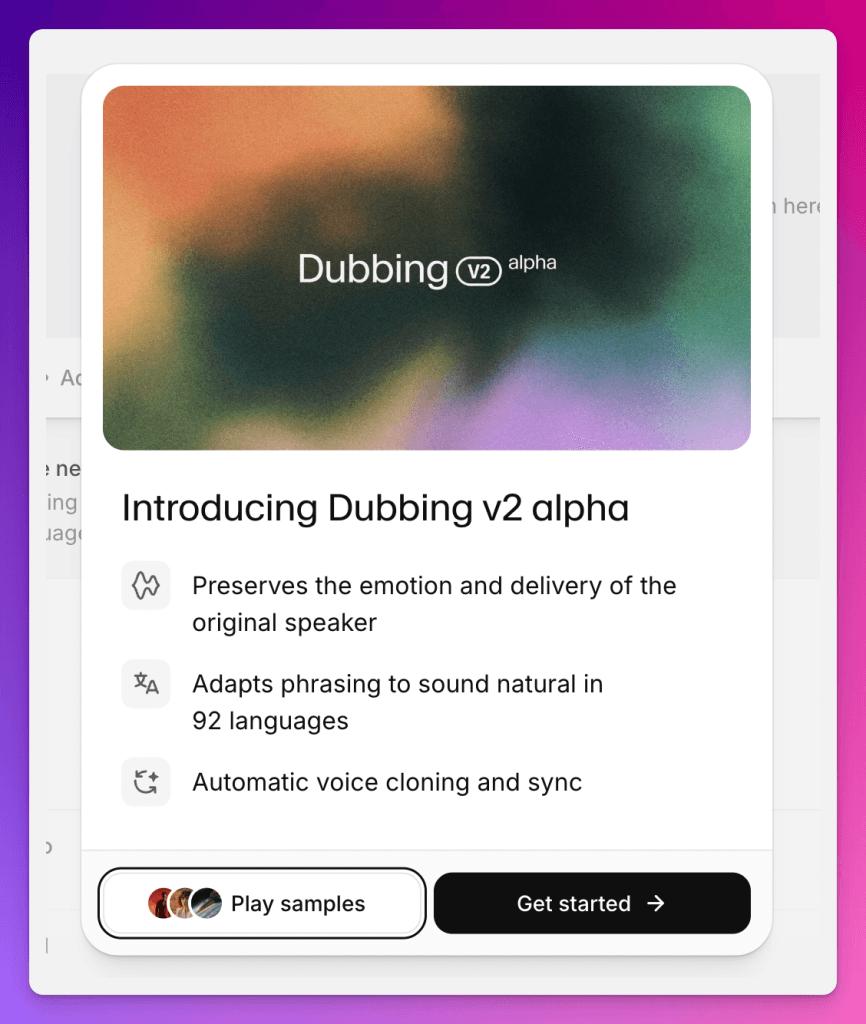
ElevenLabs Dubbing has been useful for creators for a while, but Dubbing v2 is interesting because it is not only trying to translate words. ElevenLabs says the model conditions directly on the original performance, which means it is trying to preserve tone, pacing, delivery, and emotional intent across languages.
This guide is the ElevenLabs-specific companion to my broader AI video translation tools comparison. If you are deciding whether ElevenLabs is worth paying for, read the ElevenLabs pricing guide. If you need the full voice-cloning and text-to-speech setup first, go to my ElevenLabs tutorial.
What is ElevenLabs Dubbing v2?
ElevenLabs Dubbing v2 is the newer AI dubbing model inside ElevenLabs. It is designed to translate video or audio into another language while preserving the original speaker’s performance.
The important part is performance. Traditional AI dubbing can follow the transcript but lose the person. The translated voice may be understandable, but the rhythm, emphasis, hesitation, and emotional intent can disappear. Dubbing v2 is ElevenLabs’ attempt to solve that by using the original performance as part of the model’s input.
As of my research check on June 12, 2026:
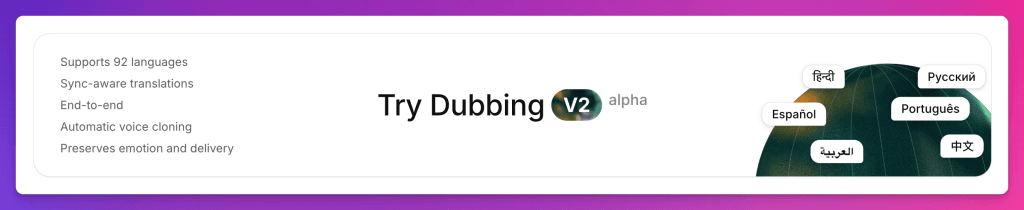
- Dubbing v2 supports 90+ languages.
- It uses sync-aware translation to better match starts, stops, and pacing.
- Automatic Dubbing uses the Dubbing v2 Alpha model.
- Automatic Dubbing supports uploads up to 2 GB and 180 minutes.
- Dubbing Studio is still available for more granular editing, but it uses the V1 model and is in maintenance mode.
- The Dubbing v2 API is not live yet, according to ElevenLabs docs.
- Realtime or live dubbing is not currently available.
Why Dubbing v2 matters for creators
For creators, localization is usually expensive, slow, or awkward.
If you translate with subtitles only, you lose people who prefer listening. If you hire human dubbing teams, the quality can be excellent, but it is often too expensive for weekly creator content. If you use weak AI dubbing, you can create more content but lose trust.
Dubbing v2 is interesting because it sits in the middle: faster and more accessible than traditional localization, but trying to preserve more of the original creator’s delivery than basic transcript-to-speech dubbing.
For Feisworld, I think about this in three buckets:
- YouTube tutorials: Translate evergreen AI tool tutorials for viewers who do not prefer English.
- Sponsored brand content: Give brand partners a multilingual version of a campaign without rebuilding the video from scratch.
- Podcast and interview clips: Test short localized clips before investing in full-length episode localization.
The first Feisworld test to run
I would not start by dubbing a full 30-minute interview. The first test should be a short clip with enough emotional variation to judge quality.
My ideal first test:
- Length: 60 to 90 seconds.
- Source: a Feisworld tutorial or talking-head segment with clean audio.
- Speakers: one speaker first, then a two-speaker clip later.
- Target language: Spanish first, because it is relevant to our audience and easy for our team to review.
- Goal: does the dubbed version preserve Fei’s pacing, warmth, and clarity?
Step-by-step: how to use ElevenLabs Dubbing v2
1. Pick the right source clip
Start with a short, clean clip. Dubbing is easier to judge when the original audio is not fighting background noise, overlapping speakers, or heavy music.
For the first Feisworld test, I would choose a clip with:
- Clear microphone audio.
- One main speaker.
- A natural speaking pace.
- A few moments of emphasis or humor.
- Simple visuals that do not depend on exact lip sync.
2. Open Automatic Dubbing in ElevenLabs
In ElevenLabs, go to the Dubbing workflow under ElevenCreative. Automatic Dubbing is the path that uses the newer Dubbing v2 Alpha model.
If you need transcript editing or per-clip regeneration, Dubbing Studio may still be useful, but note the tradeoff: ElevenLabs docs say Dubbing Studio is V1-only and in maintenance mode.
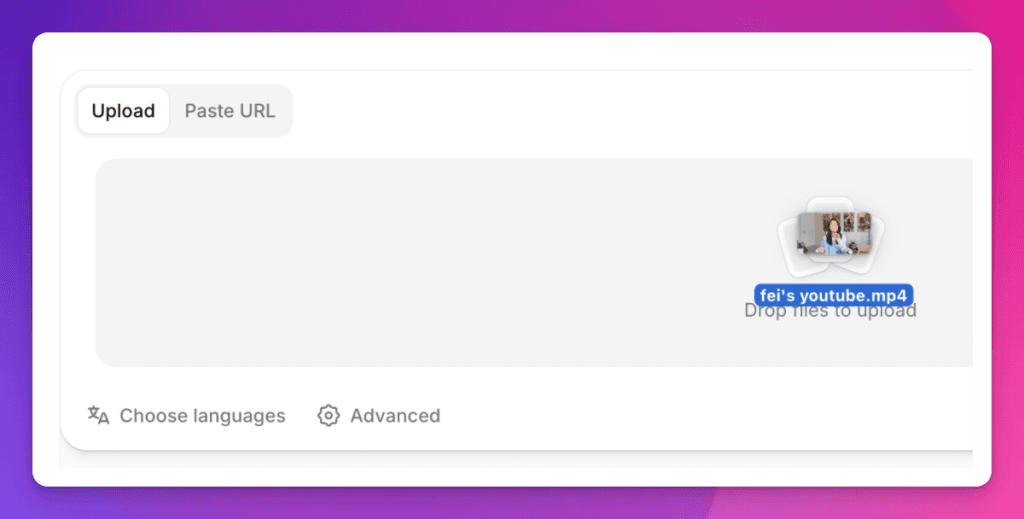
3. Upload a file or use a supported URL
ElevenLabs docs say Dubbing supports file uploads and supported URLs. For serious work, I prefer uploading a clean source file when possible. It gives you fewer variables and makes it easier to compare the original to the final dub.
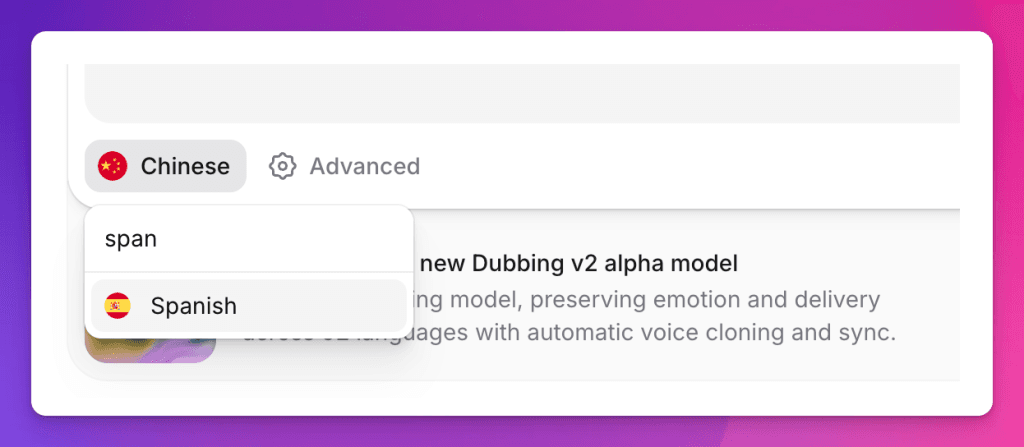
4. Choose the source and target languages
Choose your source language and target language. For a first test, do one target language. Do not generate five languages before you know whether the voice quality and timing are good.
For Feisworld, I would start with English to Spanish, then test Portuguese or French later if the Spanish output is strong.
5. Check cloning strength
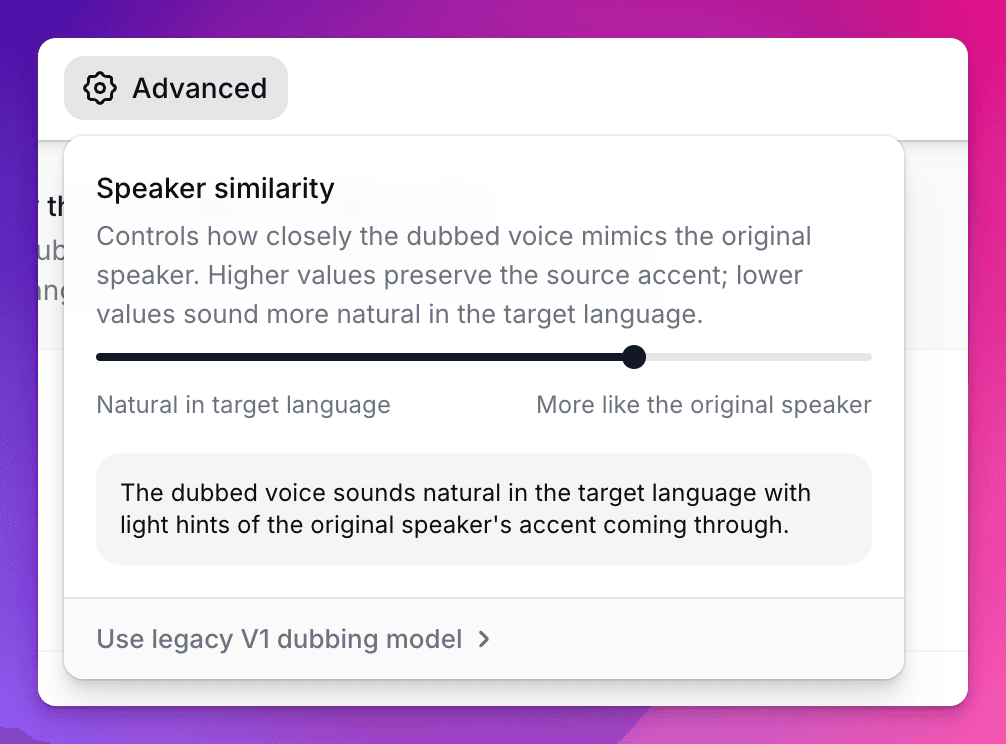
Cloning strength is one of the most important Dubbing v2 settings.
ElevenLabs says the default value of 7 works well for most content. Higher values prioritize similarity to the original voice, but can sound less natural in languages with very different phonetic patterns and may carry more of the original accent. Lower values give the model more freedom to sound natural in the target language, but the output may resemble the original speaker less.
My practical recommendation: start at the default. Then test one higher and one lower setting on the same short clip. Listen for which version feels trustworthy, not just which one sounds most like the original.
6. Run a short test before committing to a full video
This is the credit-saving step. Do not start with a long video if you have not tested your source audio, target language, and settings.
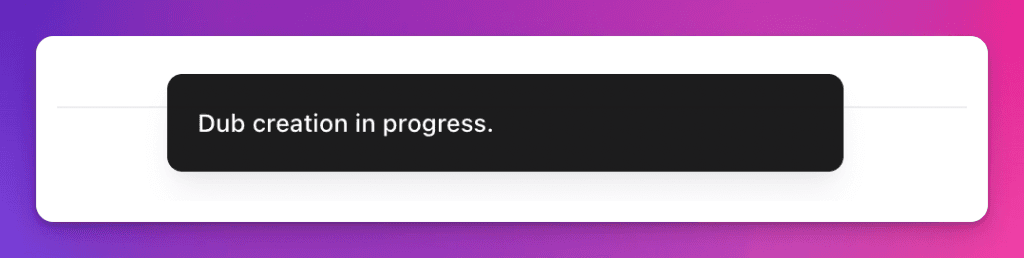
For a creator workflow, a 60-second test can tell you a lot:
- Does the voice sound like the original speaker?
- Does the translation sound natural?
- Does the pacing fit the video?
- Are names, tools, and brand terms handled correctly?
- Does the background audio stay intact?

7. Review like an editor, not like a tool tester
This is where most AI dubbing reviews are too shallow. They play the output, say it is impressive, and move on. That is not enough.
For Feisworld, I would review the dub against this checklist:
| Review area | What to listen for |
|---|---|
| Voice identity | Does it still feel like Fei, or only like a polished synthetic voice? |
| Emotion | Does the translated version keep warmth, emphasis, and hesitation? |
| Timing | Does the speech begin and end naturally against the video? |
| Translation | Are creator terms, product names, and idioms handled correctly? |
| Accent and naturalness | Does it sound natural in the target language, or like a translated English rhythm? |
| Trust | Would I publish this to my audience with the right context? |
8. Export and add audience context
If the output is good enough to publish, export it and add the right context for your audience. For Feisworld, I would not hide AI dubbing. I would explain that the video was translated and dubbed with AI, then reviewed by the Feisworld team.
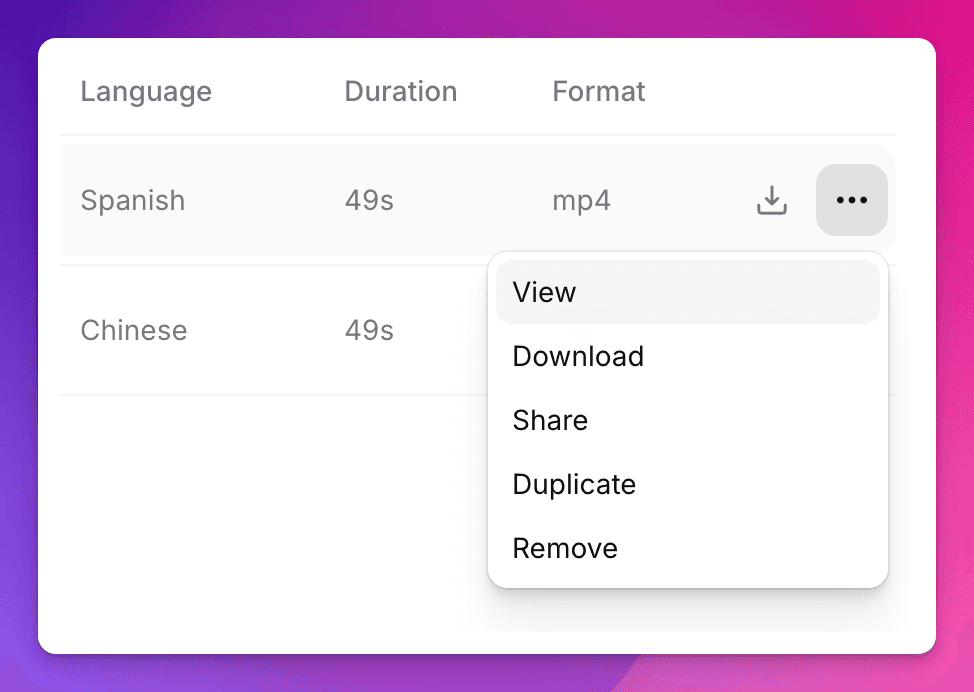
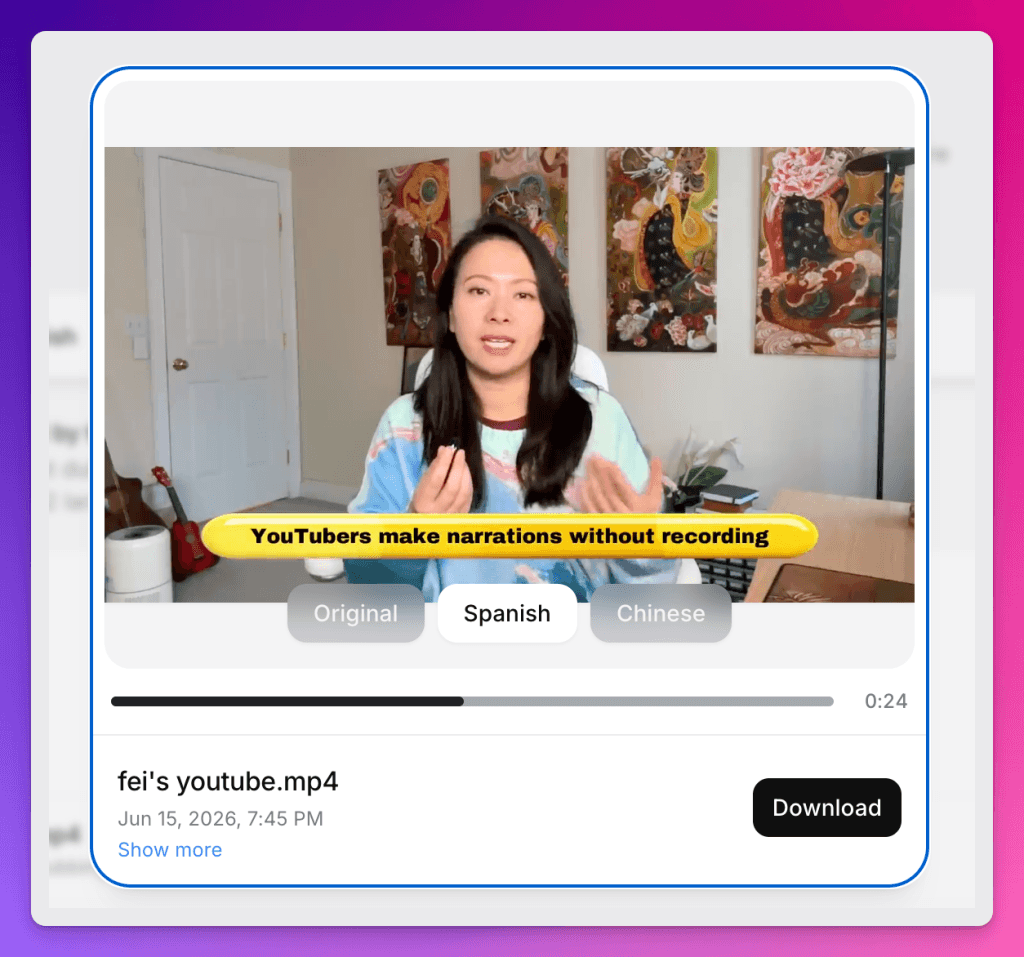
Results (Original vs Chinese vs Spanish)
Where Dubbing v2 fits vs HeyGen, Rask, Synthesia, and VEED
I would not evaluate ElevenLabs Dubbing v2 in isolation. Creators are already comparing it with video localization tools.
| Tool | Best fit | Where ElevenLabs Dubbing v2 may win |
|---|---|---|
| ElevenLabs Dubbing v2 | Audio-first dubbing where voice identity and emotional delivery matter. | Voice quality, performance preservation, and integration with the broader ElevenLabs audio workflow. |
| HeyGen | Video translation with lip sync, avatars, subtitles, and broad language/dialect coverage. | ElevenLabs may be stronger when the voice itself is the priority and you do not need avatar-first production. |
| Rask AI | Video localization workflows, translation dictionaries, subtitles, API, and enterprise-friendly review controls. | ElevenLabs may be better for creators who already use its voices, voice clones, and audio tools. |
| Synthesia | Avatar-led business training, internal communication, and enterprise video creation. | ElevenLabs is more focused on dubbing existing audio/video and creator voice performance. |
| VEED | Fast browser-based editing, subtitles, and lightweight translation workflows. | ElevenLabs may be better when the dubbed voice needs to carry the content, not just translate it. |
If you want the broader buying guide, read our comparison of the best AI video translation tools. This post is the ElevenLabs-specific deep dive.
Pricing and plan notes
ElevenLabs pricing changes, so check the live pricing page before you publish or buy. As of my June 12, 2026 research check, the public pricing page listed:
- Free: $0/month, 10k credits/month.
- Starter: $6/month, 30k credits/month, commercial license, instant voice cloning, and Dubbing Studio.
- Creator: $22/month, 121k credits/month, professional voice cloning, and additional credits.
- Pro: $99/month, 600k credits/month.
- Scale and Business plans for teams.
- Enterprise for custom terms, elevated concurrency, and fully managed dubbing with Productions.
For most creators, I would not choose a plan only because of Dubbing v2. I would choose based on your whole ElevenLabs workflow: voice cloning, text-to-speech, dubbing, music, sound effects, and how much content you create each month.
For that decision, start with our ElevenLabs pricing and value guide.
Important limits and warnings
- Dubbing v2 is currently labeled Alpha in ElevenLabs docs.
- Dubbing v2 API access is not live yet according to the docs checked on June 12, 2026.
- Dubbing Studio uses the V1 model and is in maintenance mode.
- Free-tier Dubbing v2 outputs are watermarked automatically; paid-tier dubs are not.
- ElevenLabs recommends up to 9 unique speakers per file for best quality.
- Self-serve plans allow up to 5 concurrent dubbing jobs.
- Realtime or live dubbing is not currently available.
- You still need rights, consent, and editorial review before publishing dubbed content.
What makes this different from a generic AI answer
A generic AI answer can list features: 90+ languages, voice preservation, sync-aware translation. Useful, but not enough.
The real creator question is: would I put this in front of my audience?
That is why the Feisworld test needs screenshots, a real source clip, side-by-side listening notes, and a publishing decision. The value is not “ElevenLabs launched Dubbing v2.” The value is whether Dubbing v2 helps a working creator translate content without breaking trust.
Feisworld’s take
ElevenLabs Dubbing v2 is one of the more important creator features to watch because it targets the hardest part of localization: not the words, but the performance.
If it can preserve voice, tone, pacing, and emotional intent across languages, it becomes more than a dubbing tool. It becomes a way for creators to reach global audiences without rebuilding every piece of content from scratch.
But I would still test it carefully. Start with a short clip. Review the translation. Compare cloning strength. Listen like an editor. Add audience context. Then decide whether the output is good enough for your audience.

Written by
Fei WuFei Wu is the founder and CEO of Feisworld Media, a Massachusetts-based digital media company helping brands get discovered by people and by AI. An Adobe Global Ambassador and brand partner to ElevenLabs, Synthesia, and 50+ other tech and AI companies, she hosts the Feisworld Podcast (400+ episodes, 500K+ downloads — guests have included Seth Godin, Steve Wozniak, Chris Voss, and Arianna Huffington) and co-created the documentary Feisworld: Live Your Art on Amazon Prime. Fei writes for CNET, Lifehacker, and PCMag, and her work has been featured in Forbes, Harvard Business Review, and WIRED. She has been publishing on the internet since 2014 — long before AI discoverability had a name.
View all posts by Fei Wu→Stay updated
Weekly insights on content, AI, and digital media.
Keep Reading


