Before I started Feisworld Media, I spent over 10 years working as a project manager in downtown Boston.
If you know that life, you know what it looks like: Endless back-to-back meetings. Stakeholders shouting over each other. A million decisions made in passing that need to be tracked.
I was fully manual back then. I would sit there with my physical notebook and a pen, scribbling. Sometimes post-its. Or I’d have a Microsoft Word doc open, trying to type as fast as people spoke. Sometimes, I’d even build manual trackers in Excel while the meeting was happening.
I was good at it, and I must admit half of the time I had fun, particularly when starting a new project. But I was exhausted. I was so busy recording the meeting that I couldn’t actually participate in the meeting.
I genuinely wish Granola existed back then.
I have tested dozens of AI tools on my YouTube channel. I’ve reviewed Fathom, Otter, Zoom AI, and many others. But Granola is different.
Granola isn’t just a “notetaker.” It doesn’t feel like a robot secretary. It feels like a second brain that sits quietly next to you, helping you think.
In this deep dive, I’m going to share why Granola has become the most important tool in my stack for 2026, how I use its new “Recipes” feature to run my agency, and why you should probably stop using bots that join your calls.
TL;DR: What is Granola?
Granola is an AI-powered notepad for people in back-to-back meetings.
Unlike other tools that join your Zoom or Teams call as a “participant” (which can look awkward), Granola lives on your computer. It records the system audio locally. It transcribes the meeting in the background, and when the meeting is done, it uses advanced AI (LLMs) to turn that transcript into beautiful, organized notes.
But the real magic happens after the meeting.
Granola doesn’t just summarize. It lets you “chat” with your meeting. You can ask it questions like, “What did the client say about the budget?” or “Draft a follow-up email based on these action items.”
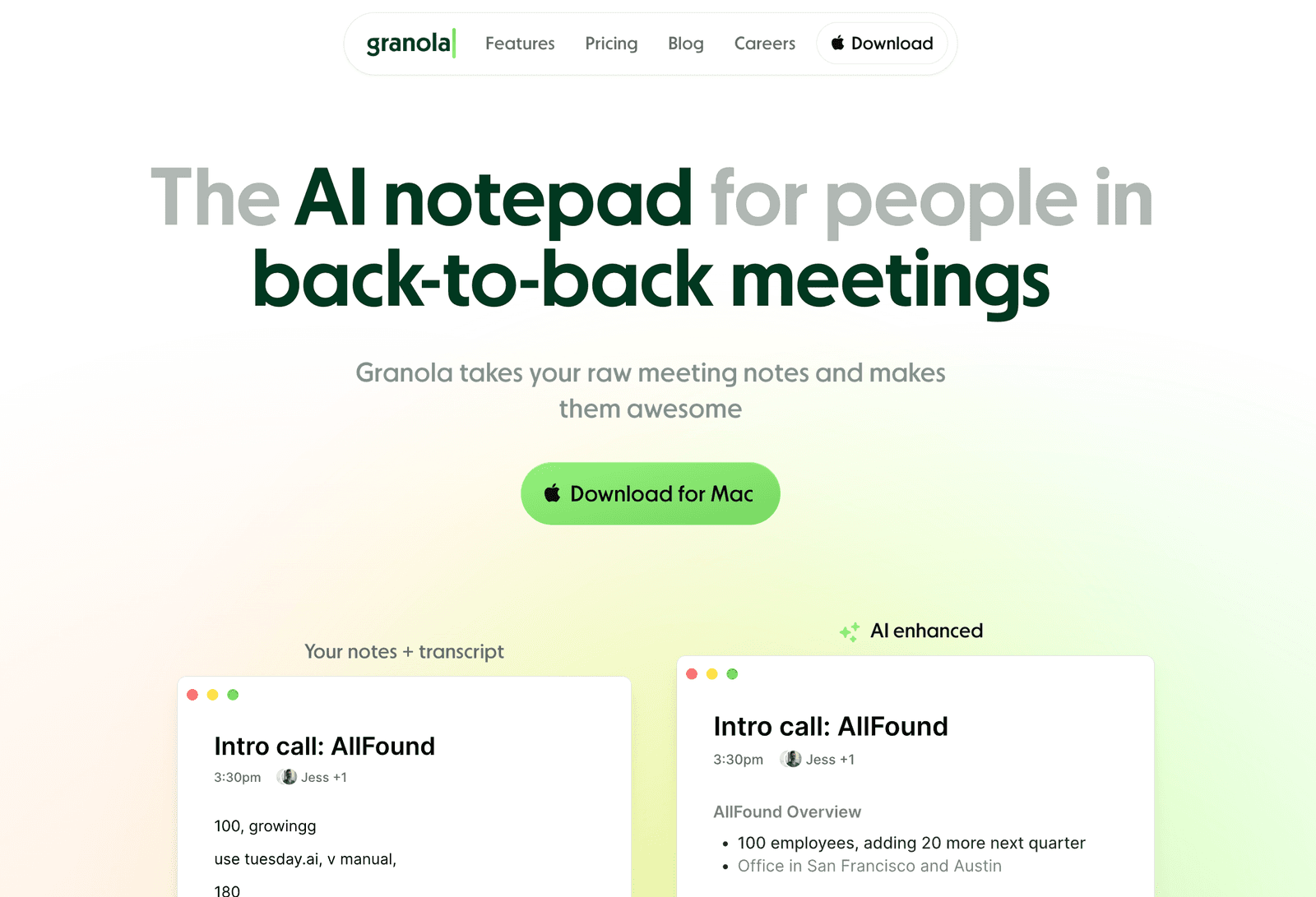
It connects your notes to your calendar, so it knows who you met with and what the context was. It is designed for Mac and Windows, and it has a slick mobile app that syncs everything perfectly.
Key Features at a Glance:
- No Bots: It does not join the call as a participant. This is the approach most of the tools I’ve been testing use (Fathom, etc.)
- Recipes: Pre-built AI prompts to turn notes into PRDs, briefings, or coaching sessions.
- Context Aware: It knows who you are meeting with via your calendar.
- Searchable: You can search across all your past meetings instantly.
The “Bot” Problem: Why Granola is Different
We have all been there. You join a Zoom call, and suddenly three different bots pop up: “OtterPilot is recording,” “Fireflies is joining.”
It changes the vibe of the meeting. People freeze up. They feel watched. It feels corporate and impersonal.
Granola respects focus.
Granola sits quietly on your desktop. It feels like a notepad, not a surveillance system. Because it records the audio directly from your computer (with permission), you don’t need to invite it.
To me, this is transformative. It supports my thinking without hijacking my voice.

Why “Human-in-the-Loop” Matters
Most AI tools try to do everything for you. They give you a generic summary that often misses the point. Granola is designed for you to take some notes while it listens. Granola calls itself a “steering wheel for LLMs.”
When the meeting ends, it combines your bullet points with its full transcript. This means the final notes reflect what you thought was important, backed up by the data of exactly what was said.
My Workflow: How I Use Granola as a Creator & Agency Owner
Even though I haven’t been a corporate Project Manager for 10 years, that mindset never leaves me. At Feisworld Media, I am constantly juggling brand deals, podcast interviews, and team management.
Here is exactly how I use Granola every day.
1. The Brand Partnership Call
I spend a lot of time talking to affiliate managers and brands (like Adobe, Synthesia, or eager startups). These calls are usually 20 to 30 minutes. They are fast.
If I miss a detail about the budget or the deliverables, it costs me money.
How Granola helps:
- I start Granola at the beginning of the call.
- I jot down key numbers (prices, dates) in the Granola sidebar manually.
- After the call, I use a Recipe (more on this below) to say: “Create a bulleted list of deliverables and the proposed timeline.”
- I instantly have a summary I can paste into our team Notion page.
2. The Podcast Interview
When I interview guests for the Feisworld Podcast, I want to be present. I don’t want to be looking down at a notebook. I want to look them in the eye.
How Granola helps:
- It records the whole hour-long conversation.
- After the interview, I don’t just ask for a summary. I ask Granola deeply reflective questions:
- “What were the most emotional moments in this story?”
- “What are 3 quotes that would work well for LinkedIn?”
- “What themes keep coming up in this person’s answers?”
It helps me become a better interviewer because I can review my own performance. I can ask Granola, “Coach me: Did I interrupt the guest too much?”
3. The “Back-to-Back” Burnout Saver
Sometimes I have 4 meetings in a row. By the 4th one, I can’t remember what happened in the 1st one.
At the end of the day, I open Granola and look at the “Recent Meetings” view. I can process them all at once. I can turn raw audio into clean to-do lists for my team in about 5 minutes.
Granola Recipes
In late 2025, Granola introduced Recipes. This is the feature that makes this tool “future-proof” for 2026.
Chatbots like ChatGPT are great, but they don’t know context. They don’t know what happened in your meeting unless you copy-paste the transcript (which is annoying and messy).
Granola Recipes combine the context (your meeting notes) with expert AI prompts.
What is a Recipe?
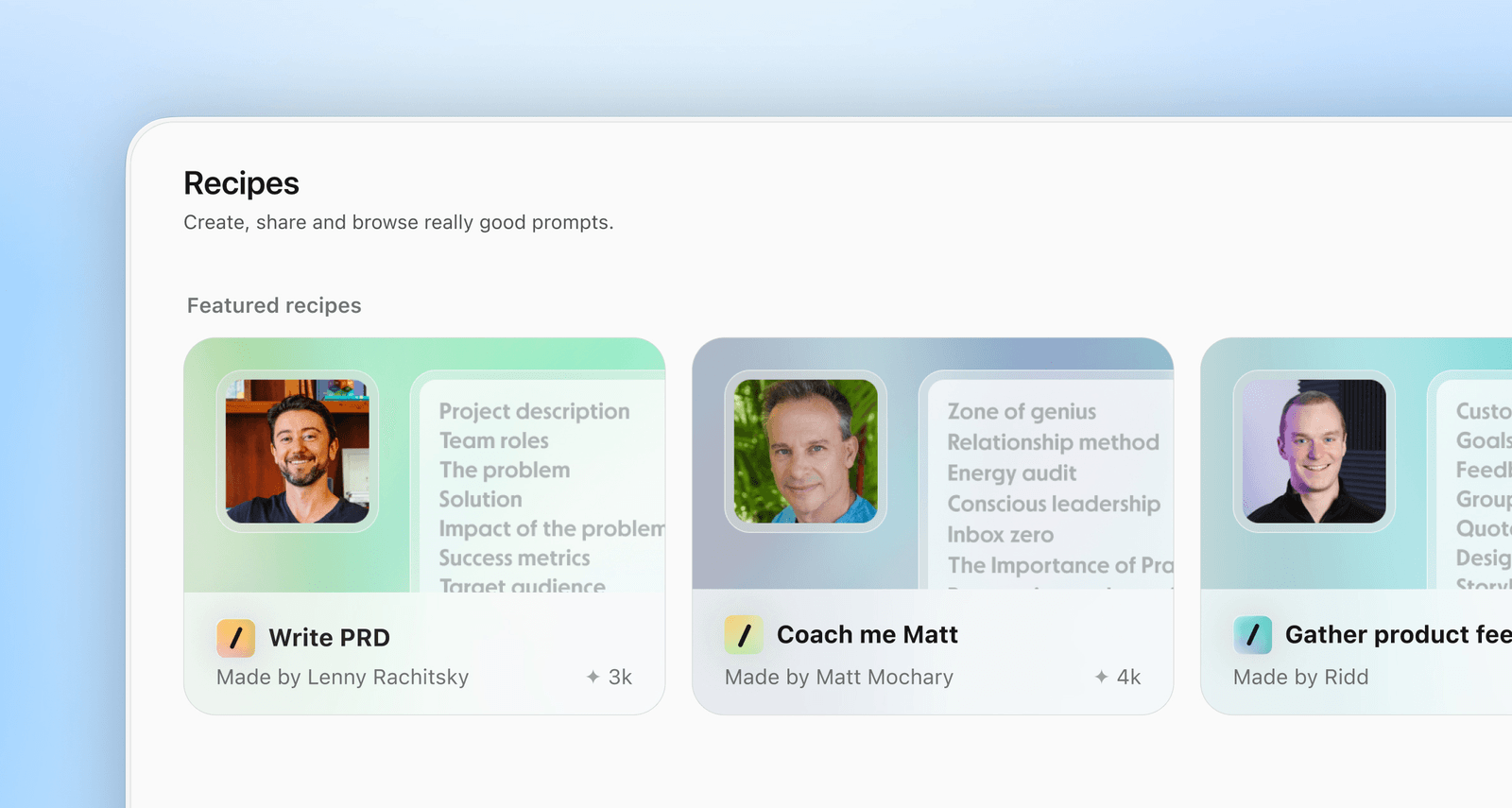
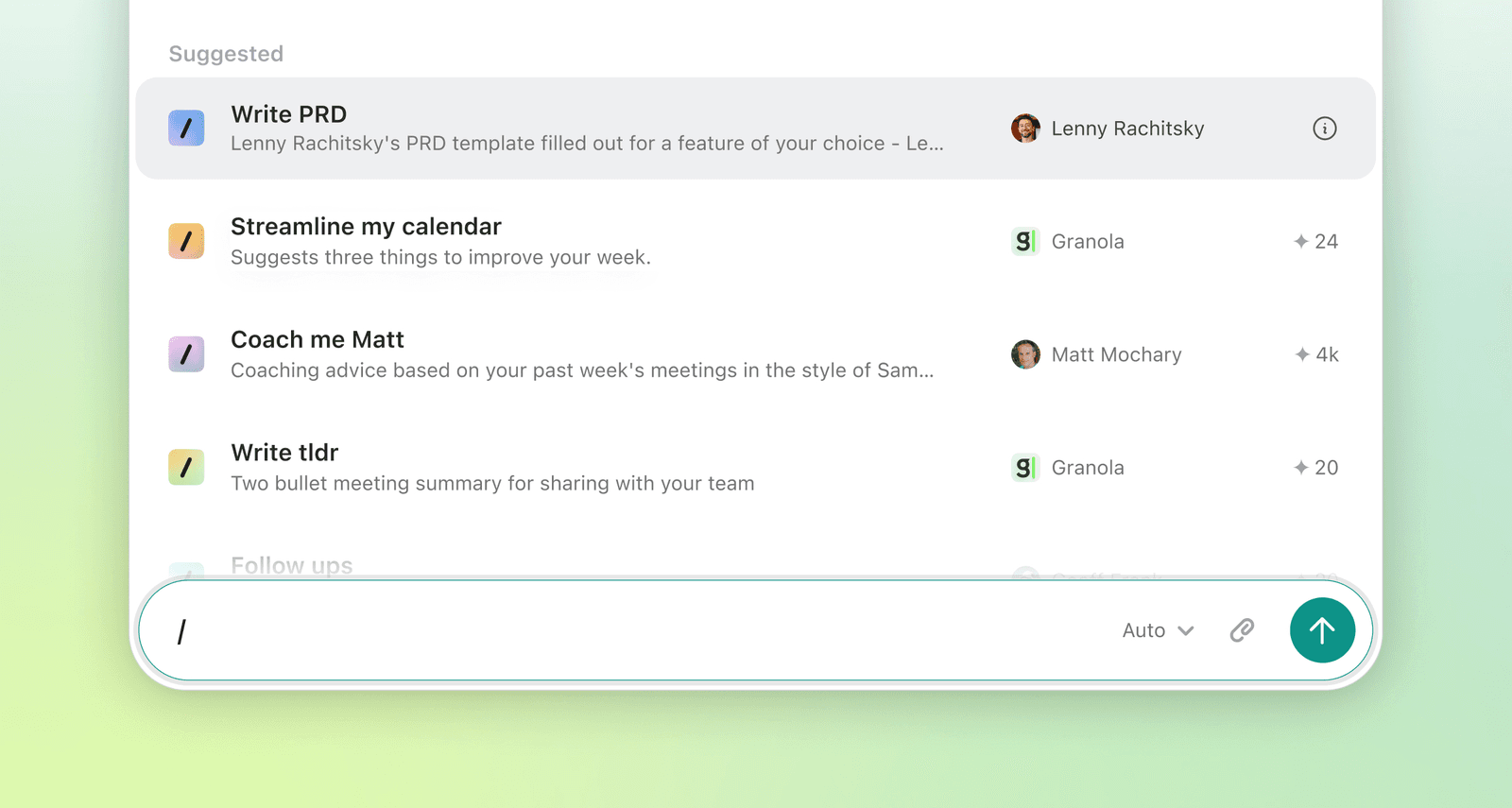
Think of a Recipe as a “lens” you can put over your meeting. You access them by typing / in the Granola chat. You can use pre-made recipes from business experts.
Examples of Recipes I love:
- “Coach Me”: It analyzes the meeting and tells you how you showed up. Did you speak too much? Did you ask open-ended questions? It’s like having a communication coach in your pocket.
- “Write a Brief”: If you had a brainstorming session, this Recipe turns that messy conversation into a structured Project Brief or PRD (Product Requirement Document).
- “Sales Follow-up”: It automatically drafts an email to the potential client, referencing specific things they mentioned they liked.
Creating Your Own Recipes
You can also make your own. For Feisworld, I am working on a recipe called “Podcast Show Notes.” I want to train Granola so that every time I finish an interview, I run this Recipe, and it gives me:
- A catchy title.
- A 2-sentence hook.
- 5 bullet points with timestamps.
- A LinkedIn post draft.
This saves my team hours of manual writing. My Head of Content Germán and I used to spend hours writing the show notes manually back in 2015 when we started working together!
Granola vs. Otter.ai vs. Fathom
This is the most common question I get in the YouTube comments. “Fei, why switch if I already use Otter?”
Here is the breakdown based on my testing.
| Feature | Granola | Otter.ai | Fathom |
|---|---|---|---|
| Recording Method | Local App (No Bot) | Bot joins call | Bot joins call |
| Vibe | Personal Notepad | Corporate Archive | Team Recorder |
| Visuals | Clean, Apple Notes style | text-heavy | Video-centric |
| Best For | Individuals, PMs, Leaders | Large Teams, Archives | Sales Teams, CRM sync |
| Customization | High (Recipes) | Medium | Medium |
| Cost | Free / Paid Plans | Free / Paid Plans | Free / Paid Plans |
The Bottom Line:
- Use Fathom if you are in Sales and need to push video clips directly to HubSpot or Salesforce automatically.
- Use Otter if you just want a raw transcript archive of every single meeting your company has ever had.
- Use Granola if you want to think better. If you are writing strategy, managing projects, or creating content, Granola is the superior tool because of the chat and “Recipe” features.
Security: Is My Data Safe?
As we move into 2026, data privacy is the number one concern for businesses. I work with Enterprise clients, so I cannot use tools that steal data.
I dug into Granola’s security documentation, and here is what you need to know:
- They do not sell your data. Granola does not allow third parties (like OpenAI or Anthropic) to train their models on your data. This is huge.
- SOC 2 Compliant: They have the gold standard of security compliance (SOC 2).
- Opt-Out Options: By default, Granola trains on anonymized data to make their product better, but you can opt out of this in one click in Settings. If you are on the Enterprise plan, this is turned off by default.
- Local Audio: The audio is captured on your device.
For my agency, this level of security is enough. If you are in healthcare (HIPAA), note that they are not HIPAA compliant yet (as of early 2026), but they mention it is on the roadmap.
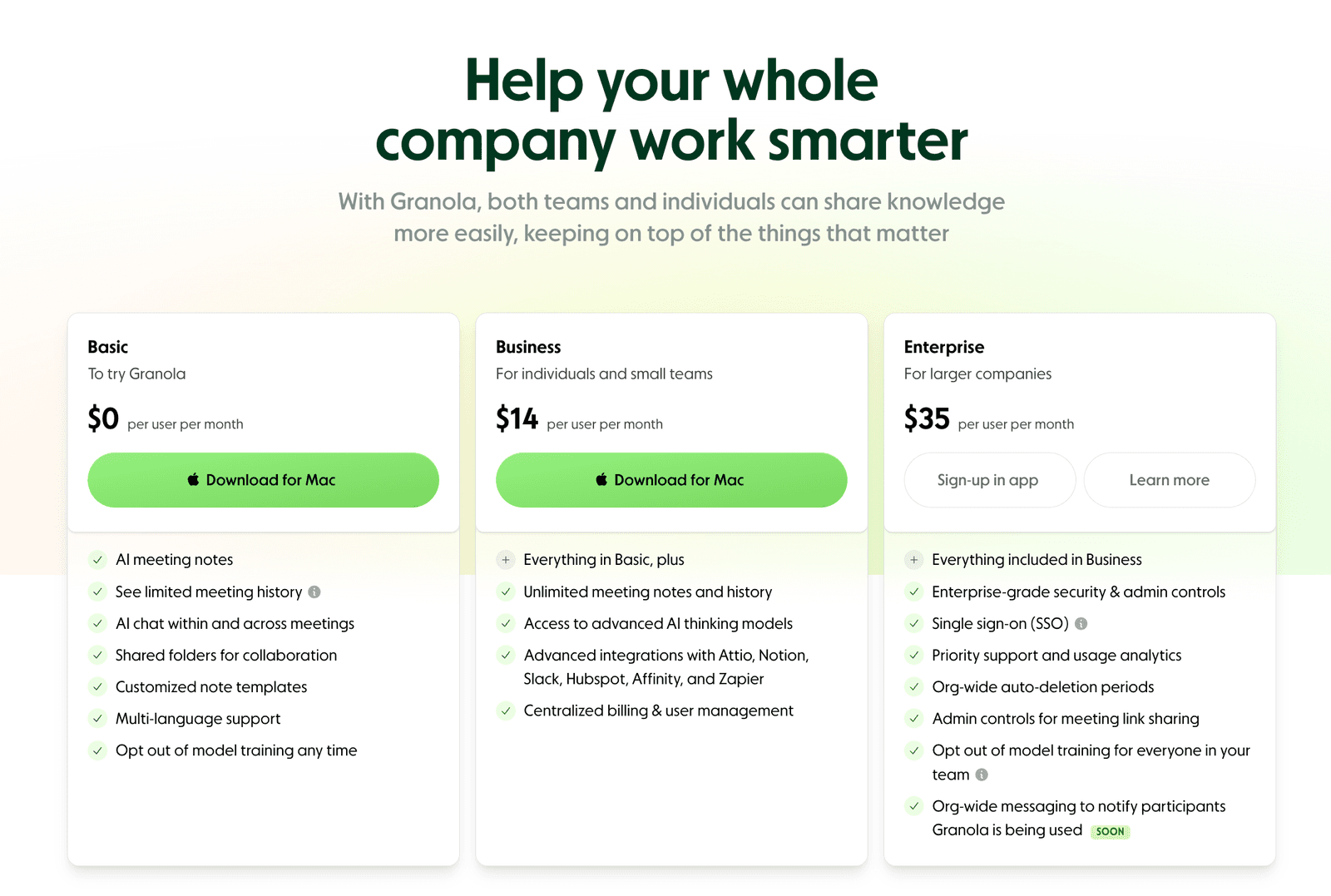
Pricing and Plans
Granola has kept their pricing simple. (Note: Prices are subject to change, so check their site, but here is the snapshot as of now).
- Free Plan: Great for testing. You get a limited number of meetings per month. It’s enough to get hooked.
- Pro Plan (~$20/month): This gives you unlimited meetings and access to advanced Recipes. If you have more than 3 meetings a day, this pays for itself in one afternoon.
- Team/Enterprise: For organizations with 100+ users. This unlocks SSO (Okta, Google Workspace, Azure AD) and advanced admin controls.
Final Verdict: Who is This For?
I said at the beginning that Granola changed everything for me. That is not marketing hype.
It reconnected me with the part of my job I love: Strategy and Connection.
For the last few years, I felt like a data entry clerk during meetings. I was so worried about capturing the data that I missed the human connection. Granola handles the data so I can handle the connection.
You should try Granola if:
- You are a Project Manager who needs to send clean follow-up emails.
- You are a Content Creator (Podcaster/YouTuber) who needs to repurpose conversations.
- You are an Executive who wants to be coached on your communication style.
- You value design and focus over complex, messy dashboards.
Skip Granola if:
- You need a tool that records video (Granola is audio + notes only).
- You are strictly on Android (the mobile app is iOS dominant right now, though Android is coming).
Ready to Upgrade Your Meetings?
The future of work isn’t about letting AI do everything. It’s about letting AI do the boring stuff so you can be brilliant.
Granola is the best tool I’ve found to help me do exactly that.
Let me know in the comments on my YouTube channel if you try the “Recipes” feature—I’d love to know what prompts you are building!
Watch Me Try Granola AI
Frequently Asked Questions (FAQ)
Does Granola work with Google Meet and Zoom?
Yes. Because it runs on your desktop and records system audio, it works with Zoom, Google Meet, Microsoft Teams, Slack Huddles, and even Facetime calls. It is platform-agnostic.
Does Granola have a mobile app?
Yes! They have a super slick mobile app. I use it when I’m taking calls on a walk. It syncs perfectly with the desktop app.
Can I upload a pre-recorded audio file?
Yes. If you recorded a podcast or a meeting on a different device, you can drag and drop the audio file into Granola, and it will transcribe and “Recipe” it just like a live meeting.
Is Granola available for Outlook?
As of 2026, Outlook calendar integration is available (it was a top requested feature in 2025). They also support Google Calendar.
What languages does it support?
It supports English primarily, but they have been rolling out support for other major languages. Check their latest support docs for the full list.

Written by
Fei WuFei Wu is the founder and CEO of Feisworld Media, a Massachusetts-based digital media company helping brands get discovered by people and by AI. An Adobe Global Ambassador and brand partner to ElevenLabs, Synthesia, and 50+ other tech and AI companies, she hosts the Feisworld Podcast (400+ episodes, 500K+ downloads — guests have included Seth Godin, Steve Wozniak, Chris Voss, and Arianna Huffington) and co-created the documentary Feisworld: Live Your Art on Amazon Prime. Fei writes for CNET, Lifehacker, and PCMag, and her work has been featured in Forbes, Harvard Business Review, and WIRED. She has been publishing on the internet since 2014 — long before AI discoverability had a name.
View all posts by Fei Wu→Stay updated
Weekly insights on content, AI, and digital media.
Keep Reading


