If you have been following Feisworld for a while, you know my philosophy: Make money doing what you love, without driving yourself crazy.
For over 15 years in digital marketing, I have seen the same problem over and over again. You spend weeks creating an amazing product, a course, or an event. You spend money on ads. You post on social media. People click… and then they leave.
Why? Because you sent them to your homepage.
Here is the hard truth for 2026: Homepages are for browsing. Landing pages are for buying.
If you want to grow your business, you need dedicated pages that do one thing really well. But building them used to be a nightmare. You needed a developer, a designer, and three weeks of email chains.
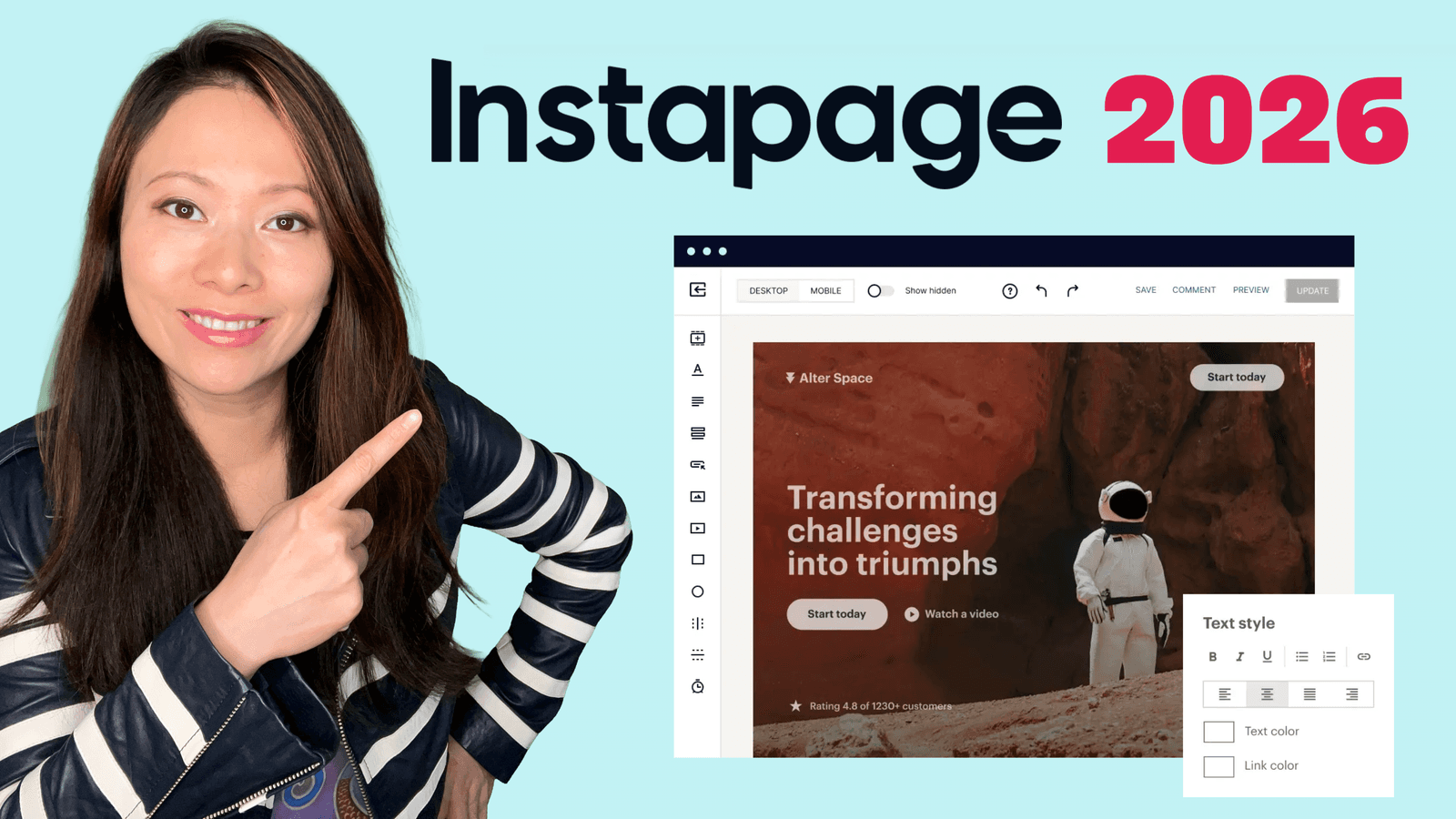
That is why I want to talk about Instapage.
In this detailed guide, I am going to show you exactly how I used Instapage to build a professional event page for my mother, the artist Xiang Li, for her exhibit at Harvard University. I did it in less than 30 minutes, with zero coding.
We are going to cover:
- The Story: Why we needed this page for Xiang Li Art.
- The Tutorial: A step-by-step look (with video!) at how I built it.
- The Deep Dive: What Instapage actually offers in 2026 (Pricing, AI features, and more).
- The Strategy: How to use this tool to feed the AI search engines of the future.
Let’s dive in.
Part 1: The Problem (And Why We Couldn’t Just Use WordPress)
My mother, Xiang Li, is an incredible artist. Her work illustrates “The Dream of the Red Chamber” and her collection of “Chinese Empresses” has been shown in museums across Massachusetts.
When she was invited to hold an exhibition at the Gutman Library at Harvard University, we were thrilled. But we had a logistical problem.
We needed a way for people to RSVP for the opening reception (September 25th, 5-7 PM).
- We didn’t want a generic Eventbrite link (it looks cheap).
- We couldn’t just put it on her main portfolio site (too many distractions).
- We needed it to look beautiful, professional, and trustworthy.
- We needed it fast.
This is the classic use case for a landing page builder. I didn’t want to code HTML. I didn’t want to fight with WordPress plugins. I just wanted to drag, drop, and launch. That is when I logged into Instapage.
Part 2: Watch Me Build the Page (Video Tutorial)
I believe in showing, not just telling. I recorded my screen as I built this page from scratch so you can see exactly how intuitive the tool is.
1. The “Blank Page” Fear
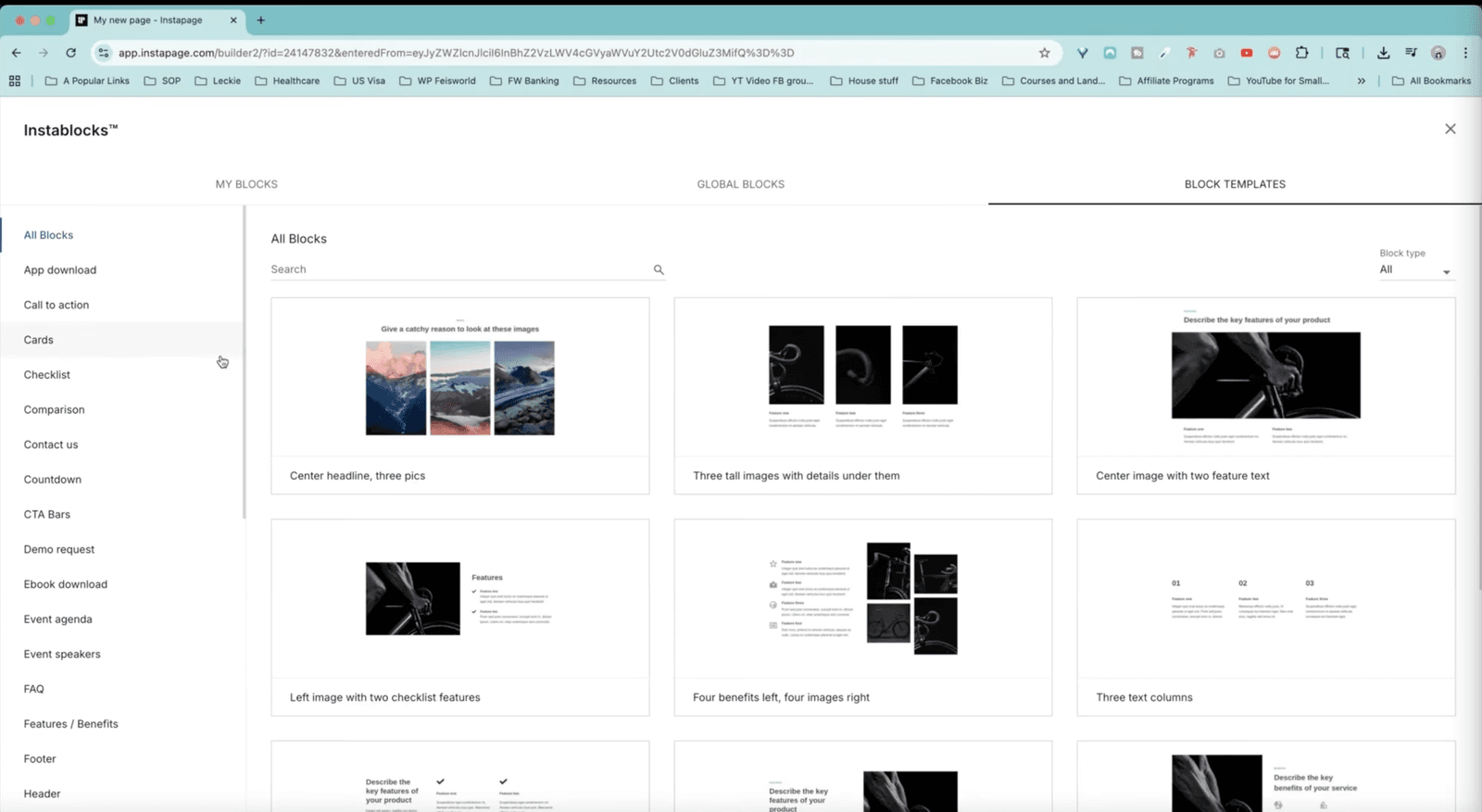
When you first click “Create Page,” you have two choices: a Template or a Blank Page. Templates are great (Instapage has 500+ of them), but I wanted to show you the power of the builder, so I started from scratch.
Usually, a blank white screen is terrifying. But Instapage has a feature called Instablocks. You don’t design from scratch; you just stack “blocks” like Legos.
- Need a header? Drag a Header block.
- Need a map? Drag a Map block.
- Need a form? Drag a Form block.
2. The AI Copywriting Assist
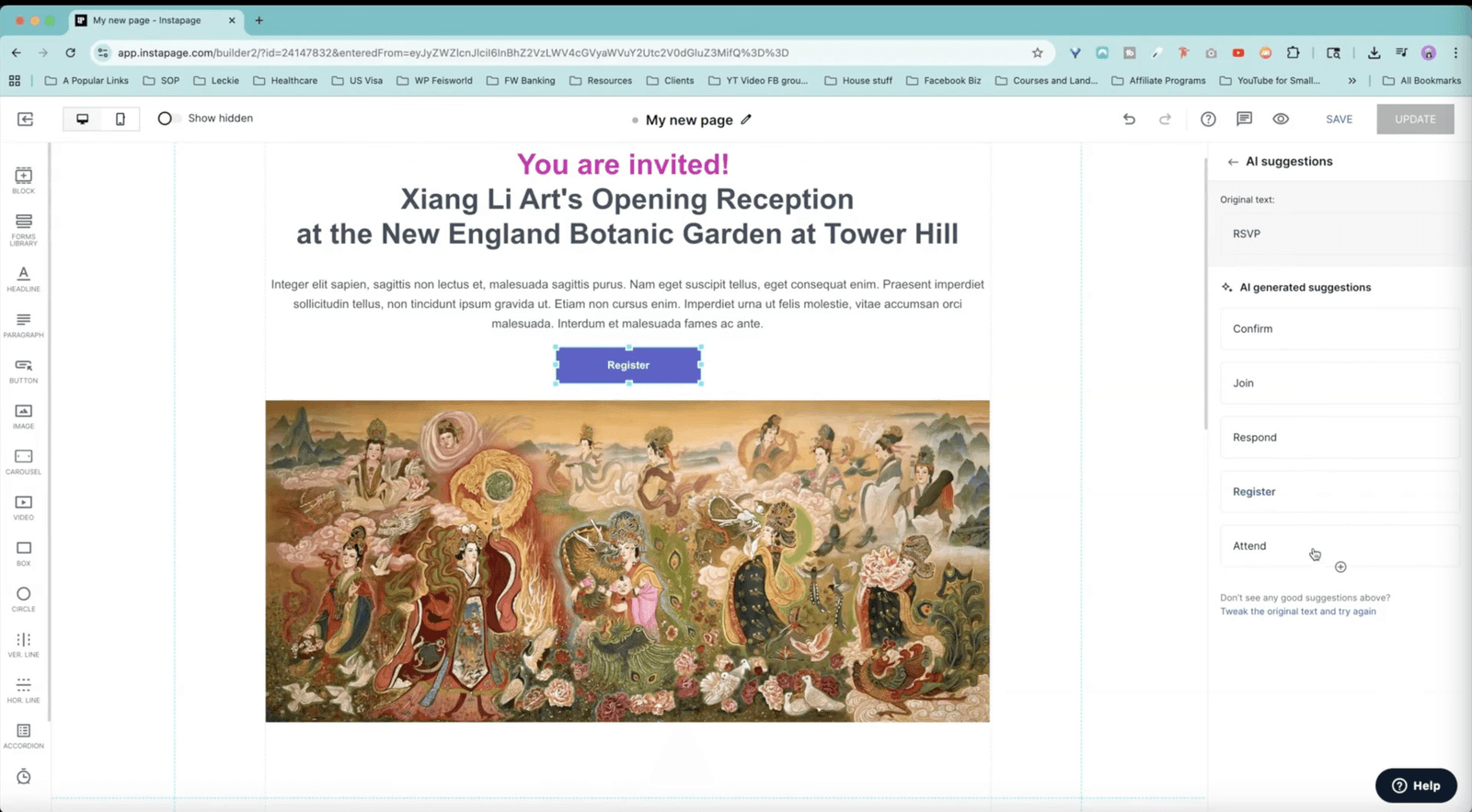
I added a button to the page. By default, it just said “Button.” I typed “RSVP,” but I wasn’t sure if that was the best word.
I clicked the AI button inside the text editor. Instapage’s AI suggested alternatives immediately: Confirm, Join, Respond, Register.
I chose “Register” because it felt more formal for a Harvard event. This is a small detail, but in marketing, words matter.
3. The Google Map Hack (07:48)
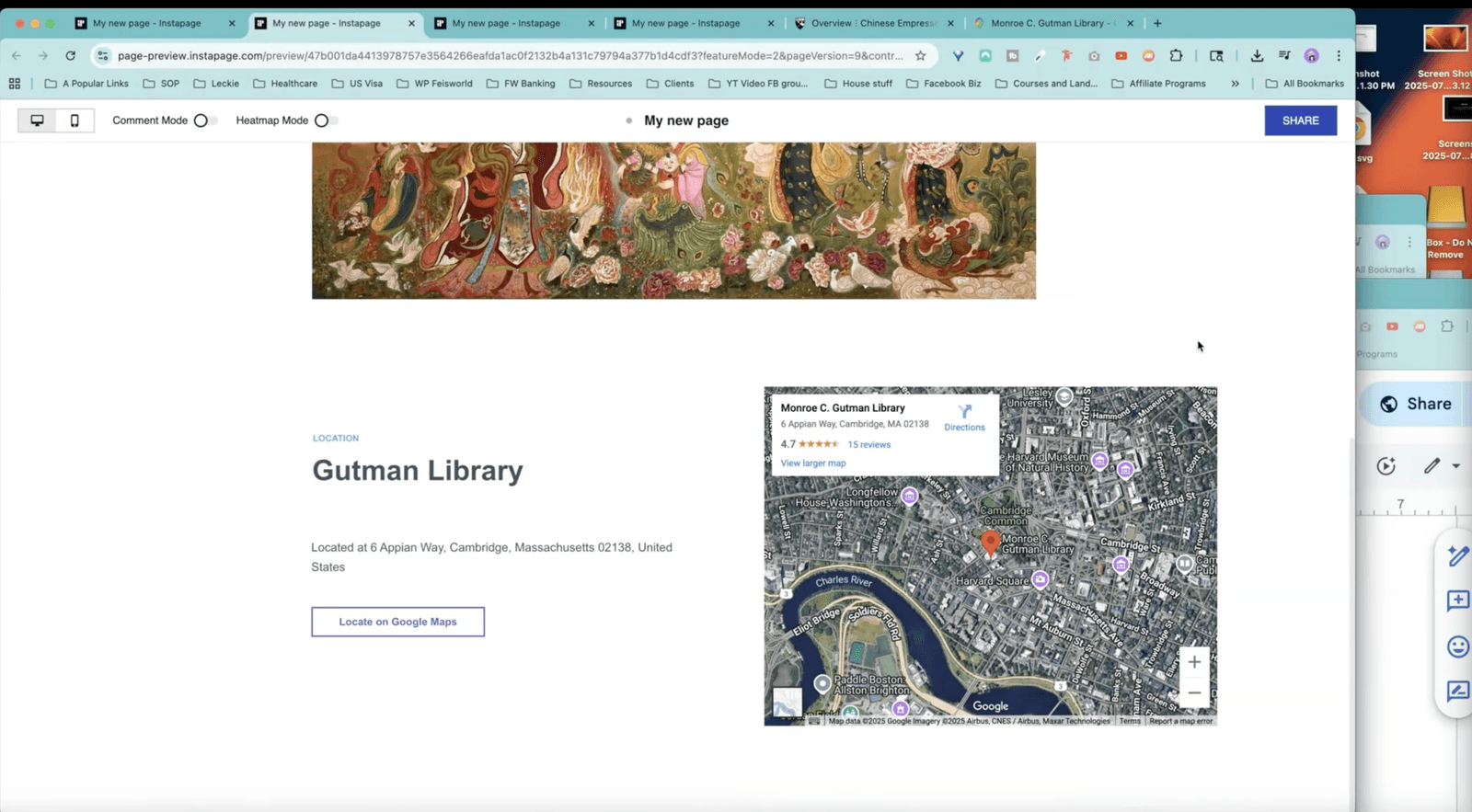
This is my favorite part. I needed people to find the Gutman Library in Cambridge.
I grabbed an “HTML Block” in Instapage. I went to Google Maps, searched for the library, clicked “Share,” and copied the embed code.
I pasted that code into the Instapage block. Boom. A fully interactive map appeared at the bottom of the page. No coding degree required.
Part 3: What is Instapage? (A Deep Dive for 2026)
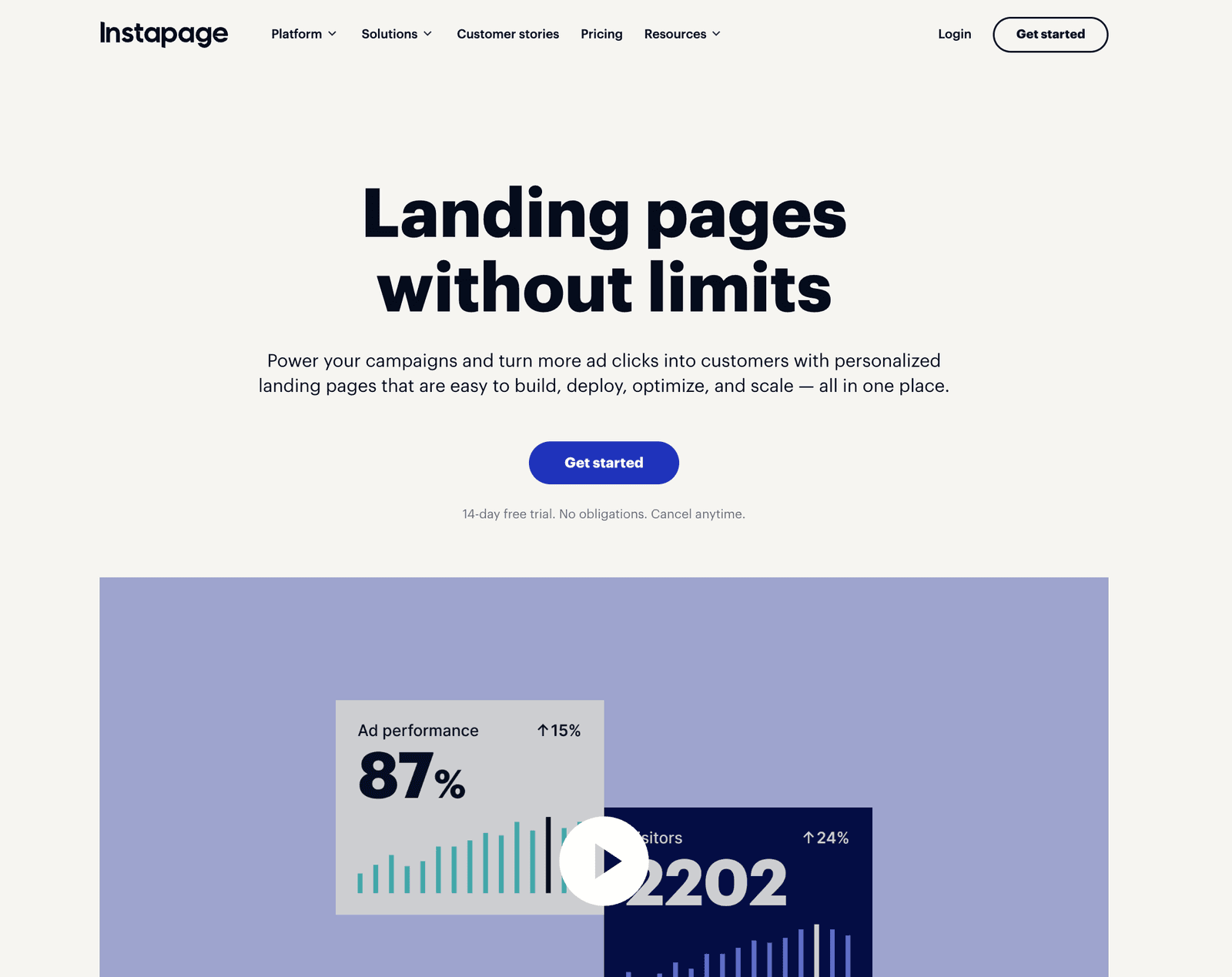
Instapage calls itself a “Landing Page Platform.” But what does that actually mean?
In 2026, a website builder (like Squarespace) is for building your “digital house.” Instapage is for building your “digital flyers.” It is designed for one specific goal: Conversion.
Here are the features that actually matter to business owners like us.
1. No-Code Builder (Pixel Perfect)
Most builders use a “grid” system where you can’t quite put things where you want them. Instapage is “pixel-perfect.” If you drag an image to the top right corner, it stays there.
- Why I like it: It snaps elements into place so your design doesn’t look messy.
- The “Instablocks” Feature: You can save a block (like your footer or a testimonial section) and reuse it on every page. If you update it once, it updates everywhere. That saves hours of work.
2. AI Content Generation
We are seeing AI everywhere now, and Instapage has integrated it well. You can instantly generate headlines, paragraphs, and Call-to-Actions (CTAs) based on your specific audience.
- My experience: It’s not going to write a Pulitzer Prize novel, but for “marketing speak”, like headers and buttons, it is surprisingly good. It gets you 80% of the way there instantly.
3. AdMap (This is a Big Deal)
If you run ads (Google Ads, Facebook, LinkedIn), listen to this.
Usually, you have a messy spreadsheet trying to remember which ad goes to which landing page.
AdMap visualizes this for you. It connects your ad account directly to Instapage so you can see:
- “Ad Group A” goes to “Landing Page A”
- “Ad Group B” goes to “Landing Page B”
It ensures that the message in the ad matches the message on the page. This is called “Message Match,” and it lowers your Cost Per Click (CPC).
4. Speed (Thor Render Engine)
In 2026, if your page takes more than 2 seconds to load, you have lost the customer. Instapage uses something they call the “Thor Render Engine.” I don’t know the deep technicals, but I know the result: It is blazingly fast.
Even on mobile, even with high-res photos of my mom’s art, the page loads almost instantly. Google loves this (and ranks you higher for it).
Part 4: Pricing – Is It Worth It?
This is the question I get asked most often. “Fei, isn’t there a free tool for this?”
Yes, there are free tools. But Instapage is a professional tool, and it comes with a professional price tag. Let’s look at the plans (as of 2026).
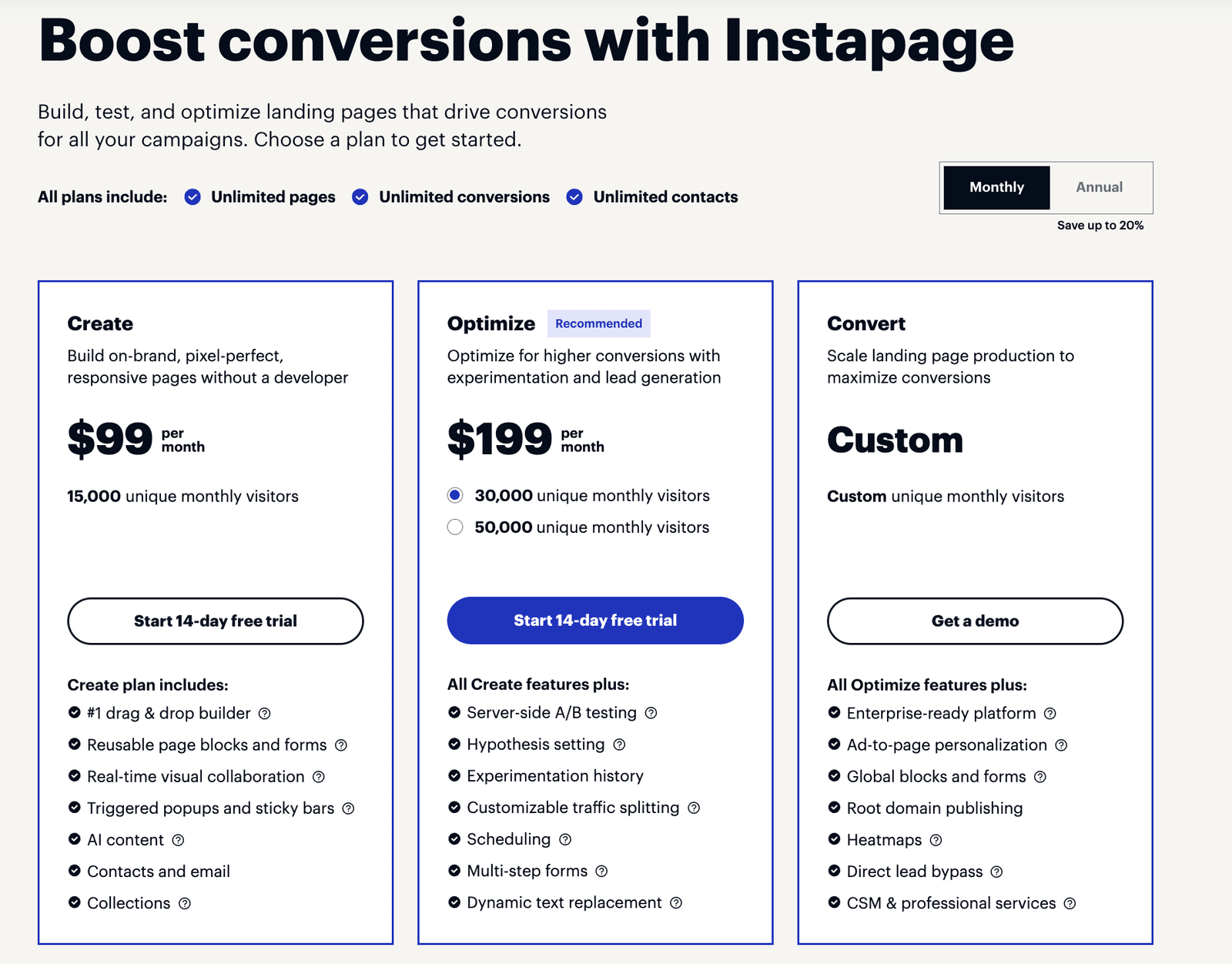
The “Create” Plan: $79/month
- Who it’s for: Solopreneurs, creators, and small businesses getting started.
- What you get:
- Unlimited pages (This is huge. Create as many as you want).
- 15,000 monthly visitors.
- The full Drag & Drop builder.
- AI Content.
- Integrations (Mailchimp, HubSpot, Zapier, etc.).
The “Optimize” Plan: $159/month
- Who it’s for: Serious marketers and agencies who are spending money on ads.
- What you get:
- Everything in Create, PLUS…
- 30,000 monthly visitors.
- A/B Testing: This is the killer feature. You can create two versions of a page, and Instapage will automatically show them to different people to see which one gets more signups.
- Heatmaps: See exactly where people are clicking and scrolling.
My Verdict on Pricing
If you are just starting out, $79/month might feel steep compared to a $10 Wix add-on. But you have to do the math on ROI (Return on Investment).
If a better landing page gets you just one extra client or sells five more courses a month, the tool pays for itself immediately.
For the Xiang Li exhibit, we wanted the experience to feel premium. A free, clunky page would have hurt the brand. The $79 was worth it for the professionalism alone.
Pro Tip
They offer a 14-day free trial. My advice? Sign up when you have a specific project in mind (like a webinar or launch). Build the page, test it, and see the results before you commit.
Part 5: Instapage vs. The Competition in 2026
We have tested a lot of tools at Feisworld Media. Here is how Instapage stacks up.
Instapage vs. ClickFunnels
ClickFunnels is great for selling info-products, but their designs often look… “hype-y.” They look like marketing funnels.
Instapage allows for much cleaner, more corporate, and artistic designs. If brand image is your top priority (like it was for us with Harvard), Instapage wins on aesthetics.
Instapage vs. Elementor (WordPress)
Elementor is cheaper because it lives inside WordPress. But it can be buggy. You have to update plugins, worry about security, and manage hosting.
Instapage is a hosted solution. You don’t worry about servers. You just log in and build. It saves you “technical debt” and headaches.
Part 6: Why This Matters for AI and the Future of Search (GEO)
I want to zoom out for a second. Why am I, a marketing futurist, writing about landing pages in 2026 Because of Contextual Footprint Optimization (check our full guide here).
AI models (like ChatGPT and Gemini) judge your brand based on your digital footprint. They are looking for signals of Trust.
- A broken page signals low trust.
- A slow page signals low trust.
- A confusing page signals low trust.
When you use a tool like Instapage to create a clear, fast, specific page (like “Xiang Li Art Exhibition Harvard”), you are creating a strong data point for the AI.
If someone asks an AI in 2026: “Where can I see Chinese art in Cambridge?” The AI scans the web. It finds your high-performing Instapage with the Google Map embed and the clear event details. It sees that users stay on the page (because it loads fast and looks good).
The AI recommends you. Your landing page is not just for humans anymore. It is for the algorithms that guide the humans.
Feisworld’s Take: Is Instapage Right for You?
Building the registration page for my mom’s exhibit was a joy. It took the stress out of the technology so we could focus on what mattered: the art and the celebration.
You should use Instapage if:
- You run ads and need to lower your cost per click.
- You are a creator who needs to launch products quickly without hiring a dev.
- You care deeply about design and “pixel-perfect” branding.
- You want a solution that handles the hosting, security, and speed for you.
You might want to look elsewhere if:
- You have zero budget (try a free Mailchimp landing page, but be aware of the limitations).
- You need a full e-commerce store with 500 products (use Shopify).
For Feisworld Media, and for Xiang Li Art, Instapage is a tool we trust.
Let me know in the comments: What is the one thing stopping you from launching your next page? Is it the copy? The design? Or the tech? Let’s talk about it.
FAQ: Instapage for Beginners
Do I need to know how to code?
No. Absolutely not. If you can use PowerPoint or Canva, you can use Instapage. It is fully drag-and-drop.
Can I use my own domain name?
Yes. You can publish your page to pages.yourdomain.com or www.yourdomain.com. Instapage handles the SSL certificate (the little lock icon) automatically.
What happens if I stop paying?
Since Instapage hosts the pages, if you cancel your subscription, the pages will go down. However, you can export your leads (contacts) at any time before you cancel.
Is it mobile responsive?
Yes. Instapage automatically creates a mobile version of your page. But the cool part is you can edit the mobile view separately if you want to hide certain elements to make it cleaner for phone users.

Written by
Fei WuFei Wu is the founder and CEO of Feisworld Media, a Massachusetts-based digital media company helping brands get discovered by people and by AI. An Adobe Global Ambassador and brand partner to ElevenLabs, Synthesia, and 50+ other tech and AI companies, she hosts the Feisworld Podcast (400+ episodes, 500K+ downloads — guests have included Seth Godin, Steve Wozniak, Chris Voss, and Arianna Huffington) and co-created the documentary Feisworld: Live Your Art on Amazon Prime. Fei writes for CNET, Lifehacker, and PCMag, and her work has been featured in Forbes, Harvard Business Review, and WIRED. She has been publishing on the internet since 2014 — long before AI discoverability had a name.
View all posts by Fei Wu→Stay updated
Weekly insights on content, AI, and digital media.