
We are all drowning in documents. Reports, contracts, white papers, transcripts. The sheer volume of reading required to run a business in 2026 is overwhelming.
Today (January 21), Adobe released a massive update to Acrobat and Express that solves this problem. They aren’t just giving us tools to edit documents; they are giving us AI to transform them.
The new feature set is called Acrobat Studio.
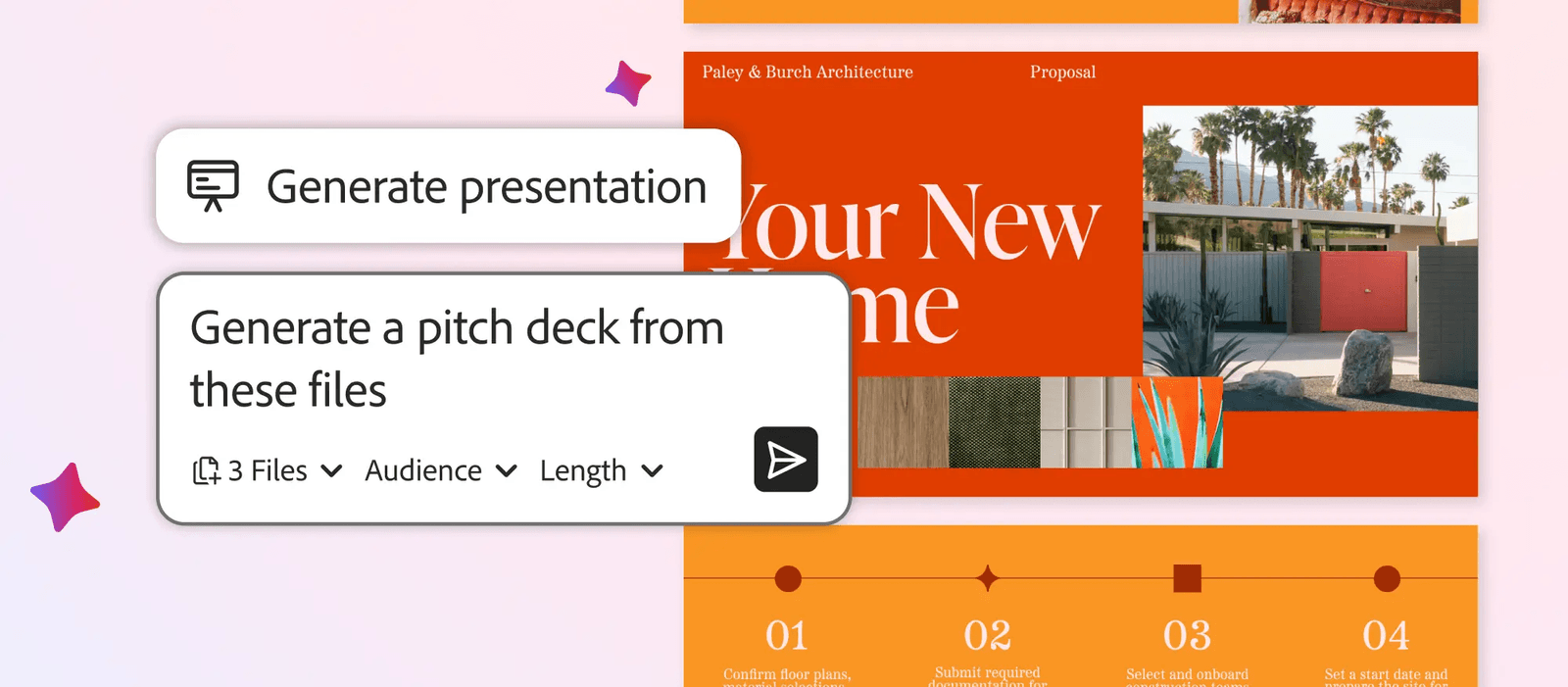
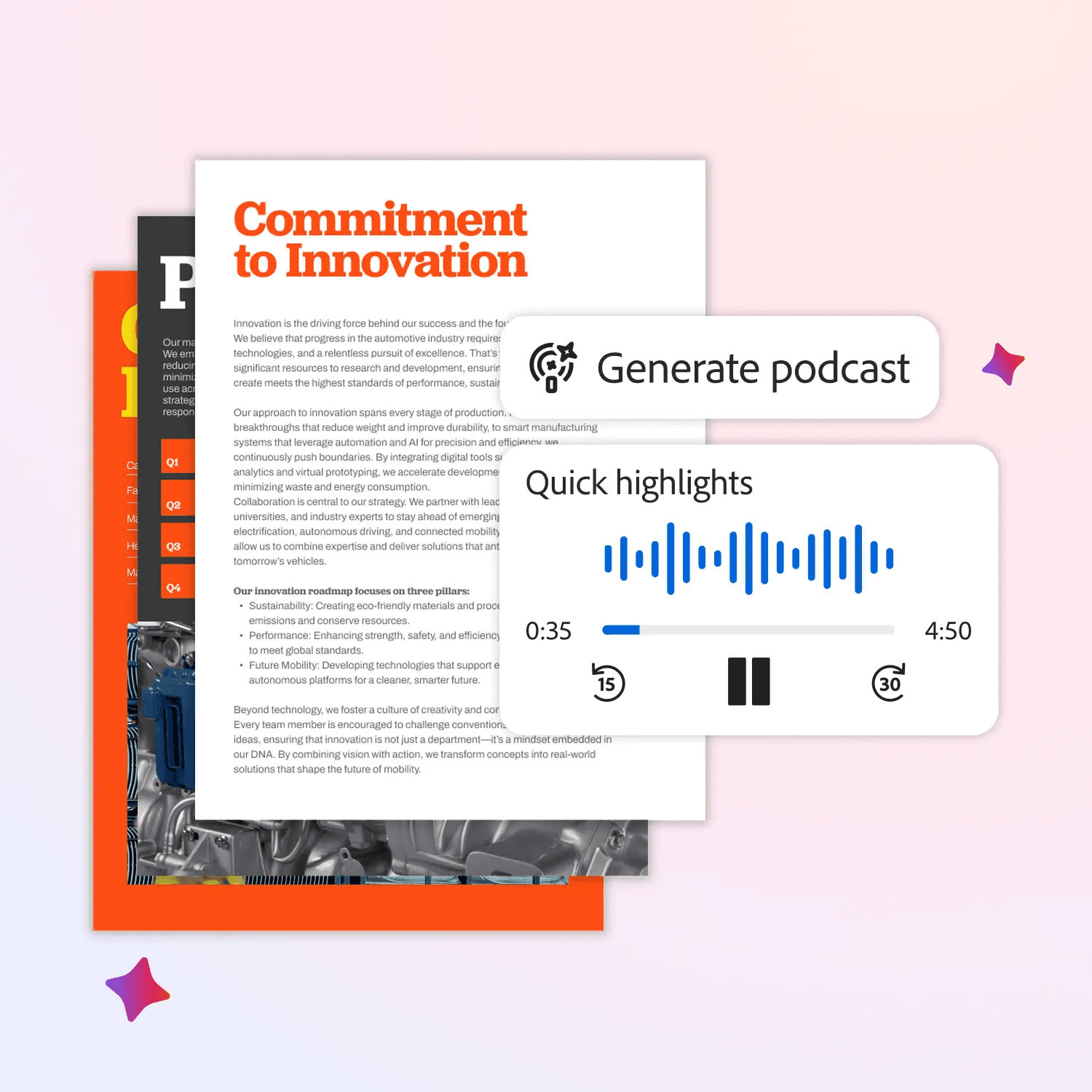
Here is the headline: You can now turn a boring PDF into a polished presentation or a podcast-style audio summary in one click.
This is how it changes your workflow.
What’s New With Adobe’s Acrobat Studio?
1. Generate Podcasts from PDFs (Great for Commute)
As a long-time podcaster, this is my favorite feature.
We all have those 50-page reports or long meeting transcripts we need to read but don’t have time for.
With Generate Podcast, you can drag that document into Acrobat and ask AI Assistant to turn it into an engaging audio summary.
The Workflow:
- Input: A 30-page industry trend report.
- Action: “Turn this into a 10-minute audio summary.”
- Result: A podcast you can listen to while driving, walking the dog, or cooking dinner.
It turns “dead time” into “prep time.” You can literally prep for a client meeting while driving to the meeting, listening to the brief instead of reading it on your phone in the parking lot.
2. Generate Presentations
If you are a freelancer or agency owner, you know the pain of building slide decks. You have all the data in a Google Doc or PDF, but moving it into a slide format takes hours.
Now, Acrobat does the heavy lifting using the Adobe Express engine.
The Workflow:
- Input: Your rough notes, financial reports, and product sheets.
- Action: Ask AI Assistant to “Create a pitch deck highlighting the client’s pain points.”
- Result: It generates an outline, then builds the slides using professional design templates.
Video Walkthrough:
Watch this tutorial to see how I transform a blog post into a presentation with Adobe Express Generate Presentation
Because it uses Adobe Express, these aren’t static, ugly slides. You can animate them, swap images from Adobe Stock, and apply your brand kit instantly, all without leaving Acrobat.
3. Edit PDFs with Natural Language
For years, finding the right tool in a PDF editor was a treasure hunt. “Where is the redact button?” “How do I remove page 4?” Now, you just talk to the document.
You can type: “Remove the last three pages and password protect this file.”
The AI executes the commands. It removes the friction between you and the software.
Embracing “Liquid Content”
From a marketing perspective, this update proves that content is becoming “liquid.”
A file is no longer just a file.
- It is a PDF when you need to read.
- It is a Podcast when you need to listen.
- It is a Presentation when you need to pitch.
Adobe is creating a workflow where you don’t need three different apps to do this. You just need a PDF Space (their new AI-powered knowledge hub) to hold the info, and the AI adapts the format to whatever you need right now.
Feisworld’s Take
If you are still reading every single document that comes across your desk, you are working too hard. Use the AI to convert the format. Listen to your reports. Auto-generate your decks. Save your brain power for the actual decision-making.
I’m putting together a YouTube tutorial evaluating these features as I write. I’m eager to share the results with you soon. Make sure to subscribe and stay tuned to the Feisworld Media channel!
Availability: These features are part of the new Acrobat Studio experience, available starting today.
You might also enjoy…

Written by
Fei WuFei Wu is the founder and CEO of Feisworld Media, a Massachusetts-based digital media company helping brands get discovered by people and by AI. An Adobe Global Ambassador and brand partner to ElevenLabs, Synthesia, and 50+ other tech and AI companies, she hosts the Feisworld Podcast (400+ episodes, 500K+ downloads — guests have included Seth Godin, Steve Wozniak, Chris Voss, and Arianna Huffington) and co-created the documentary Feisworld: Live Your Art on Amazon Prime. Fei writes for CNET, Lifehacker, and PCMag, and her work has been featured in Forbes, Harvard Business Review, and WIRED. She has been publishing on the internet since 2014 — long before AI discoverability had a name.
View all posts by Fei Wu→Stay updated
Weekly insights on content, AI, and digital media.
Keep Reading


