I already wrote about ElevenLabs Flows as the moment ElevenLabs stopped feeling like “just” a voice tool and started feeling like a full creative production workspace.
Flows Agent is a narrower and more interesting question: can a creator describe the creative brief in plain English and have ElevenLabs build the workflow?
That is the part I care about for Feisworld. I do not need another AI demo that looks magical for 20 seconds and then falls apart when I try to use it for real production. I want to know whether this can help with a Feisworld video, a sponsored product short, a course promo, or a localized campaign without spending half the afternoon wiring nodes by hand.
This first-look guide is deliberately scoped to the Agent layer. For the broader canvas, read my full ElevenLabs Flows guide. If you are deciding whether to pay for ElevenLabs first, start with my ElevenLabs pricing and value guide. If you need the basics of voice cloning, TTS, and dubbing, go to my ElevenLabs tutorial.
What is ElevenLabs Flows Agent?
As of June 12, 2026, ElevenLabs Flows Agent is a conversational assistant inside ElevenCreative Flows. It lives in the Flows editor at elevenlabs.io/app/flows.
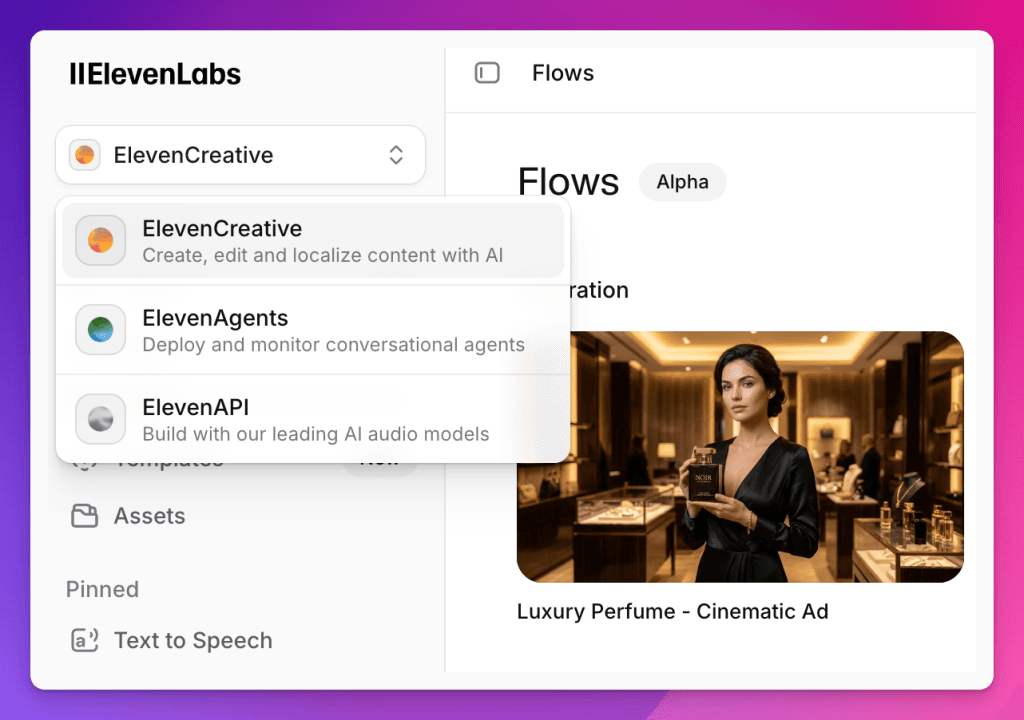
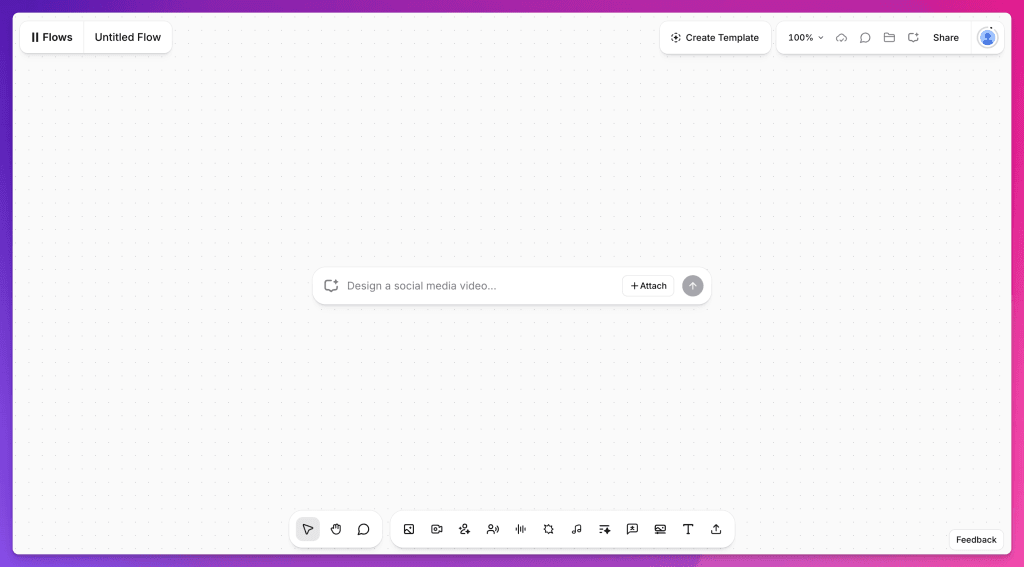
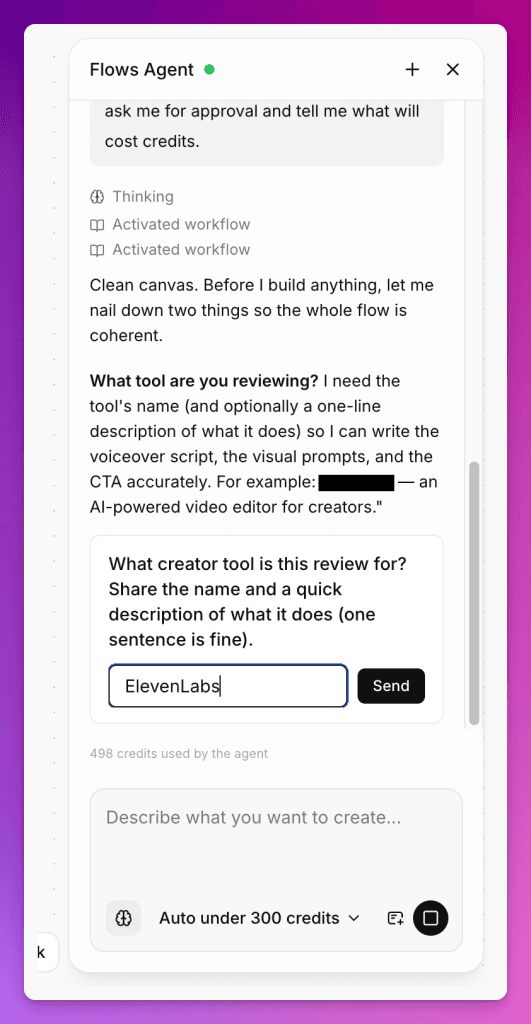
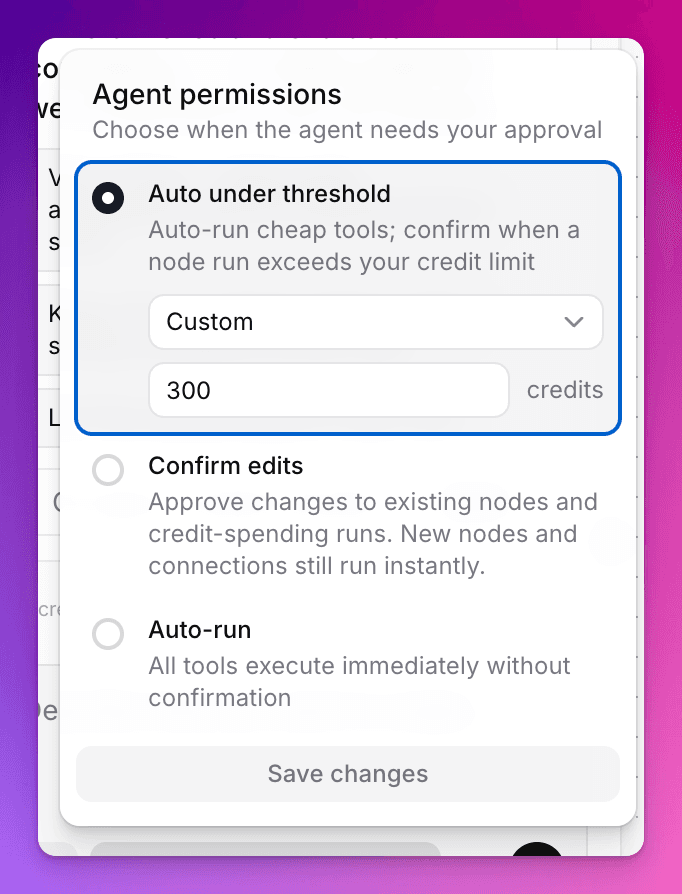
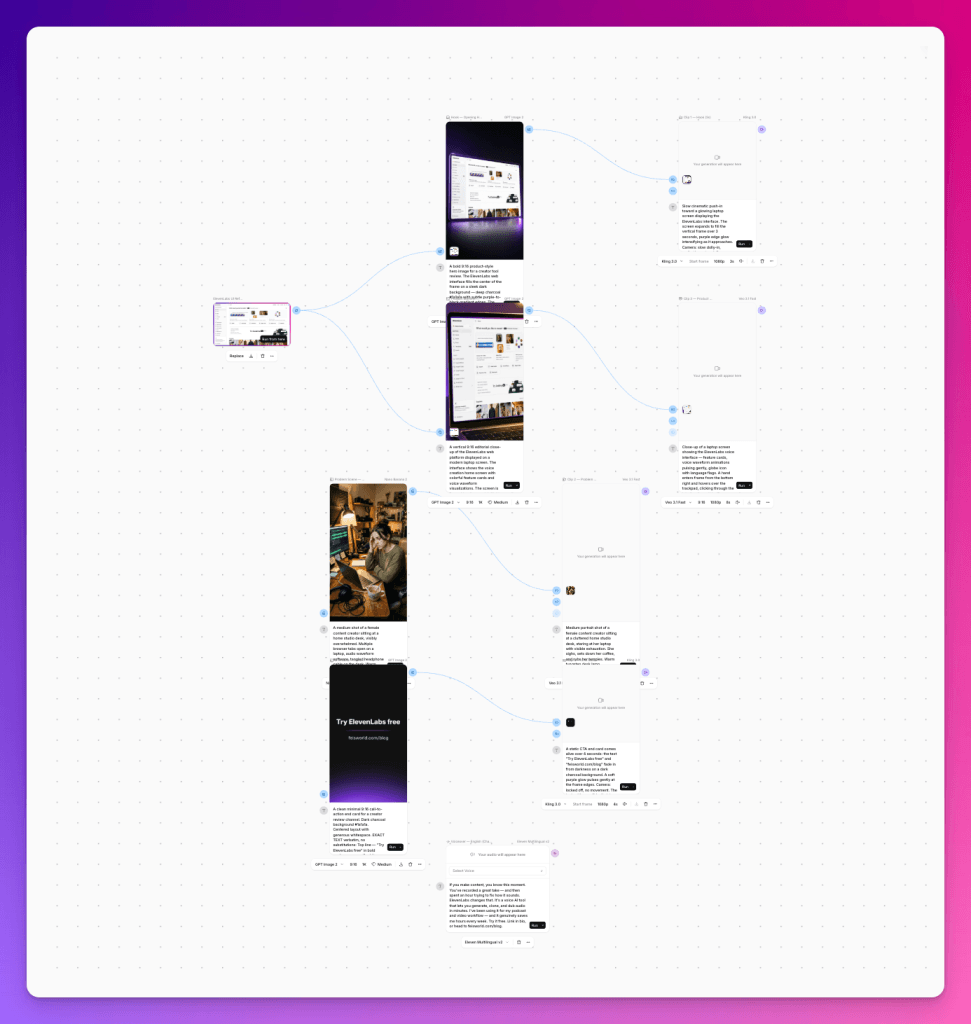
Instead of manually adding every node, choosing every model, and connecting each step yourself, you open the chat side panel and describe what you want to make. ElevenLabs says the agent can select models, create nodes, connect the workflow, and run generations. It can also ask clarifying questions before it spends credits, and Assist mode can pause before expensive operations so you can approve them first.
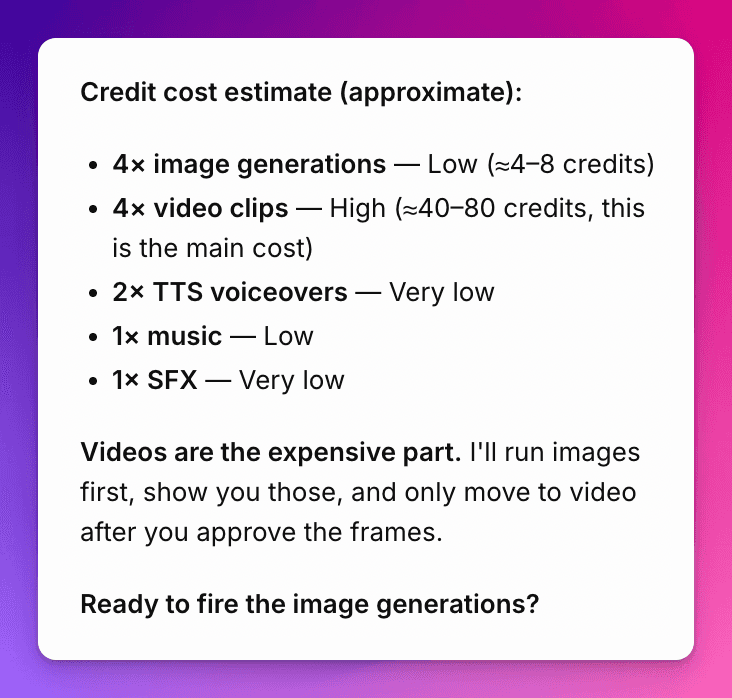
That last part matters. In creative AI tools, the fastest way to waste money is to generate before you have decided on length, tone, format, language, and output. A good agent should slow you down at the right moment.
How this is different from regular Flows
| Regular ElevenLabs Flows | ElevenLabs Flows Agent |
|---|---|
| You build the pipeline manually. | You describe the goal and the agent builds the first version. |
| You choose nodes and connect them yourself. | The agent can choose models, create nodes, and wire the canvas. |
| Great when you already know the structure. | Great when you have a creative brief but not the workflow yet. |
| Iteration happens node by node. | Iteration can happen conversationally: “try a warmer voice,” “make a Spanish version,” or “swap the background.” |
My short version: Flows is the production canvas. Flows Agent is the creative producer sitting next to the canvas.
Where to find it and what you need
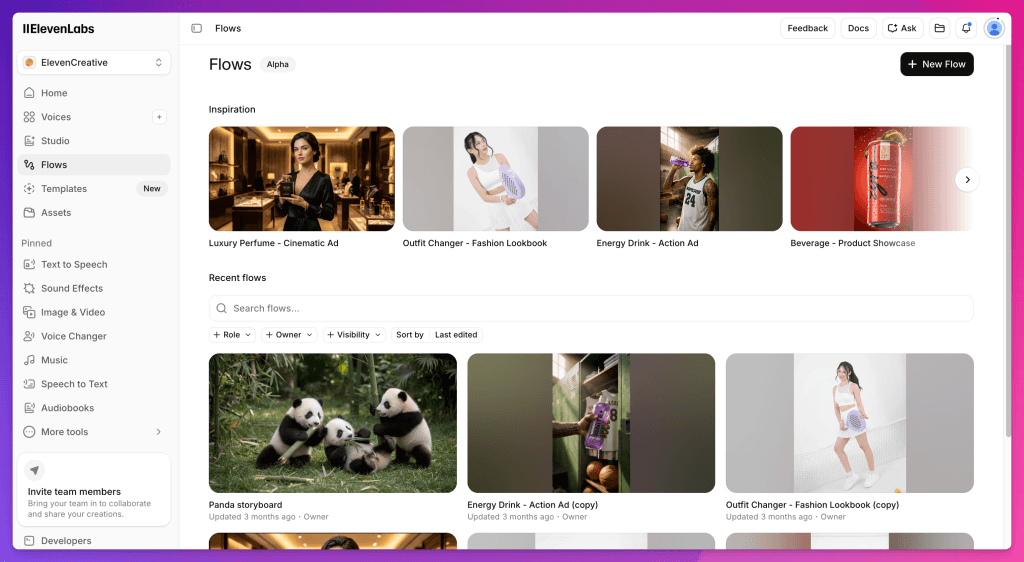
Flows Agent is part of ElevenCreative Flows. Open ElevenLabs, go to ElevenCreative, then open Flows. The feature is tied to ElevenLabs’ broader credit system, so I would treat the first session as a controlled test rather than a full campaign build.
On the public pricing page I checked on June 12, 2026, ElevenLabs listed Free, Starter, Creator, Pro, Scale, Business, and Enterprise plans. The practical question for Flows Agent is not only “which plan includes it?” but “how many credits will this workflow burn once image, video, voice, music, and variants are involved?”
My recommendation: use Assist mode, generate one version first, and do not create multiple video variants until you understand the credit cost. For plan-by-plan context, use the ElevenLabs pricing guide.
The Feisworld workflow to test first
I would not start with a huge project. The first test should be small enough to inspect carefully, but real enough to expose the problems.
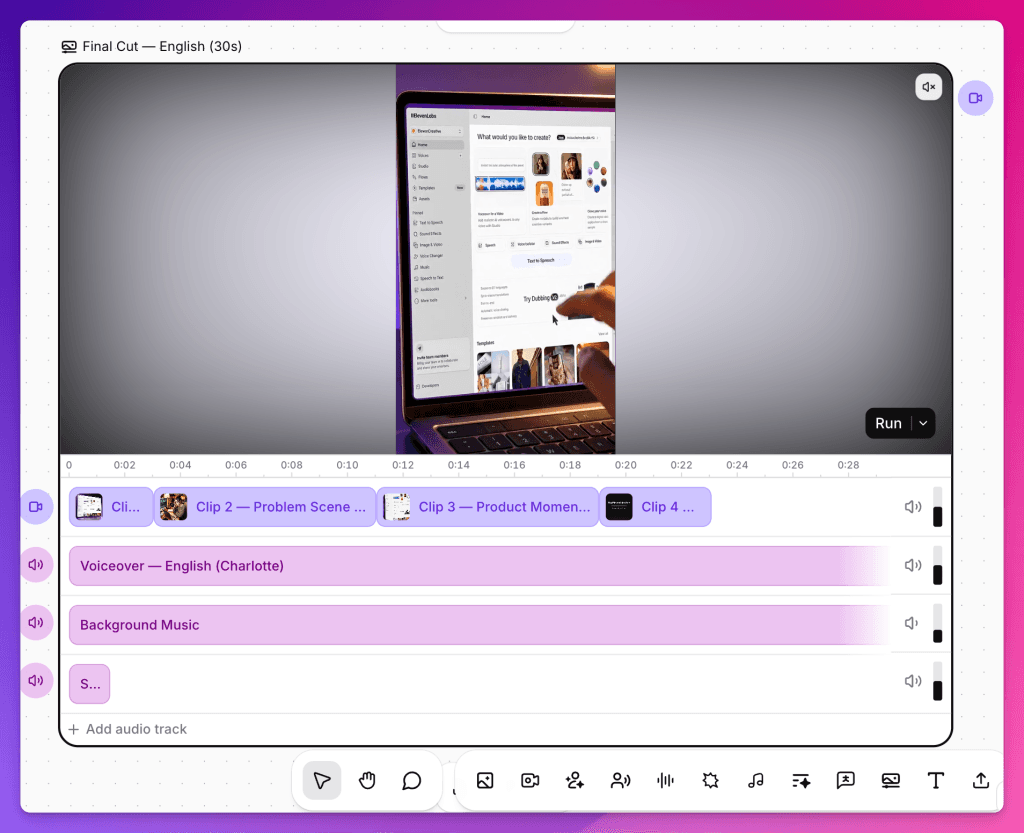
For Feisworld, the cleanest first test is a 30-second vertical video for a creator tool:
- A quick product intro for a YouTube Short.
- A sponsored creator-tool explainer.
- A podcast clip that needs a visual opening, voiceover, music, and one alternate language version.
- A newsletter/social teaser for a new AI tool review.
The reason this is a good first test is that it touches the parts of Flows Agent that matter: planning, video structure, voice, visuals, music, variants, and cost control.
The prompt I would give Flows Agent
Here is the starting prompt I would use:
Build a 30-second vertical video workflow for a Feisworld AI tool review.

Goal: introduce a creator tool in a practical, trustworthy way.
Format: 9:16 vertical video for YouTube Shorts, Instagram Reels, and TikTok.
Tone: warm, clear, practitioner-led, not hype.
Structure:
1. 3-second hook
2. 15-second explanation of the creator problem
3. 8-second product/workflow moment
4. 4-second call to action

Assets needed:
- a clean product-style opening visual
- a short voiceover
- light background music
- subtle sound effects
- one English version and one Spanish version

Before running expensive generations, ask me for approval and tell me what will cost credits.
This prompt is specific on purpose. I am not just asking the agent to “make a video.” I am giving it the same constraints I would give a human editor or creative assistant.
Step-by-step: how to test Flows Agent
1. Open ElevenCreative Flows
Log into ElevenLabs, open ElevenCreative, and go to Flows. If you are new to the canvas itself, read my full ElevenLabs Flows guide first, because this article assumes you understand the basics of nodes, inputs, outputs, and saved flows.
2. Open the Flows Agent side panel
Paste the brief above and ask it to build the pipeline. The first thing to watch is whether it asks follow-up questions or rushes into generation. A useful agent should clarify the output before spending credits.
3. Inspect the nodes it creates
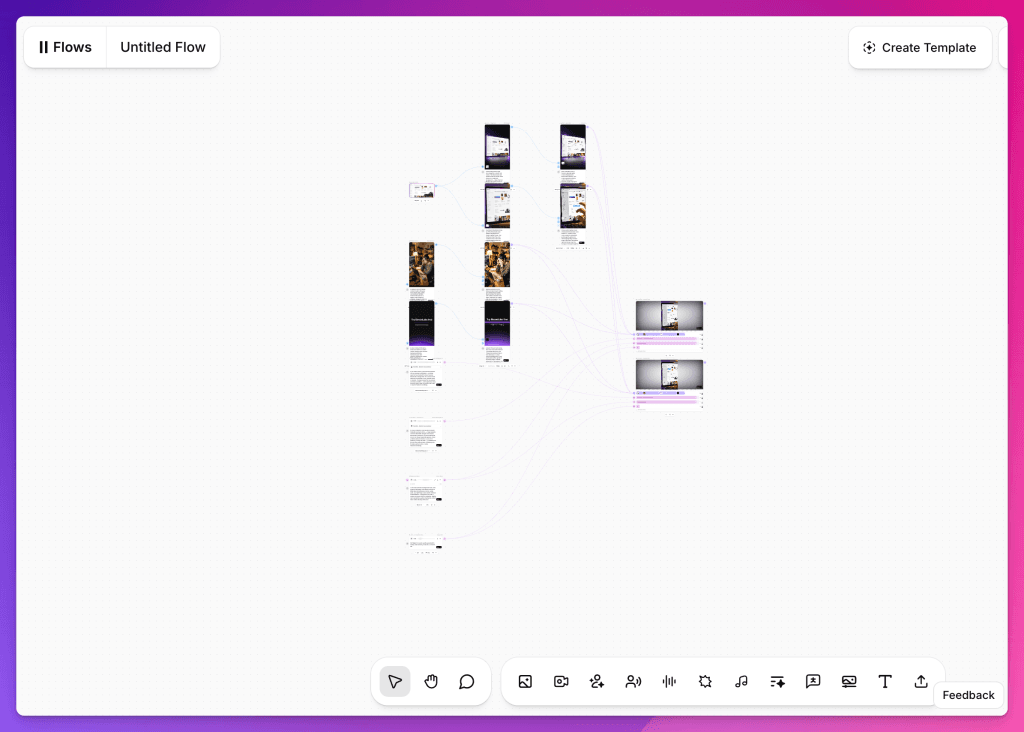
This is the most important inspection point. Look for whether the agent creates a logical structure:
- Visual generation or uploaded product asset.
- Video generation or animation.
- Text to Speech for the voiceover.
- Music or sound effects.
- Composition or export node.
- A variation path for the Spanish version.
If it builds a messy canvas, that is useful information. The promise is not only that it can generate assets. The promise is that it can organize a workflow.
4. Use Assist mode before expensive runs
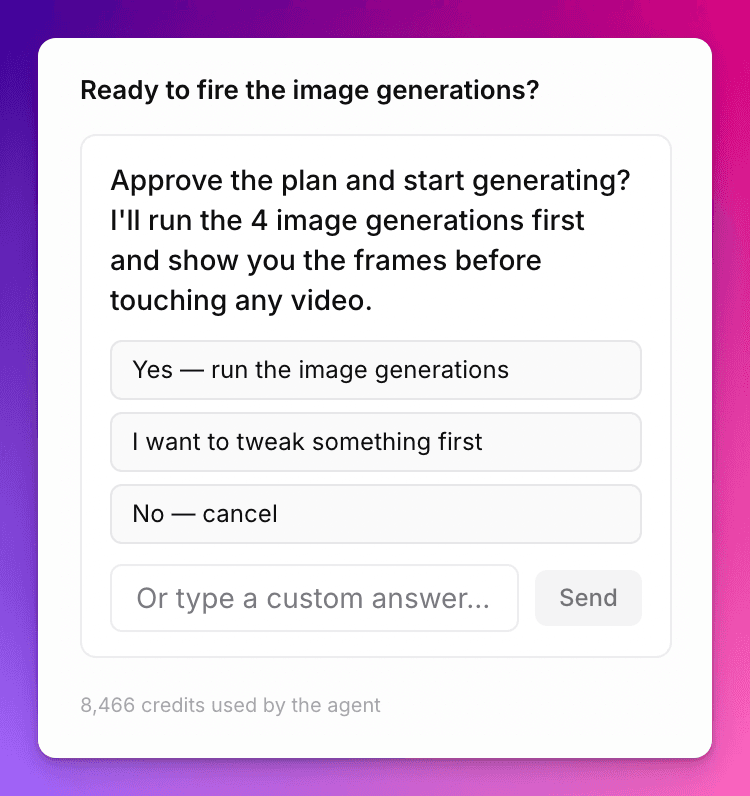
ElevenLabs says Assist mode pauses before costly operations and asks for confirmation. I would keep this on for the first test.
My rule: do not let an agent spend credits until I understand the project length, model choices, and number of variants. This is especially important when video generation enters the workflow.
5. Generate one version first
Do not generate five variations immediately. First, run one English version and inspect the output for:
- Does the video match the brief?
- Does the voiceover sound like a Feisworld piece?
- Is the music too loud or too generic?
- Does the timing work for a 30-second short?
- Can you understand what each node is doing?
6. Ask for one useful variation
After the first version, ask for a meaningful change, not a random one. For example:
- “Make the opening more direct for YouTube Shorts.”
- “Try a warmer, more conversational voice.”
- “Create a Spanish version but keep the same structure.”
- “Swap the background music for something lighter and less dramatic.”
This is where Flows Agent should beat a generic chatbot. It should not give advice and stop there. It should update the actual workflow.
The scorecard I would use before recommending it
| Question | Why it matters |
|---|---|
| Did it ask clarifying questions? | This protects credits and improves output quality. |
| Did it create the right nodes? | The value is workflow construction, not just asset generation. |
| Could I understand and edit the canvas? | A hidden or messy workflow is hard to trust. |
| Was the first output usable? | AI demos are easy. A usable draft is the real test. |
| Did the variation preserve structure? | Good agents revise without breaking the whole pipeline. |
| Did Assist mode prevent waste? | Credit control matters for solo creators and small teams. |
Where Flows Agent could be genuinely useful
1. Sponsored creator content
For Feisworld, the strongest use case is sponsored content. A brand gives us a product, a message, and a deadline. Instead of manually assembling every asset, Flows Agent could build a first-pass pipeline for a short video, then I can polish the voice, pacing, and final edit.
2. Repeatable campaign templates
Once a workflow works, the value compounds. You can keep the structure and swap the product, language, voice, or scene. This is where a creative agent becomes more than a novelty.
3. Multi-language testing
The ability to ask for another language version from the same canvas is important. If I can build one English creative and then test a Spanish version without rebuilding the pipeline, that changes how small teams approach localization.
Where I would be careful
I would not hand Flows Agent an important client campaign and accept the first result without review. I would also be careful with:
- Long videos with many scenes.
- Highly regulated topics.
- Brand-sensitive voice or likeness work.
- Projects where the visual style must match exact brand guidelines.
- Any workflow where you do not understand the credit cost before generation.
The agent can speed up production, but it does not replace editorial judgment. For Feisworld, I still want the human decision-making at the end: is this true, useful, trustworthy, and on-brand?
Final take
Flows already made ElevenLabs feel like a production workspace. Flows Agent could make it feel like a creative operating system, but only if it helps us build cleaner workflows faster without wasting credits or hiding the process.
For creators, that is the real test. Not “can it make something?” Most tools can make something now. The question is whether it can help you build something you would actually publish, revise, localize, and reuse.

Written by
Fei WuFei Wu is the founder and CEO of Feisworld Media, a Massachusetts-based digital media company helping brands get discovered by people and by AI. An Adobe Global Ambassador and brand partner to ElevenLabs, Synthesia, and 50+ other tech and AI companies, she hosts the Feisworld Podcast (400+ episodes, 500K+ downloads — guests have included Seth Godin, Steve Wozniak, Chris Voss, and Arianna Huffington) and co-created the documentary Feisworld: Live Your Art on Amazon Prime. Fei writes for CNET, Lifehacker, and PCMag, and her work has been featured in Forbes, Harvard Business Review, and WIRED. She has been publishing on the internet since 2014 — long before AI discoverability had a name.
View all posts by Fei Wu→Stay updated
Weekly insights on content, AI, and digital media.
Keep Reading


